
Update a product attribute in the PIM via webhook
An endpoint so any system (ERP, spreadsheet, form, the AI descriptions template) can change one attribute of a PIM product without touching its API.
Everything is created inactive in a new folder of your account. Nothing runs until you activate it, and you can undo it for 24 hours.
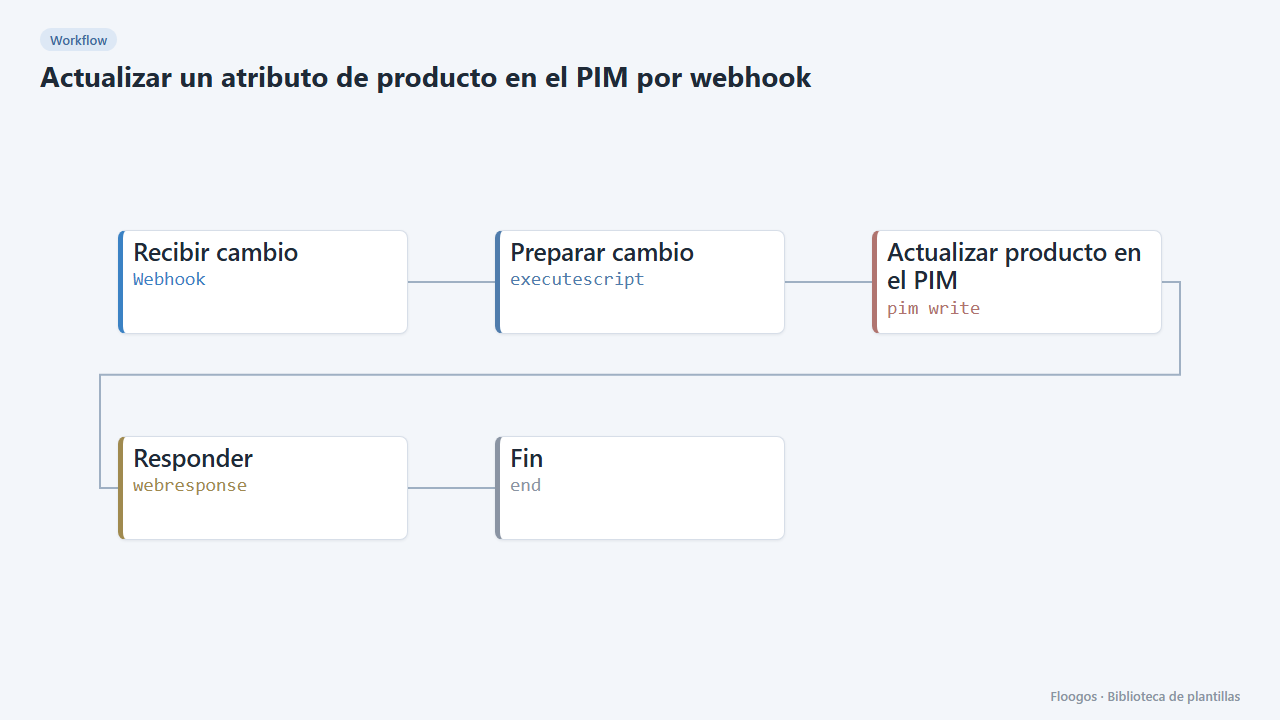
What it does
Exposes a webhook that receives {"identifier":"SKU-1","atributo":"description","valor":"New text","locale":"es_ES"} and turns it into the PIM (Akeneo) call PATCH /api/rest/v1/products/SKU-1. Only attributes you whitelist are accepted, and SKU, attribute and value are validated before calling the PIM.
The reply to the caller includes the HTTP status the PIM returned. It closes the loop with AI product descriptions from your PIM: once you approve a draft, you publish it by calling this webhook.
What you need: a pim access credential with write permissions. Adjust ATRIBUTOS_PERMITIDOS, LOCALE_POR_DEFECTO and SCOPE in the script.
Important: keep the webhook URL private, anyone who knows it can modify those attributes. The engine's pim access node writes its credentials to the logs and does not verify the PIM's TLS certificate; only use it with a trusted PIM.
How to set it up
- 1
Connect the pimaccess credential
This template uses pimaccess in: Actualizar producto en el PIM. Create or pick the credential and assign it in those nodes.
- 2
Copy the webhook URL (Recibir cambio)
A new URL is generated on install. Paste it into the external system that must call this workflow.
- 3
Whitelist attributes
In Preparar cambio edit
ATRIBUTOS_PERMITIDOSwith the codes you want to allow. Any other attribute is rejected. - 4
Connect the PIM
In Actualizar producto en el PIM pick your credential and replace
TU-PIM.com. Do not change the data field: it already holds the exact body Akeneo expects. - 5
Try it
Activate the workflow and POST to the webhook URL with
identifier,atributo,valorand optionallylocale. Akeneo replies 204 when the change is applied. - 6
Activate the workflow
Workflows are installed inactive. Once everything is set, activate it.
Related templates
Other templates that use similar nodes or integrations.
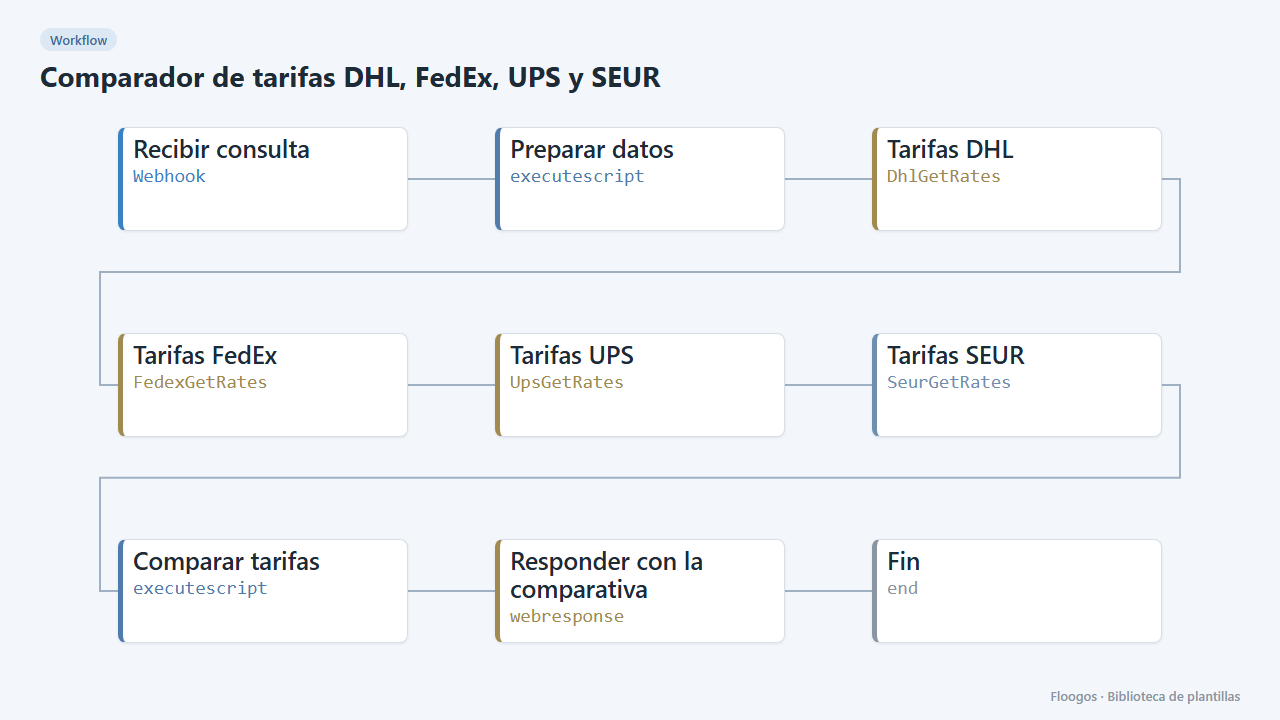
DHL, FedEx, UPS and SEUR rate comparison
Queries DHL, FedEx, UPS and SEUR rates for a shipment and returns the cheapest and the fastest.
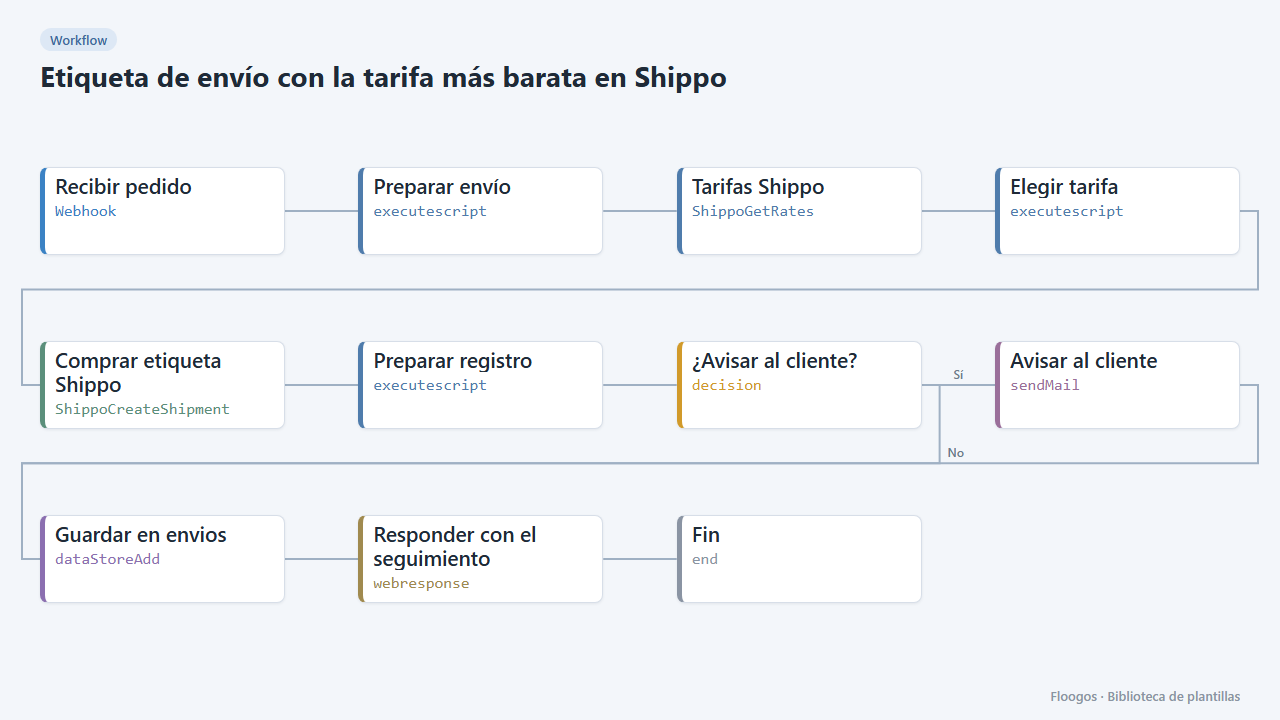
Shipping label with the cheapest rate in Shippo
When an order arrives it requests rates from every carrier in Shippo, buys the cheapest, saves the tracking and notifies the customer.
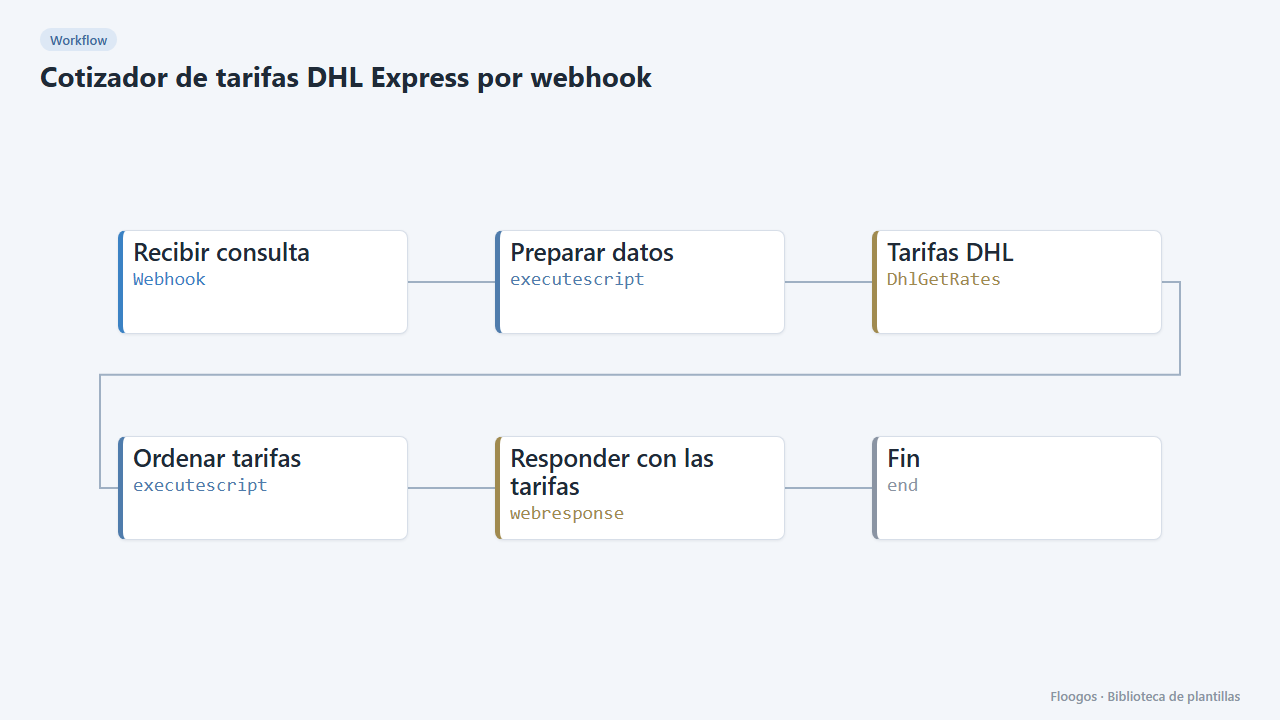
DHL Express rate quote via webhook
A webhook receives origin, destination and weight, queries DHL Express rates and returns the services sorted by price.
Try it in under 5 minutes
Create the template in your account, connect your credentials and activate it when you are ready.
Use this template