
SRI e-invoice (Ecuador) with RIDE by email
Issue the electronic invoice with the SRI, wait for authorization and email the RIDE with its access key to the customer.
Everything is created inactive in a new folder of your account. Nothing runs until you activate it, and you can undo it for 24 hours.
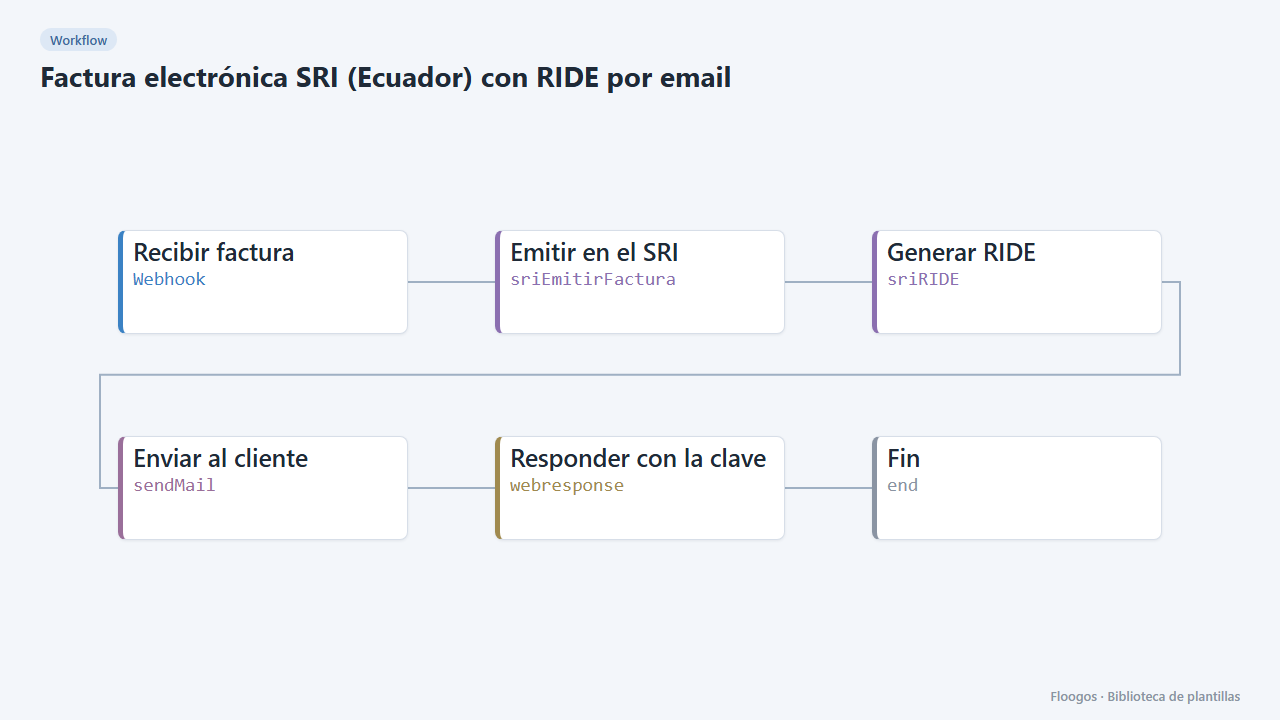
What it does
Every order reaching the webhook is invoiced with the Ecuador SRI: the workflow builds the access key and the XML, signs it with your .p12 certificate, sends it to reception, checks the authorization and builds the RIDE (printable version). The customer gets it by email and the source system gets the access key.
What you need: an SRI credential (RUC, digital certificate and establishment; start in the testing environment) and an SMTP account.
How to use it: install the template, connect the credentials and send the invoice as JSON to the webhook.
How to set it up
- 1
Connect the sri credential
This template uses sri in: Emitir en el SRI, Generar RIDE. Create or pick the credential and assign it in those nodes.
- 2
Connect the smtp credential
This template uses smtp in: Enviar al cliente. Create or pick the credential and assign it in those nodes.
- 3
Copy the webhook URL (Recibir factura)
A new URL is generated on install. Paste it into the external system that must call this workflow.
- 4
Use the testing environment
Create the SRI credential in the testing environment and check the final status is
authorizedbefore moving to production. - 5
Send a test invoice
Send a
POSTwith{"email":"customer@example.com","comprador":{"tipoIdentificacion":"05","identificacion":"1700000000","razonSocial":"Test Customer"},"items":[{"codigo":"001","descripcion":"Service","cantidad":1,"precioUnitario":100}]}. - 6
Activate the workflow
Workflows are installed inactive. Once everything is set, activate it.
Related templates
Other templates that use similar nodes or integrations.
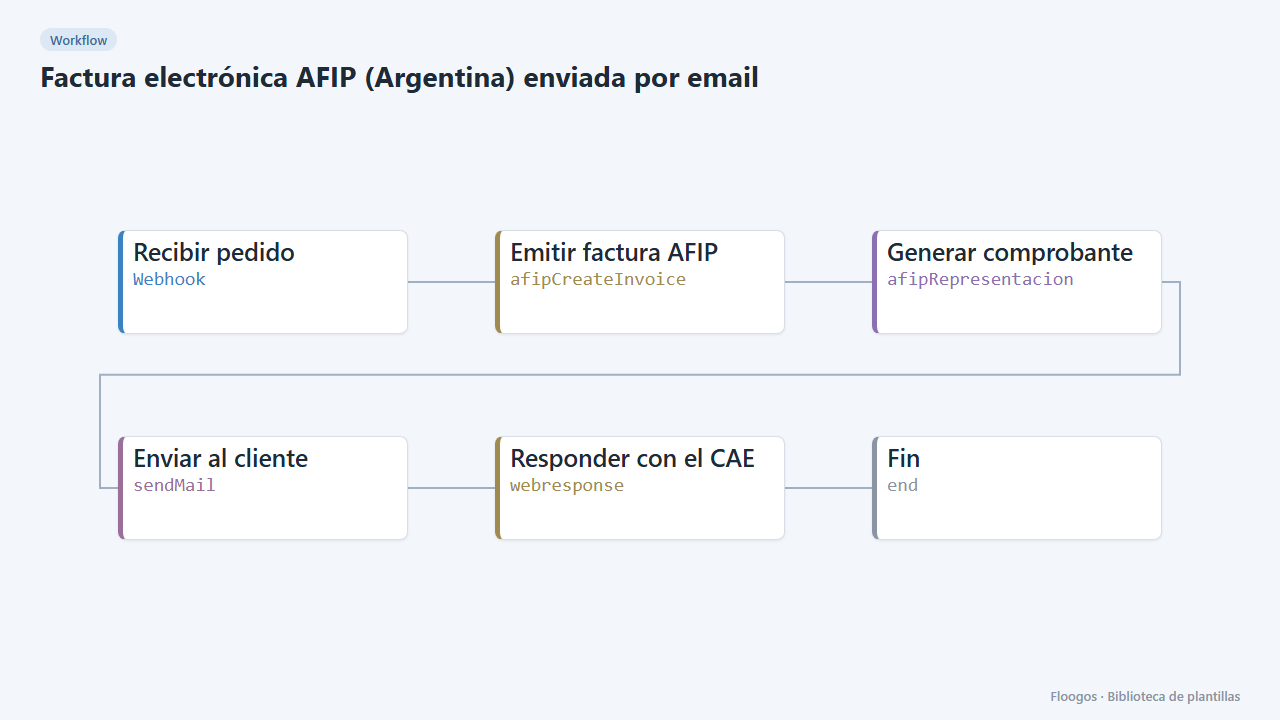
AFIP e-invoice (Argentina) sent by email
Receive an order via webhook, issue the electronic invoice with AFIP, get the CAE and email the receipt with its QR code to the customer.
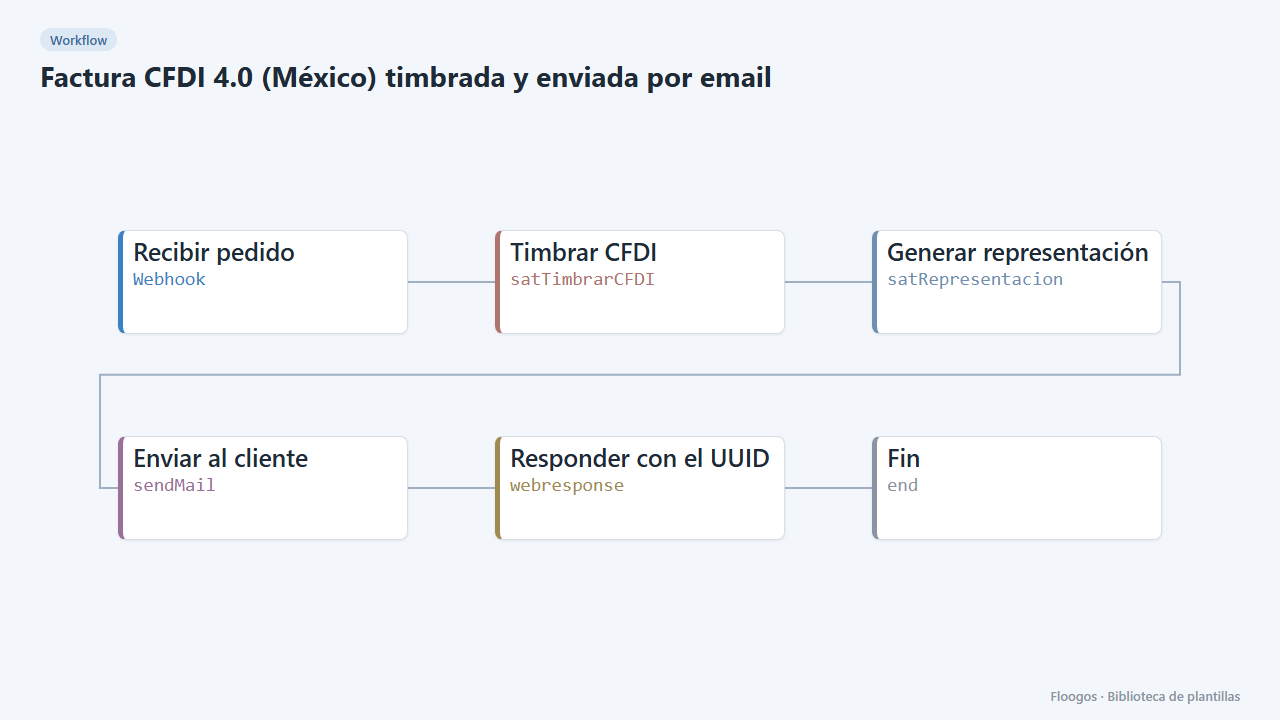
CFDI 4.0 invoice (Mexico) stamped and emailed
Receive an order, build and stamp the CFDI 4.0 through your PAC and email the printable version with its UUID to the customer.
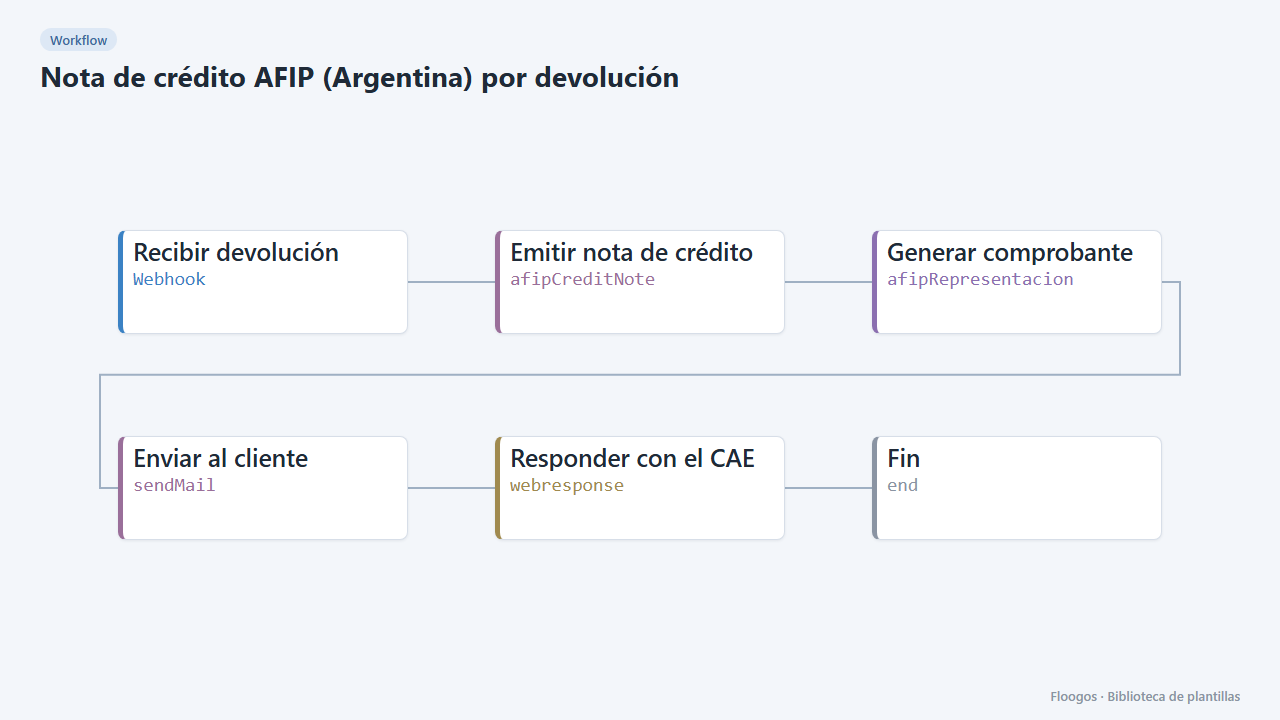
AFIP credit note (Argentina) for returns
When a sale is cancelled or returned, issue the AFIP credit note linked to the original invoice and send it to the customer.
Try it in under 5 minutes
Create the template in your account, connect your credentials and activate it when you are ready.
Use this template