
Mercado Libre sales to Google Sheets
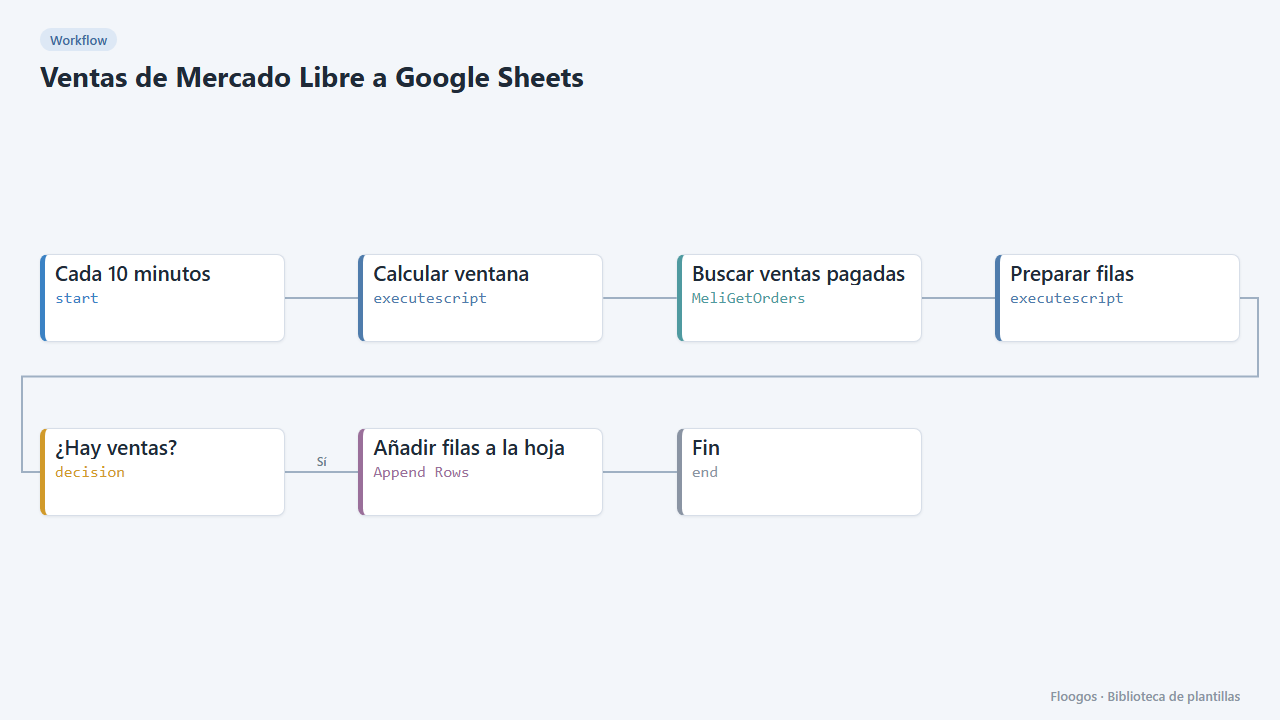
Every 10 minutes it appends one Google Sheets row for each paid Mercado Libre sale.
Everything is created inactive in a new folder of your account. Nothing runs until you activate it, and you can undo it for 24 hours.
What it does
Bring your Mercado Libre sales into a spreadsheet without copy-pasting. The workflow fetches paid orders from the last interval and appends one row per order with date, order number, buyer, products, amount, currency and status. With that sheet you can build reports, reconcile with accounting or feed a dashboard.
What you need: Mercado Libre credentials (OAuth), a Google account and a spreadsheet with a tab named Ventas.
How to use it: install the template, connect the credentials, pick your spreadsheet and activate the workflow.
Important: the window (10 min) must match the cron interval to avoid duplicated or missing rows. If you change one, change the other in Calcular ventana.
How to set it up
- 1
Connect the mercadolibre credential
This template uses mercadolibre in: Buscar ventas pagadas. Create or pick the credential and assign it in those nodes.
- 2
Connect the google credential
This template uses google in: Añadir filas a la hoja. Create or pick the credential and assign it in those nodes.
- 3
Prepare the sheet
Create a
Ventastab in Google Sheets with these headers: Fecha, Orden, Comprador, Productos, Importe, Moneda, Estado. - 4
Connect and choose the spreadsheet
Select your credentials in Buscar ventas pagadas and Añadir filas a la hoja, and choose the spreadsheet in the latter.
- 5
Test with a full day
In Calcular ventana set
1440minutes, run once and check the rows. Set it back to10before activating the cron. - 6
Activate the workflow
Workflows are installed inactive. Once everything is set, activate it.
Related templates
Other templates that use similar nodes or integrations.
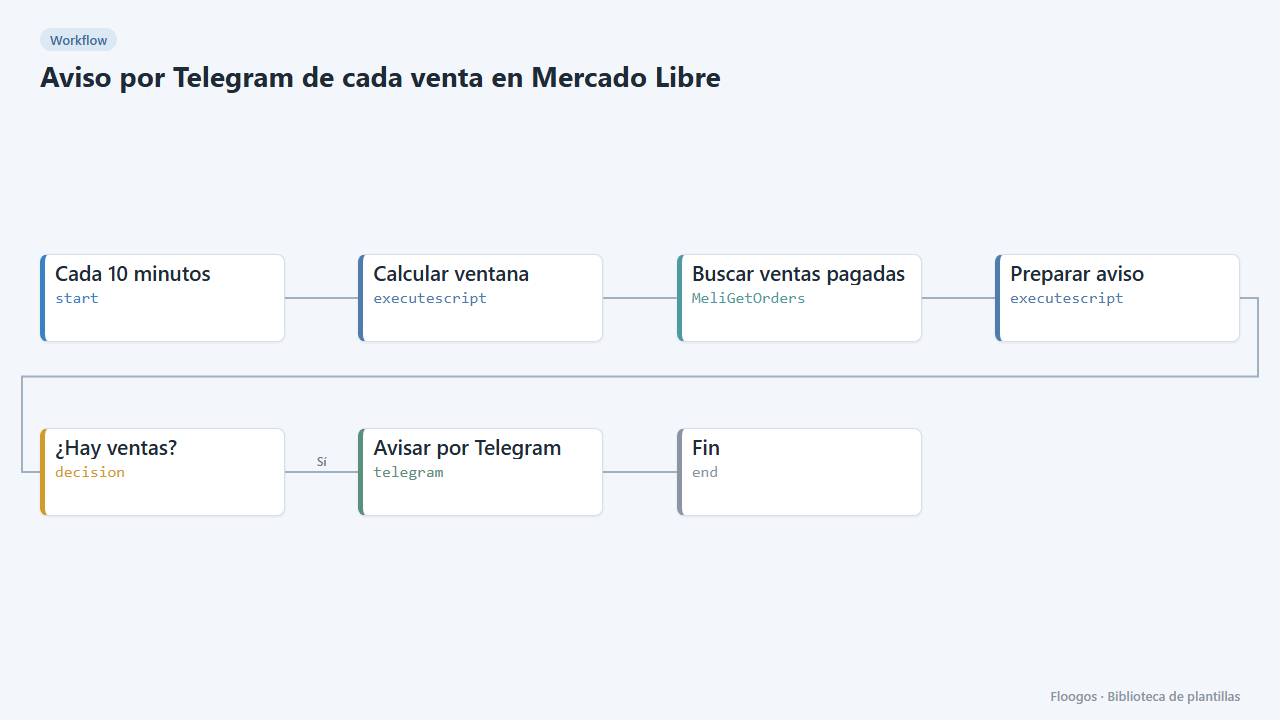
Telegram alert for every Mercado Libre sale
Every 10 minutes it checks paid Mercado Libre sales and sends you a Telegram summary with product, buyer and amount.
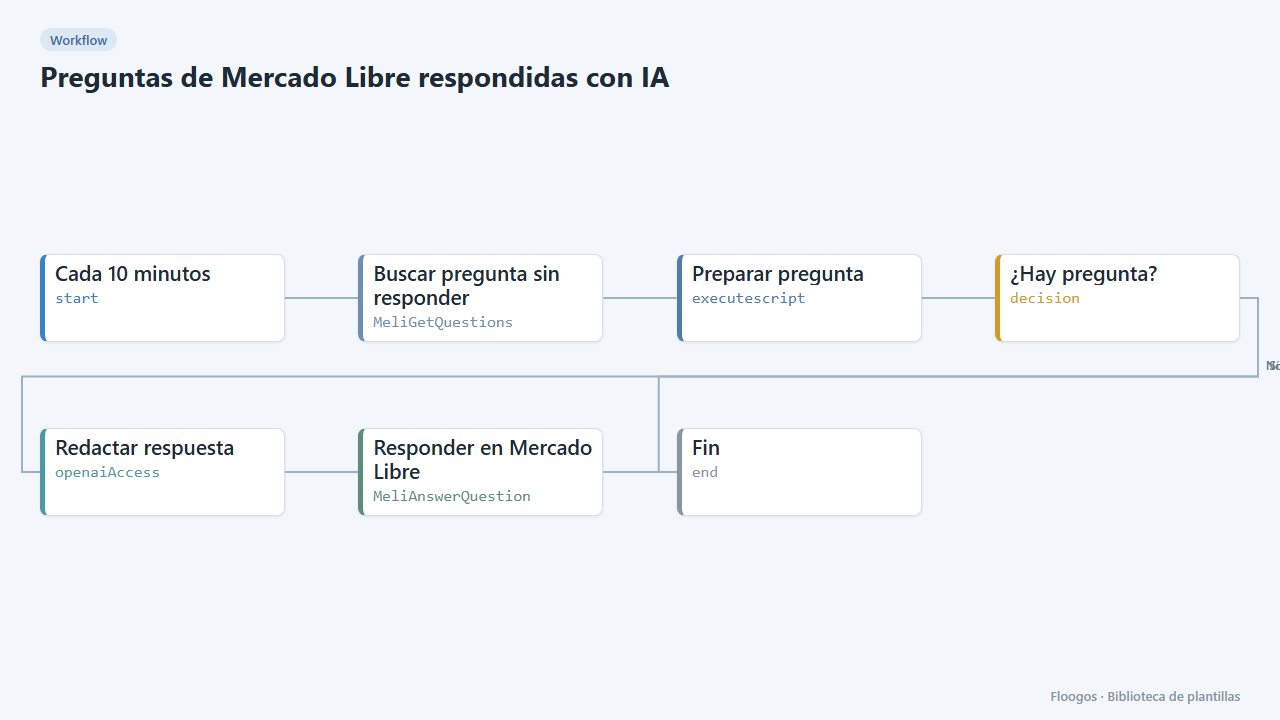
Mercado Libre questions answered with AI
Every few minutes it looks for unanswered questions on your Mercado Libre listings and replies with an AI-written answer.
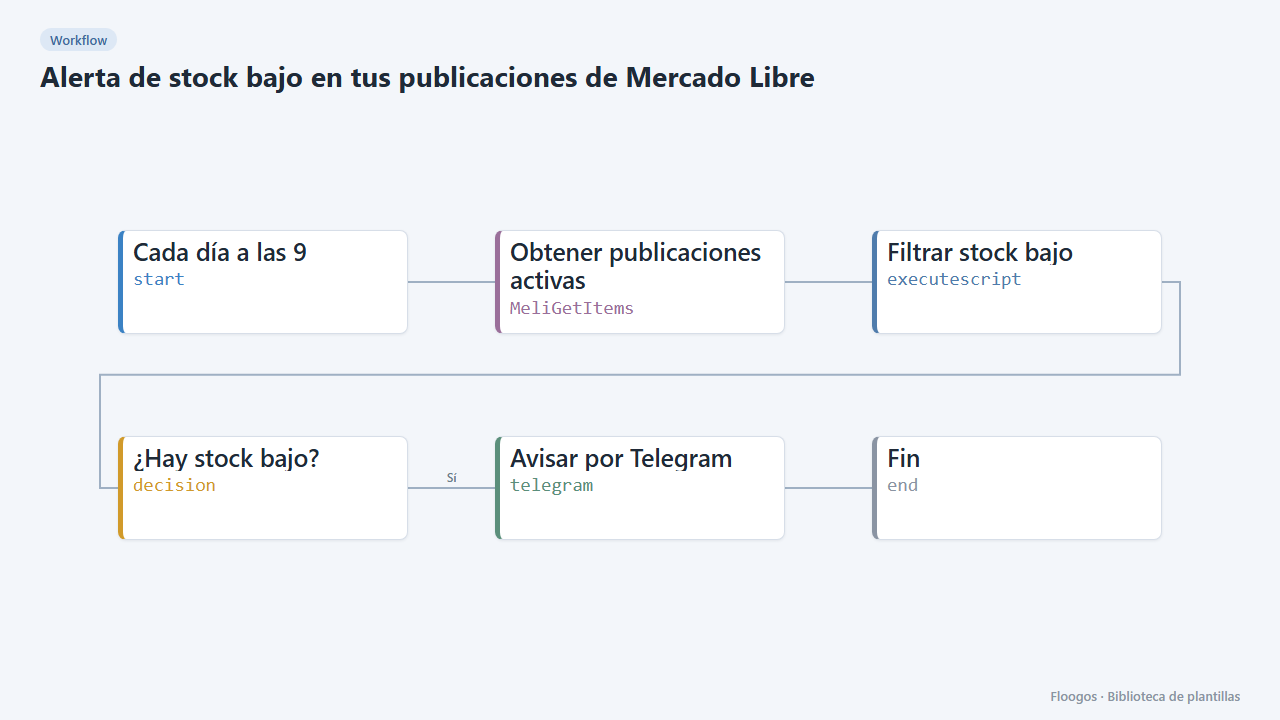
Low-stock alert for your Mercado Libre listings
Every morning it checks your active listings and alerts you on Telegram about the ones running low on stock.
Try it in under 5 minutes
Create the template in your account, connect your credentials and activate it when you are ready.
Use this template