
Web chat with an AI agent that answers your FAQ
A public chat for your website that answers common questions with AI and logs the ones it cannot answer.
Everything is created inactive in a new folder of your account. Nothing runs until you activate it, and you can undo it for 24 hours.
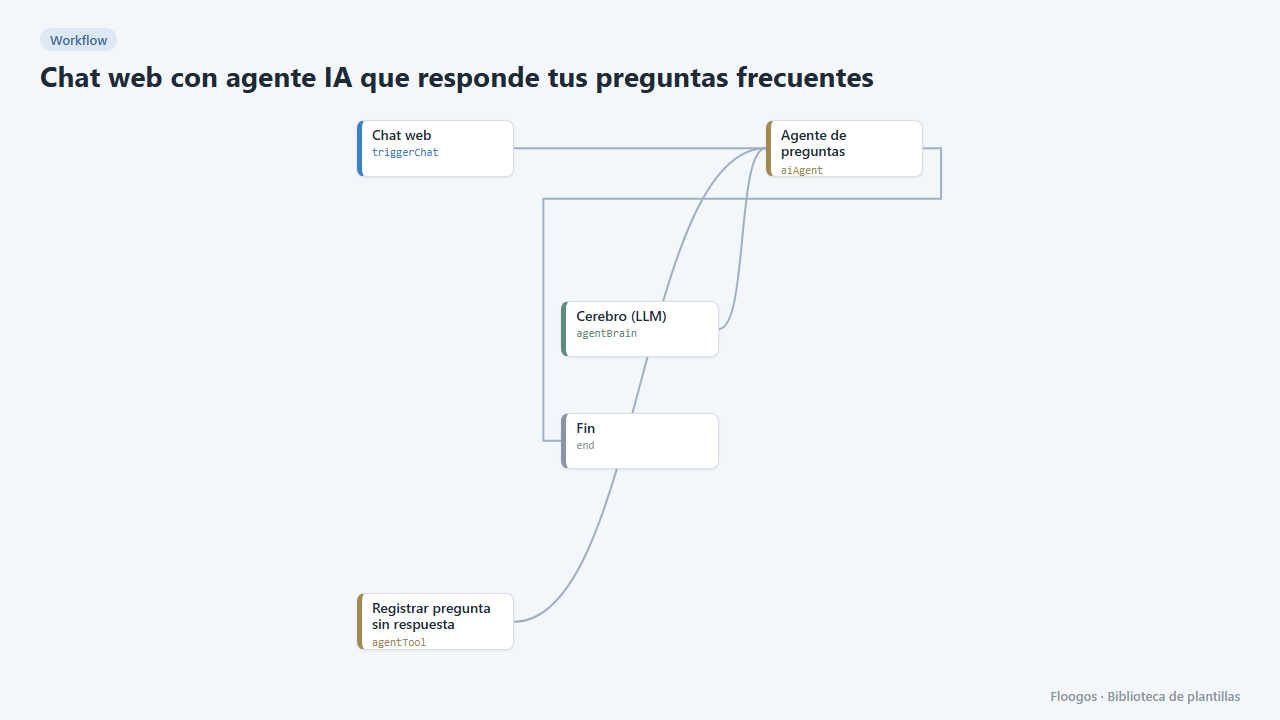
What it does
Publish an AI agent chat on its own page (/c/<token>) or as a floating button on your website. The agent answers with the FAQ you write in its instructions, remembers what was said during the conversation and, when it does not know something, it does not make it up: it admits it, asks for a contact email and stores the question in a Data Store (preguntas_sin_respuesta) so your team can review it and extend the FAQ.
What you need: a credential from an AI provider (OpenAI, Claude, Gemini…) for the Brain node.
How to use it: install the template, connect the brain, write your FAQ in the agent node and publish the workflow. A public chat URL is generated on install; the Chat web node gives you the code to embed it in your page.
How to set it up
- 1
Connect the openai credential
This template uses openai in: Cerebro (LLM). Create or pick the credential and assign it in those nodes.
- 2
Connect the brain
In the Cerebro (LLM) node choose the provider, the model and your AI credential. Without a credential the chat answers with an incomplete-setup notice.
- 3
Write your FAQ
Open the Agente de preguntas frecuentes node and replace the sample list in the
system_promptfield with your real business information (hours, shipping, returns, prices…). - 4
Publish and test
Open the chat URL from the Chat web node and ask something that is on the list and something that is not. Unanswered questions end up in the
preguntas_sin_respuestaData Store. Copy the embed code from the same node to put it on your website. - 5
Activate the workflow
Workflows are installed inactive. Once everything is set, activate it.
Related templates
Other templates that use similar nodes or integrations.
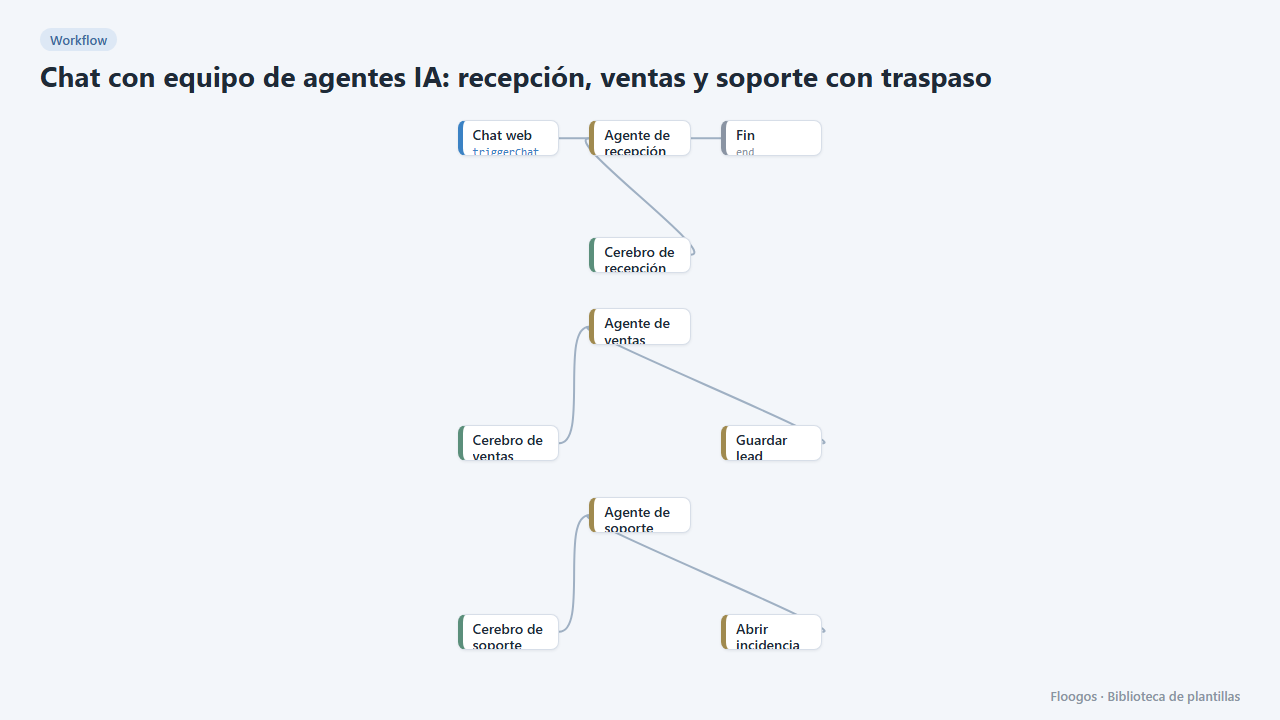
AI agent team chat: reception, sales and support with handoff
A single website chat served by several specialist agents that hand the conversation over depending on the topic, like a human team.
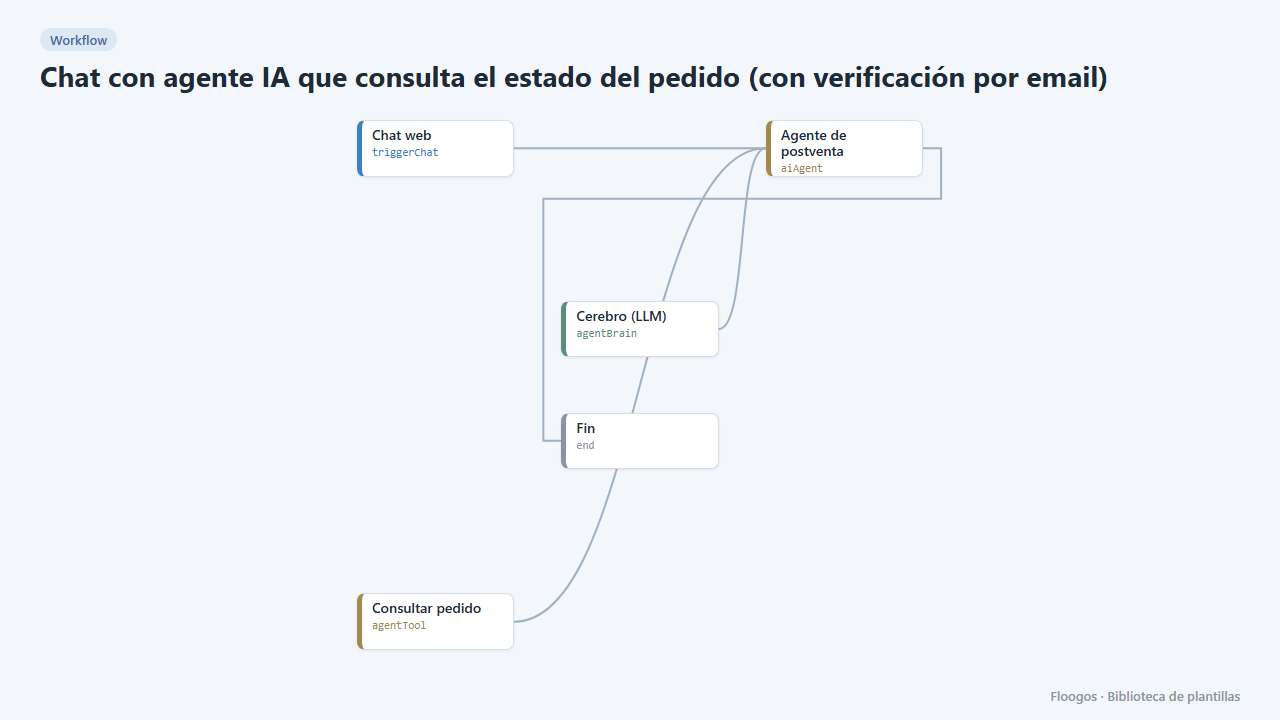
AI agent chat that checks order status (with email verification)
Your customers ask about their order in the chat and the agent answers with real data, only after verifying their email with a code.
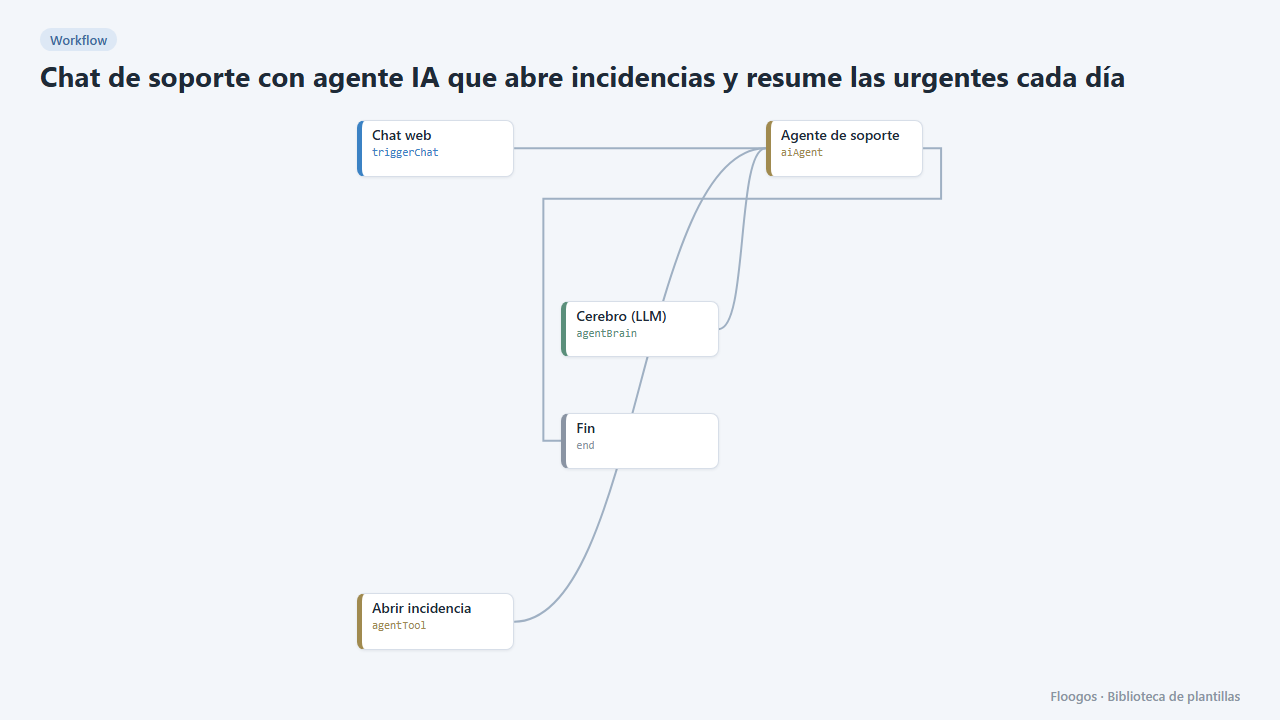
Support chat with an AI agent that opens tickets and summarises the urgent ones daily
The agent tries to solve technical questions in the chat and, if it cannot, opens a ticket with its urgency; every morning you get the sorted list.
Try it in under 5 minutes
Create the template in your account, connect your credentials and activate it when you are ready.
Use this template