
Daily Mercado Pago collections report by email
Every morning it adds up the last 24 hours of approved Mercado Pago payments and emails you the summary.
Everything is created inactive in a new folder of your account. Nothing runs until you activate it, and you can undo it for 24 hours.
What it does
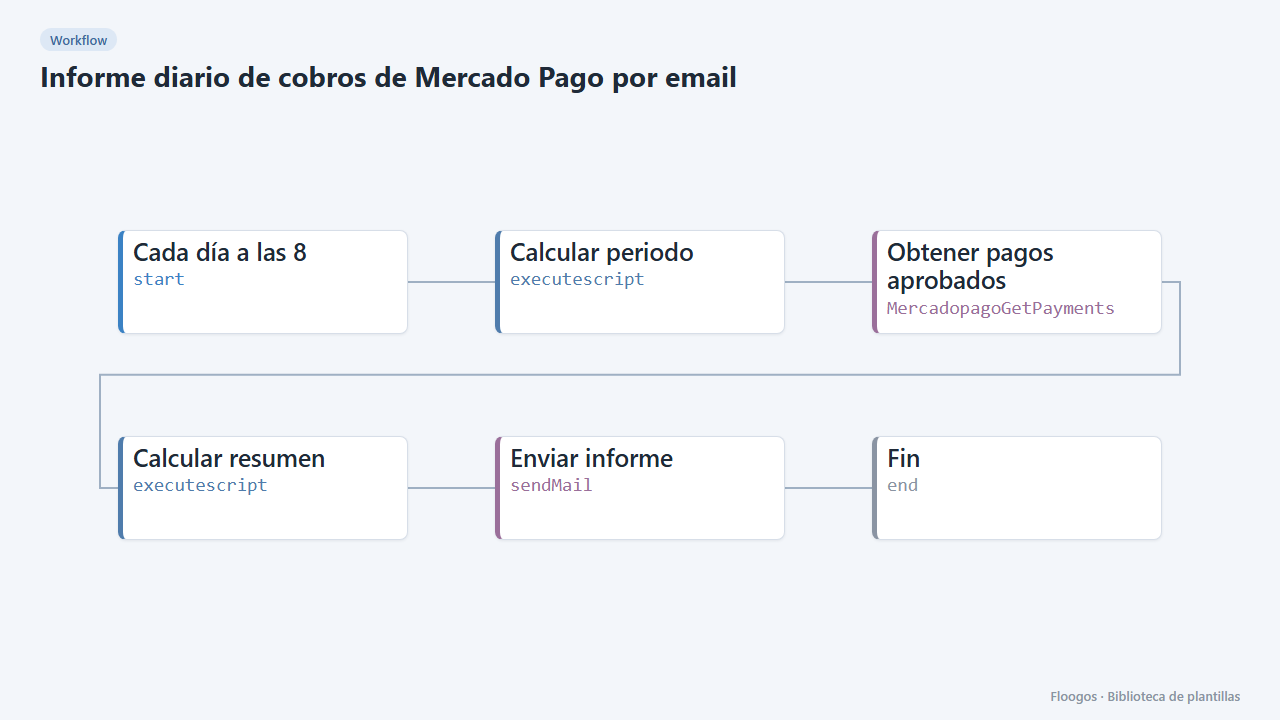
Start the day knowing how much you collected. At 8:00 the workflow fetches approved payments from the last 24 hours, computes the number of charges and the total and sends an email with the summary and each payment detail (ID, amount, reference and payer). It reviews up to 100 payments per run.
What you need: Mercado Pago credentials (Access Token) and an SMTP account.
How to use it: install the template, connect the credentials, replace finanzas@tuempresa.com with the recipient and activate the workflow.
Note: the report adds amounts without splitting by currency; if you collect in several currencies, filter or duplicate the workflow per account.
How to set it up
- 1
Connect the mercadopago credential
This template uses mercadopago in: Obtener pagos aprobados. Create or pick the credential and assign it in those nodes.
- 2
Connect the smtp credential
This template uses smtp in: Enviar informe. Create or pick the credential and assign it in those nodes.
- 3
Connect Mercado Pago and SMTP
Select your credentials in Obtener pagos aprobados and Enviar informe.
- 4
Set the recipient
In Enviar informe replace
finanzas@tuempresa.comwith the email that will receive the report. - 5
Run it once
Run the workflow manually and check the email. Then activate the cron.
- 6
Activate the workflow
Workflows are installed inactive. Once everything is set, activate it.
Related templates
Other templates that use similar nodes or integrations.
Monthly Holded sales report by email
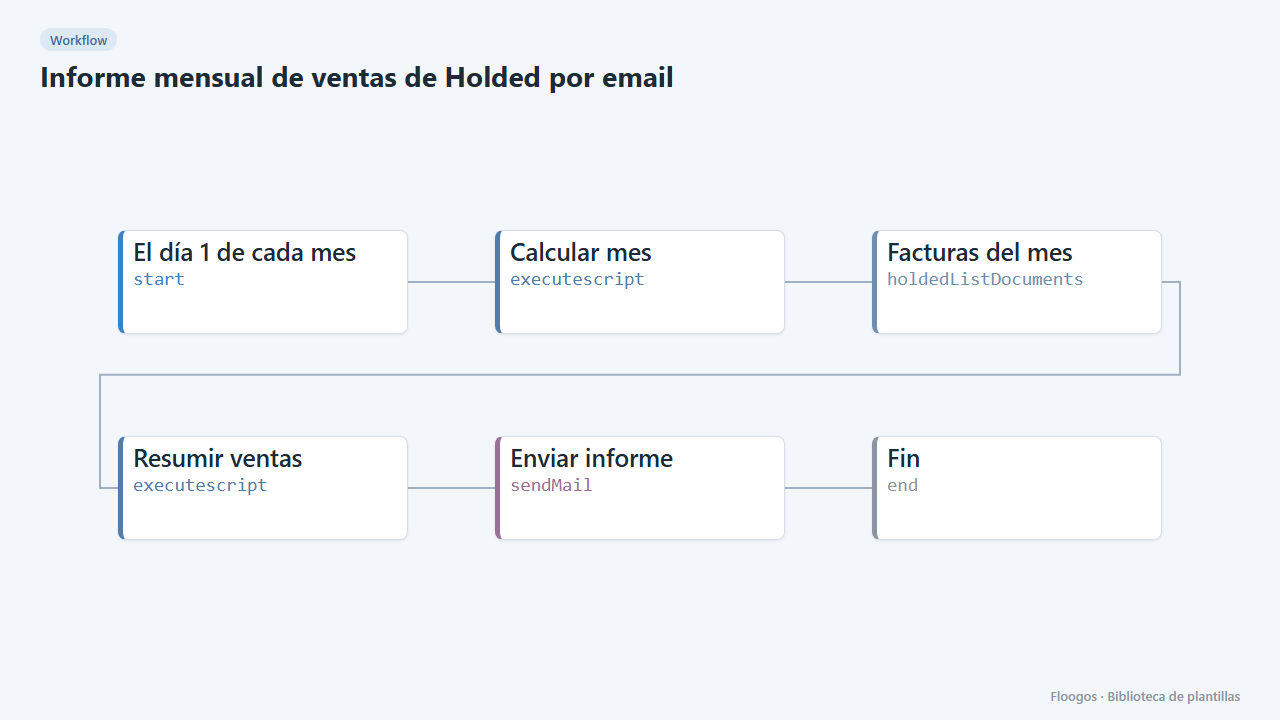
On the 1st of every month it adds up last month invoices in Holded and emails management a summary with total, invoice count and top customers.
PDF invoice to Excel, sent by email
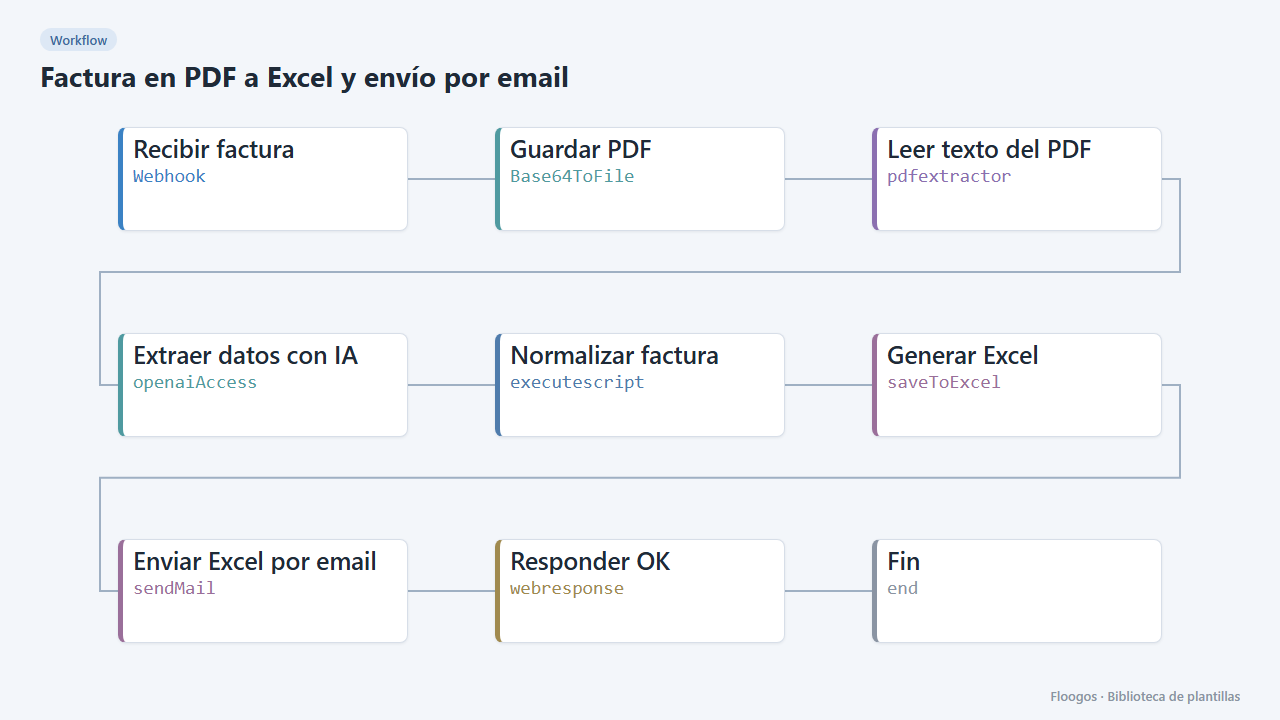
Turn each PDF invoice into an Excel file with its lines, net, VAT and total, and email the download link to accounting.
Finnegans documents in Google Sheets
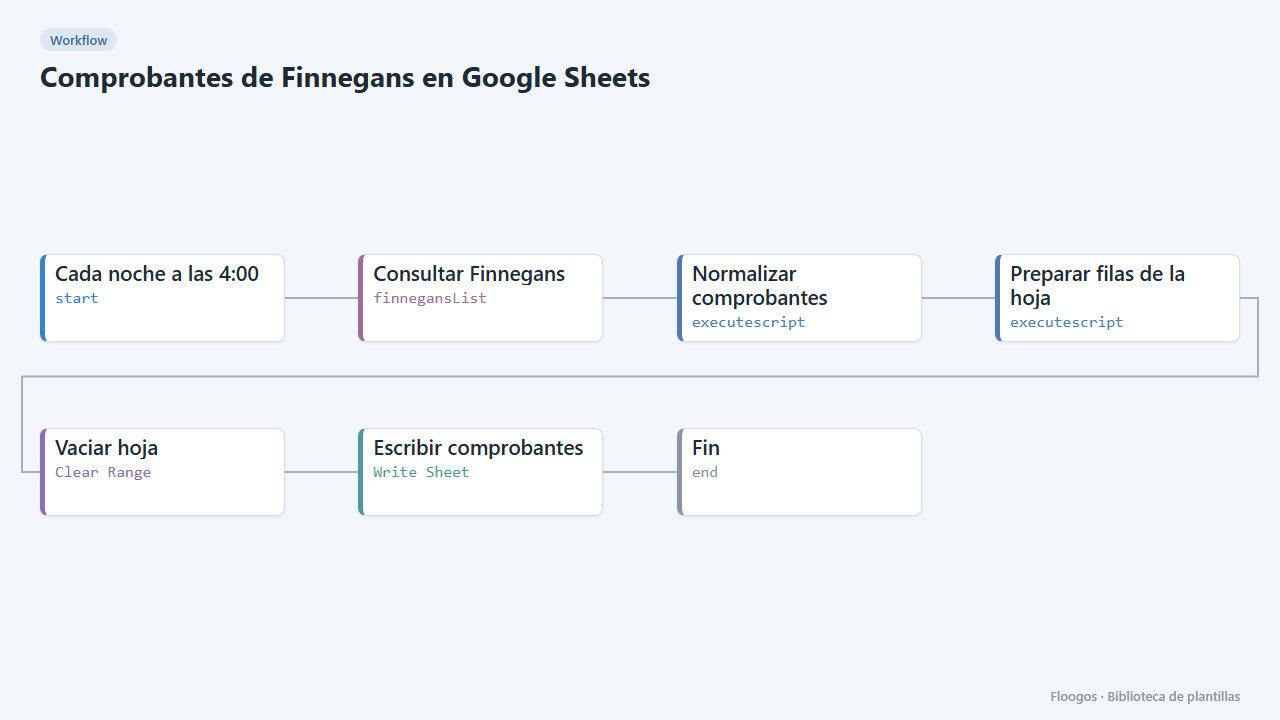
Every night it dumps Finnegans documents to a Google Sheet with clean columns (number, date, customer, seller, status, amount), ready for pivot tables.
Try it in under 5 minutes
Create the template in your account, connect your credentials and activate it when you are ready.
Use this template