
PrestaShop daily sales summary by email
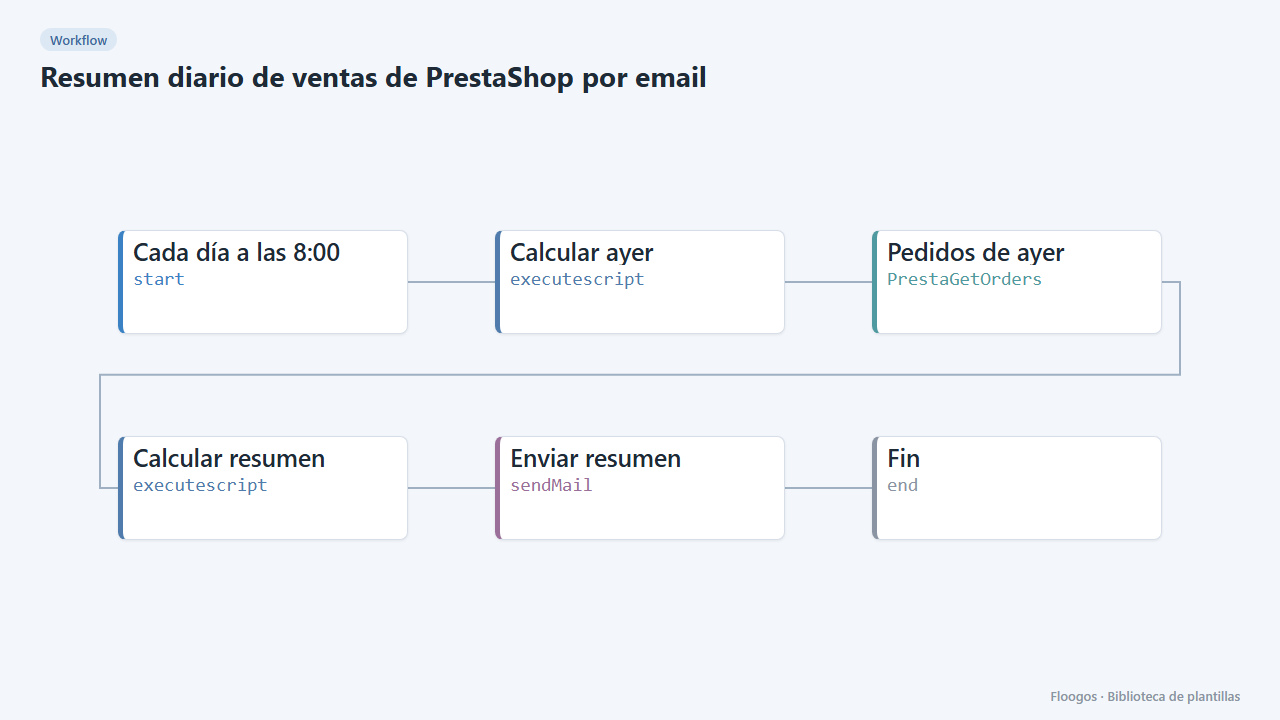
Every morning it emails you yesterdays PrestaShop orders: order count, revenue, average ticket and breakdown by payment method.
Everything is created inactive in a new folder of your account. Nothing runs until you activate it, and you can undo it for 24 hours.
What it does
Start the day with yesterdays numbers without opening the back-office. At 8:00 the workflow queries yesterdays orders (00:00 to 24:00), computes how many there were, total revenue, average ticket and the split by payment method, and emails it with a table of the orders.
What you need: the PrestaShop Webservice enabled with a read key on orders and an SMTP account.
How to use it: install the template, connect PrestaShop and SMTP, set the recipient and activate the workflow.
Note: at most 500 orders per day are read. Amounts are added as they are, without converting between currencies.
How to set it up
- 1
Connect the prestashop credential
This template uses prestashop in: Pedidos de ayer. Create or pick the credential and assign it in those nodes.
- 2
Connect the smtp credential
This template uses smtp in: Enviar resumen. Create or pick the credential and assign it in those nodes.
- 3
Connect PrestaShop and SMTP
Connect the PrestaShop credential in Pedidos de ayer and SMTP in Enviar resumen.
- 4
Set the recipient
In the Enviar resumen node replace
direccion@tuempresa.comwith the email that should receive the report. - 5
Adjust the time zone
If your store day does not match UTC, change
offsetHorasin the Calcular ayer node (for example2for UTC+2). - 6
Activate the workflow
Workflows are installed inactive. Once everything is set, activate it.
Related templates
Other templates that use similar nodes or integrations.
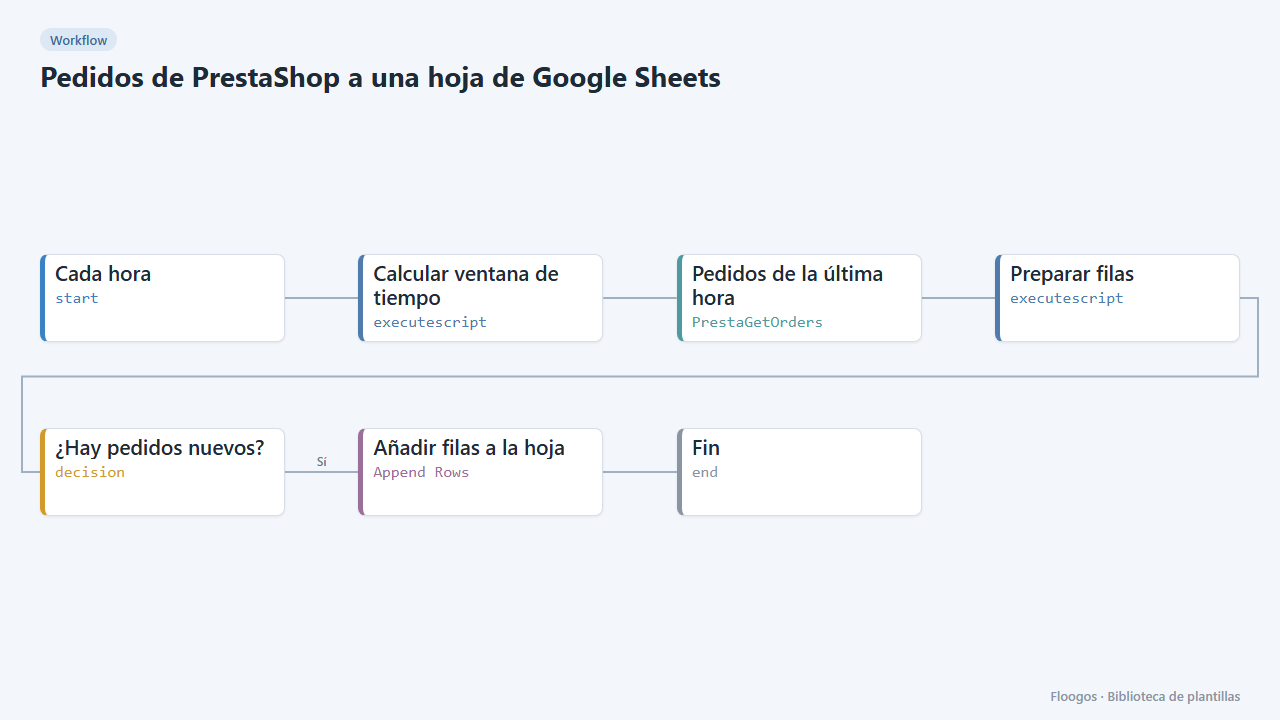
PrestaShop orders to a Google Sheets spreadsheet
Every hour it appends your new PrestaShop orders to Google Sheets: date, reference, customer, amount, payment and status.
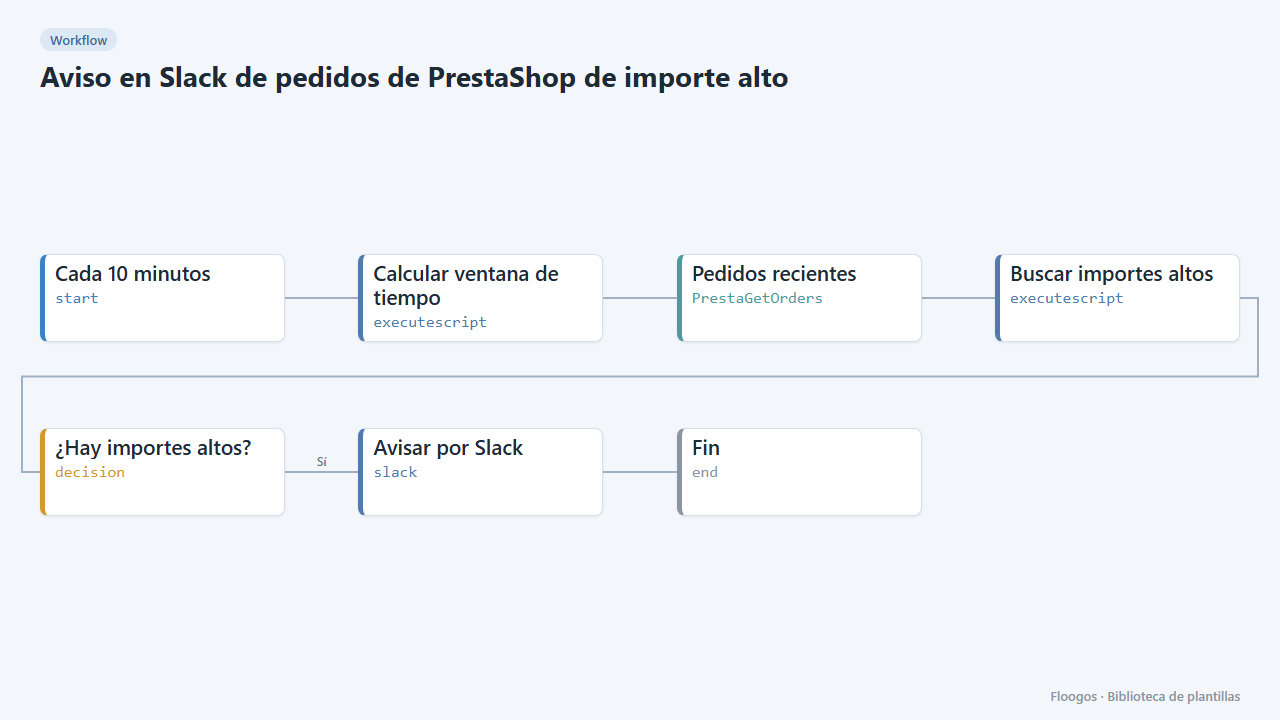
Slack alert for high-value PrestaShop orders
Every 10 minutes it looks for new PrestaShop orders above an amount and alerts on Slack for manual review.
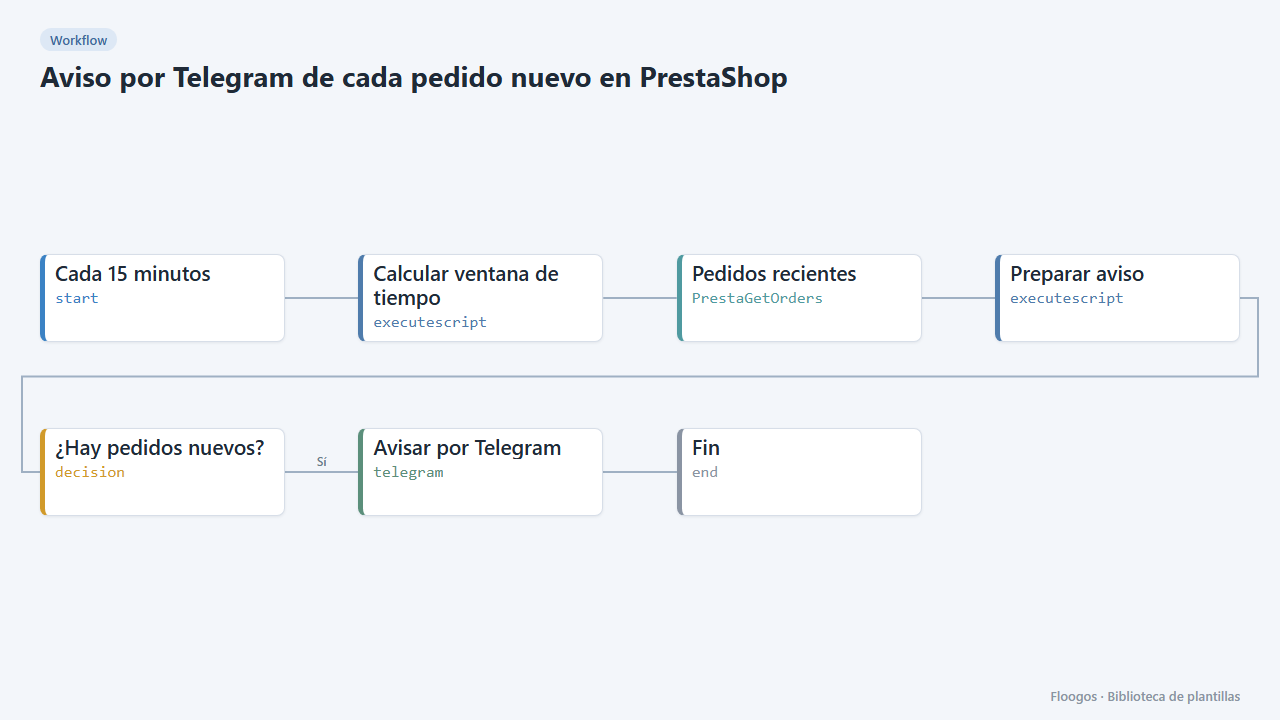
Telegram alert for every new PrestaShop order
Every 15 minutes it checks your PrestaShop store for new orders and sends them to Telegram with reference, amount and status.
Try it in under 5 minutes
Create the template in your account, connect your credentials and activate it when you are ready.
Use this template