
Slack alert for high-value PrestaShop orders
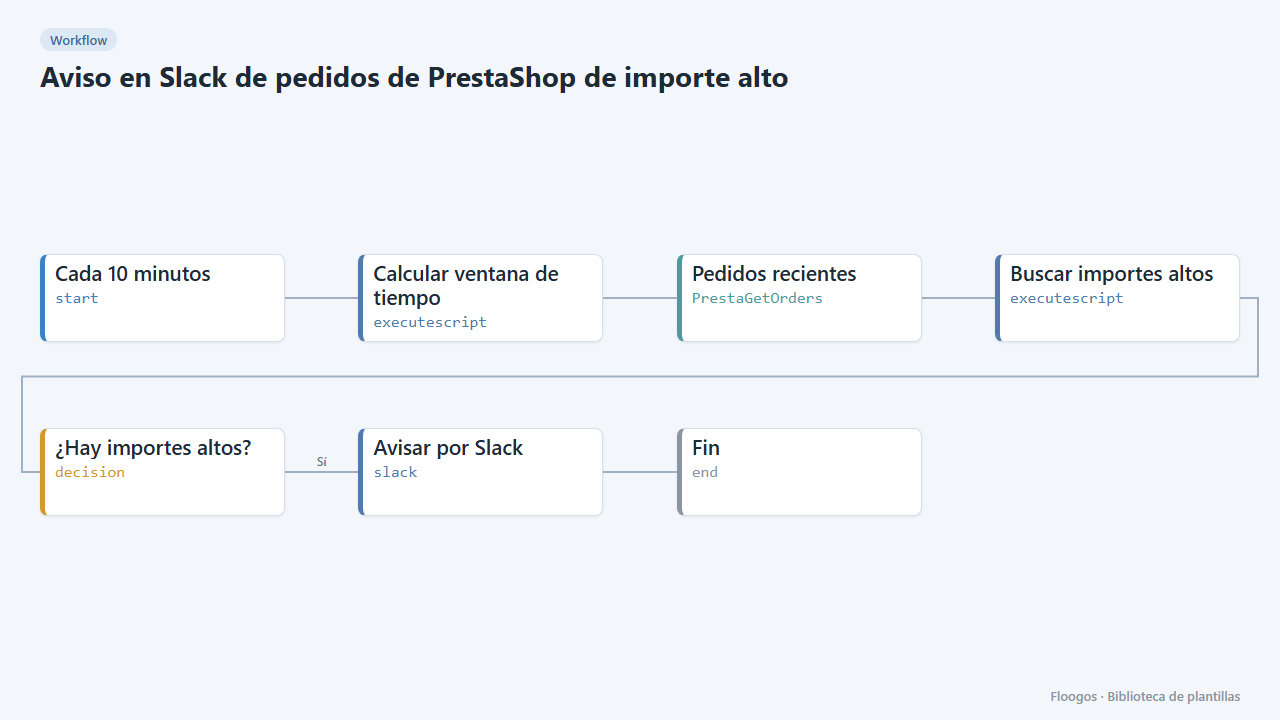
Every 10 minutes it looks for new PrestaShop orders above an amount and alerts on Slack for manual review.
Everything is created inactive in a new folder of your account. Nothing runs until you activate it, and you can undo it for 24 hours.
What it does
Catch in time the orders that deserve a second look (fraud risk, credit, stock or special shipping). Every 10 minutes the workflow queries the recent orders of your PrestaShop store and, if any exceeds the threshold (500 by default), sends a Slack alert with the reference, customer and amount.
What you need: the PrestaShop Webservice enabled with a read key on orders and a Slack Incoming Webhook.
How to use it: install the template, connect PrestaShop and Slack, adjust the threshold (umbral) in the Buscar importes altos node and activate the workflow.
How to set it up
- 1
Connect the prestashop credential
This template uses prestashop in: Pedidos recientes. Create or pick the credential and assign it in those nodes.
- 2
Connect the slack credential
This template uses slack in: Avisar por Slack. Create or pick the credential and assign it in those nodes.
- 3
Connect PrestaShop and Slack
Connect the PrestaShop credential in Pedidos recientes and the Slack Incoming Webhook in Avisar por Slack.
- 4
Set the threshold
In the Buscar importes altos node change
umbralto the amount (tax included, in the store currency) above which you want to review the order. - 5
Activate the workflow
Workflows are installed inactive. Once everything is set, activate it.
Related templates
Other templates that use similar nodes or integrations.
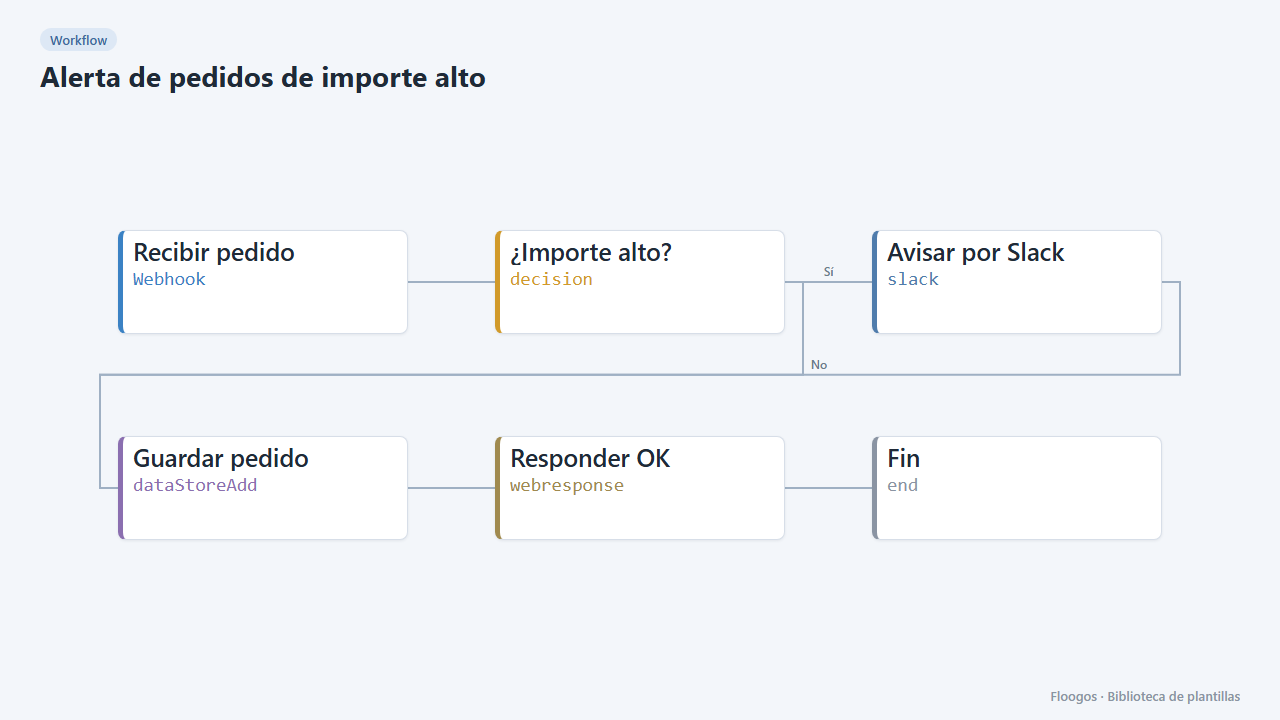
High-value order alert
Receive every order via webhook, alert on Slack when it exceeds an amount, and store all orders in a Data Store.
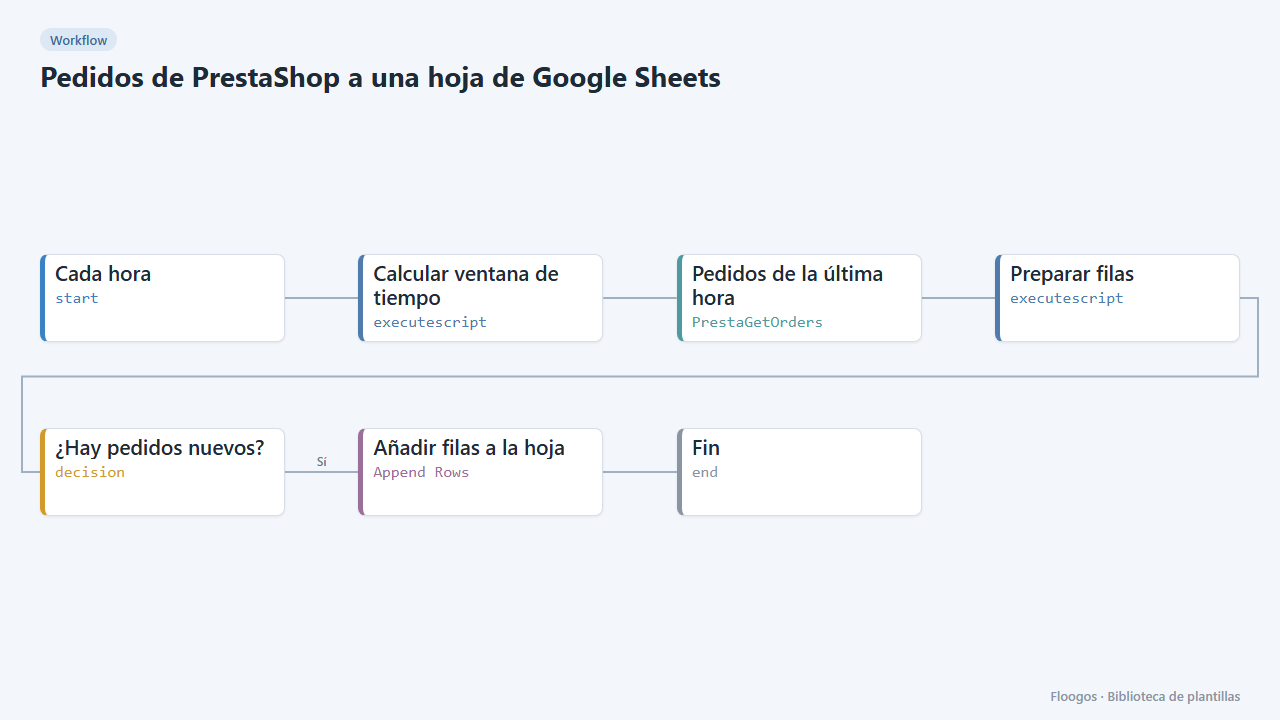
PrestaShop orders to a Google Sheets spreadsheet
Every hour it appends your new PrestaShop orders to Google Sheets: date, reference, customer, amount, payment and status.
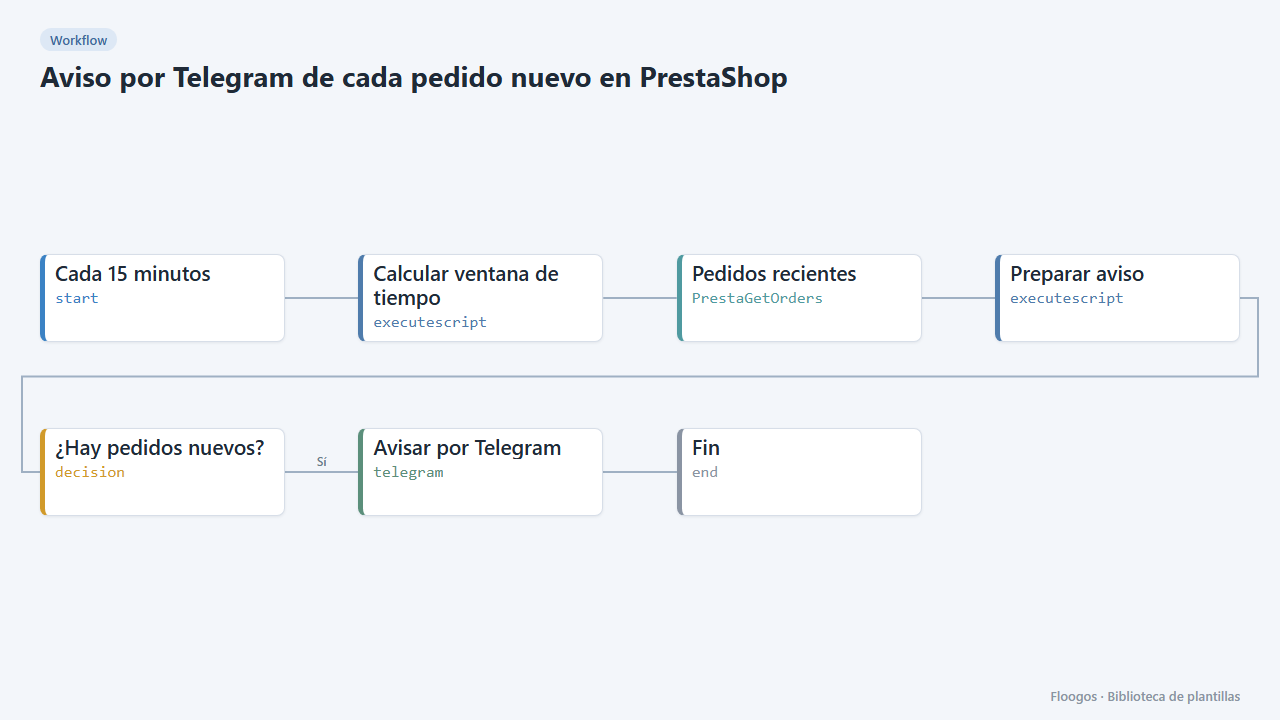
Telegram alert for every new PrestaShop order
Every 15 minutes it checks your PrestaShop store for new orders and sends them to Telegram with reference, amount and status.
Try it in under 5 minutes
Create the template in your account, connect your credentials and activate it when you are ready.
Use this template