
Slack Integration
Post real-time notifications to Slack from any workflow: new orders, new leads, failed steps or approvals that need a human — no code.
Read the Slack technical documentationWhat you can sync with Slack
Slack is where your team already is. Floogos posts directly to any channel through an Incoming Webhook, so any event in a workflow — an order, a lead, an error, a decision someone needs to make — shows up instantly, with the bot name, icon and message content you choose, personalized with real workflow data.
Message text with dynamic variables
Custom bot name and emoji icon
Workflow errors and alerts
Approval and decision requests
Triggers
- New order or payment received
- New lead or form submission
- Workflow step failed
- Human decision needed before continuing
Actions
- Post a message to a channel
- Customize the bot name and icon
- Personalize text with workflow data
- Send automatic alerts on errors
Use cases
Sales and ops notifications
Every new order or lead posts to the right channel instantly, with the customer, amount and source already filled in.
Error alerting for your team
When a workflow step fails, notify the on-call channel with the workflow name, the error and a link to the trace — before a customer notices.
Flag decisions that need a person
When a workflow reaches a case that shouldn't run fully automated — like a large refund — post the details to Slack so the team can review and act.
Frequently asked questions
Do I need to build a Slack app?
No. You only need an Incoming Webhook URL from your Slack workspace — created in a couple of clicks under Apps > Incoming Webhooks.
Can I send to different channels from the same workflow?
Yes. Each Slack step uses its own webhook, so you can route order alerts to #sales and errors to #engineering from the same workflow.
Can I customize how the message looks?
Yes. Set a custom bot name and emoji icon per message, and write the text with your workflow's variables so it always shows real data.
Related integrations
Slack templates
Automations ready to install in your account.
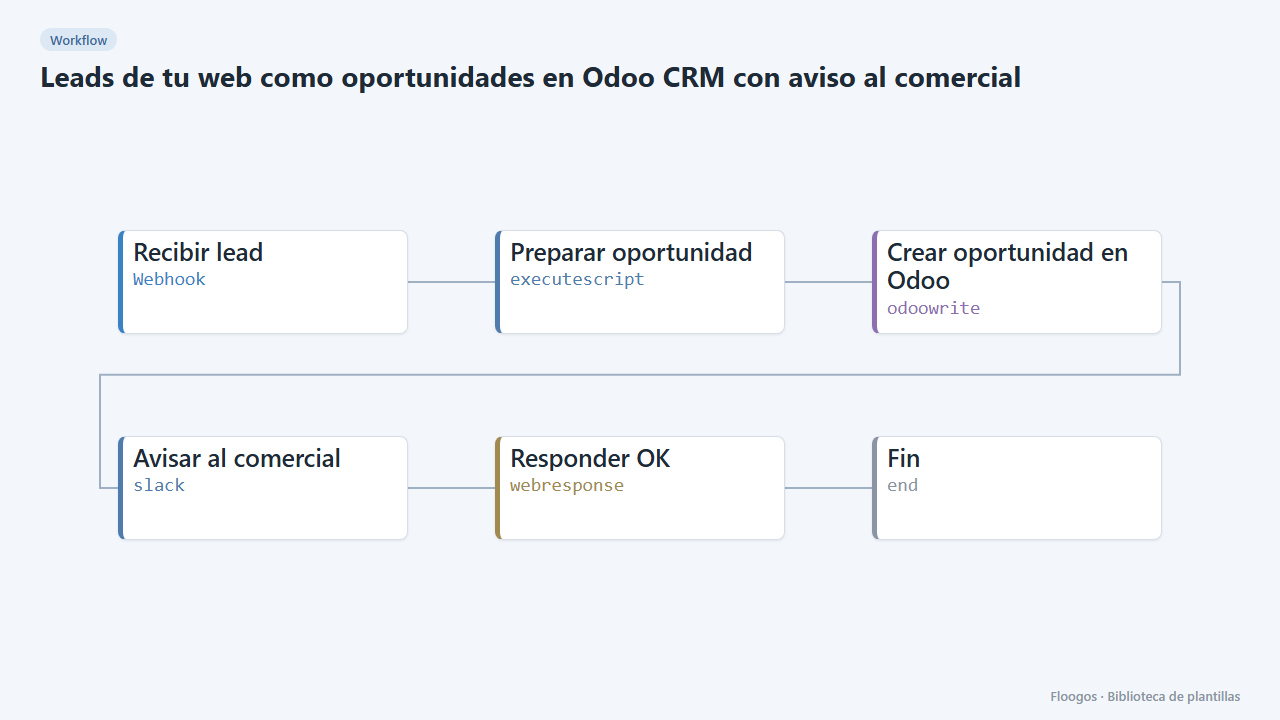
Website leads as Odoo CRM opportunities with a sales alert
Every contact form creates an opportunity in the Odoo CRM and alerts the sales team on Slack.
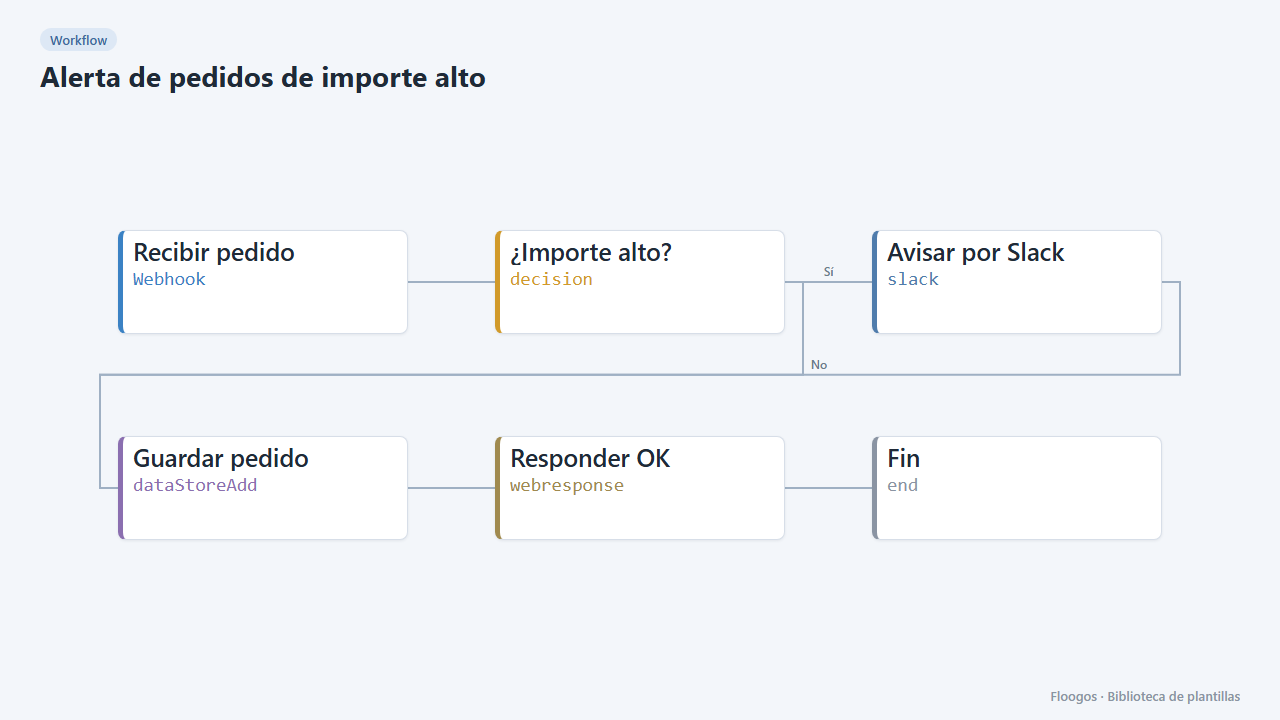
High-value order alert
Receive every order via webhook, alert on Slack when it exceeds an amount, and store all orders in a Data Store.
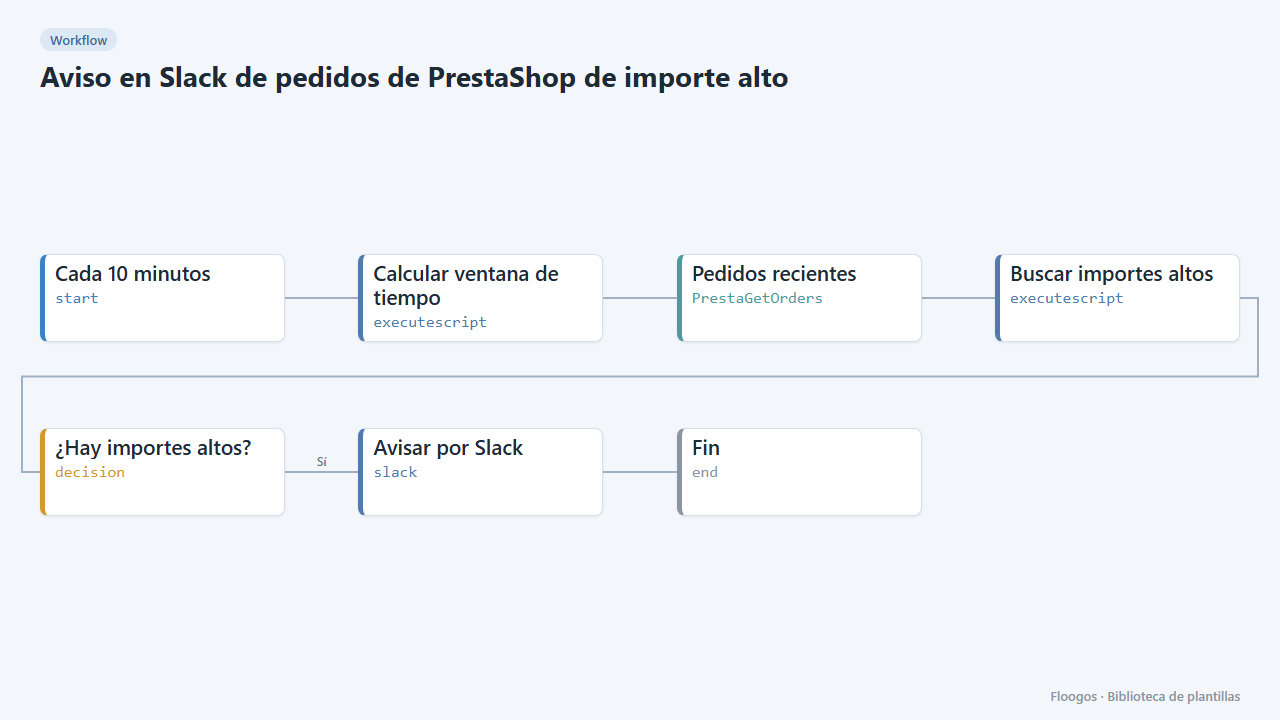
Slack alert for high-value PrestaShop orders
Every 10 minutes it looks for new PrestaShop orders above an amount and alerts on Slack for manual review.
Connect Slack today
Start free or book a demo and automate your processes in minutes.