
Telegram alert for every new PrestaShop order
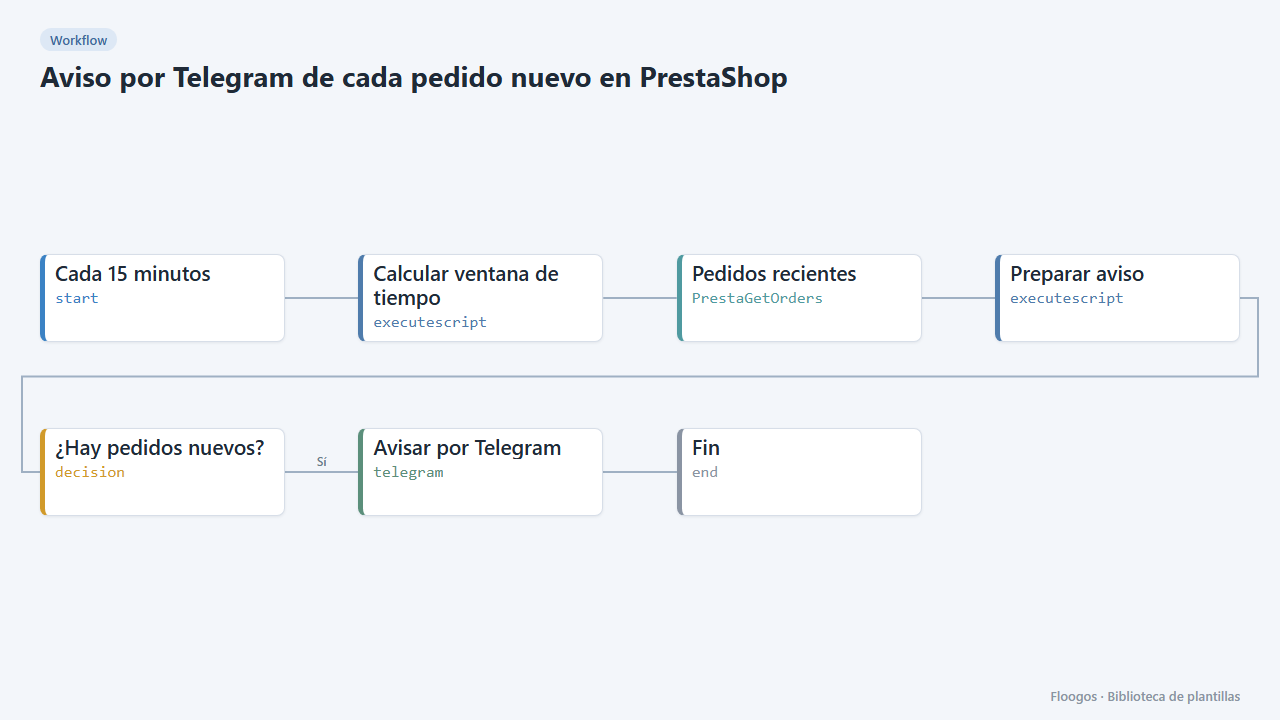
Every 15 minutes it checks your PrestaShop store for new orders and sends them to Telegram with reference, amount and status.
Everything is created inactive in a new folder of your account. Nothing runs until you activate it, and you can undo it for 24 hours.
What it does
PrestaShop does not notify new orders by itself. This workflow queries your store API every 15 minutes, keeps the orders created in that interval and sends a single Telegram message with the list. If there are no new orders, it stays quiet.
What you need: the PrestaShop Webservice enabled (Advanced parameters → Webservice) with a key that can read orders, and a Telegram bot with the ID of the chat that will receive the alerts.
How to use it: install the template, connect PrestaShop (store URL and API key) and Telegram, set your chat and activate the workflow.
Note: if your store server time is not UTC, adjust offsetHoras in the Calcular ventana de tiempo node.
How to set it up
- 1
Connect the prestashop credential
This template uses prestashop in: Pedidos recientes. Create or pick the credential and assign it in those nodes.
- 2
Connect the telegram credential
This template uses telegram in: Avisar por Telegram. Create or pick the credential and assign it in those nodes.
- 3
Connect PrestaShop
In the Pedidos recientes node connect your PrestaShop credential: store URL (without
/api) and the Webservice key withGETpermission onorders. - 4
Set the Telegram chat
In the Avisar por Telegram node connect the bot and replace
TU_CHAT_IDwith your chat or group ID. - 5
Adjust the window and time zone
The window (
minutos) must match the cron frequency (15 minutes). If orders arrive late or repeat, fixoffsetHorasaccording to your store time zone. - 6
Activate the workflow
Workflows are installed inactive. Once everything is set, activate it.
Related templates
Other templates that use similar nodes or integrations.
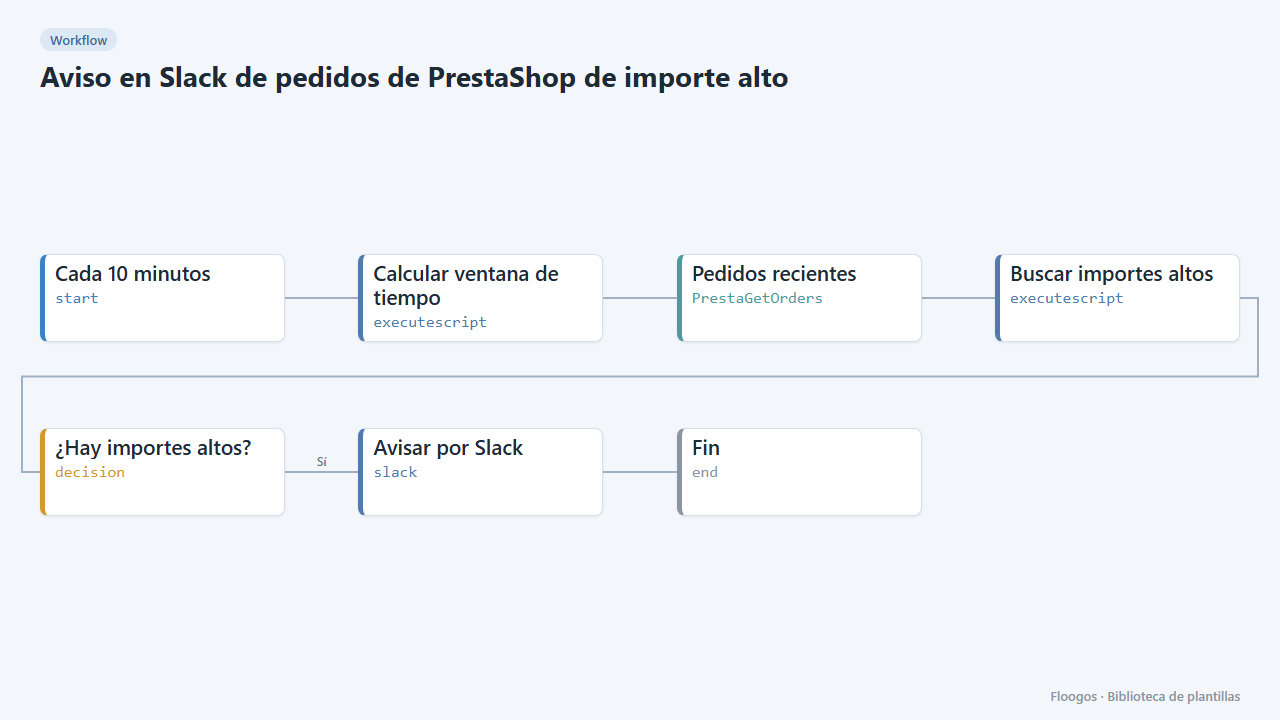
Slack alert for high-value PrestaShop orders
Every 10 minutes it looks for new PrestaShop orders above an amount and alerts on Slack for manual review.
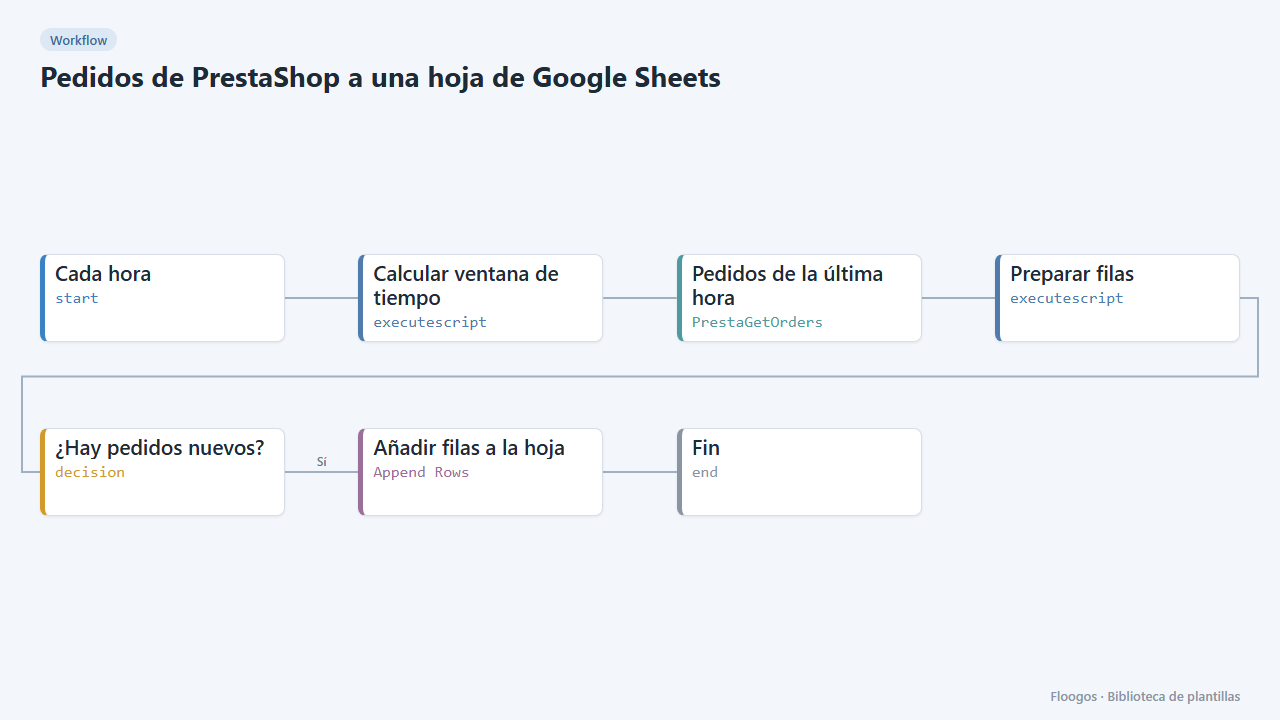
PrestaShop orders to a Google Sheets spreadsheet
Every hour it appends your new PrestaShop orders to Google Sheets: date, reference, customer, amount, payment and status.
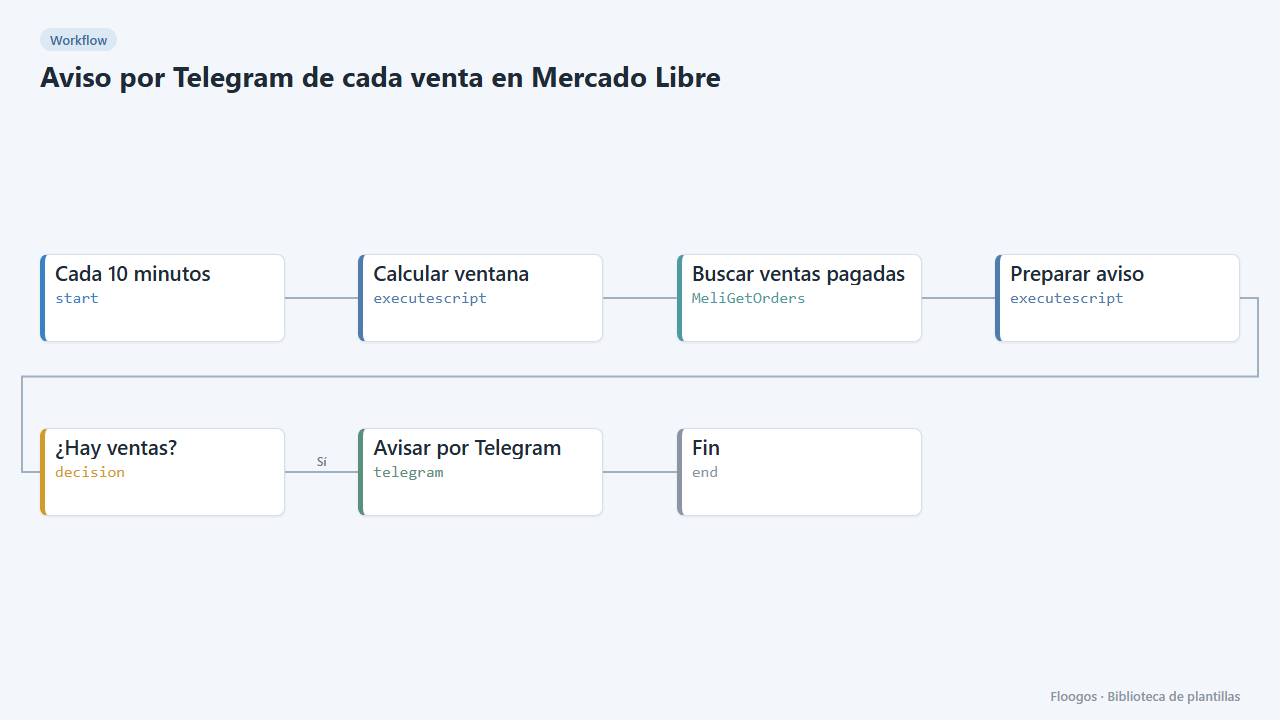
Telegram alert for every Mercado Libre sale
Every 10 minutes it checks paid Mercado Libre sales and sends you a Telegram summary with product, buyer and amount.
Try it in under 5 minutes
Create the template in your account, connect your credentials and activate it when you are ready.
Use this template