
Auto-reply and internal alert for your contact form
When someone fills in your contact form, confirm by email that you got it and alert your team with all the details.
Everything is created inactive in a new folder of your account. Nothing runs until you activate it, and you can undo it for 24 hours.
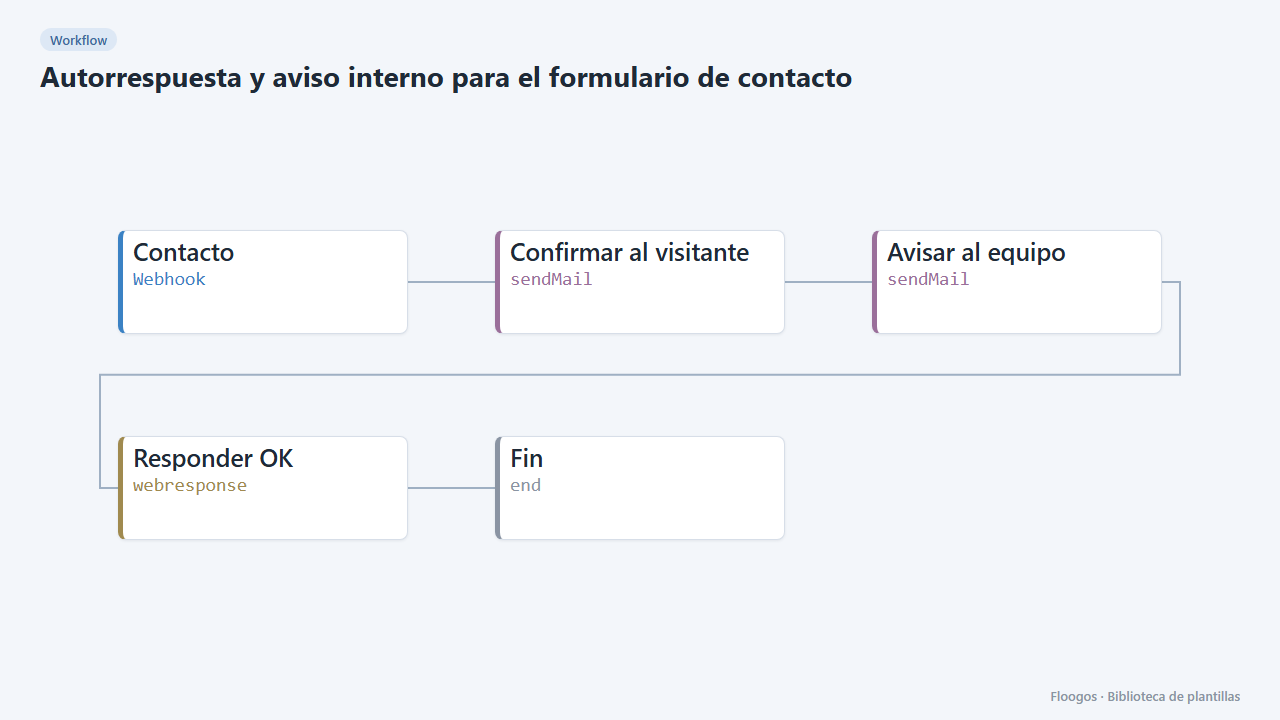
What it does
Receives your website contact form data through a webhook and sends two emails: a friendly confirmation to the visitor ("we got your message") and an internal alert to your team with the name, email and message. Nobody is left unanswered and your team knows right away.
What you need: an SMTP account (your domain, Gmail, Brevo…) and the internal email that will receive the alerts.
How to use it: install the template, connect the SMTP account, tweak the texts and point your form to the webhook URL.
How to set it up
- 1
Connect the smtp credential
This template uses smtp in: Confirmar al visitante, Avisar al equipo. Create or pick the credential and assign it in those nodes.
- 2
Copy the webhook URL (Contacto)
A new URL is generated on install. Paste it into the external system that must call this workflow.
- 3
Set the internal email
In the Avisar al equipo node replace
equipo@tuempresa.comwith the address that should receive the alerts. - 4
Test the form
Send a
POSTto the webhook URL with{"nombre":"Ana","email":"ana@example.com","mensaje":"Hi, I would like more info"}. Ana gets the confirmation and your team gets the alert. - 5
Activate the workflow
Workflows are installed inactive. Once everything is set, activate it.
Related templates
Other templates that use similar nodes or integrations.
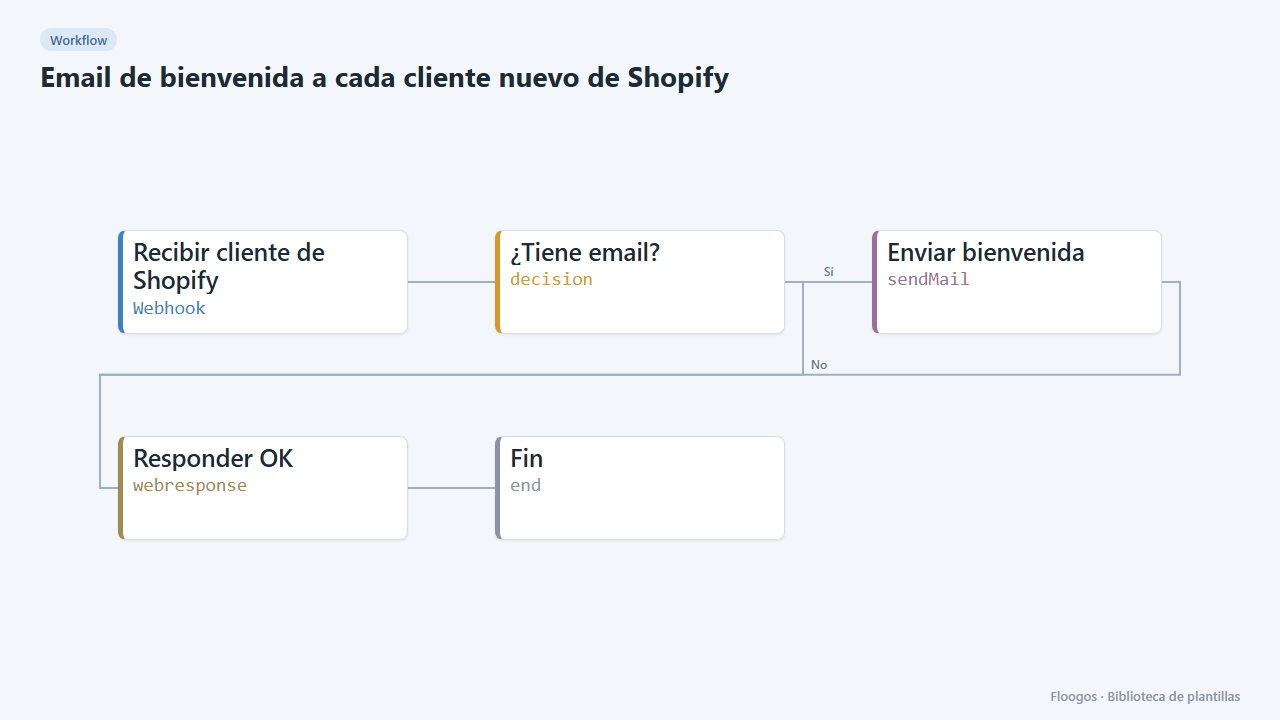
Welcome email for every new Shopify customer
When a customer signs up in your Shopify store, it sends them a personalised welcome email from your own domain.
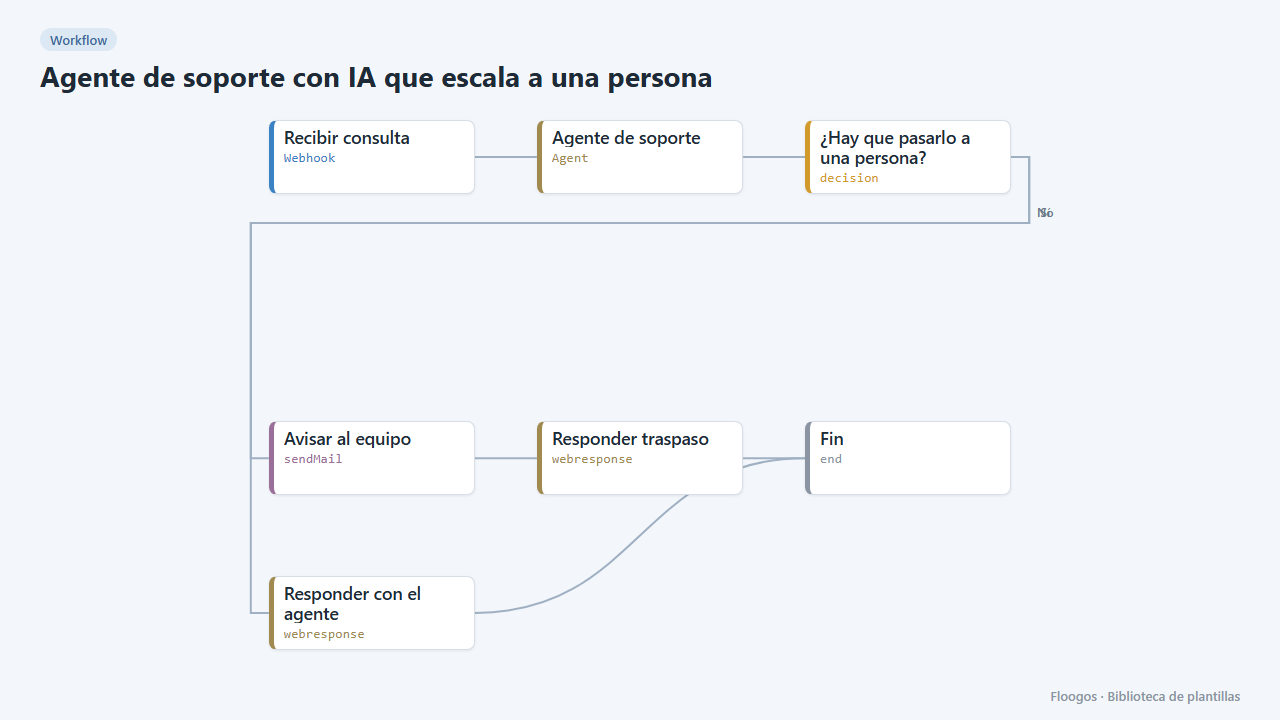
AI support agent that hands over to a person
An AI agent with memory solves your customers queries and, when it cannot or the customer asks, emails your team with a summary of the case.
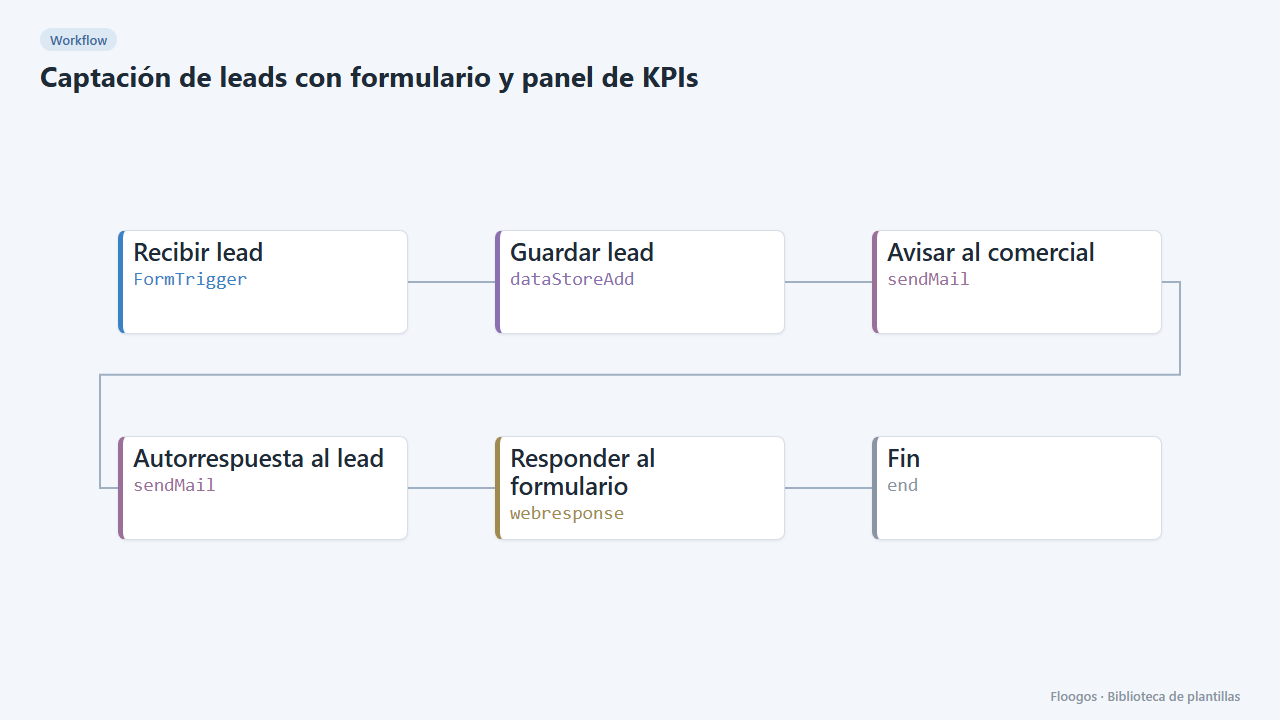
Lead capture form with KPI dashboard
A public form that stores each lead, alerts sales and feeds a dashboard with totals, source, interest and daily trend.
Try it in under 5 minutes
Create the template in your account, connect your credentials and activate it when you are ready.
Use this template