
AI support agent that hands over to a person
An AI agent with memory solves your customers queries and, when it cannot or the customer asks, emails your team with a summary of the case.
Everything is created inactive in a new folder of your account. Nothing runs until you activate it, and you can undo it for 24 hours.
What it does
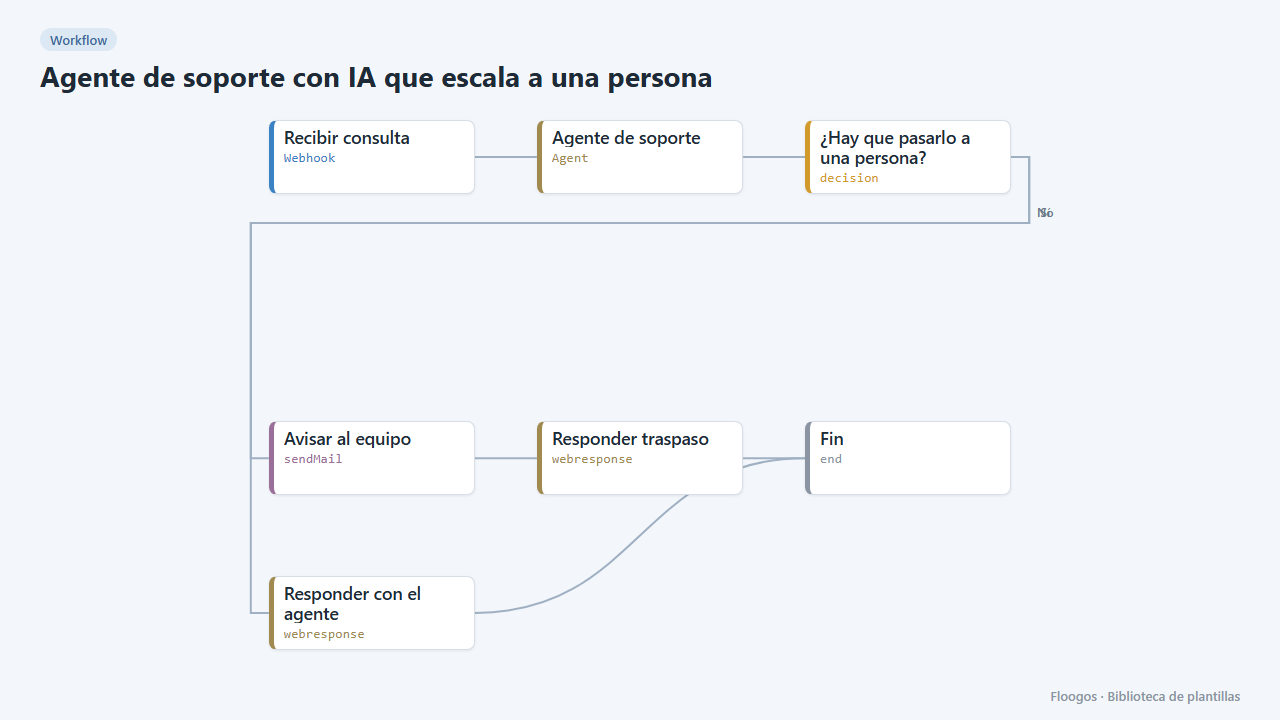
Handle support queries around the clock without losing control. Your website, app or chat sends each message to the webhook; the AI Agent answers remembering that customers previous conversation. If the agent detects it cannot solve it, the customer is angry or asks to talk to a person, it answers with a handover notice, and the workflow emails your team with the query and the agent summary.
What you need: an OpenAI API key (or another AI Agent provider) and an SMTP account.
How to use it: install the template, connect OpenAI and SMTP, adapt the agent instructions to your business and call the webhook with {"external_id":"ana@example.com","name":"Ana","message":"My order has not arrived"}.
What the webhook answers: the agent reply text (HTTP 200) or, if handed over to a person, a JSON with escalated: true and the message for the customer.
How to set it up
- 1
Connect the openai credential
This template uses openai in: Agente de soporte. Create or pick the credential and assign it in those nodes.
- 2
Connect the smtp credential
This template uses smtp in: Avisar al equipo. Create or pick the credential and assign it in those nodes.
- 3
Copy the webhook URL (Recibir consulta)
A new URL is generated on install. Paste it into the external system that must call this workflow.
- 4
Adapt the agent to your business
In the Agente de soporte node connect OpenAI and complete the instructions with what you sell, your lead times and policies. Keep the rule of answering
ESCALAR:when a person must step in: the workflow relies on it. - 5
Set the team email
In the Avisar al equipo node connect your SMTP and replace
soporte@tuempresa.comwith the address that handles escalated cases. - 6
Test both paths
Send a normal query ("What are your opening hours?") and check the agent answers. Then send "I want to talk to a person, this is unacceptable": the email should reach your team.
- 7
Activate the workflow
Workflows are installed inactive. Once everything is set, activate it.
Related templates
Other templates that use similar nodes or integrations.
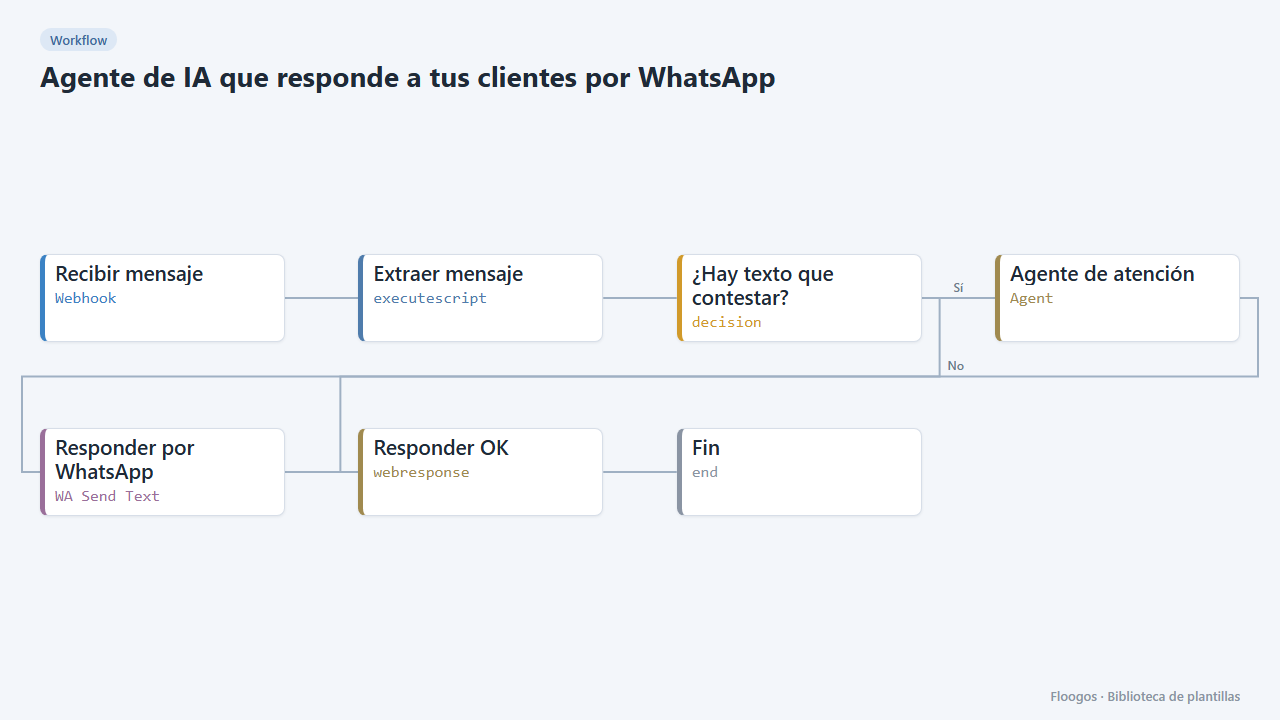
AI agent that answers your customers on WhatsApp
Every WhatsApp message you receive is answered by an AI agent that remembers the conversation, and the reply goes back to the customer on the same channel.
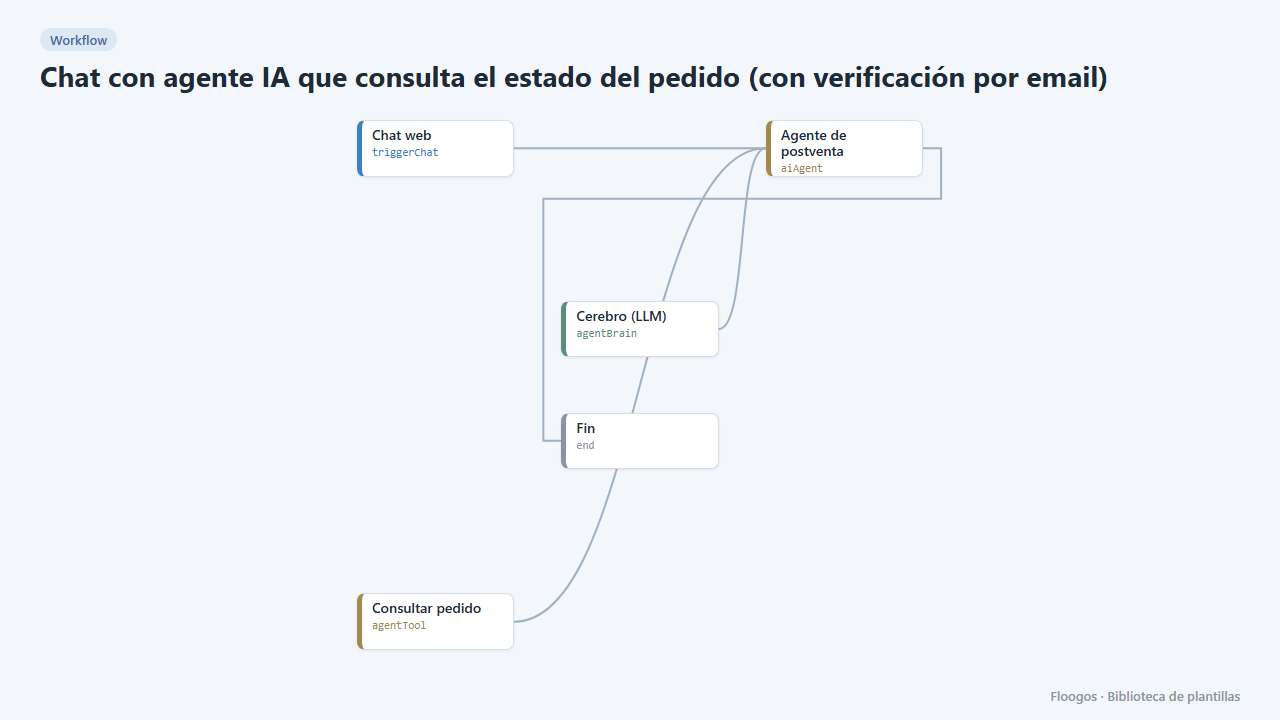
AI agent chat that checks order status (with email verification)
Your customers ask about their order in the chat and the agent answers with real data, only after verifying their email with a code.
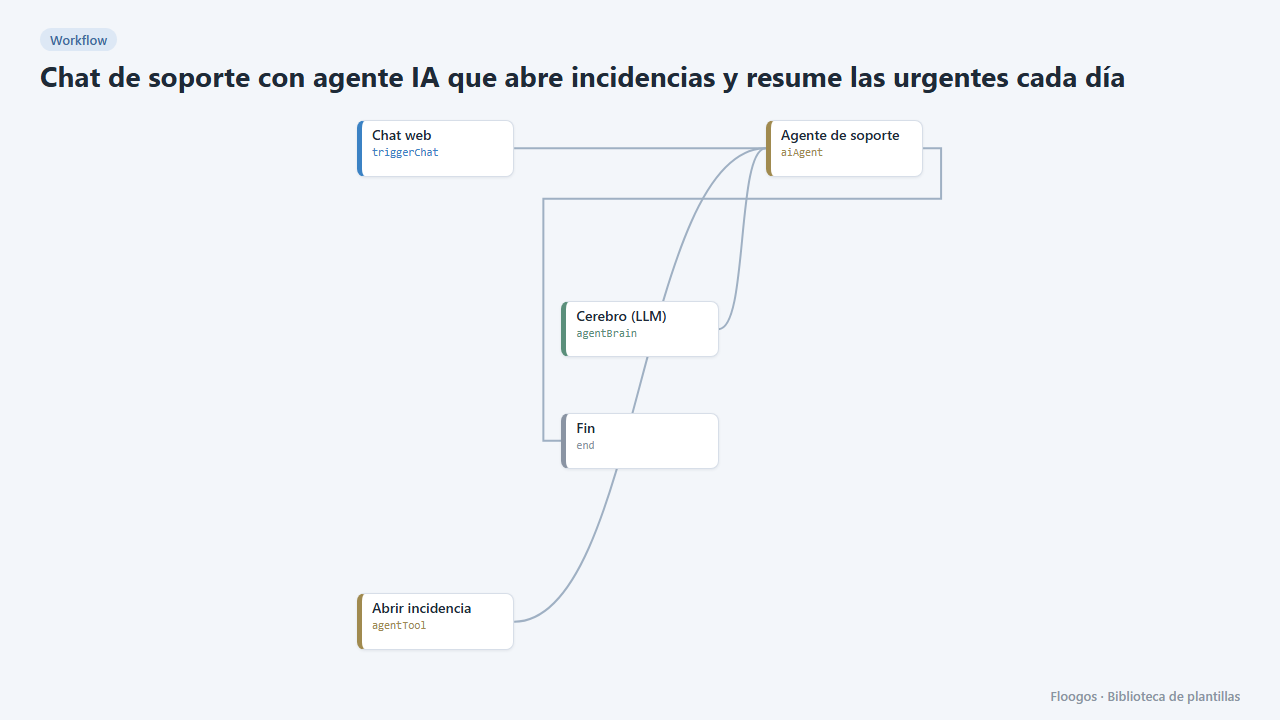
Support chat with an AI agent that opens tickets and summarises the urgent ones daily
The agent tries to solve technical questions in the chat and, if it cannot, opens a ticket with its urgency; every morning you get the sorted list.
Try it in under 5 minutes
Create the template in your account, connect your credentials and activate it when you are ready.
Use this template