
Automatic Holded invoice for every order, emailed to the customer
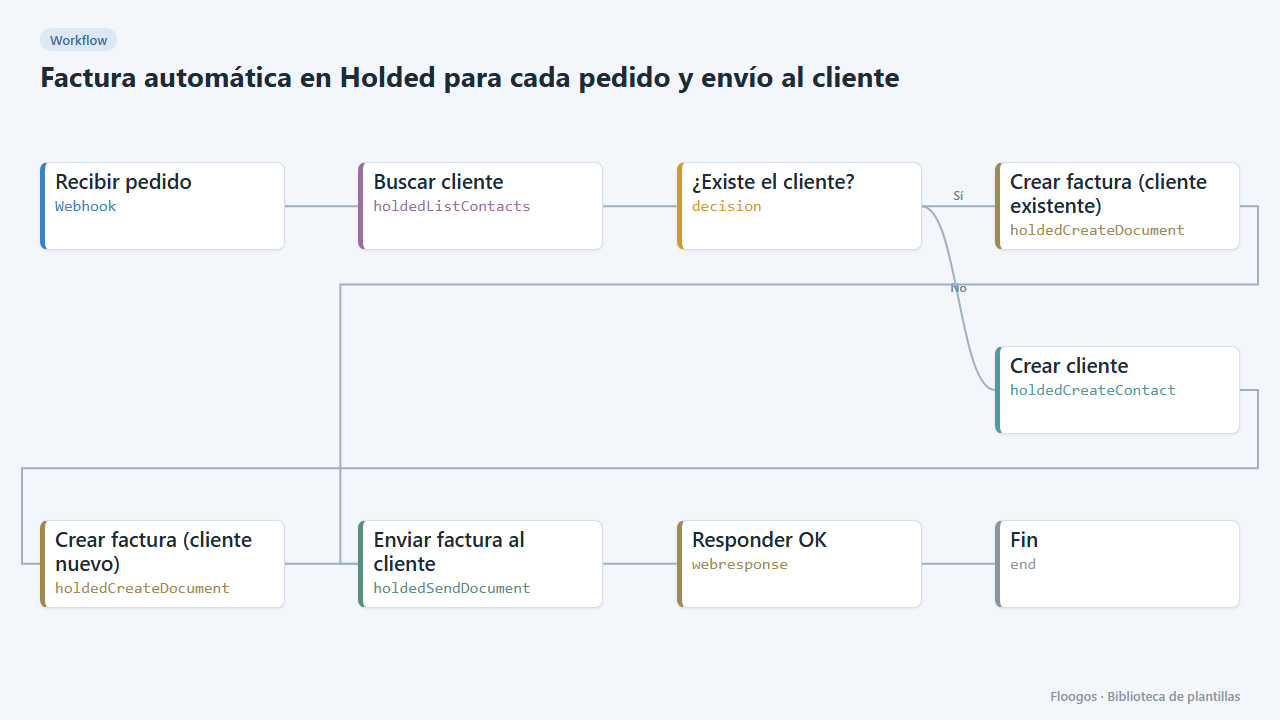
When an order comes in, it finds or creates the customer in Holded, issues the invoice and emails it from Holded.
Everything is created inactive in a new folder of your account. Nothing runs until you activate it, and you can undo it for 24 hours.
What it does
Connect your shop, website or CRM to Holded without manual work. Every order arrives through a webhook; the workflow looks up the customer by email in Holded, creates it if missing, issues the invoice with the order lines and emails it from Holded (with its PDF).
What you need: a Holded account with an API key (Settings → Developers) and your system sending a JSON with nombre, email, concepto, unidades and precio (unit price without VAT).
How to use it: install the template, connect Holded in the four Holded nodes and point your system to the webhook URL. By default it applies 21% VAT and issues the invoice right away; adjust both in the create-invoice nodes.
How to set it up
- 1
Connect the holded credential
This template uses holded in: Buscar cliente, Crear factura (cliente existente), Crear cliente, Crear factura (cliente nuevo), Enviar factura al cliente. Create or pick the credential and assign it in those nodes.
- 2
Copy the webhook URL (Recibir pedido)
A new URL is generated on install. Paste it into the external system that must call this workflow.
- 3
Adjust VAT and issuing
In the Crear factura (cliente existente) and Crear factura (cliente nuevo) nodes change
tax(21) if your VAT differs. Turn off the issue option if you prefer to leave the invoice as a draft to review it. - 4
Test with an order
Send a
POSTto the webhook URL with{"nombre":"Ana López","email":"ana@example.com","concepto":"Aceite 5 L","unidades":2,"precio":24.5}. Check the customer and the invoice in Holded, and that the email reaches Ana. - 5
Activate the workflow
Workflows are installed inactive. Once everything is set, activate it.
Related templates
Other templates that use similar nodes or integrations.
Supplier PDF invoice to a Holded purchase with validation
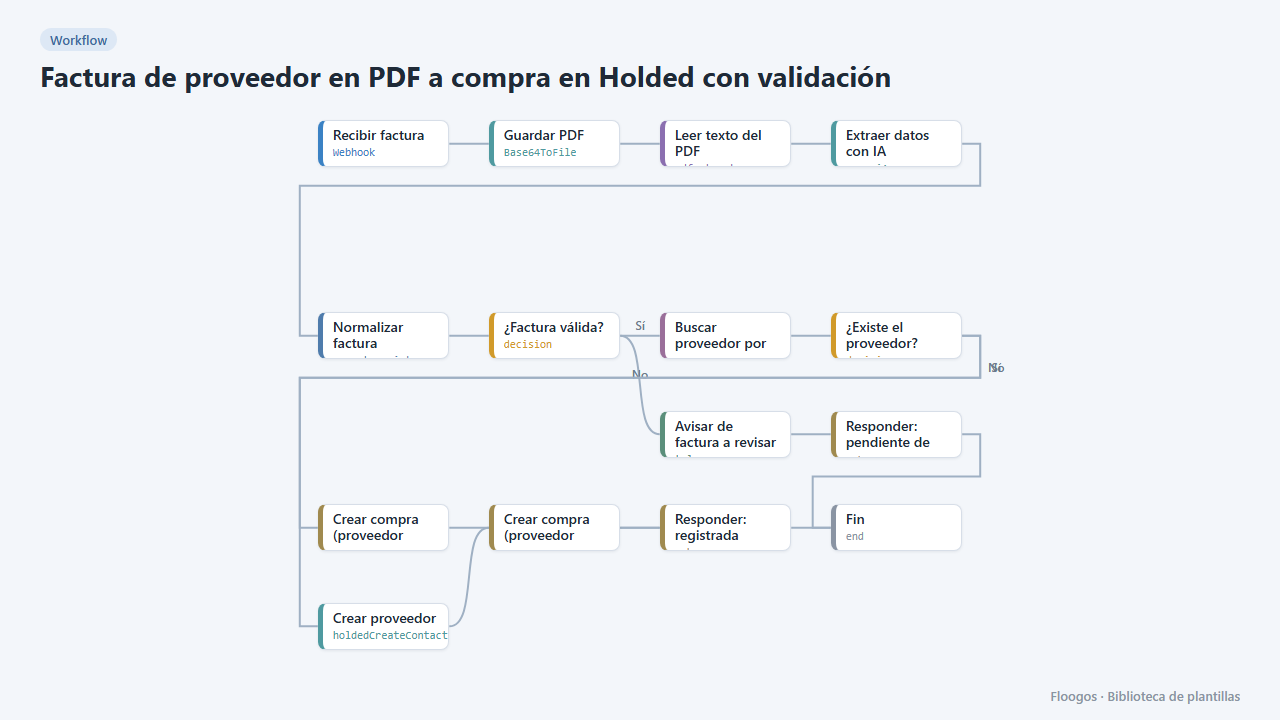
AI reads the PDF invoice, validates amounts and required fields, finds or creates the supplier in Holded and records the purchase; if anything fails it alerts you on Telegram.
Create Holded customers from your web form without duplicates
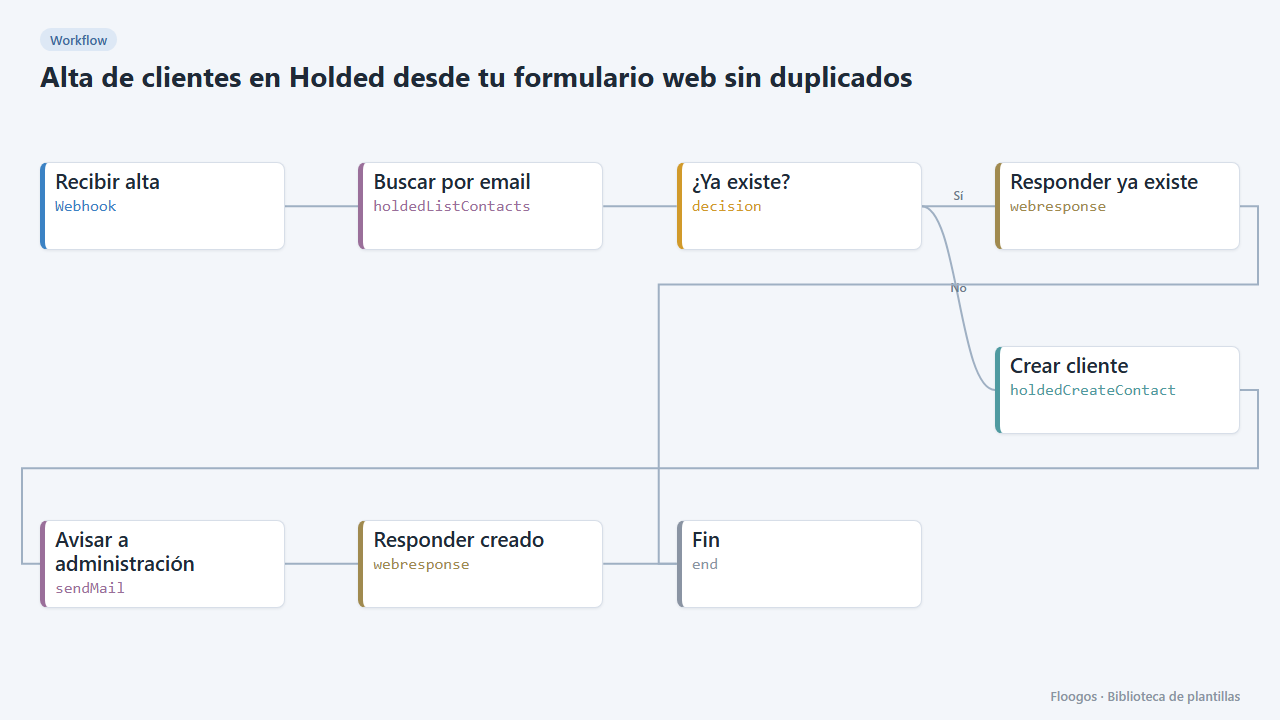
Every sign-up received by webhook is looked up by email in Holded: if it already exists nothing happens, otherwise it creates the customer and alerts accounting.
Mark Holded invoices as paid when your payment gateway confirms
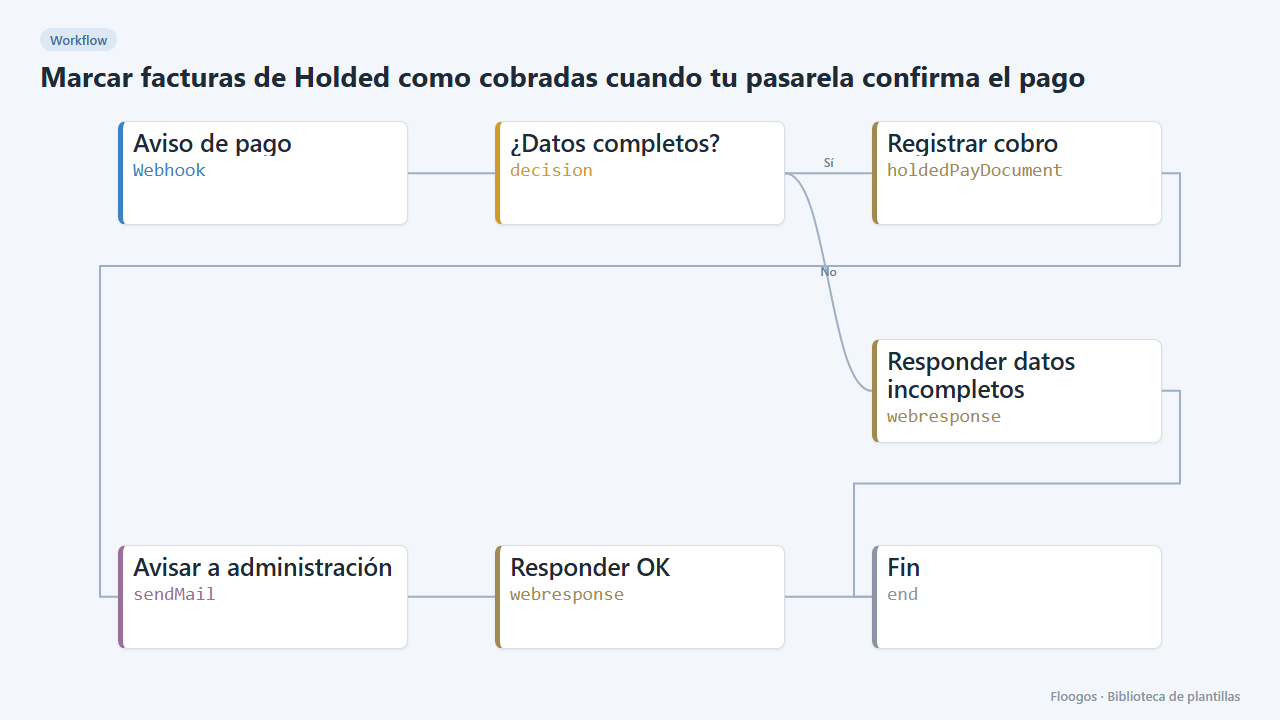
When your payment gateway sends a payment notice, it registers the payment on the Holded invoice and alerts accounting by email.
Try it in under 5 minutes
Create the template in your account, connect your credentials and activate it when you are ready.
Use this template