
Mark Holded invoices as paid when your payment gateway confirms
When your payment gateway sends a payment notice, it registers the payment on the Holded invoice and alerts accounting by email.
Everything is created inactive in a new folder of your account. Nothing runs until you activate it, and you can undo it for 24 hours.
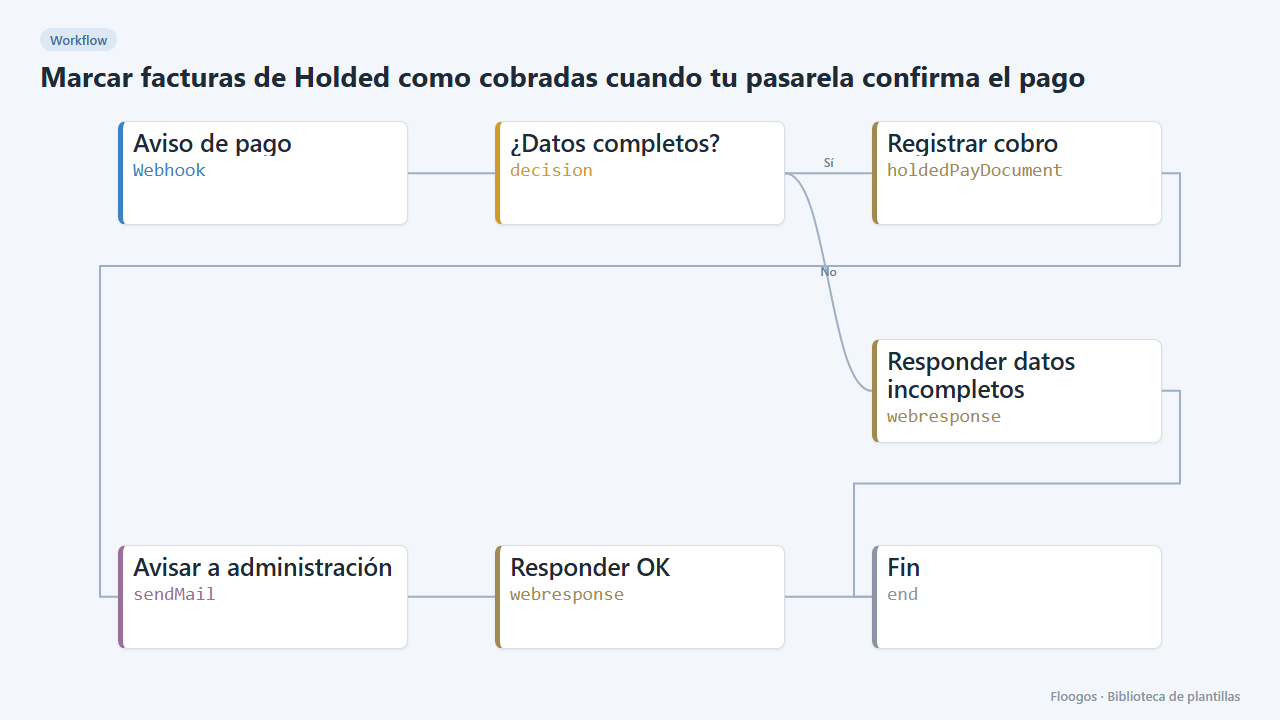
What it does
No more manual reconciliation. Your payment gateway (Stripe, Mercado Pago, Redsys, PayPal…) or shop calls a webhook with the invoice ID and the amount collected; the workflow registers the payment on that invoice in Holded and emails accounting. If the ID or amount is missing, it answers with a 422 error without touching anything.
What you need: a Holded API key, an SMTP account and a notice that includes factura_id (Holded invoice ID), importe (VAT included) and, optionally, the payment referencia.
How to use it: install the template, connect Holded and SMTP and point your gateway webhook to the generated URL.
How to set it up
- 1
Connect the holded credential
This template uses holded in: Registrar cobro. Create or pick the credential and assign it in those nodes.
- 2
Connect the smtp credential
This template uses smtp in: Avisar a administración. Create or pick the credential and assign it in those nodes.
- 3
Copy the webhook URL (Aviso de pago)
A new URL is generated on install. Paste it into the external system that must call this workflow.
- 4
Set the accounting email
In the Avisar a administración node replace
administracion@tuempresa.comwith your address. - 5
Test with a sample invoice
Create a test invoice in Holded, copy its ID and
POSTto the webhook with{"factura_id":"INVOICE_ID","importe":59.29,"referencia":"pi_123"}. The invoice should show as paid. - 6
Activate the workflow
Workflows are installed inactive. Once everything is set, activate it.
Related templates
Other templates that use similar nodes or integrations.
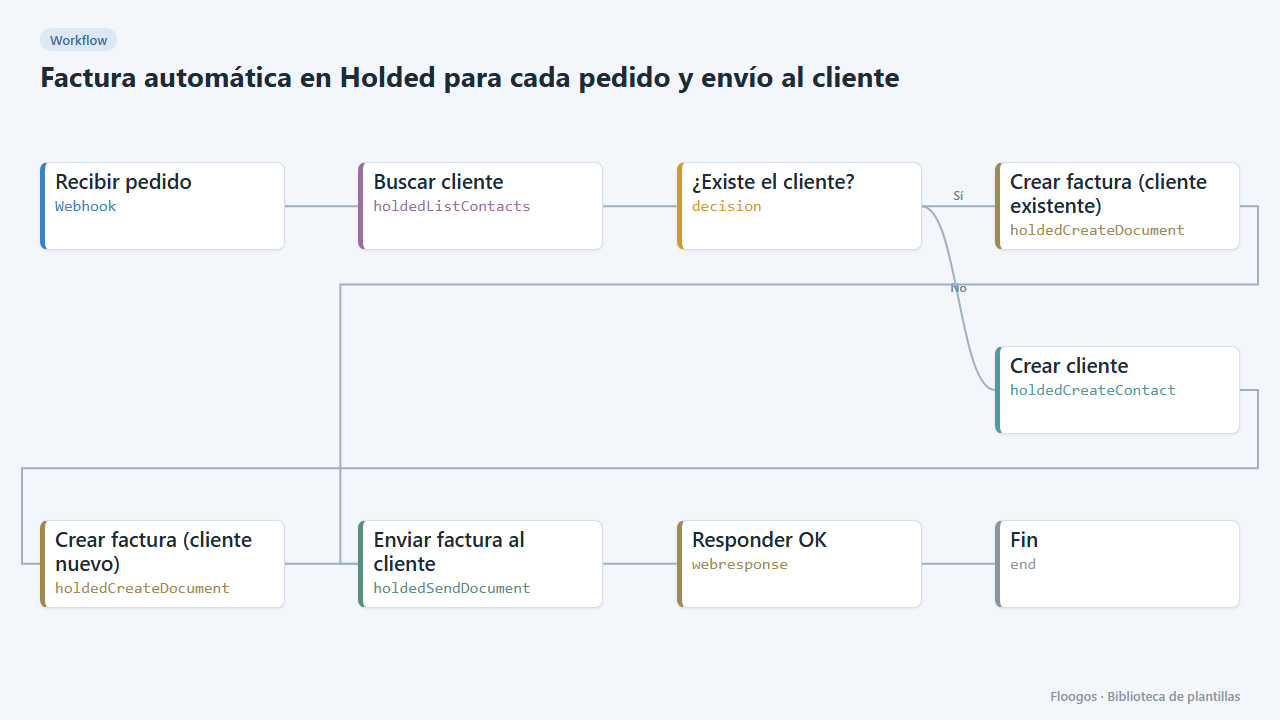
Automatic Holded invoice for every order, emailed to the customer
When an order comes in, it finds or creates the customer in Holded, issues the invoice and emails it from Holded.
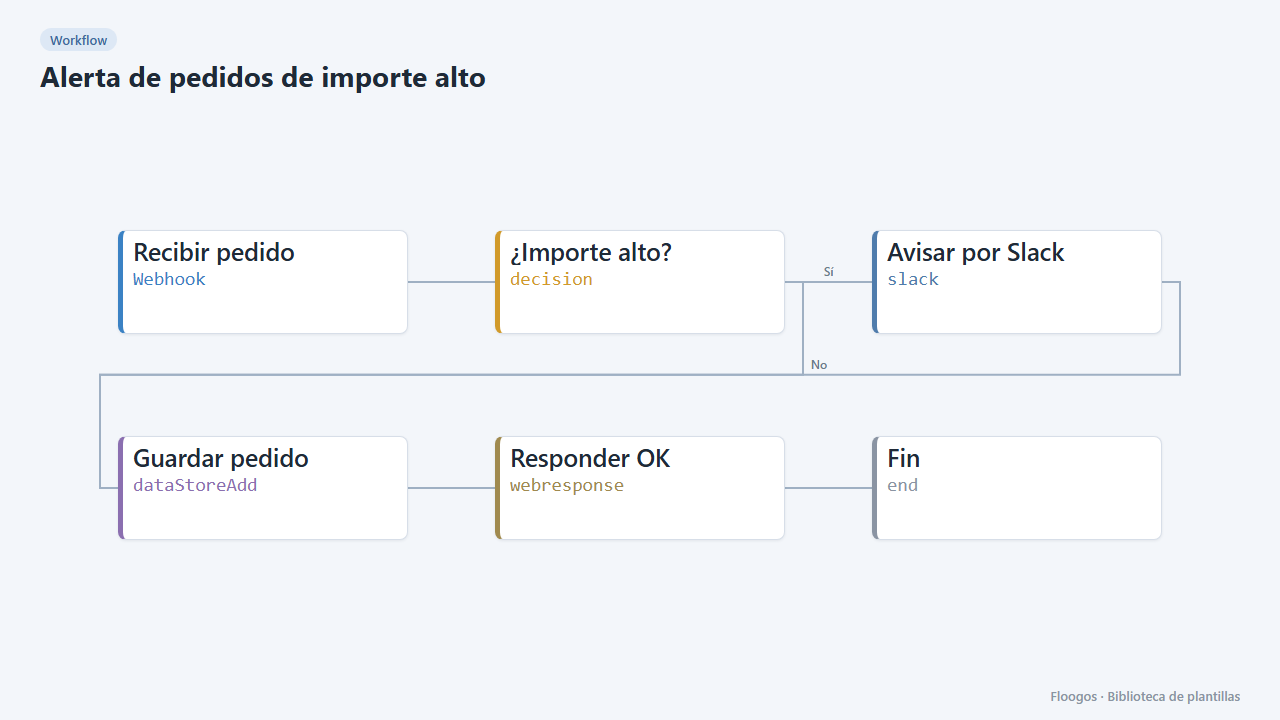
High-value order alert
Receive every order via webhook, alert on Slack when it exceeds an amount, and store all orders in a Data Store.
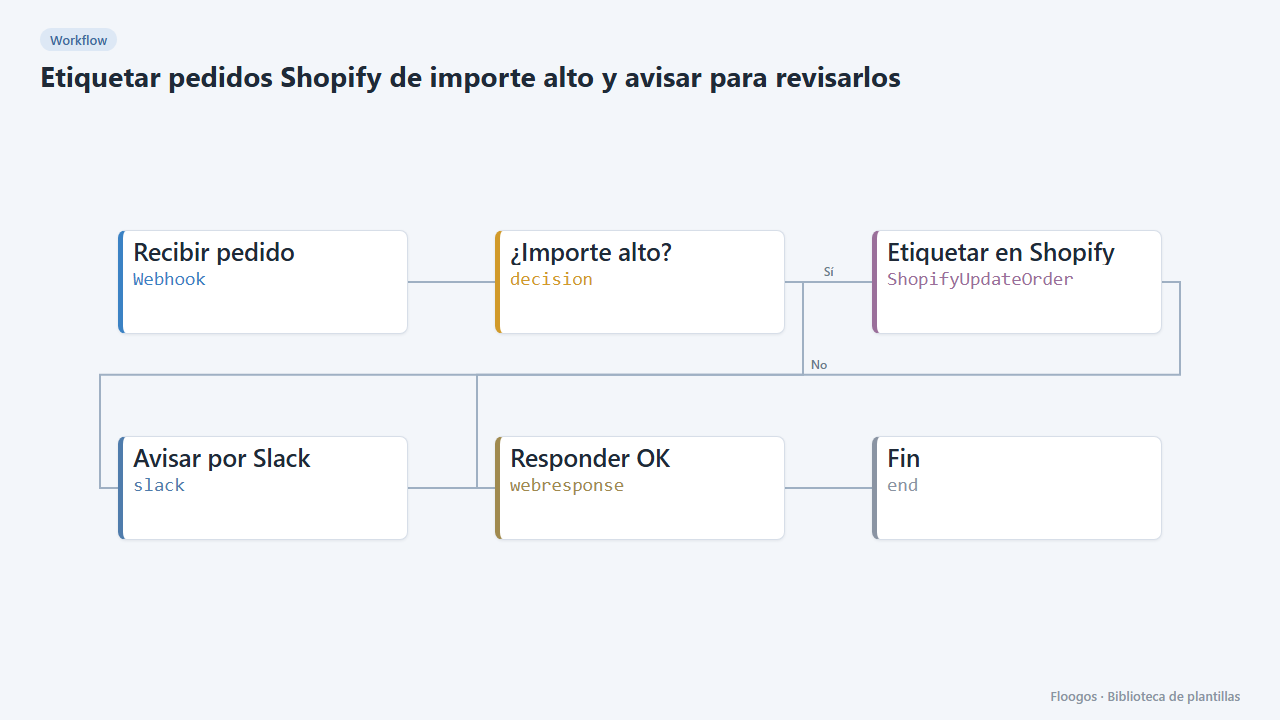
Tag high-value Shopify orders and alert for review
If a Shopify order exceeds an amount, it is tagged "revision-manual" in the store itself and Slack is alerted before shipping is prepared.
Try it in under 5 minutes
Create the template in your account, connect your credentials and activate it when you are ready.
Use this template