
Tag high-value Shopify orders and alert for review
If a Shopify order exceeds an amount, it is tagged "revision-manual" in the store itself and Slack is alerted before shipping is prepared.
Everything is created inactive in a new folder of your account. Nothing runs until you activate it, and you can undo it for 24 hours.
What it does
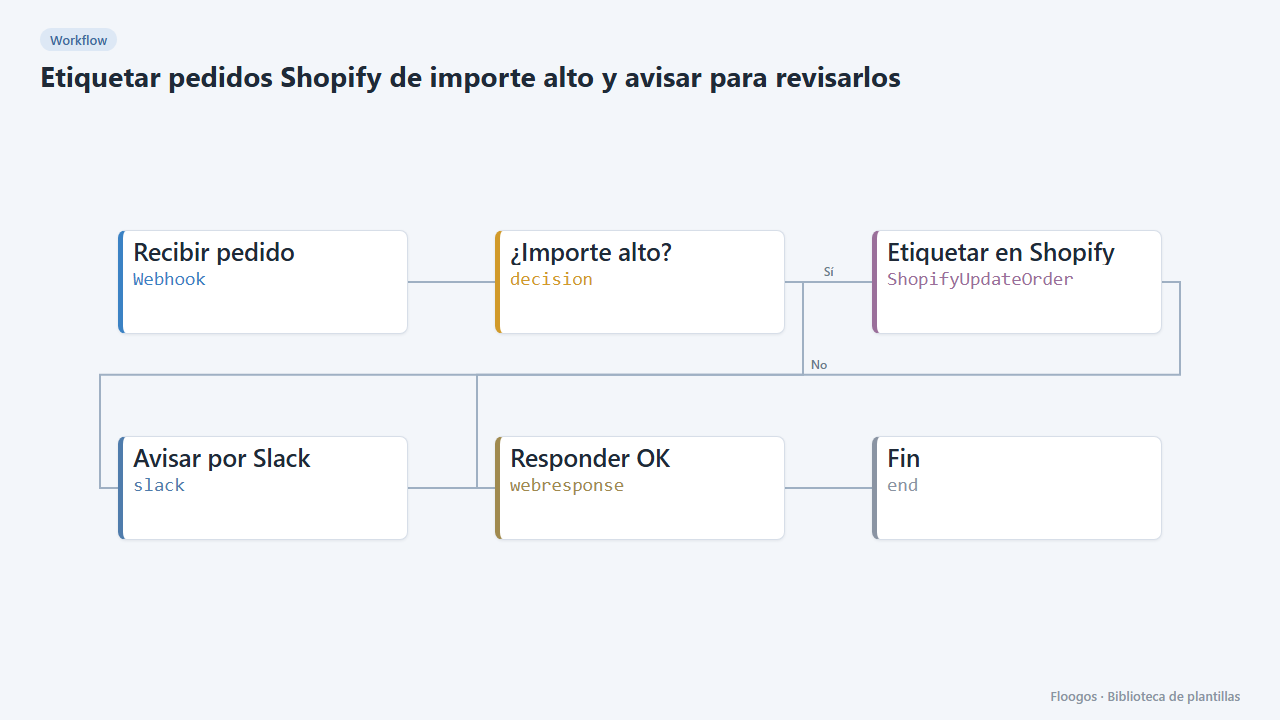
Every new order arrives through a webhook. If the total exceeds the threshold (500 by default), the workflow tags the order in Shopify with revision-manual and an internal note, and alerts the team on Slack to review it (fraud risk, suspicious payment, stock). Normal orders pass through untouched.
Important: when tagging, Shopify replaces any tags the order already had with the new ones. If you use your own tags, add the ones to keep in the tags field of the Etiquetar en Shopify node (comma separated).
What you need: a Shopify store (credential with write access to orders) and a Slack Incoming Webhook.
How to use it: install the template, connect Shopify and Slack, adjust the threshold and register a Shopify "Order creation" webhook (JSON) pointing to the workflow URL.
How to set it up
- 1
Connect the shopify credential
This template uses shopify in: Etiquetar en Shopify. Create or pick the credential and assign it in those nodes.
- 2
Connect the slack credential
This template uses slack in: Avisar por Slack. Create or pick the credential and assign it in those nodes.
- 3
Copy the webhook URL (Recibir pedido)
A new URL is generated on install. Paste it into the external system that must call this workflow.
- 4
Adjust the threshold
In the ¿Importe alto? node change
500to the total above which you want to review the order. - 5
Connect Shopify and Slack
Connect the Shopify credential in Etiquetar en Shopify and the Incoming Webhook in Avisar por Slack.
- 6
Test with an order
Send a
POSTto the webhook URL with{"id":1234567890,"name":"#1001","total_price":"750.00","currency":"EUR","email":"ana@example.com"}(use the ID of a real order in your store). It should be tagged and the alert should arrive. - 7
Activate the workflow
Workflows are installed inactive. Once everything is set, activate it.
Related templates
Other templates that use similar nodes or integrations.
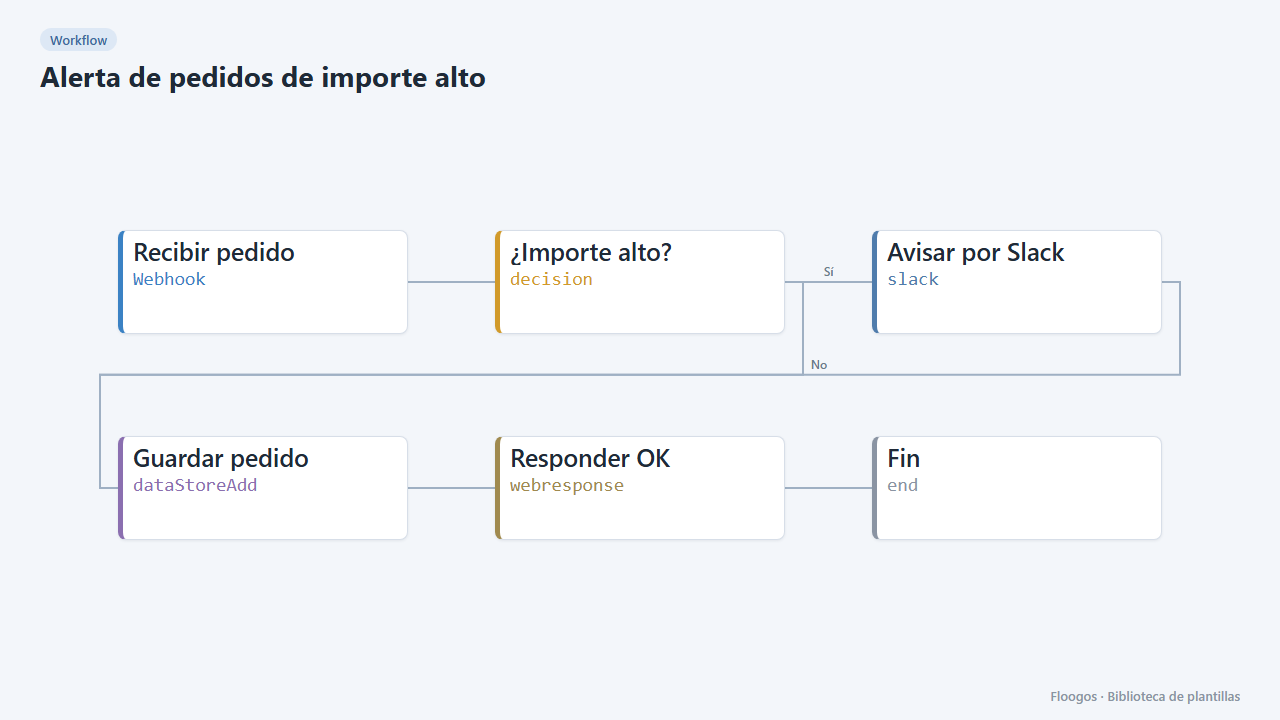
High-value order alert
Receive every order via webhook, alert on Slack when it exceeds an amount, and store all orders in a Data Store.
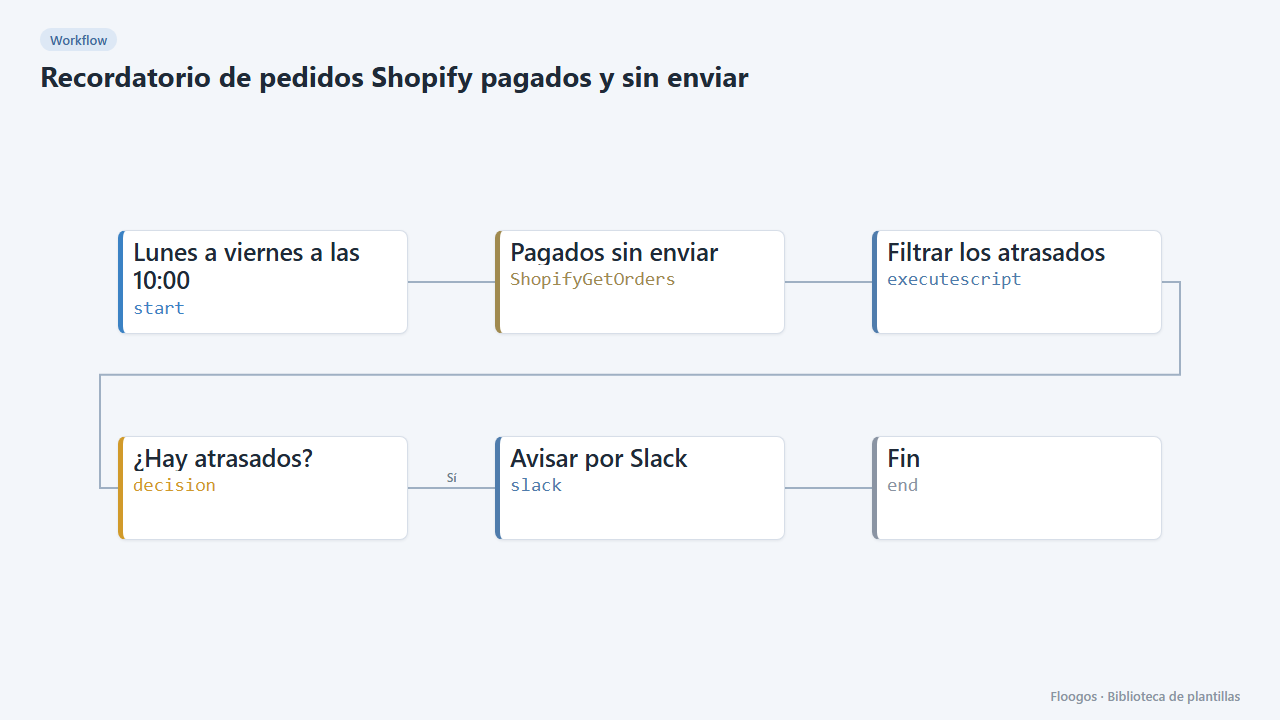
Reminder for paid, unshipped Shopify orders
Every weekday morning it alerts on Slack about paid orders that have been waiting more than 2 days to ship.
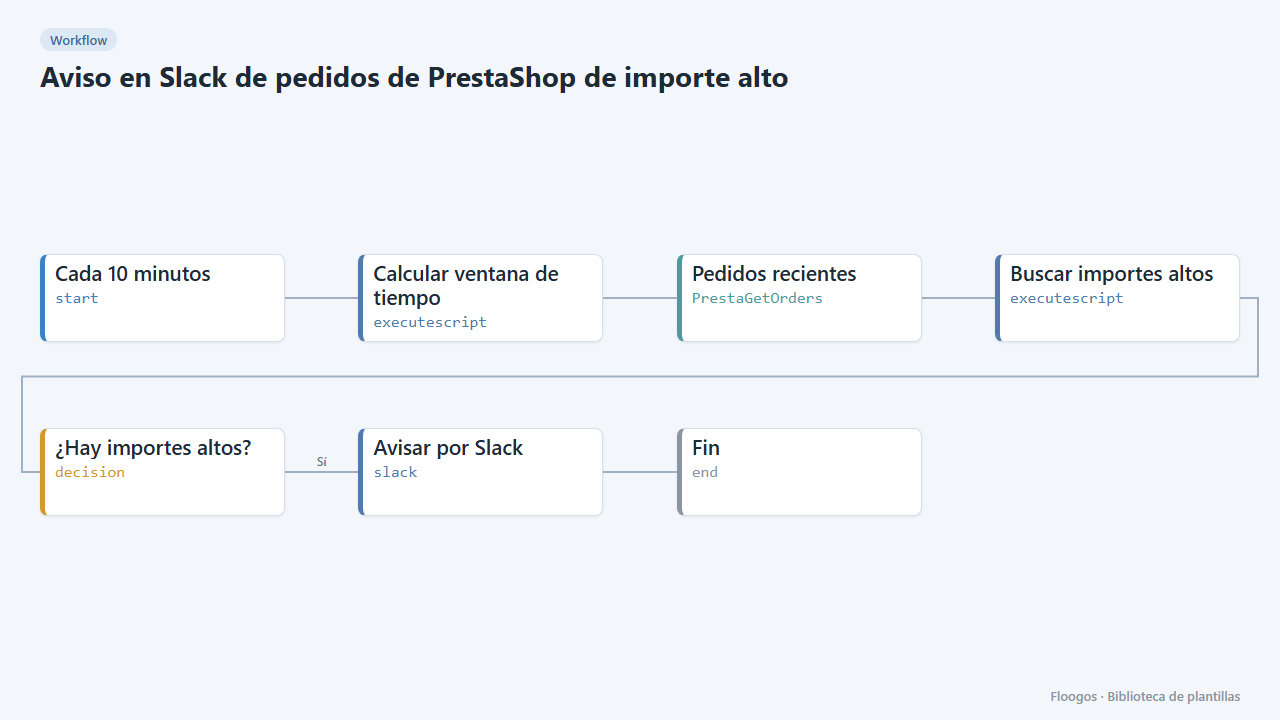
Slack alert for high-value PrestaShop orders
Every 10 minutes it looks for new PrestaShop orders above an amount and alerts on Slack for manual review.
Try it in under 5 minutes
Create the template in your account, connect your credentials and activate it when you are ready.
Use this template