
Reminder for paid, unshipped Shopify orders
Every weekday morning it alerts on Slack about paid orders that have been waiting more than 2 days to ship.
Everything is created inactive in a new folder of your account. Nothing runs until you activate it, and you can undo it for 24 hours.
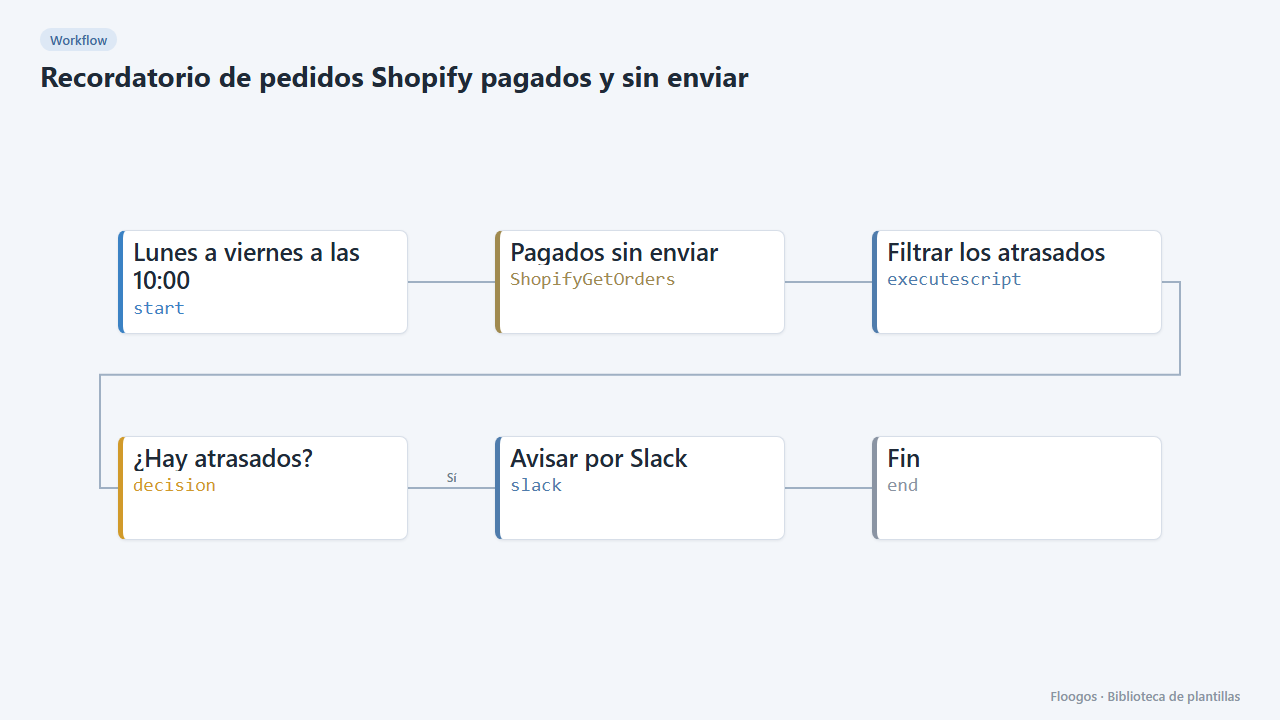
What it does
A scheduled workflow that queries Shopify for open, paid and still unshipped orders, keeps those waiting more than 2 days and, if there are any, posts the list to Slack with order number, customer, amount and days waiting. Ideal so logistics never forgets an order.
What you need: a connected Shopify store and a Slack Incoming Webhook.
How to use it: install the template, connect Shopify and Slack, adjust the grace days if you like and activate the workflow.
How to set it up
- 1
Connect the shopify credential
This template uses shopify in: Pagados sin enviar. Create or pick the credential and assign it in those nodes.
- 2
Connect the slack credential
This template uses slack in: Avisar por Slack. Create or pick the credential and assign it in those nodes.
- 3
Adjust the grace days
In the Filtrar los atrasados node change
2to the number of days to allow before alerting. - 4
Connect Slack
Set the logistics channel Incoming Webhook in the Avisar por Slack node.
- 5
Activate the workflow
Workflows are installed inactive. Once everything is set, activate it.
Related templates
Other templates that use similar nodes or integrations.
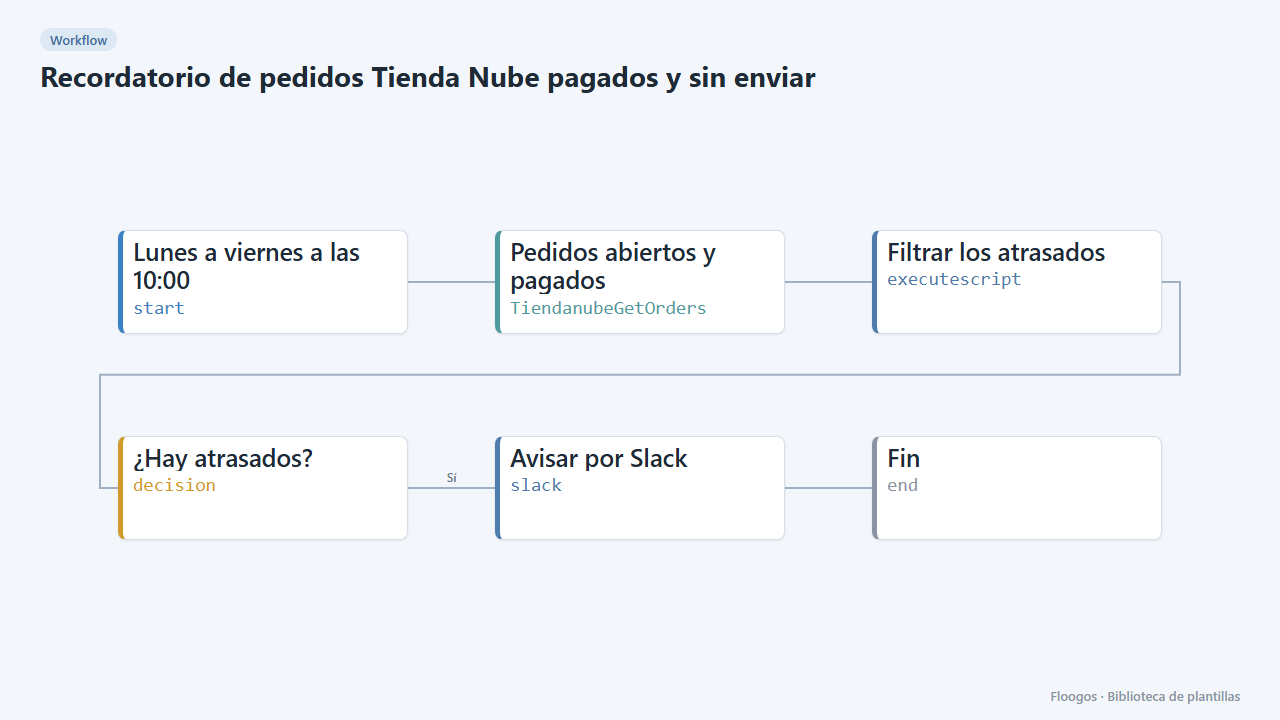
Reminder for paid, unshipped Tienda Nube orders
Every weekday morning it alerts on Slack about paid Tienda Nube orders that have been waiting more than 2 days to ship.
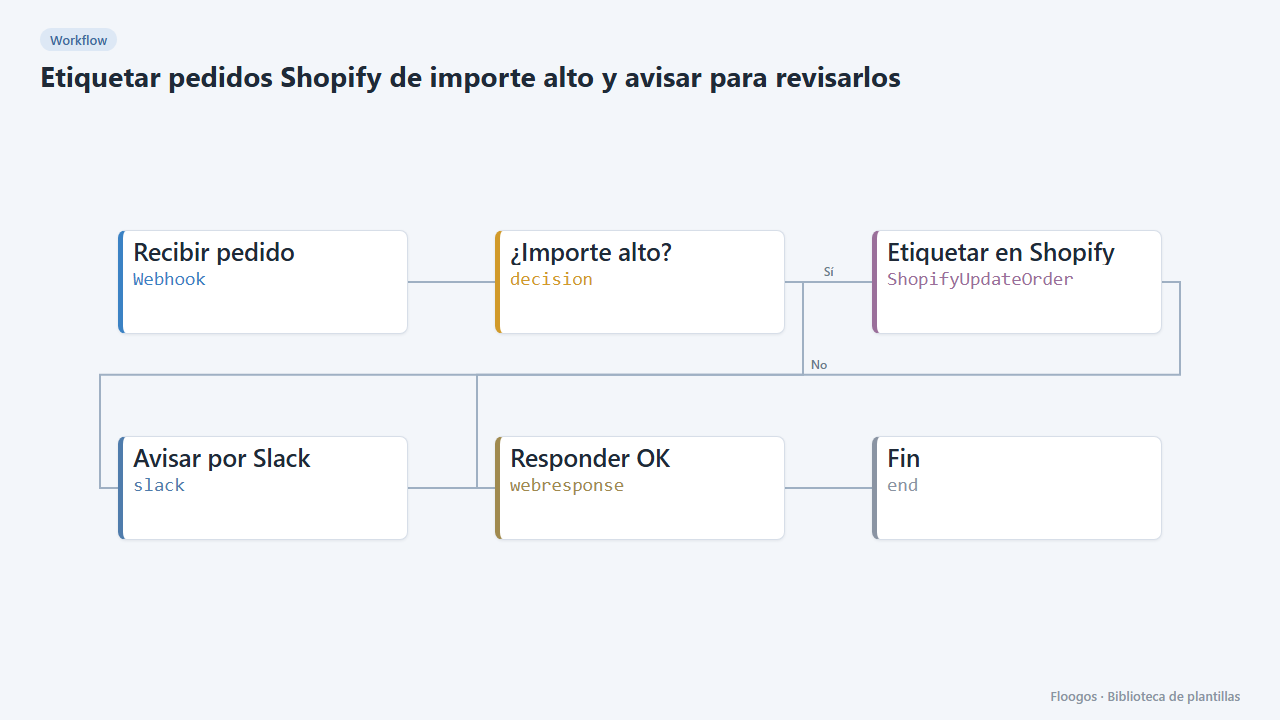
Tag high-value Shopify orders and alert for review
If a Shopify order exceeds an amount, it is tagged "revision-manual" in the store itself and Slack is alerted before shipping is prepared.
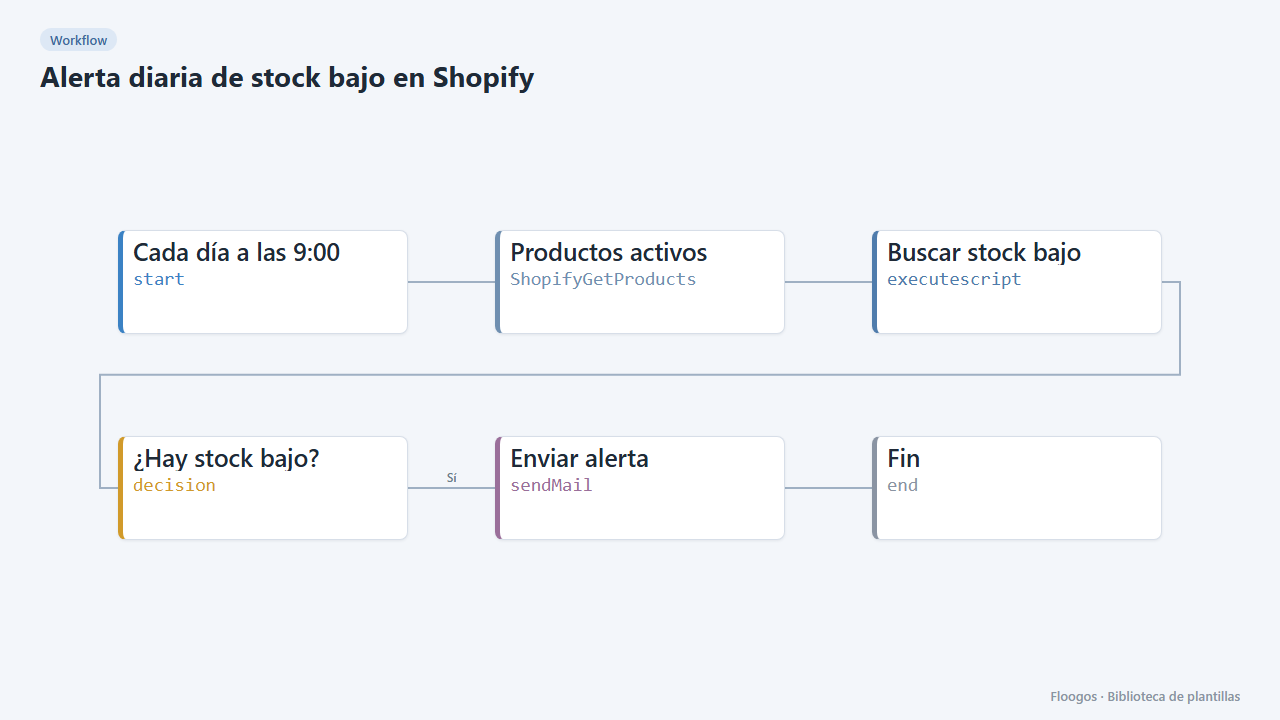
Daily low-stock alert for Shopify
Every morning it checks the inventory of your active Shopify products and emails you the list of low-stock variants.
Try it in under 5 minutes
Create the template in your account, connect your credentials and activate it when you are ready.
Use this template