
Supplier PDF invoice to a Holded purchase with validation
AI reads the PDF invoice, validates amounts and required fields, finds or creates the supplier in Holded and records the purchase; if anything fails it alerts you on Telegram.
Everything is created inactive in a new folder of your account. Nothing runs until you activate it, and you can undo it for 24 hours.
What it does
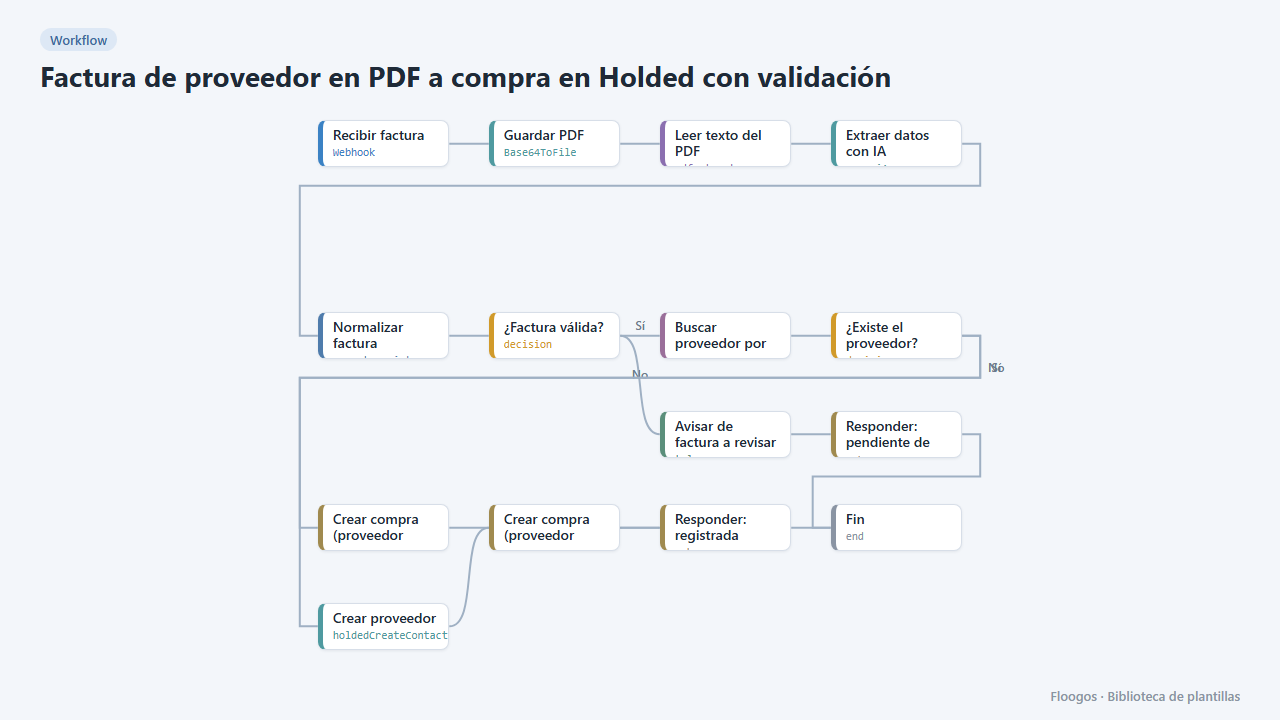
Automatically records your suppliers' invoices in Holded. Each PDF received via webhook is read and AI turns it into JSON; the Normalizar factura node cleans and validates the data (supplier, tax ID, number, date and total required, net + VAT = total, sum of lines). If valid, the supplier is looked up in Holded by tax ID (created as supplier if missing) and the purchase document is created as a draft with its lines. If invalid, Holded is left untouched and a Telegram alert with the reason arrives.
What you need: an OpenAI API key, the Holded credential and a Telegram bot.
How to use it: install the template, connect the three accounts and send invoices to the webhook. The document is created unapproved so you can review it in Holded; once you trust the result, turn on approveDoc in the purchase nodes.
Limitation: text PDFs only (not scanned) and the tax ID must appear on the invoice.
How to set it up
- 1
Connect the openai credential
This template uses openai in: Extraer datos con IA. Create or pick the credential and assign it in those nodes.
- 2
Connect the holded credential
This template uses holded in: Buscar proveedor por NIF, Crear compra (proveedor existente), Crear proveedor, Crear compra (proveedor nuevo). Create or pick the credential and assign it in those nodes.
- 3
Connect the telegram credential
This template uses telegram in: Avisar de factura a revisar. Create or pick the credential and assign it in those nodes.
- 4
Copy the webhook URL (Recibir factura)
A new URL is generated on install. Paste it into the external system that must call this workflow.
- 5
Connect OpenAI, Holded and Telegram
Set up the credentials of Extraer datos con IA, the Holded nodes and Avisar de factura a revisar, and enter your Telegram
chatId. - 6
Send an invoice
Send a
POSTto the webhook URL with{"pdf_base64":"<base64 encoded PDF>"}. A draft purchase should appear in Holded. - 7
JSON format and validation
The validated JSON has this shape:
{"proveedor":"Suministros Norte S.L.","nif":"B12345678","numero_factura":"F-2026-0412","fecha":"2026-09-30","moneda":"EUR","base_imponible":200,"iva_porcentaje":21,"iva_importe":42,"total":242,"lineas":[{"descripcion":"Papel A4 (caja)","cantidad":4,"precio_unitario":50,"importe":200}],"estado":"OK"}. For Holded, each linesubtotalis the unit price without VAT. Required fields (includingnif) and the confidence threshold are changed at the top of the Normalizar factura script. - 8
Activate the workflow
Workflows are installed inactive. Once everything is set, activate it.
Related templates
Other templates that use similar nodes or integrations.
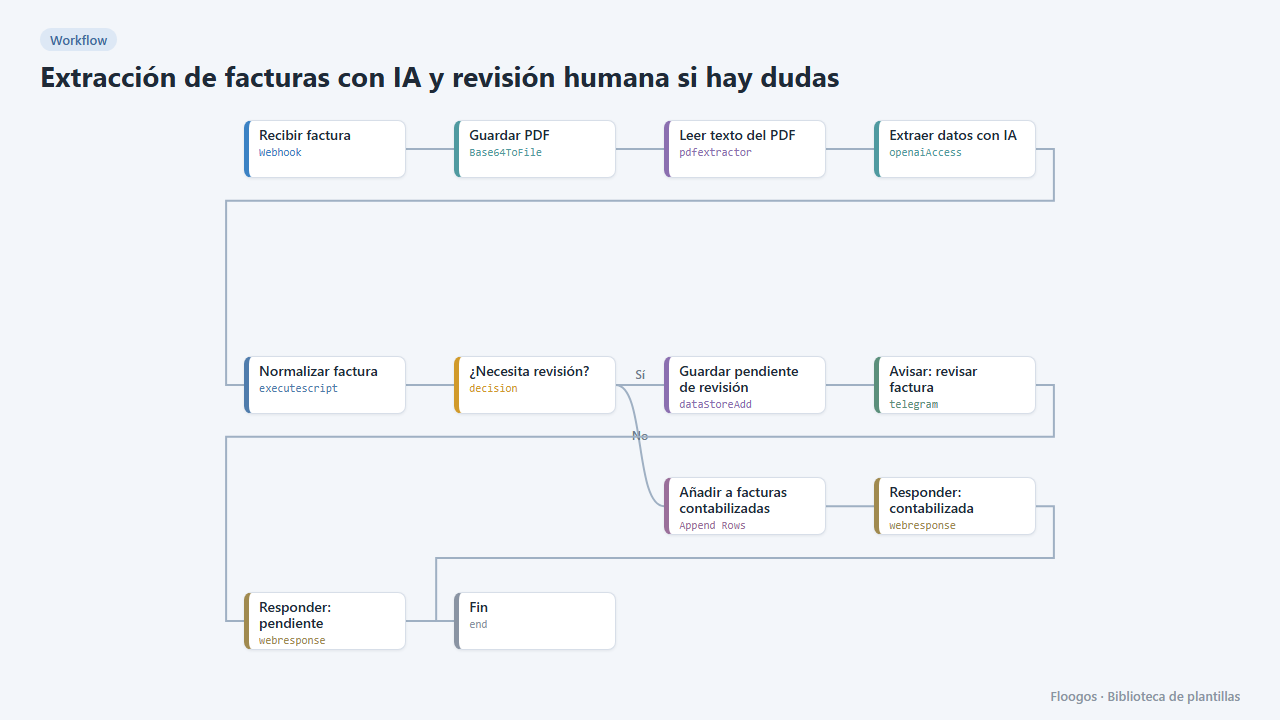
AI invoice extraction with human review when in doubt
AI extracts the invoice data; reliable ones go straight to the sheet, and if confidence is low or fields are missing they are set aside and you get a Telegram alert to review them.
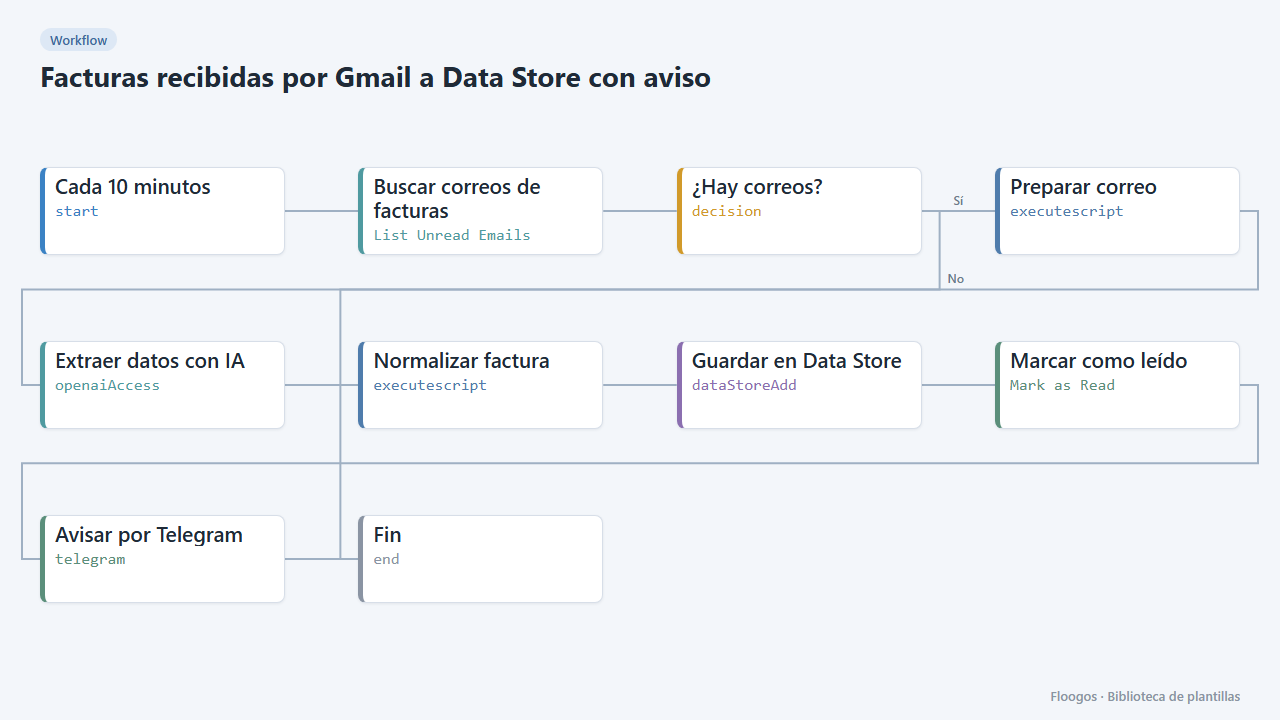
Invoices received by Gmail to a Data Store with alert
Every few minutes it checks your Gmail, extracts with AI the data of invoices written in the email body, saves them to a Data Store and alerts you on Telegram.
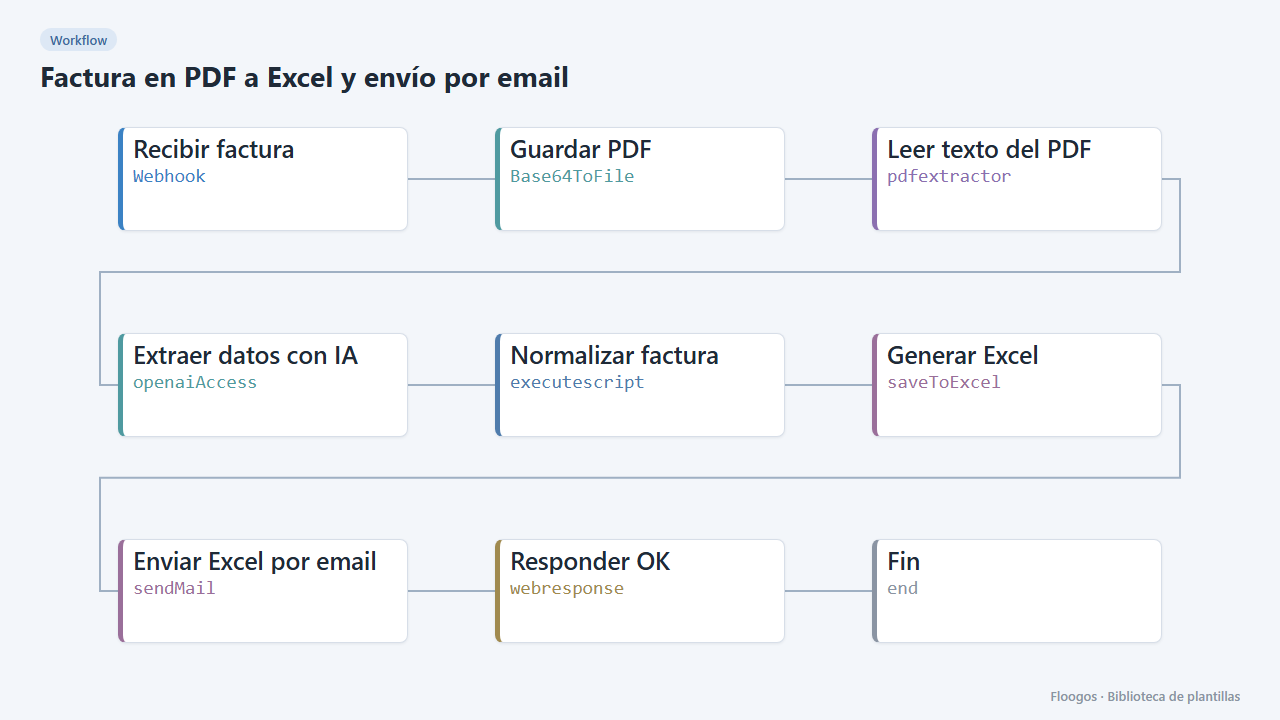
PDF invoice to Excel, sent by email
Turn each PDF invoice into an Excel file with its lines, net, VAT and total, and email the download link to accounting.
Try it in under 5 minutes
Create the template in your account, connect your credentials and activate it when you are ready.
Use this template