
Invoices received by Gmail to a Data Store with alert
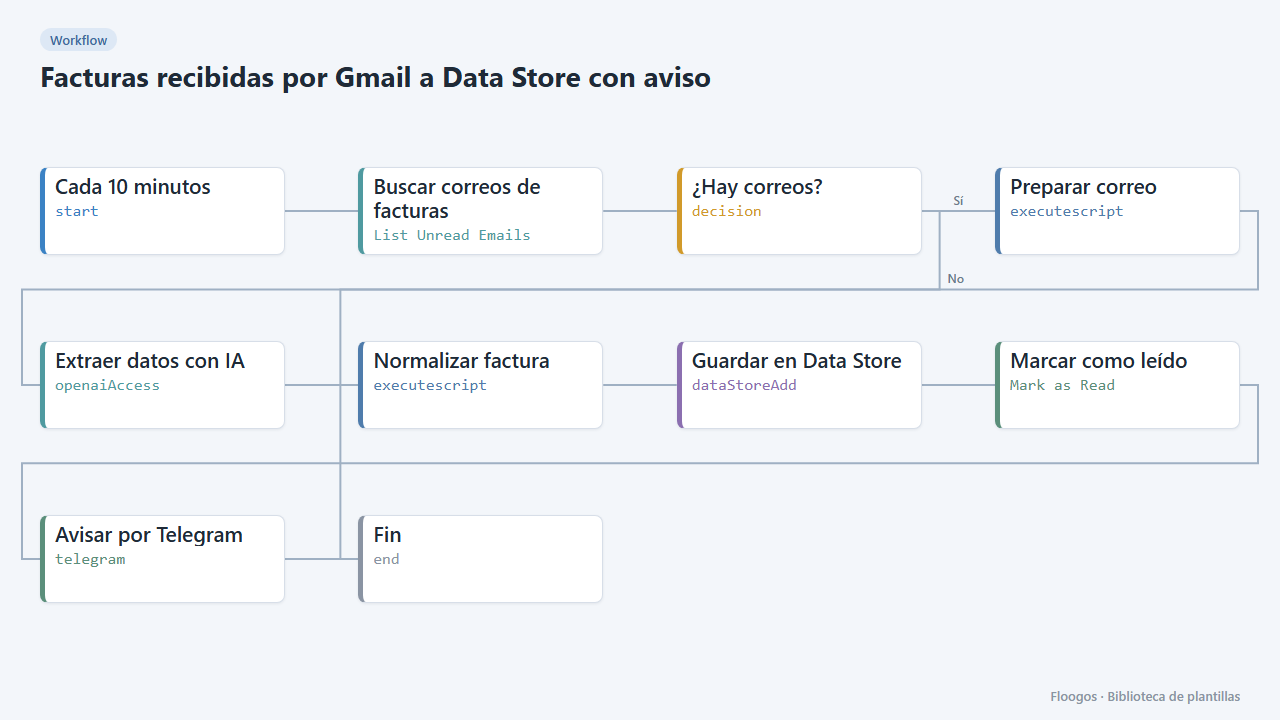
Every few minutes it checks your Gmail, extracts with AI the data of invoices written in the email body, saves them to a Data Store and alerts you on Telegram.
Everything is created inactive in a new folder of your account. Nothing runs until you activate it, and you can undo it for 24 hours.
What it does
A scheduled trigger looks in Gmail for unread emails with "factura" or "invoice" in the subject. AI reads the email body (suppliers and shops that send the invoice or order detail as text) and turns it into JSON; Normalizar factura validates amounts and date and flags REVISAR if something is missing. The invoice is saved to the facturas_recibidas Data Store (key = tax ID + number, so it is not duplicated), the email is marked as read and you get a Telegram alert with the result.
What you need: a connected Gmail account, an OpenAI API key and a Telegram bot.
Important limitation: this template reads the email text, not PDF attachments (the Gmail node does not download attachments). For PDFs use the "PDF invoice to ..." templates by sending the file through a webhook. It processes one email per run; reduce the trigger interval if you receive many.
How to set it up
- 1
Connect the google credential
This template uses google in: Buscar correos de facturas, Marcar como leído. Create or pick the credential and assign it in those nodes.
- 2
Connect the openai credential
This template uses openai in: Extraer datos con IA. Create or pick the credential and assign it in those nodes.
- 3
Connect the telegram credential
This template uses telegram in: Avisar por Telegram. Create or pick the credential and assign it in those nodes.
- 4
Connect Gmail, OpenAI and Telegram
Connect Gmail in Buscar correos de facturas and Marcar como leído, OpenAI in Extraer datos con IA and Telegram in Avisar por Telegram (with your
chatId). Adjust the search if your invoices arrive with a different subject. - 5
Activate and test
Send yourself an email with subject "Factura F-1" and the data in the body (supplier, tax ID, date, lines, net, VAT and total). Enable the trigger (
active_schedule) and check the alert arrives and the row appears in the Data Store. - 6
Saved JSON format
Each Data Store record has this shape:
{"proveedor":"Suministros Norte S.L.","nif":"B12345678","numero_factura":"F-2026-0412","fecha":"2026-09-30","moneda":"EUR","base_imponible":200,"iva_porcentaje":21,"iva_importe":42,"total":242,"lineas":[{"descripcion":"Papel A4 (caja)","cantidad":4,"precio_unitario":50,"importe":200}],"estado":"OK"}, plusestado,motivo,faltanandclave. - 7
Activate the workflow
Workflows are installed inactive. Once everything is set, activate it.
Related templates
Other templates that use similar nodes or integrations.
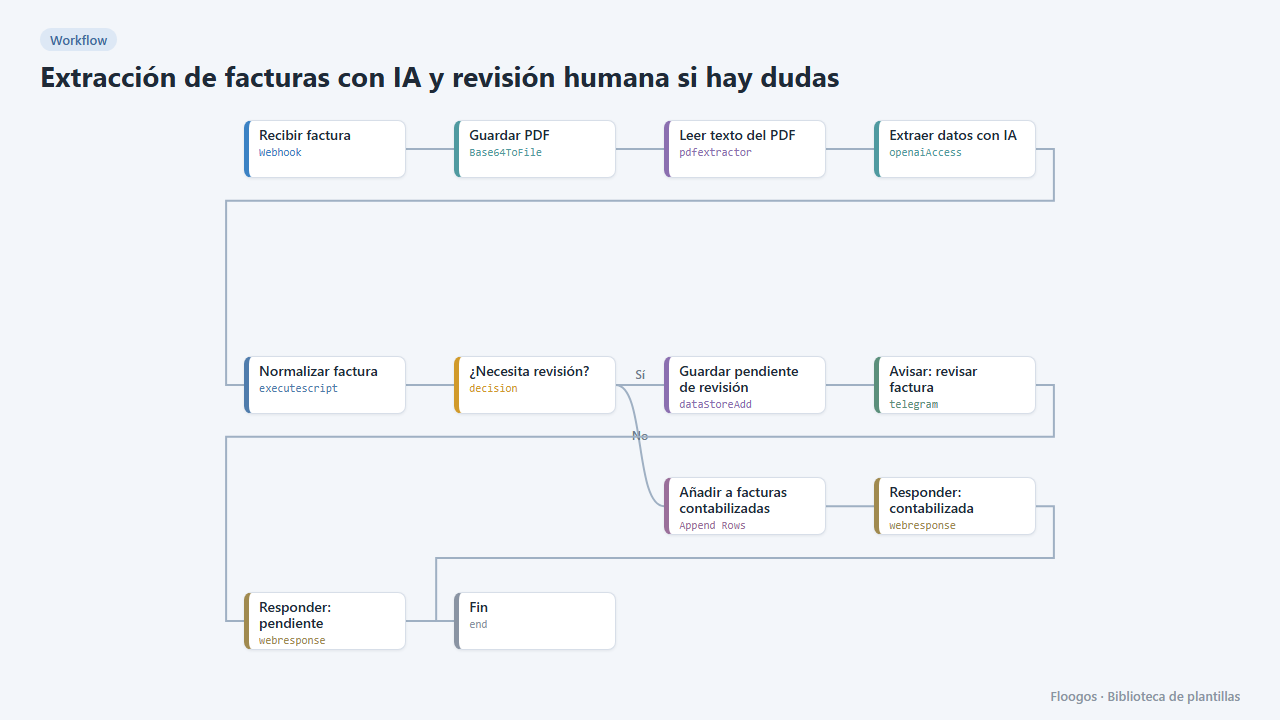
AI invoice extraction with human review when in doubt
AI extracts the invoice data; reliable ones go straight to the sheet, and if confidence is low or fields are missing they are set aside and you get a Telegram alert to review them.
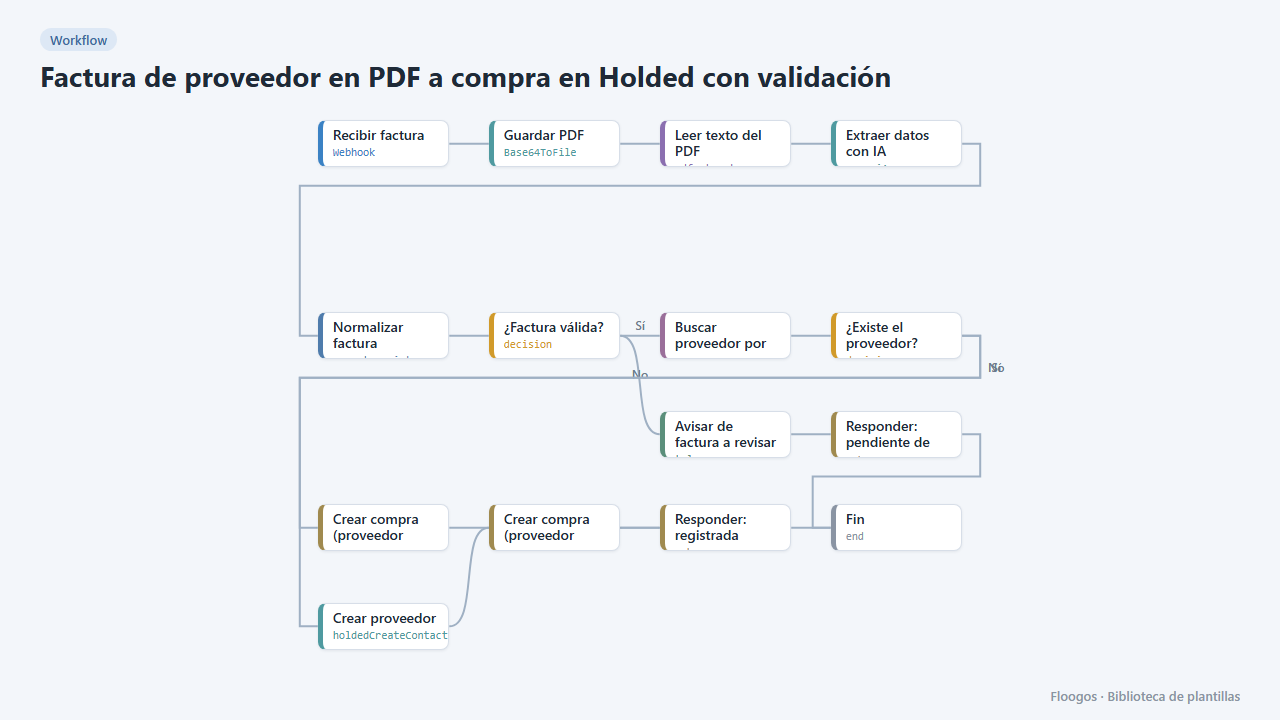
Supplier PDF invoice to a Holded purchase with validation
AI reads the PDF invoice, validates amounts and required fields, finds or creates the supplier in Holded and records the purchase; if anything fails it alerts you on Telegram.
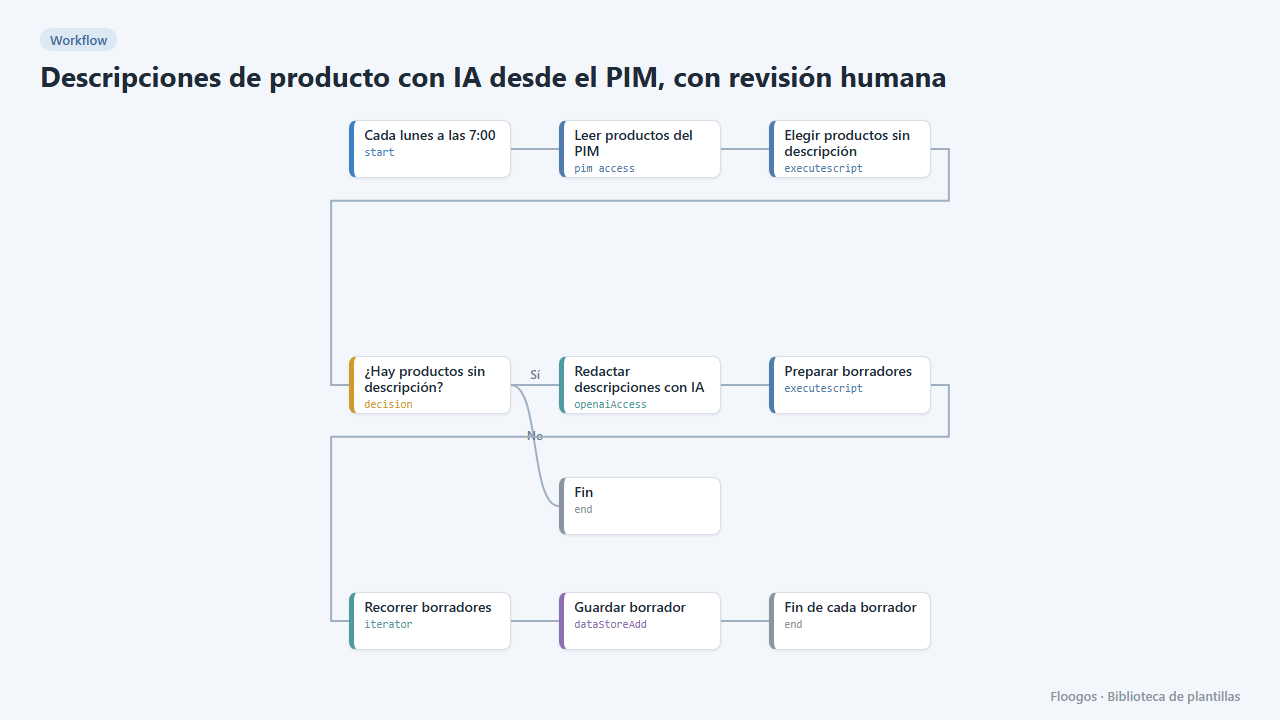
AI product descriptions from your PIM, with human review
Finds PIM products with no description, drafts it with AI and leaves the drafts in a dashboard for a person to review before publishing.
Try it in under 5 minutes
Create the template in your account, connect your credentials and activate it when you are ready.
Use this template