
Send contacts from any system to Mailchimp through a webhook
A webhook receives a contact from your site, CRM or shop and adds it to your Mailchimp audience with tags.
Everything is created inactive in a new folder of your account. Nothing runs until you activate it, and you can undo it for 24 hours.
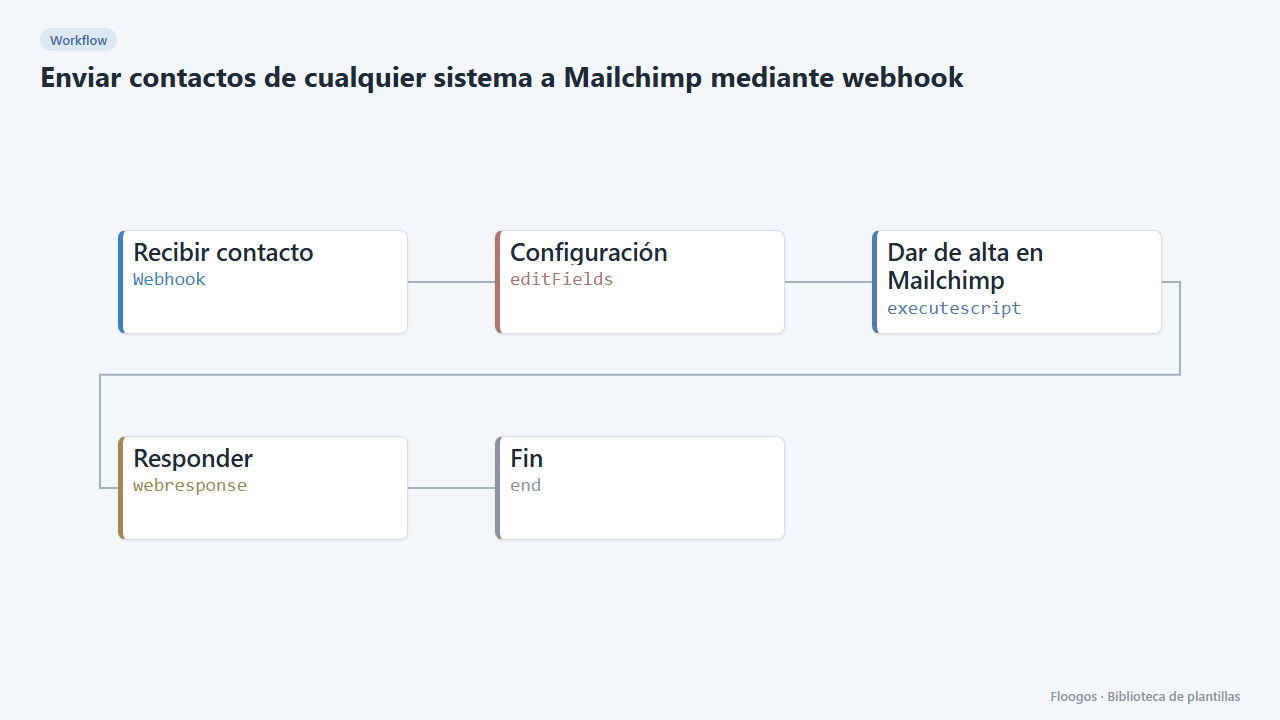
What it does
Connect any tool that can call a URL (Elementor, Typeform, Tally, your CRM, your online shop…) with Mailchimp. You send a POST with the contact and the flow creates or updates it in your audience, without duplicates, and applies the tags you specify.
POST body (JSON): {"email":"ana@example.com","nombre":"Ana","apellidos":"Perez","etiquetas":"customer,shop"}. etiquetas is optional (several, comma separated).
By default the subscription uses double opt-in. Use subscribed only if you already have the person's consent.
What you need: a Mailchimp account, an API key and the audience ID (steps below).
How to set it up
- 1
Copy the webhook URL (Recibir contacto)
A new URL is generated on install. Paste it into the external system that must call this workflow.
- 2
Connect Mailchimp
In Mailchimp go to Account > Extras > API keys and create a key (it looks like
xxxxxxxx-us21). In Credentials create a Basic Auth one namedmailchimp: username = anything, password = the API key. The audience ID is under Audience > Settings > Audience name and defaults. - 3
Set your audience
In the Configuración node set your audience
lista_id. - 4
Test the webhook
Copy the URL of the Recibir contacto node and send a
POSTwith{"email":"you@email.com","nombre":"Test"}. The response says whether the contact is pending confirmation or subscribed. - 5
Activate the workflow
Workflows are installed inactive. Once everything is set, activate it.
Related templates
Other templates that use similar nodes or integrations.
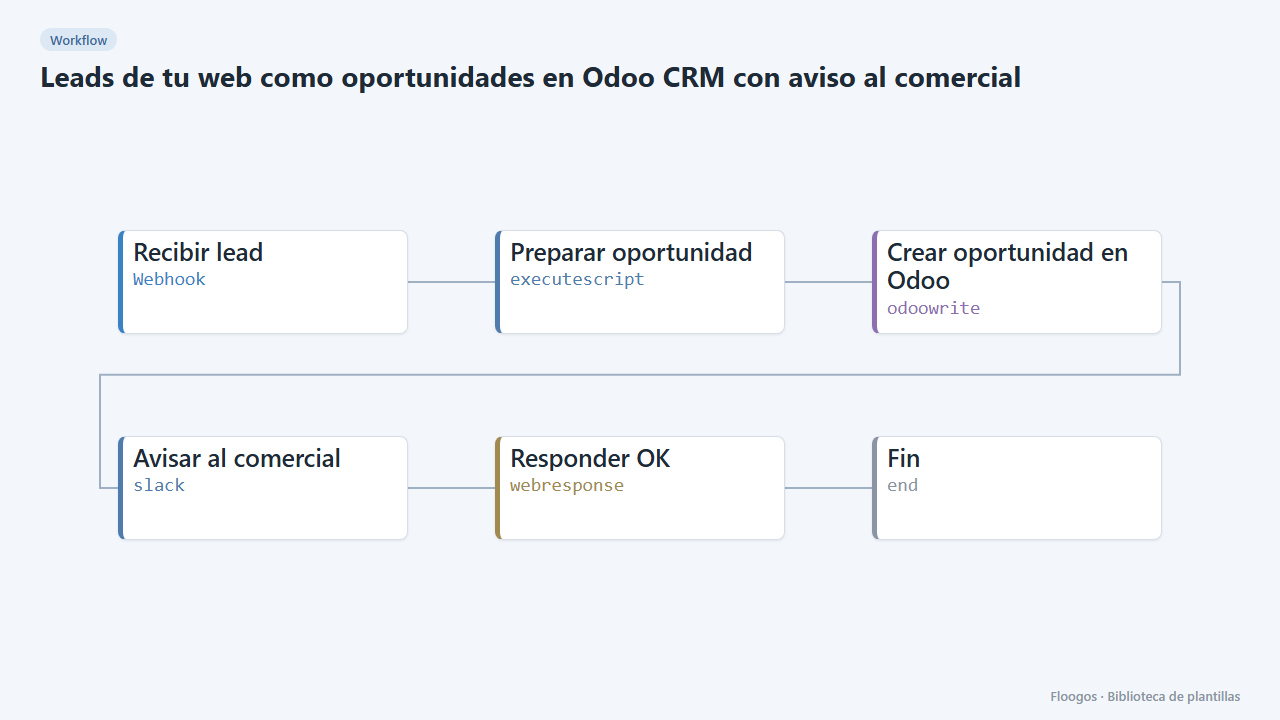
Website leads as Odoo CRM opportunities with a sales alert
Every contact form creates an opportunity in the Odoo CRM and alerts the sales team on Slack.
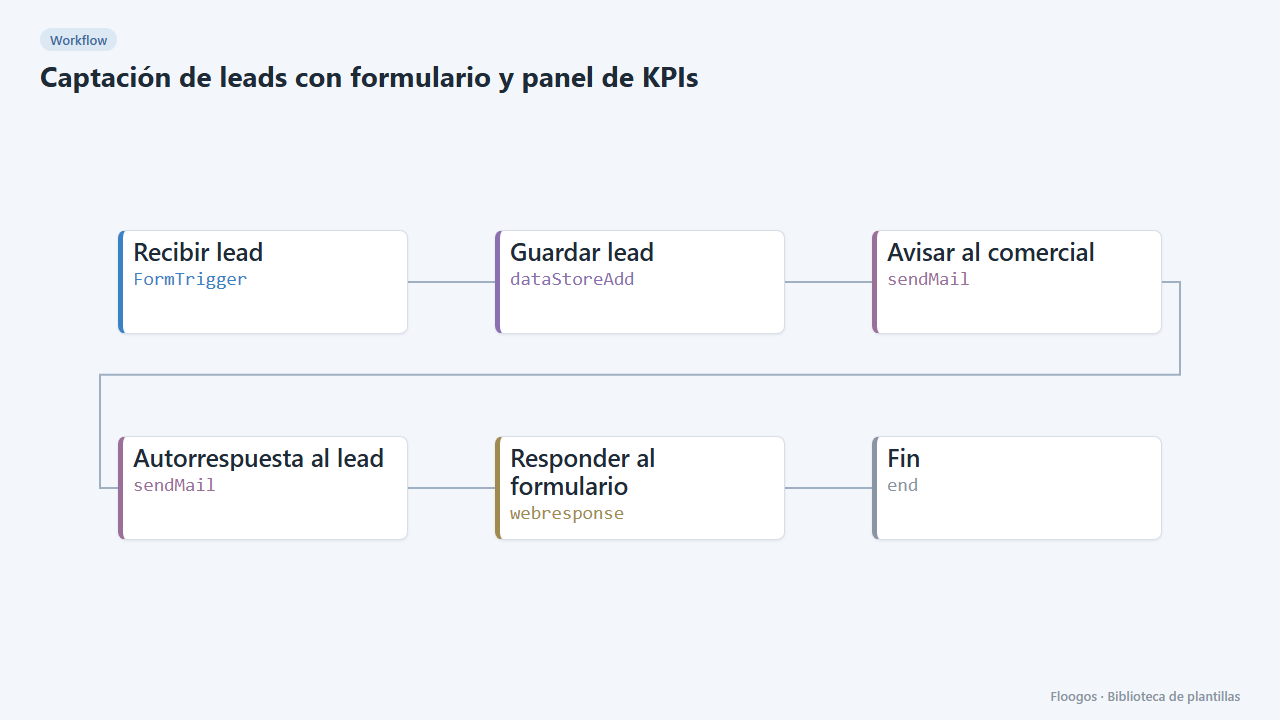
Lead capture form with KPI dashboard
A public form that stores each lead, alerts sales and feeds a dashboard with totals, source, interest and daily trend.
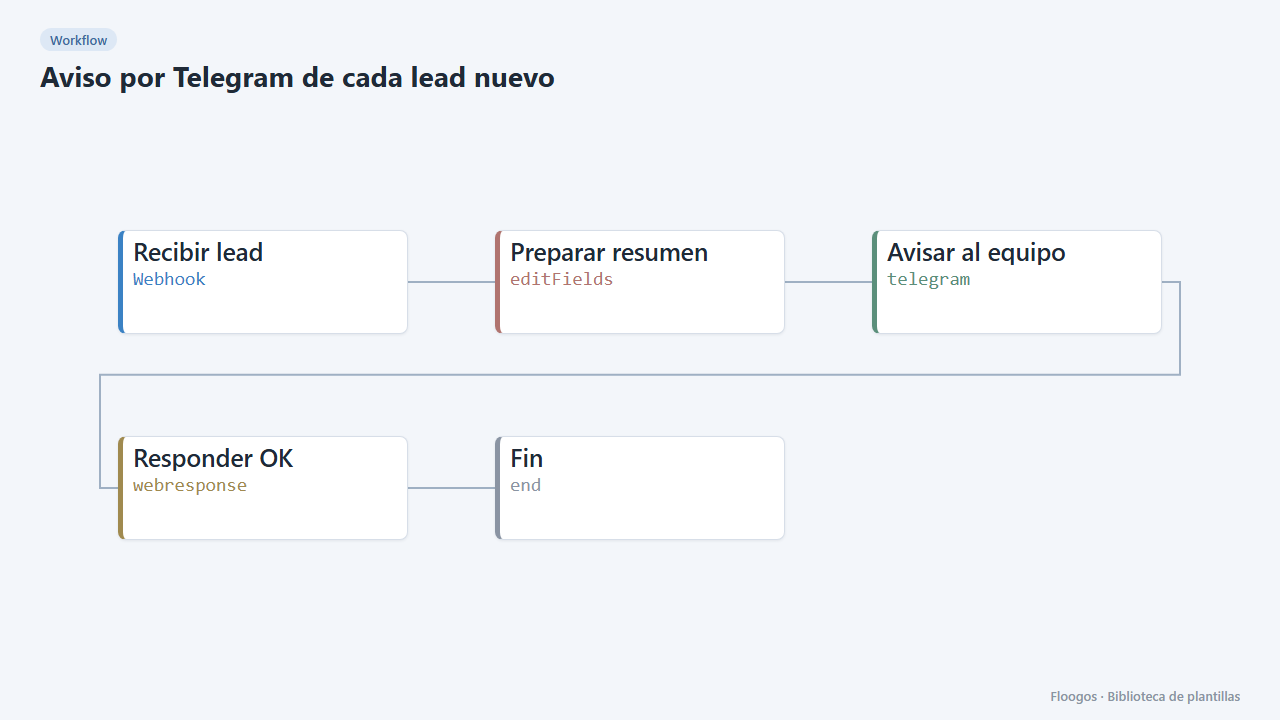
Telegram alert for every new lead
Receive leads from your website or form via webhook and alert your sales team on Telegram instantly.
Try it in under 5 minutes
Create the template in your account, connect your credentials and activate it when you are ready.
Use this template