
Telegram alert for every new lead
Receive leads from your website or form via webhook and alert your sales team on Telegram instantly.
Everything is created inactive in a new folder of your account. Nothing runs until you activate it, and you can undo it for 24 hours.
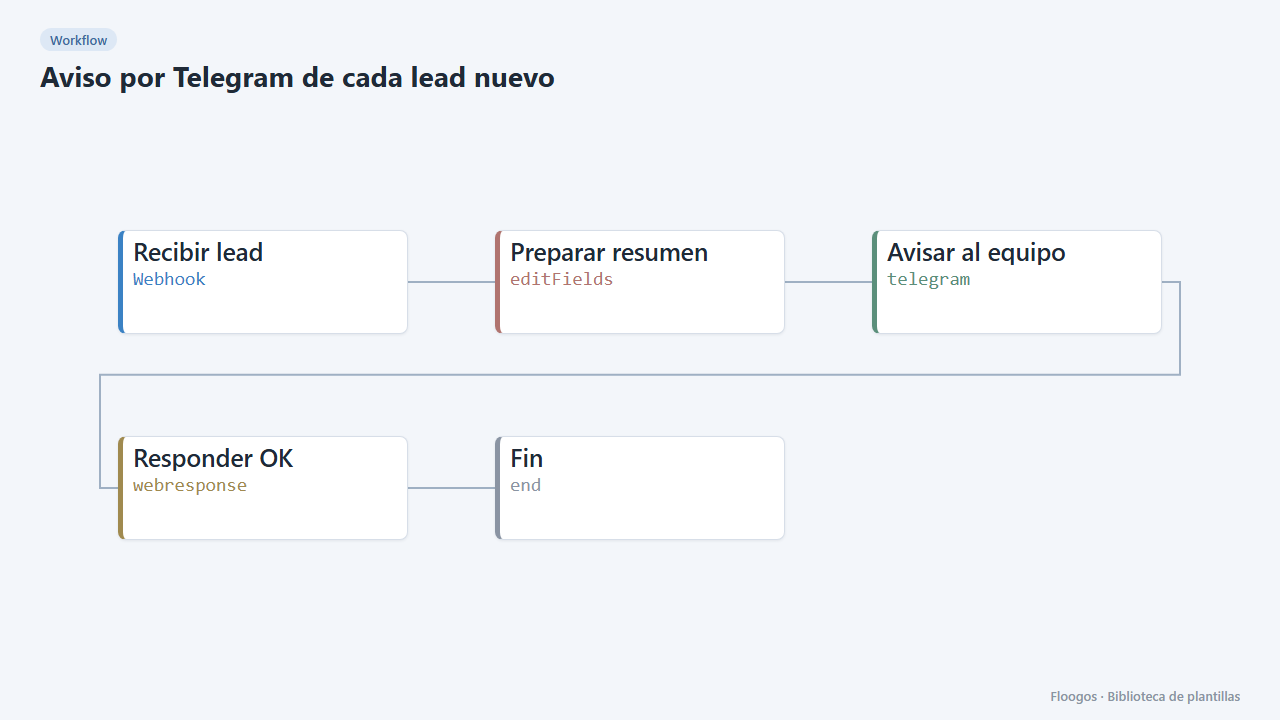
What it does
Every time your website, landing page or any tool sends a lead to the webhook URL, the workflow builds a readable summary (name, email, company and message) and posts it to a Telegram chat or group. It replies 200 OK to the sender, so it works as the destination of any form.
What you need: a Telegram bot (create one with @BotFather) and the ID of the chat or group where you want the alerts.
How to use it: install the template, connect your bot, paste the chat ID and copy the webhook URL into your form.
How to set it up
- 1
Connect the telegram credential
This template uses telegram in: Avisar al equipo. Create or pick the credential and assign it in those nodes.
- 2
Copy the webhook URL (Recibir lead)
A new URL is generated on install. Paste it into the external system that must call this workflow.
- 3
Set the destination chat
Open the Avisar al equipo node and replace
TU_CHAT_IDwith your Telegram chat or group ID. To find it, message the bot and checkgetUpdatesin the Telegram API. - 4
Send a test lead
Send a
POSTto the webhook URL with JSON such as{"nombre":"Ana","email":"ana@example.com","empresa":"Acme","mensaje":"I want a demo"}. The alert should arrive on Telegram. - 5
Activate the workflow
Workflows are installed inactive. Once everything is set, activate it.
Related templates
Other templates that use similar nodes or integrations.
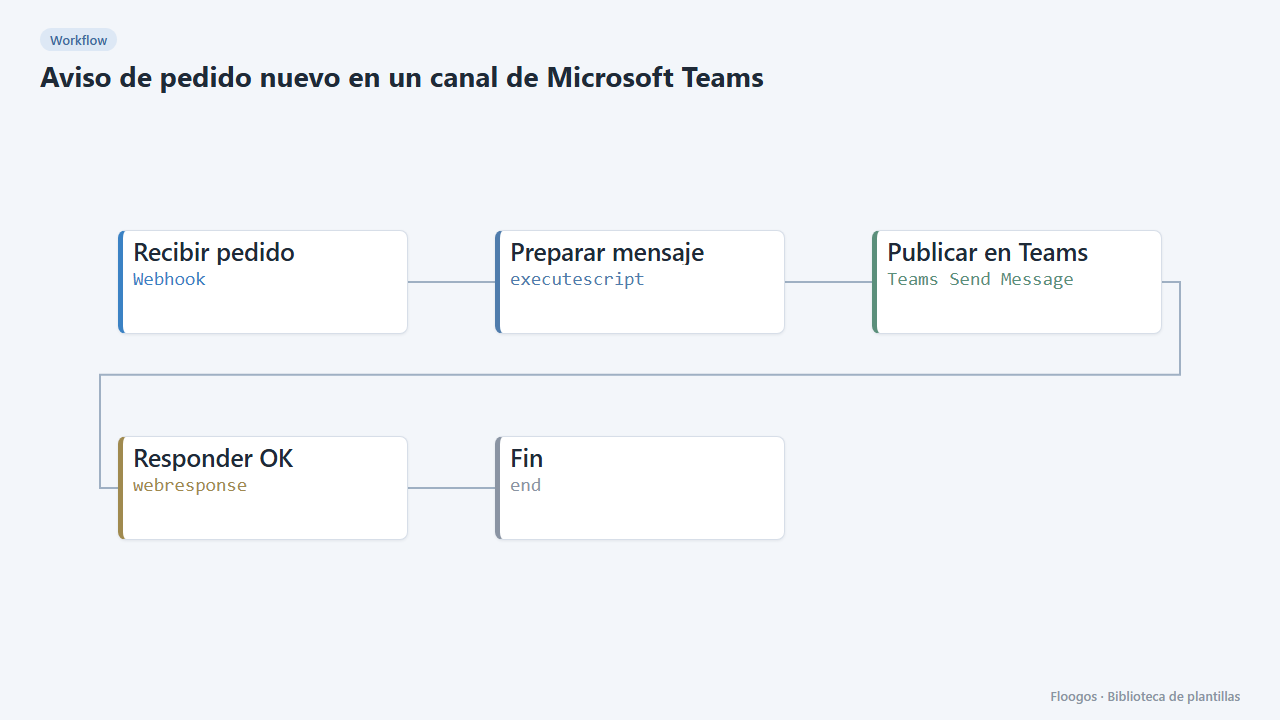
New order alert in a Microsoft Teams channel
Every order that reaches your webhook posts a message in the sales Teams channel with customer, amount and order number.
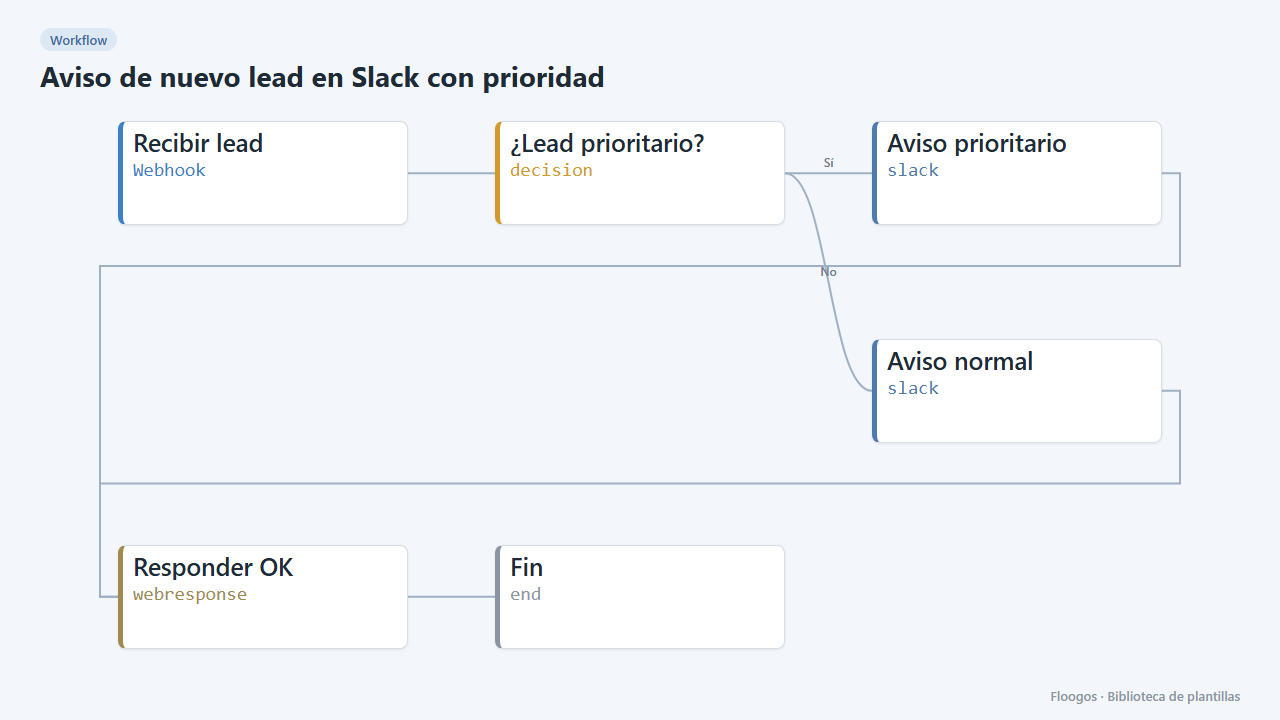
New lead alert on Slack with priority
Every lead arriving via webhook is posted to Slack with its details; higher-budget ones are flagged as priority.
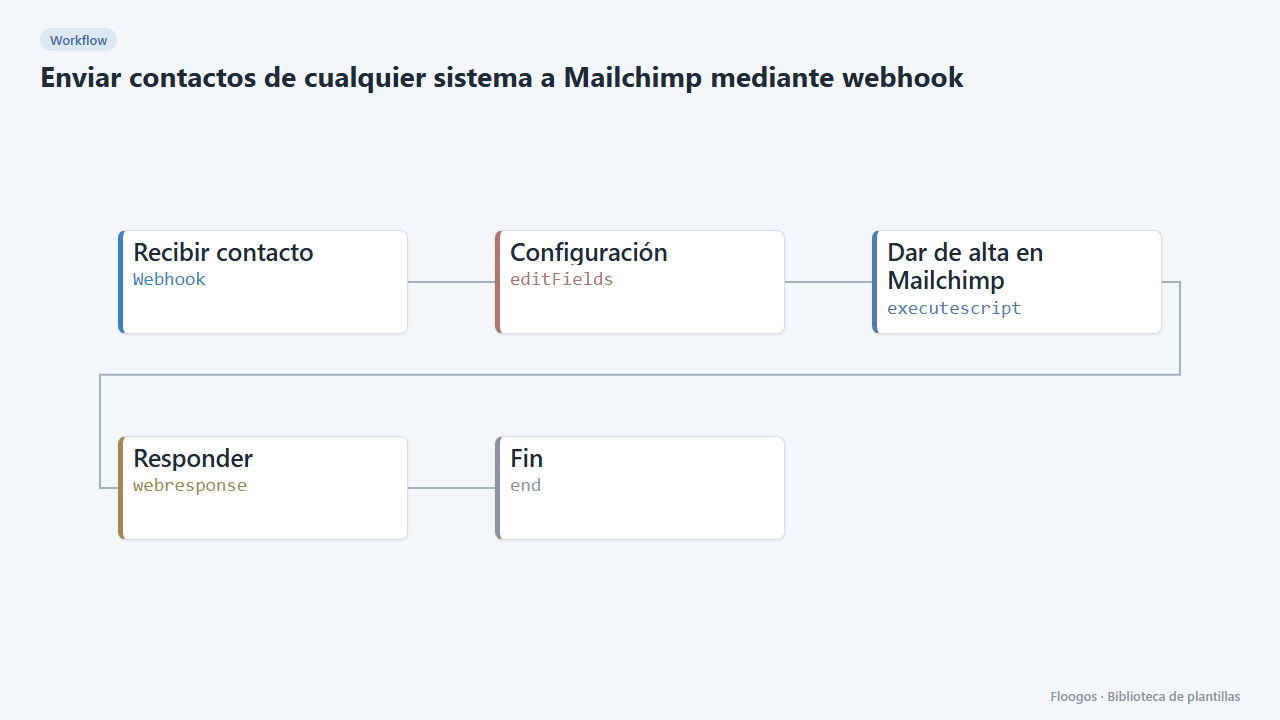
Send contacts from any system to Mailchimp through a webhook
A webhook receives a contact from your site, CRM or shop and adds it to your Mailchimp audience with tags.
Try it in under 5 minutes
Create the template in your account, connect your credentials and activate it when you are ready.
Use this template