
Sales & CRM templates
20 templates to get started in minutes, with a step-by-step guide and no code.
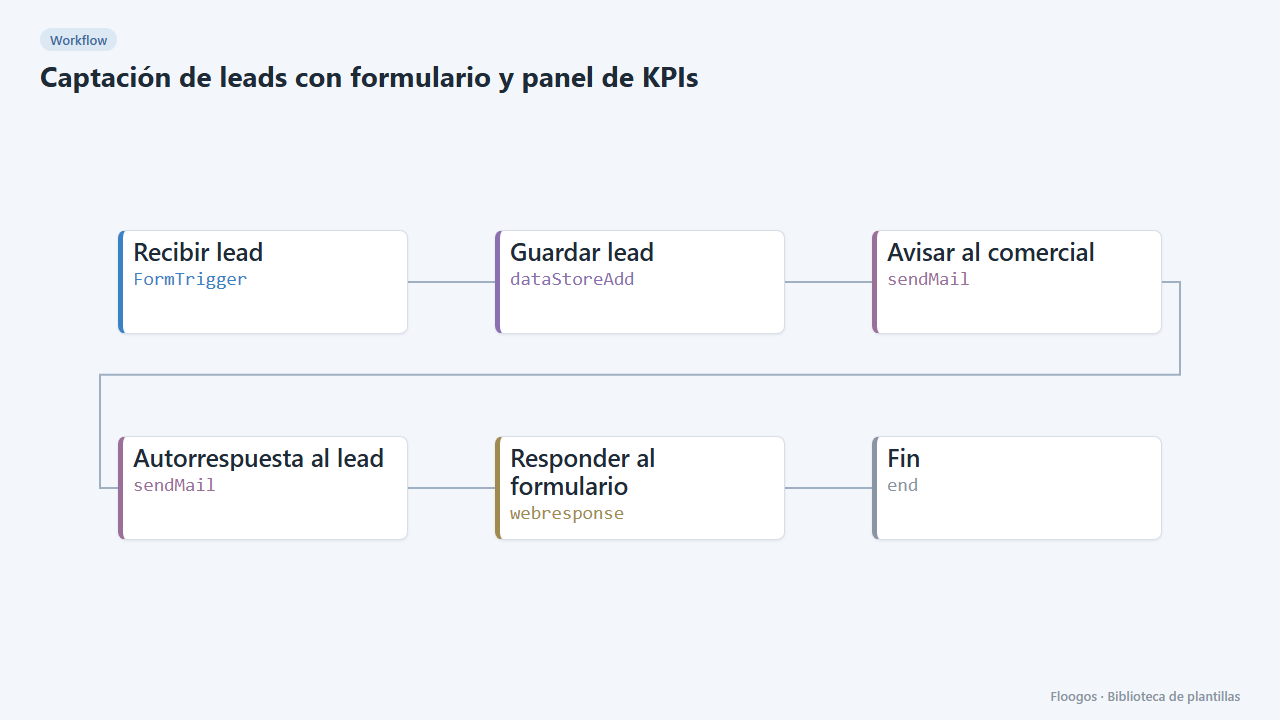
Lead capture form with KPI dashboard
A public form that stores each lead, alerts sales and feeds a dashboard with totals, source, interest and daily trend.
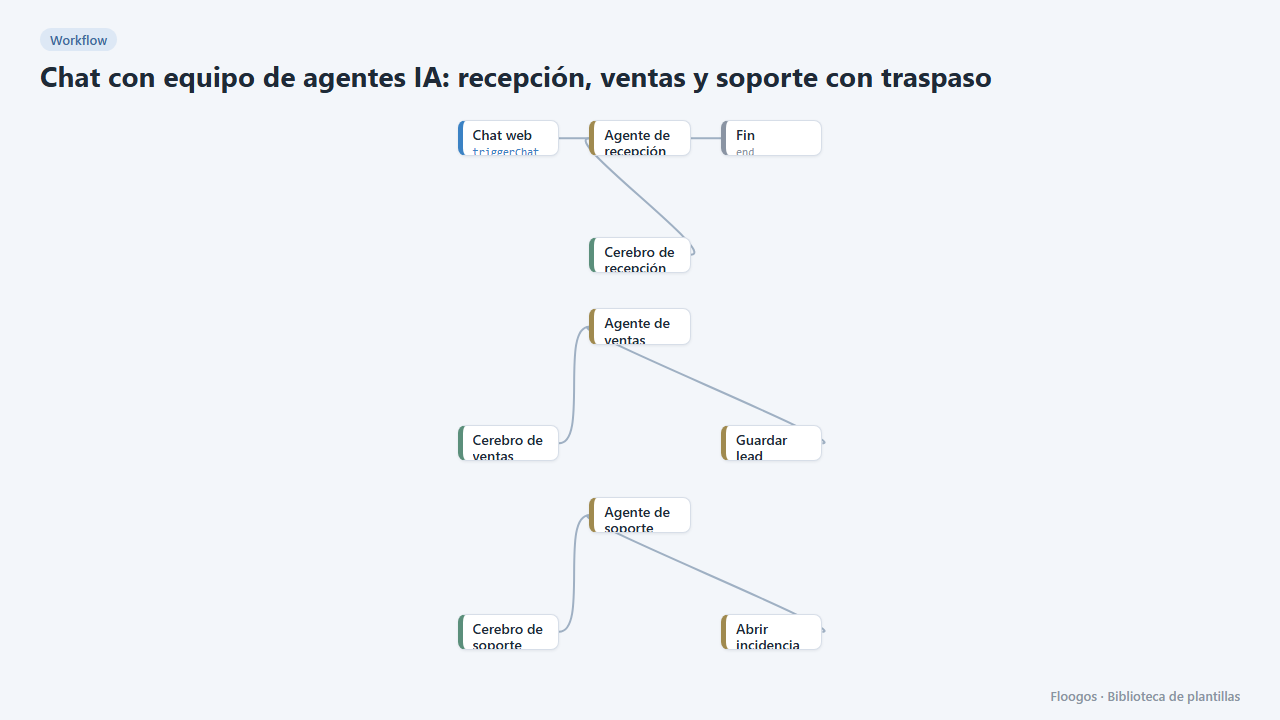
AI agent team chat: reception, sales and support with handoff
A single website chat served by several specialist agents that hand the conversation over depending on the topic, like a human team.
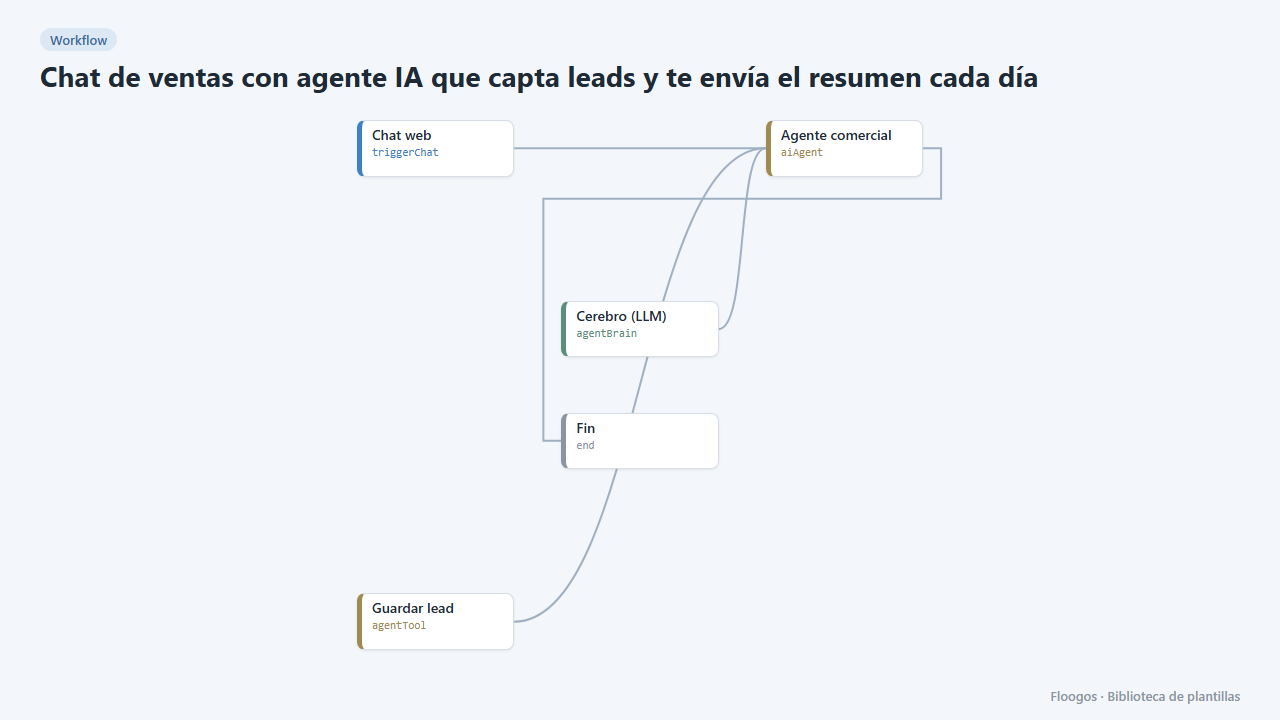
Sales chat with an AI agent that captures leads and emails you a daily summary
A website chat that talks to visitors, collects their contact details and emails you the new leads every morning.
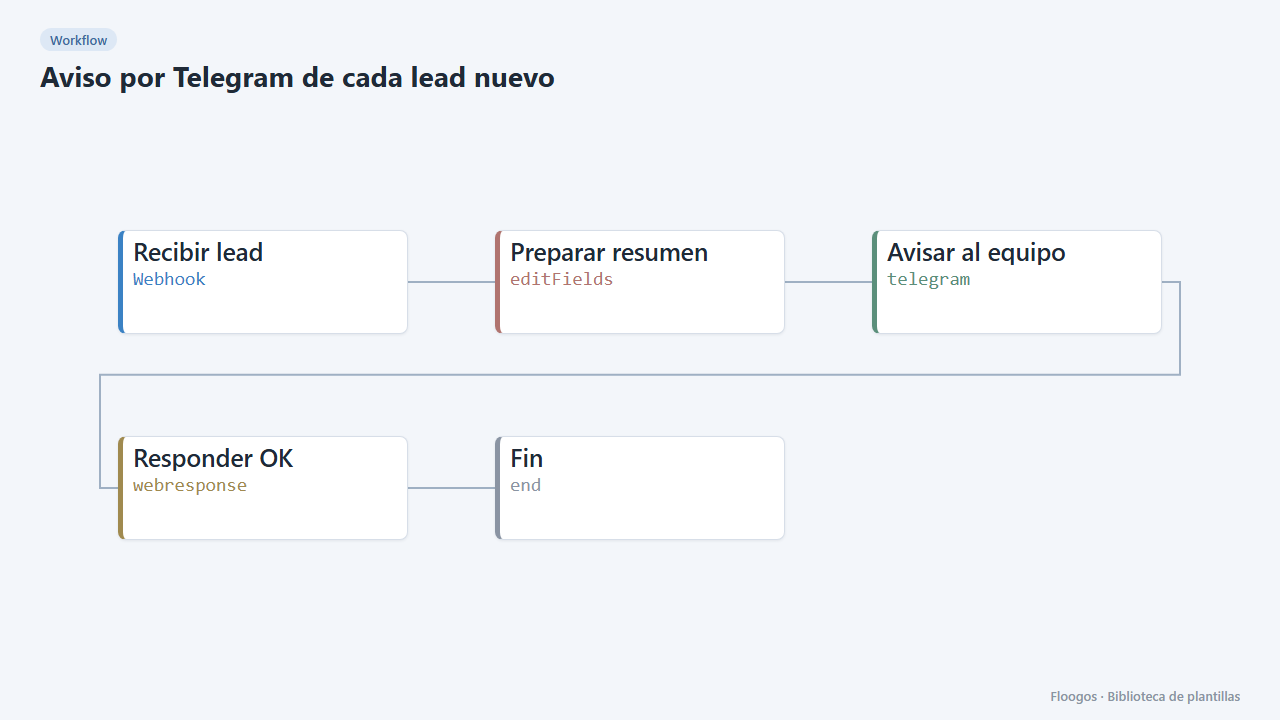
Telegram alert for every new lead
Receive leads from your website or form via webhook and alert your sales team on Telegram instantly.
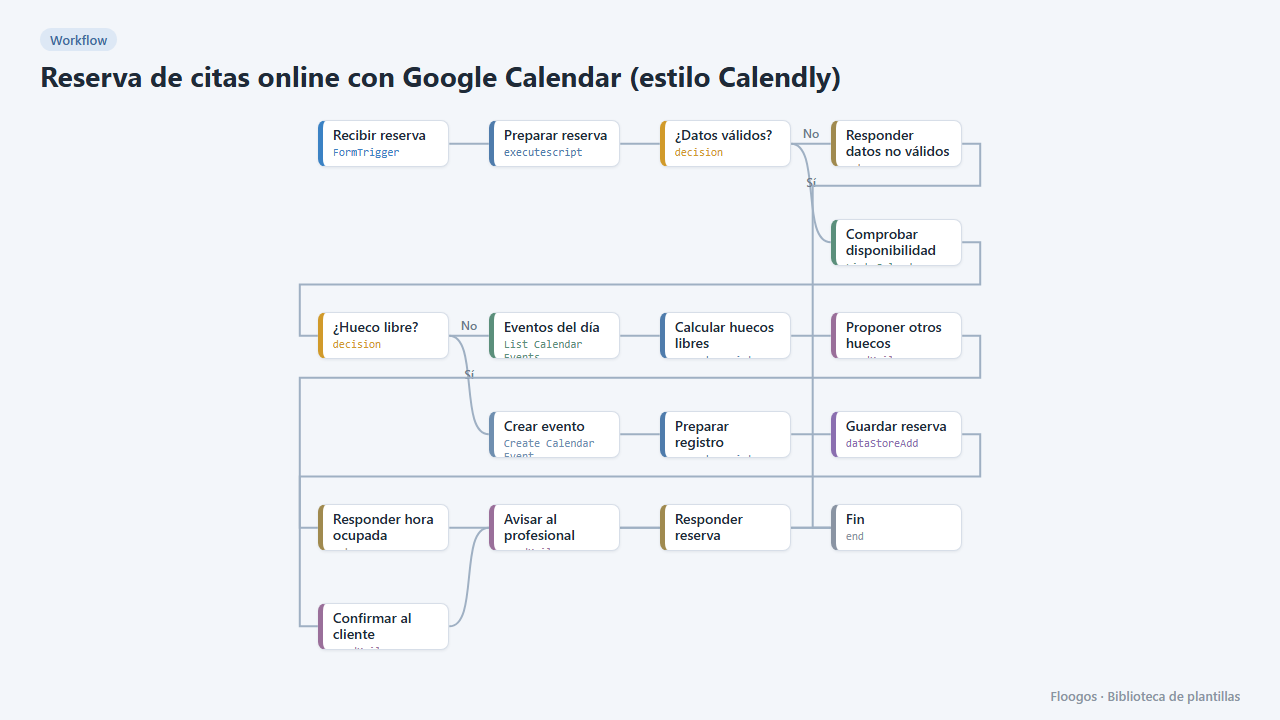
Online appointment booking with Google Calendar (Calendly-style)
A public form for your customers to book an appointment: it checks your Google Calendar, creates the event, confirms by email and, if the slot is taken, suggests the free slots of that day.
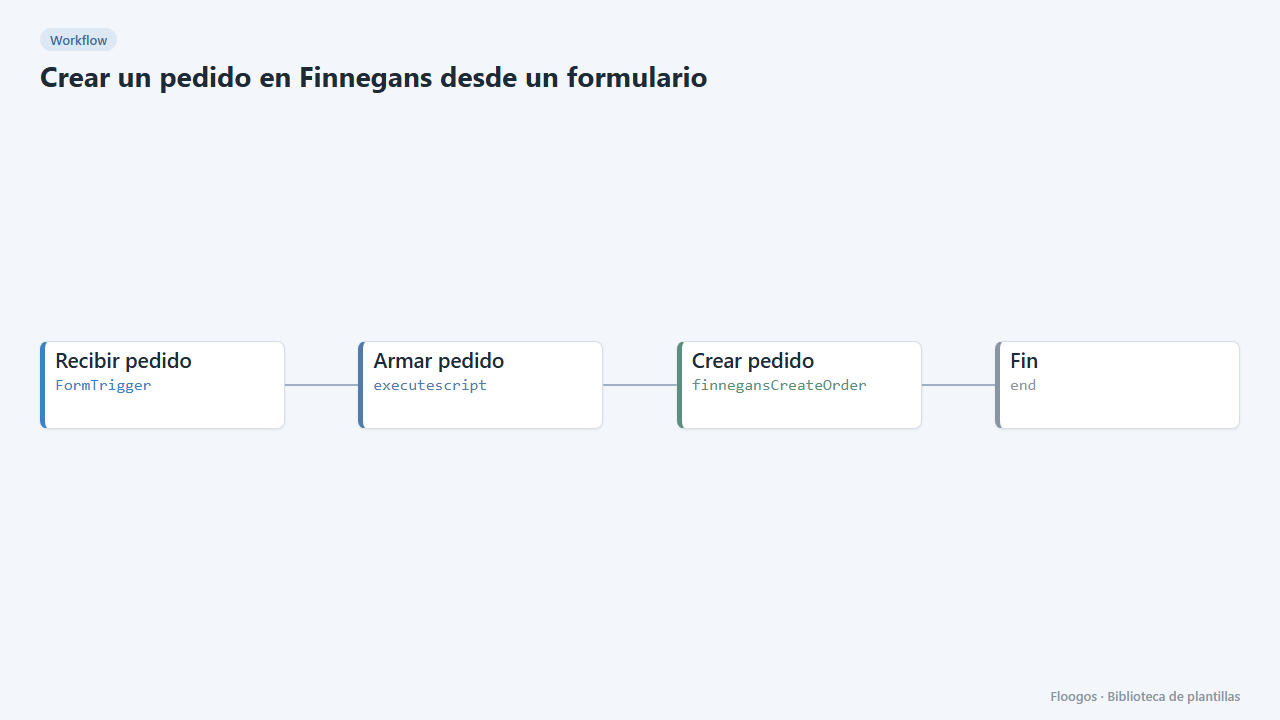
Create a Finnegans order from a form
An internal form so sales or customer service can enter an order into Finnegans without opening the ERP.
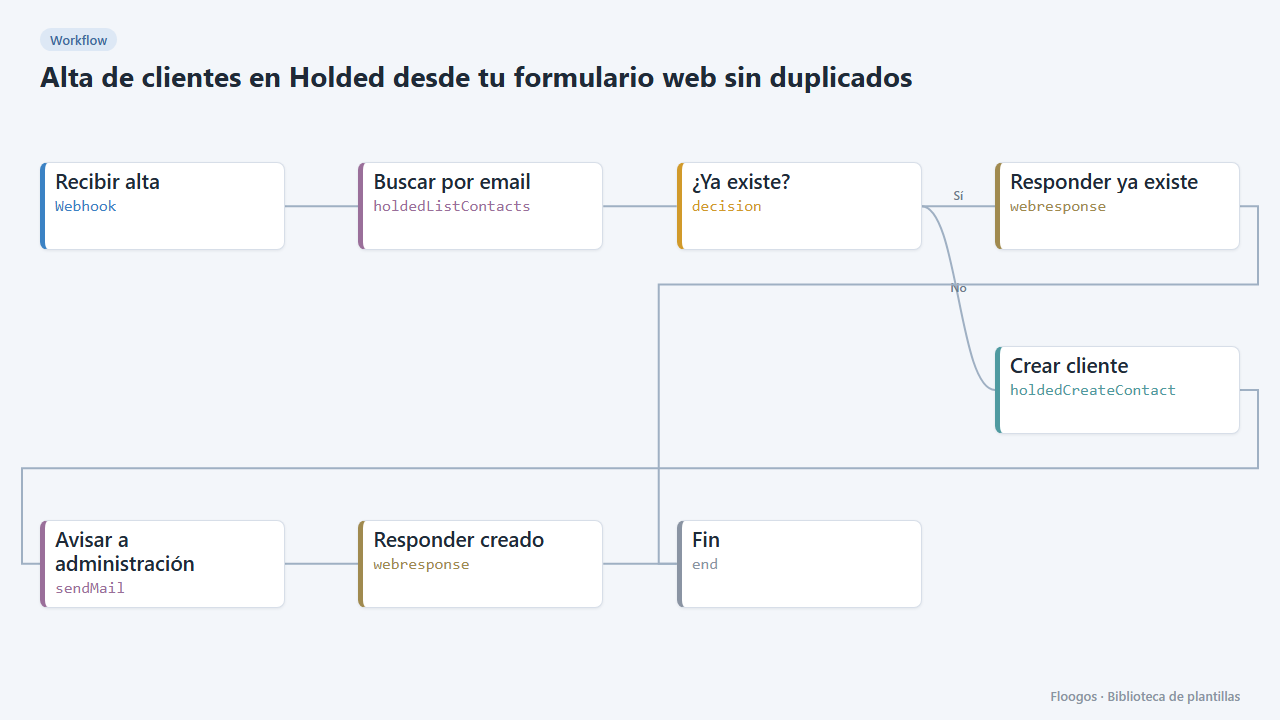
Create Holded customers from your web form without duplicates
Every sign-up received by webhook is looked up by email in Holded: if it already exists nothing happens, otherwise it creates the customer and alerts accounting.
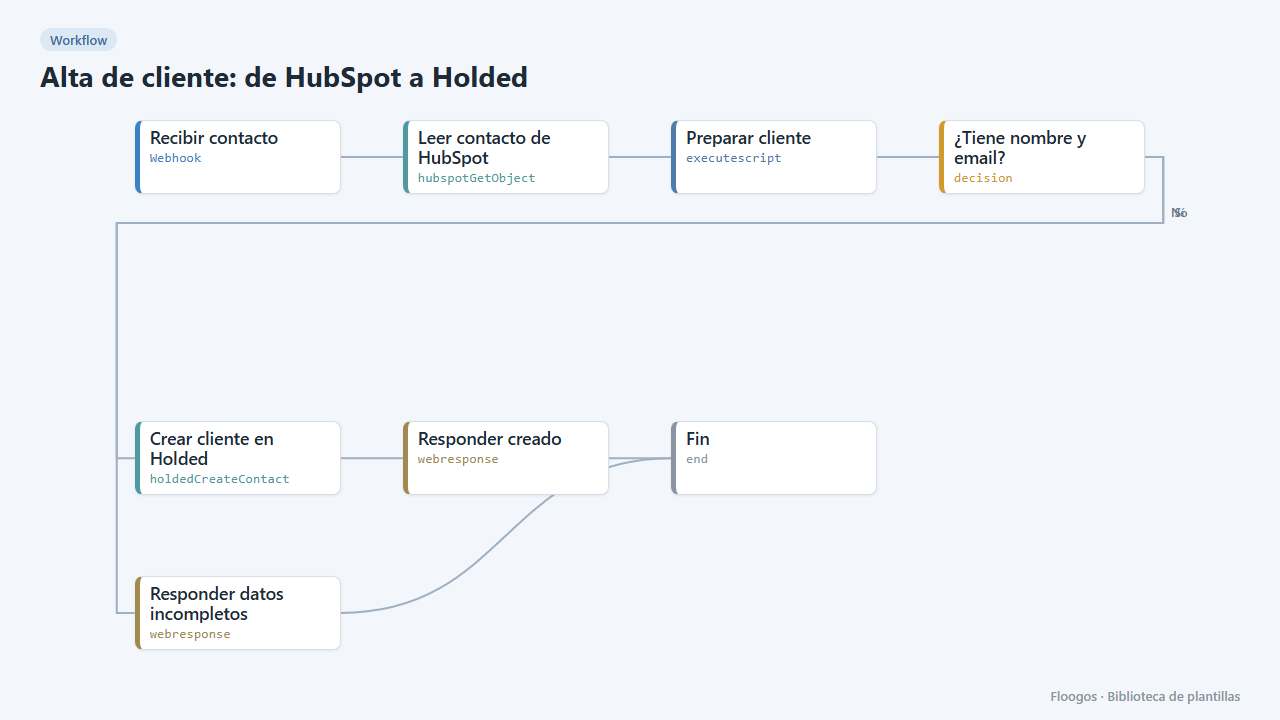
Customer creation: from HubSpot to Holded
When a contact becomes a customer in HubSpot, it reads their data and creates them as a customer in Holded automatically.
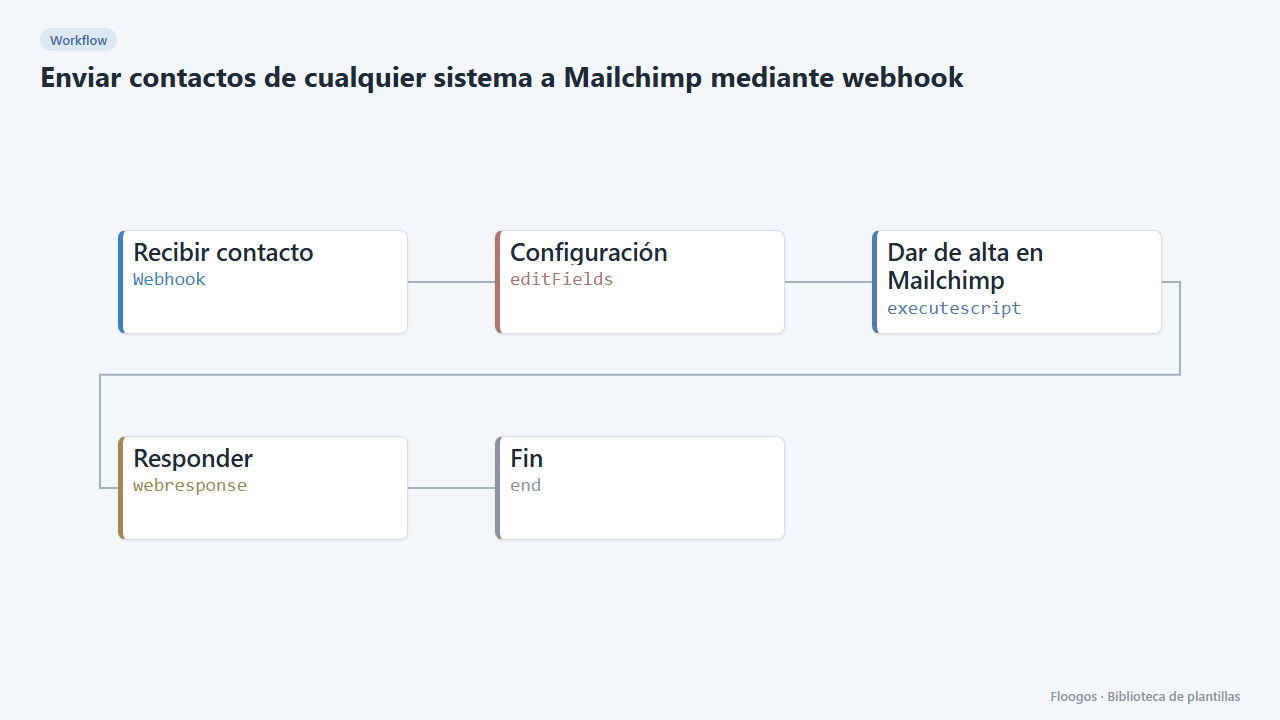
Send contacts from any system to Mailchimp through a webhook
A webhook receives a contact from your site, CRM or shop and adds it to your Mailchimp audience with tags.
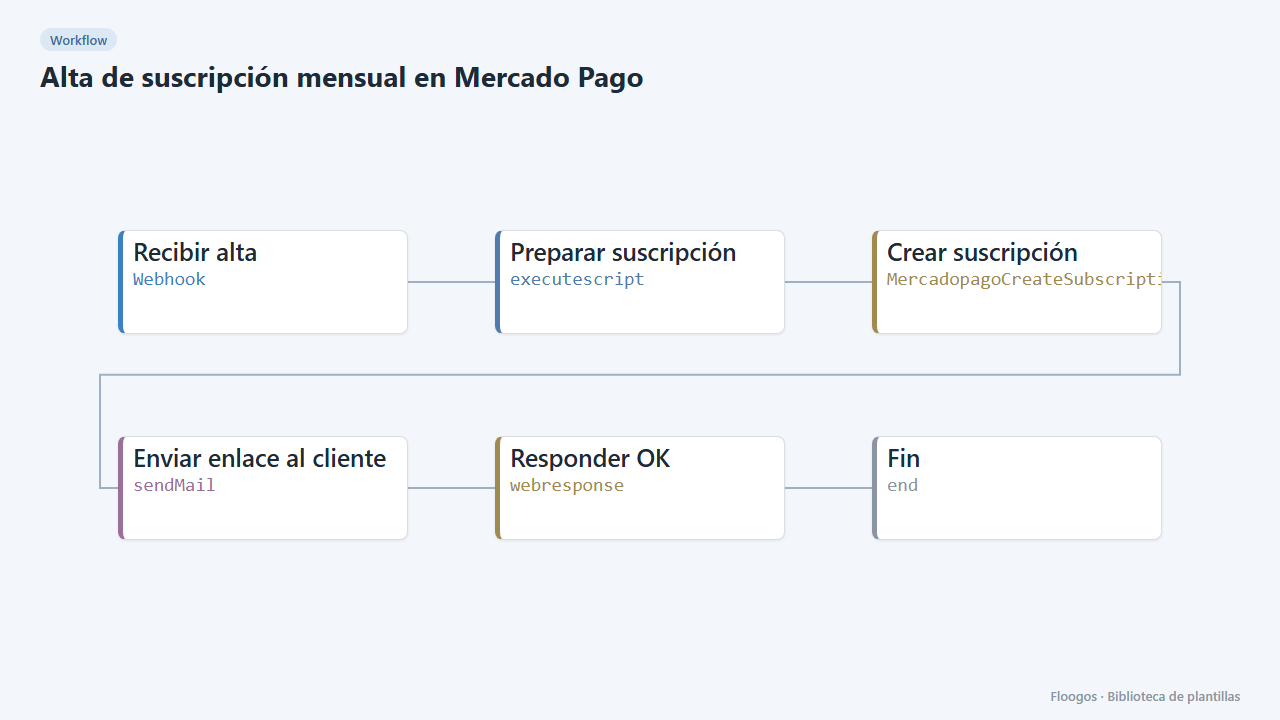
Monthly subscription sign-up in Mercado Pago
Receives a customer data via webhook, creates their monthly Mercado Pago subscription and emails them the link to authorize it.
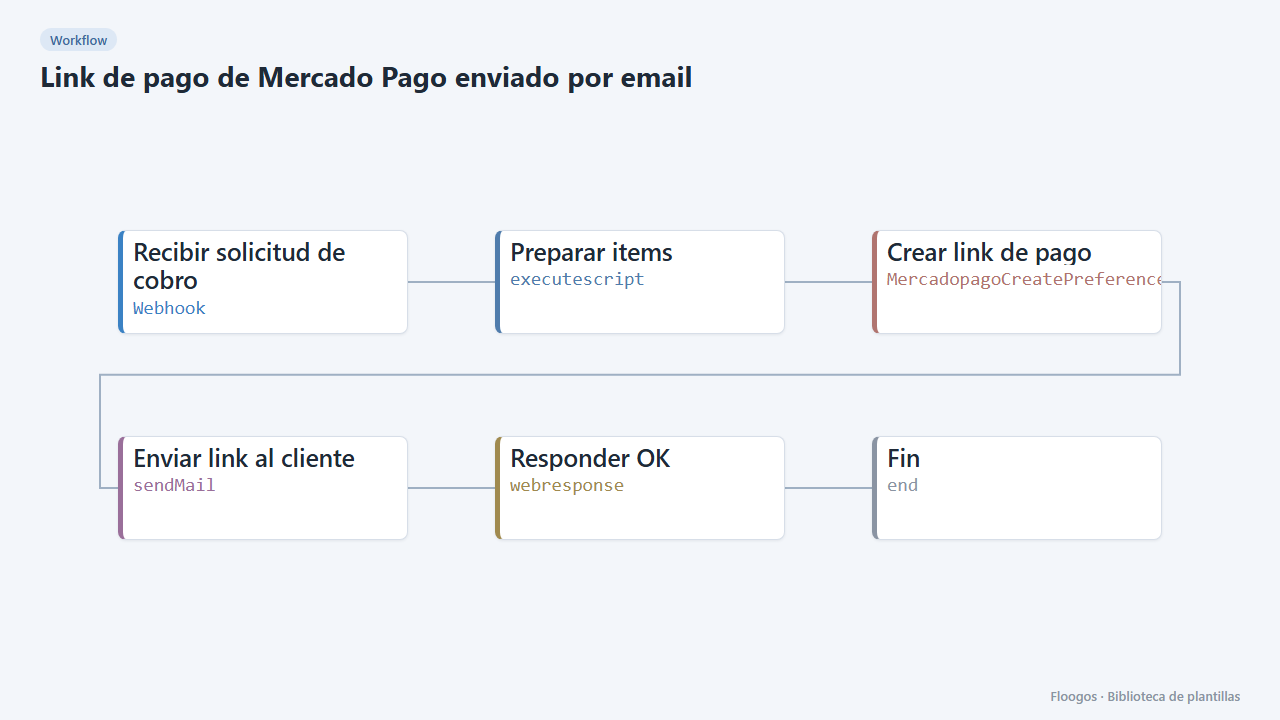
Mercado Pago payment link sent by email
Receives a charge request via webhook, creates the Mercado Pago payment link and emails it to the customer.
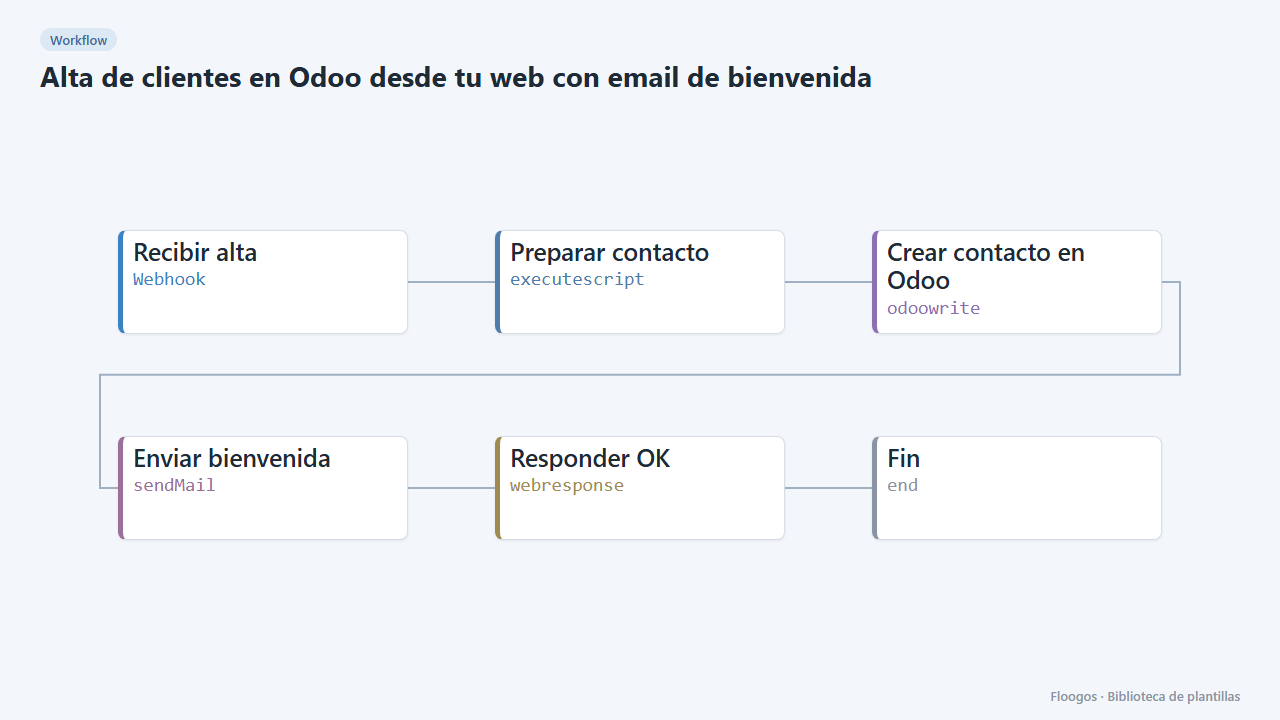
Create Odoo customers from your website with a welcome email
When someone signs up on your website it creates the contact in Odoo and sends them a welcome email.
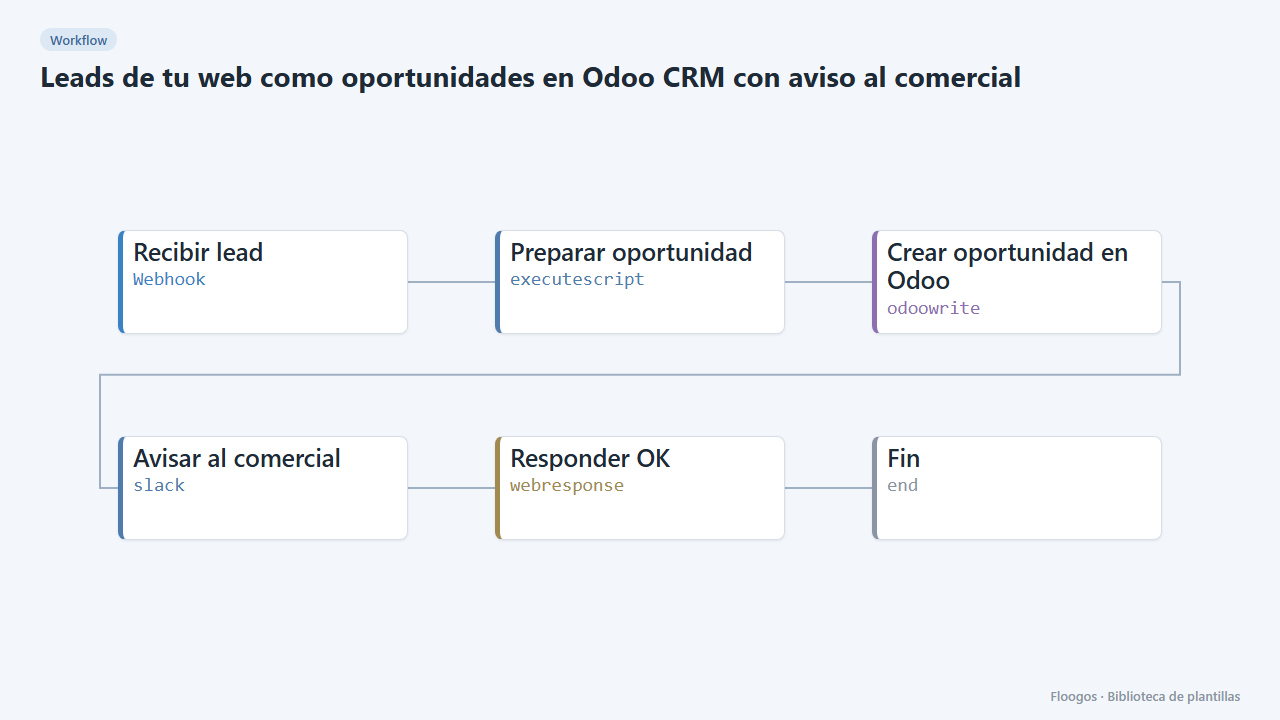
Website leads as Odoo CRM opportunities with a sales alert
Every contact form creates an opportunity in the Odoo CRM and alerts the sales team on Slack.
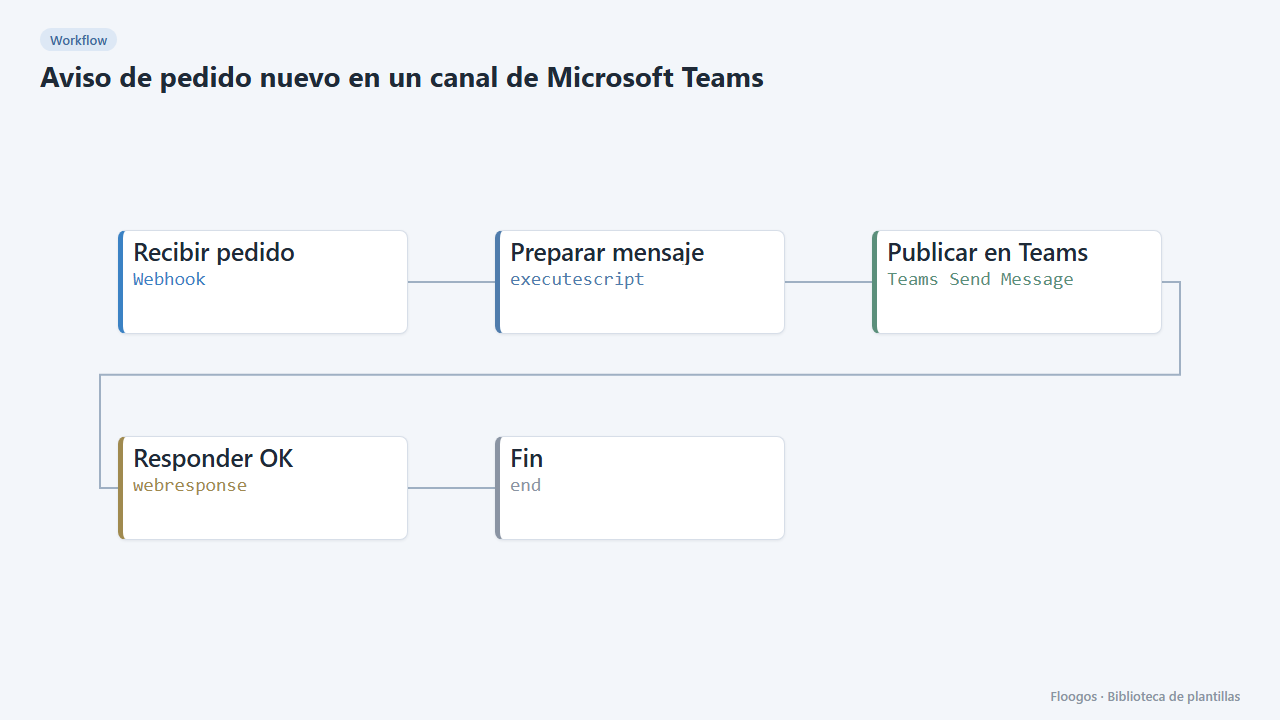
New order alert in a Microsoft Teams channel
Every order that reaches your webhook posts a message in the sales Teams channel with customer, amount and order number.
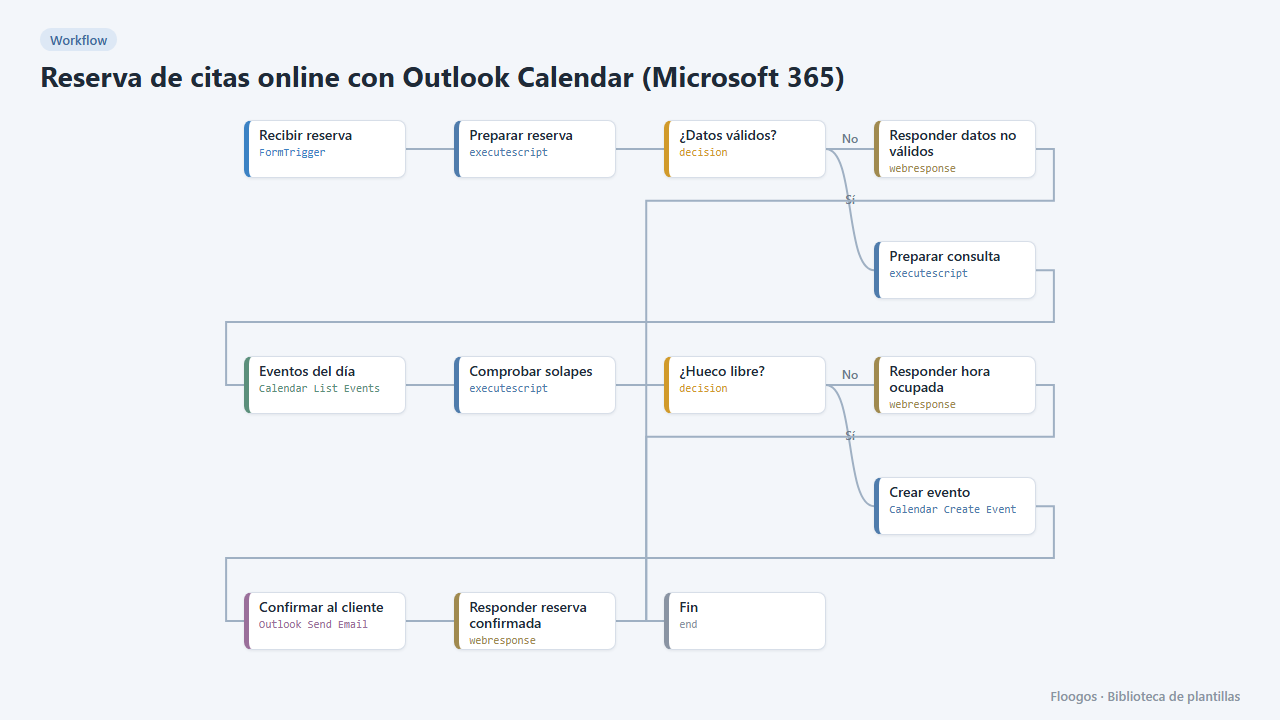
Online appointment booking with Outlook Calendar (Microsoft 365)
A public booking form: it checks your Outlook calendar, creates the event with the customer as a guest and confirms by email from your account.
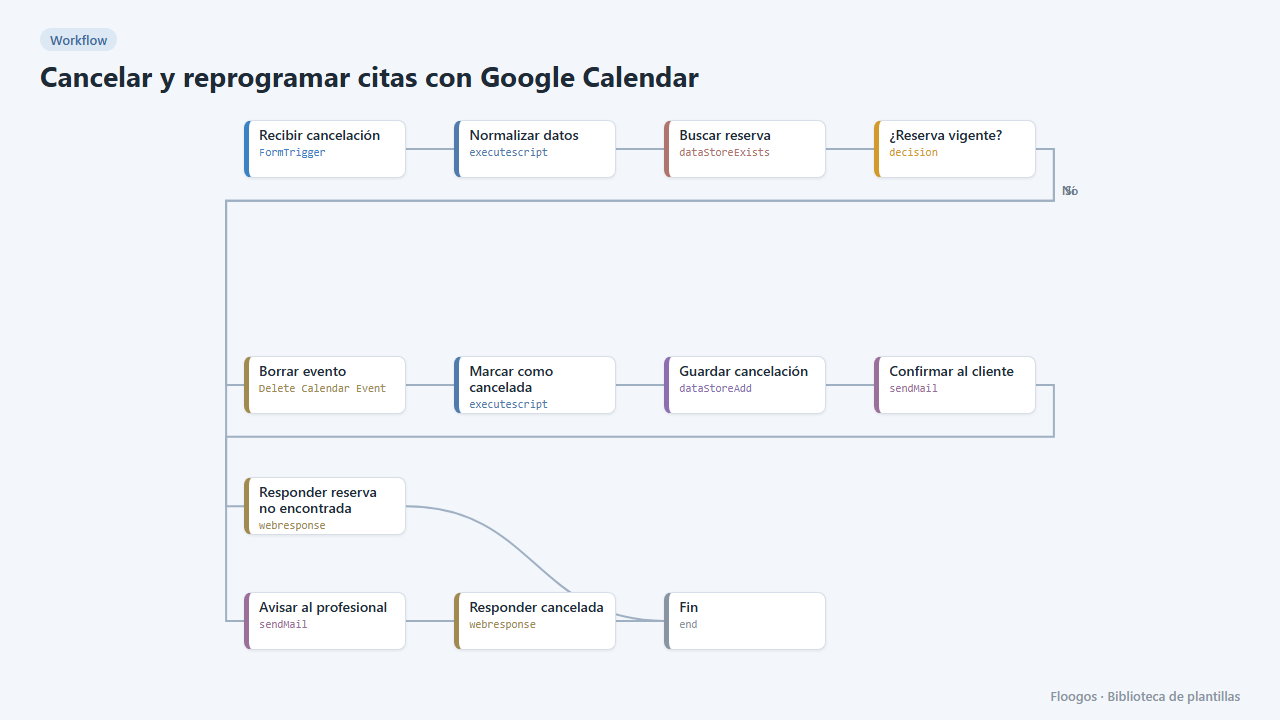
Cancel and reschedule appointments with Google Calendar
Two public forms for your customers to cancel or change their appointment with their booking code: the Google Calendar event is deleted or moved and everyone gets notified.
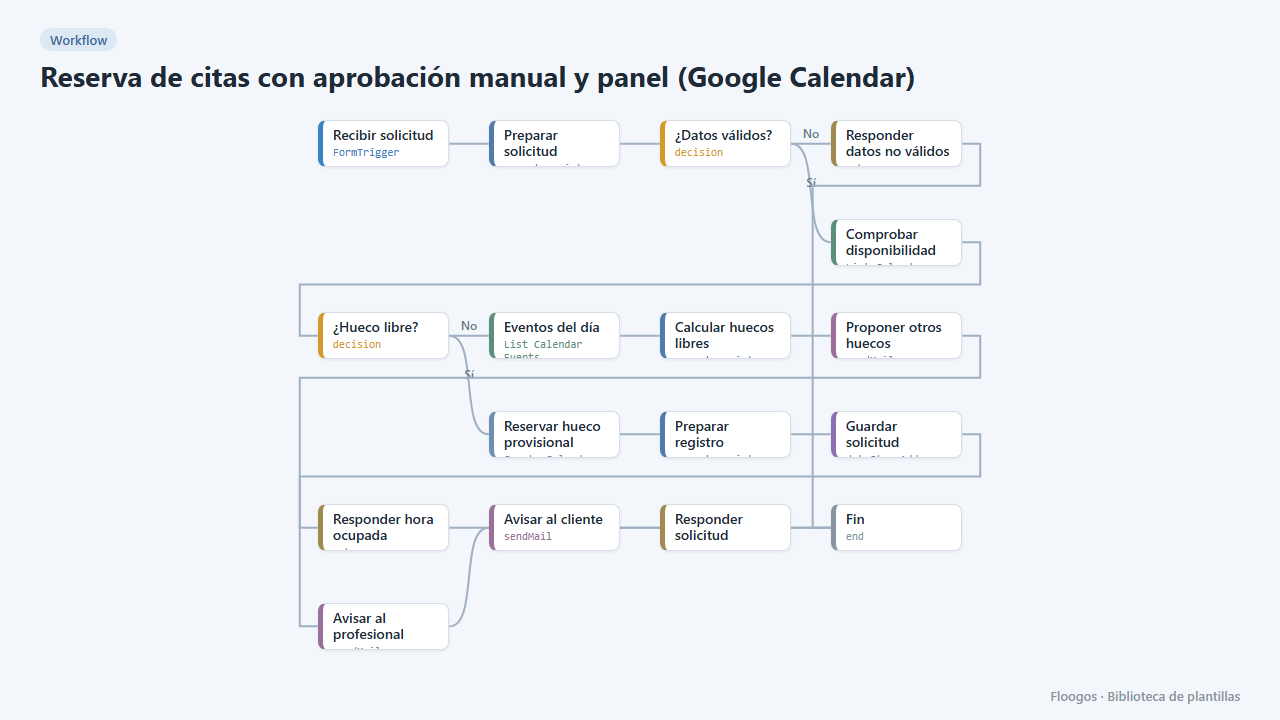
Appointment booking with manual approval and dashboard (Google Calendar)
The customer requests an appointment, the slot is held as tentative in your Google Calendar and you approve or reject it from a dashboard in one click; the customer gets the outcome by email.
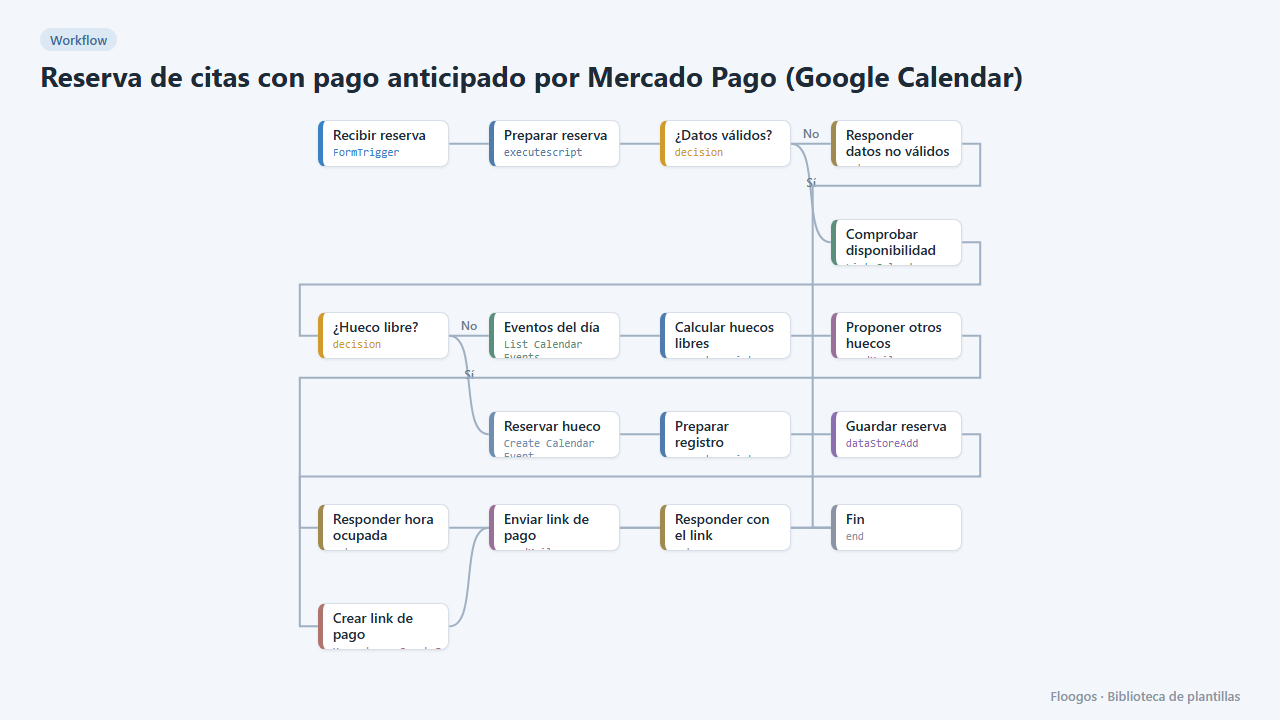
Appointment booking with upfront Mercado Pago payment (Google Calendar)
The customer books, gets a Mercado Pago payment link and the appointment is only confirmed in your Google Calendar once the payment is approved; if they do not pay, the slot is released automatically.
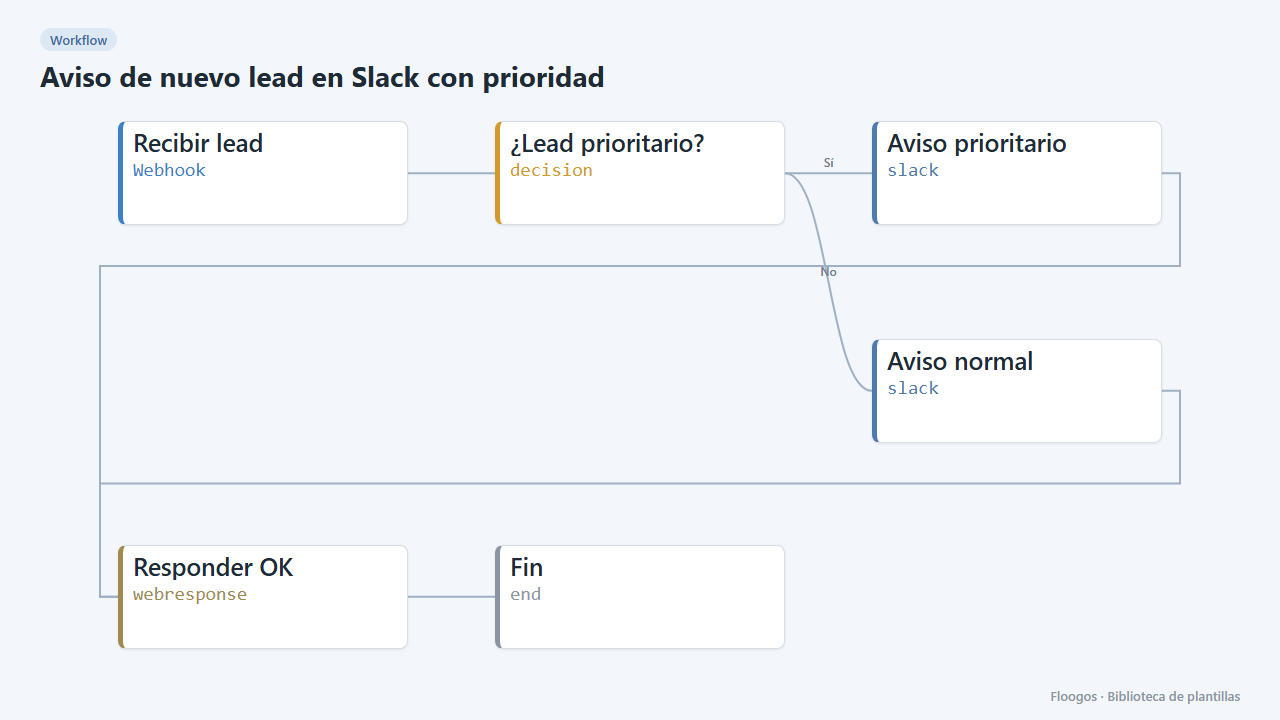
New lead alert on Slack with priority
Every lead arriving via webhook is posted to Slack with its details; higher-budget ones are flagged as priority.
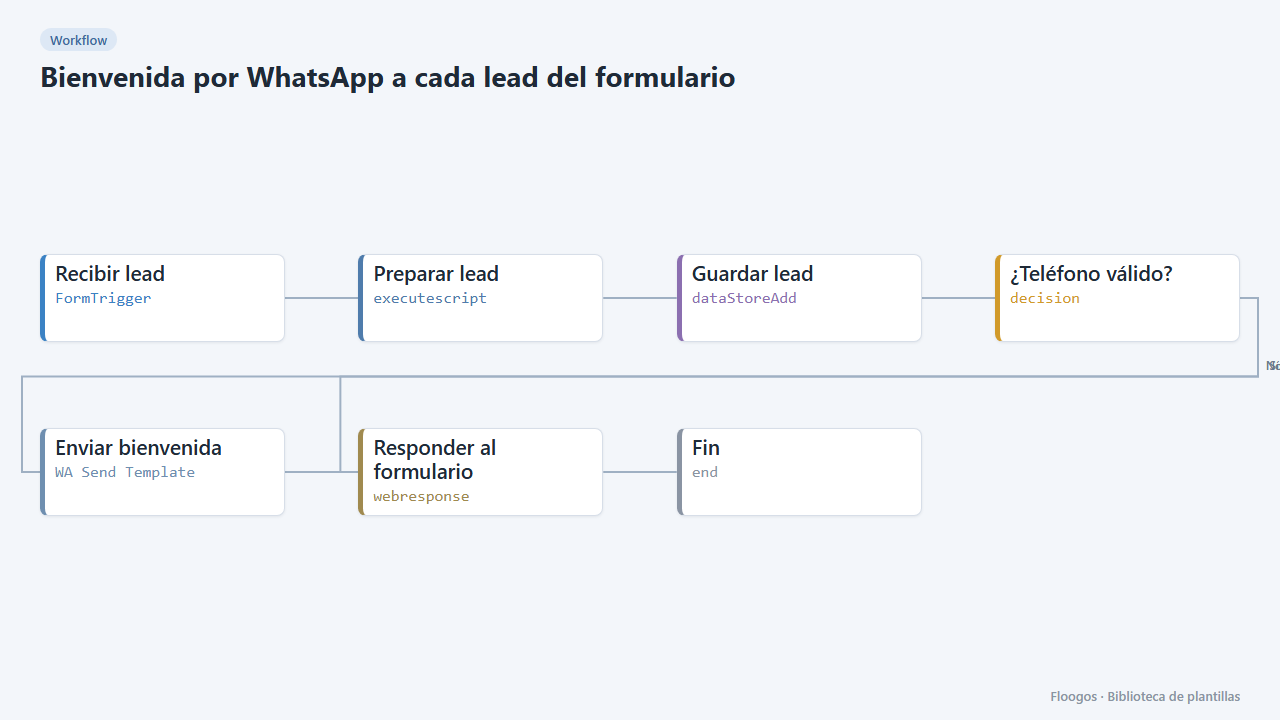
WhatsApp welcome for every form lead
Includes a contact form; as soon as someone submits it they get a welcome WhatsApp and the lead is saved in a Data Store.
Already have a template code?
If someone gave you a FLGS-XXXX-XXXX code, import it from the Library in your Floogos account.
Open the Library