
WhatsApp welcome for every form lead
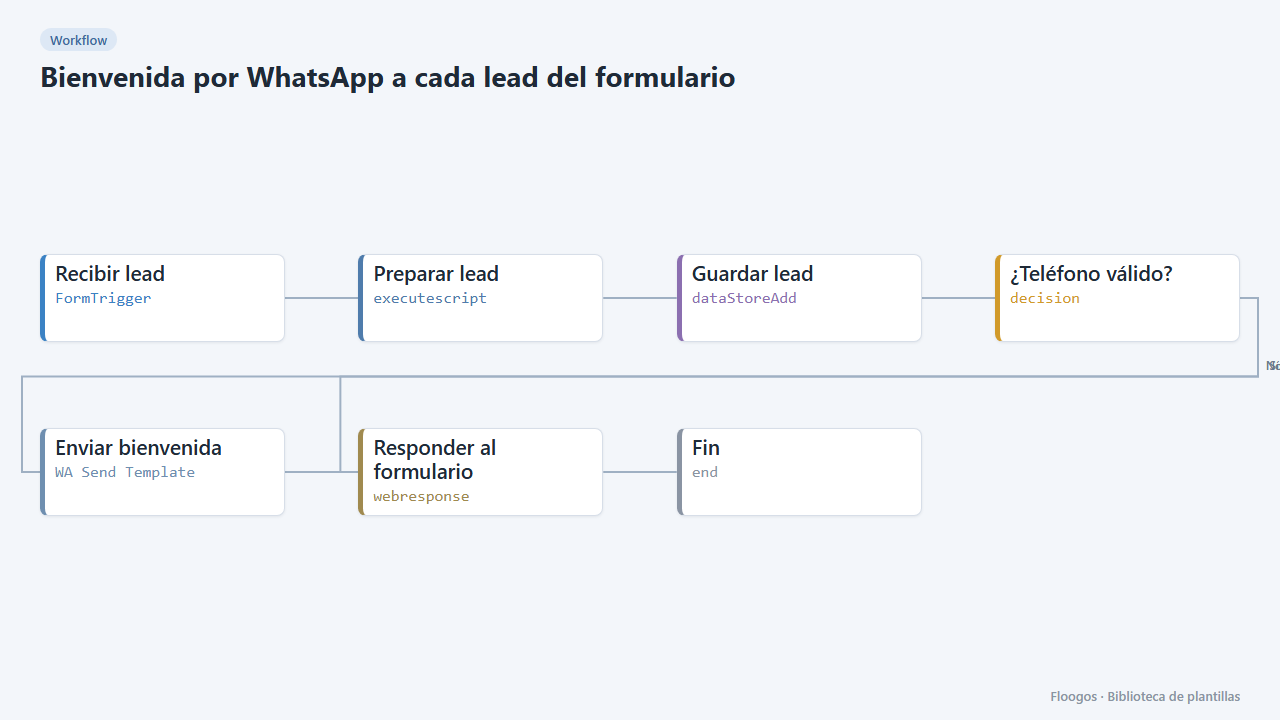
Includes a contact form; as soon as someone submits it they get a welcome WhatsApp and the lead is saved in a Data Store.
Everything is created inactive in a new folder of your account. Nothing runs until you activate it, and you can undo it for 24 hours.
What it does
Replying within the first minutes multiplies conversion. This template ships a public form (name, email, phone and what they need) and, on submit, saves the lead in the leads_whatsapp Data Store and sends the visitor a WhatsApp Business welcome template with their name.
What you need: WhatsApp Business (Meta API) and an approved template bienvenida_lead with one variable ({{1}} name). For example: "Hi {{1}}, thanks for getting in touch. Someone from the team will contact you here shortly."
How to use it: install the template, connect WhatsApp, share the public form link and try a submission with your phone.
How to set it up
- 1
Connect the whatsapp_business credential
This template uses whatsapp_business in: Enviar bienvenida. Create or pick the credential and assign it in those nodes.
- 2
Copy the webhook URL (Recibir lead)
A new URL is generated on install. Paste it into the external system that must call this workflow.
- 3
Publish and test the form "Contacto con respuesta por WhatsApp"
Open it, publish it and submit a test entry to check the workflow starts.
- 4
Create the template in Meta
Create and get approved the
bienvenida_leadtemplate (utility or marketing category) with one variable for the name. - 5
Connect WhatsApp
In the Enviar bienvenida node pick your WhatsApp Business credentials.
- 6
Test the form
Open the public form link, fill it with your phone (with country code) and check that the WhatsApp arrives.
- 7
Activate the workflow
Workflows are installed inactive. Once everything is set, activate it.
Related templates
Other templates that use similar nodes or integrations.
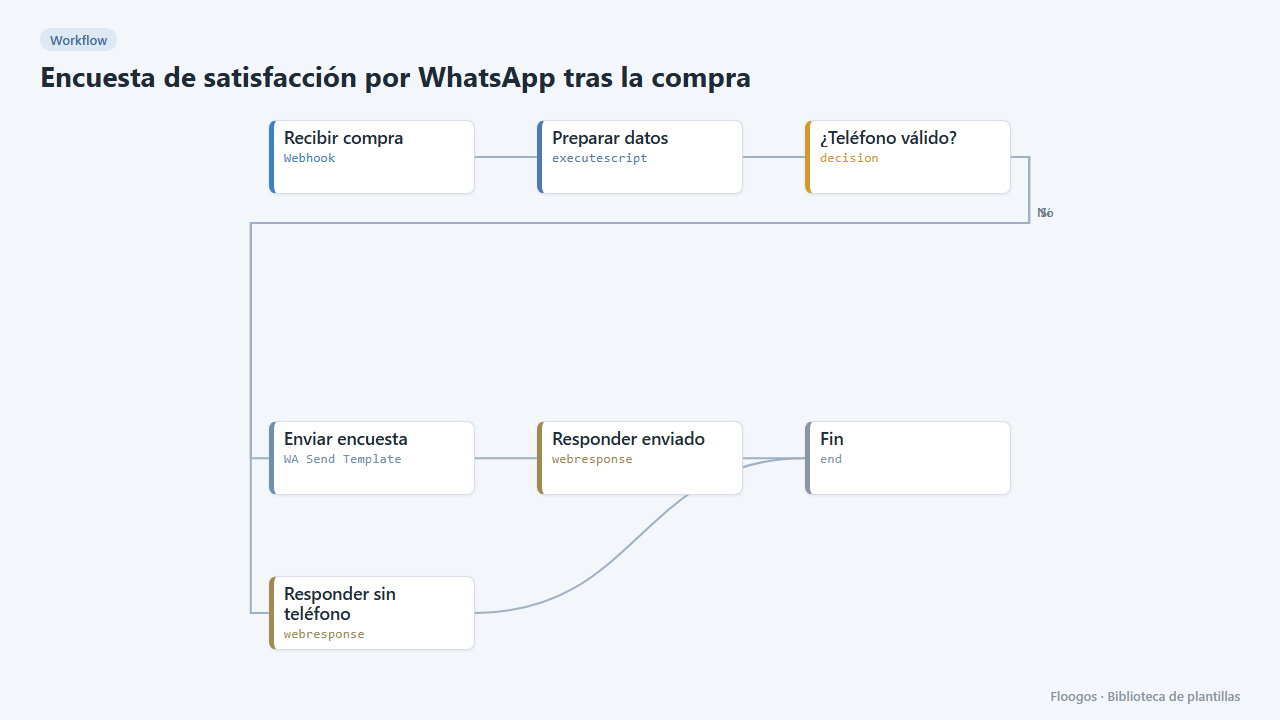
Post-purchase satisfaction survey via WhatsApp
Asks the customer how their purchase went with three quick-reply buttons and stores each rating in a Data Store.
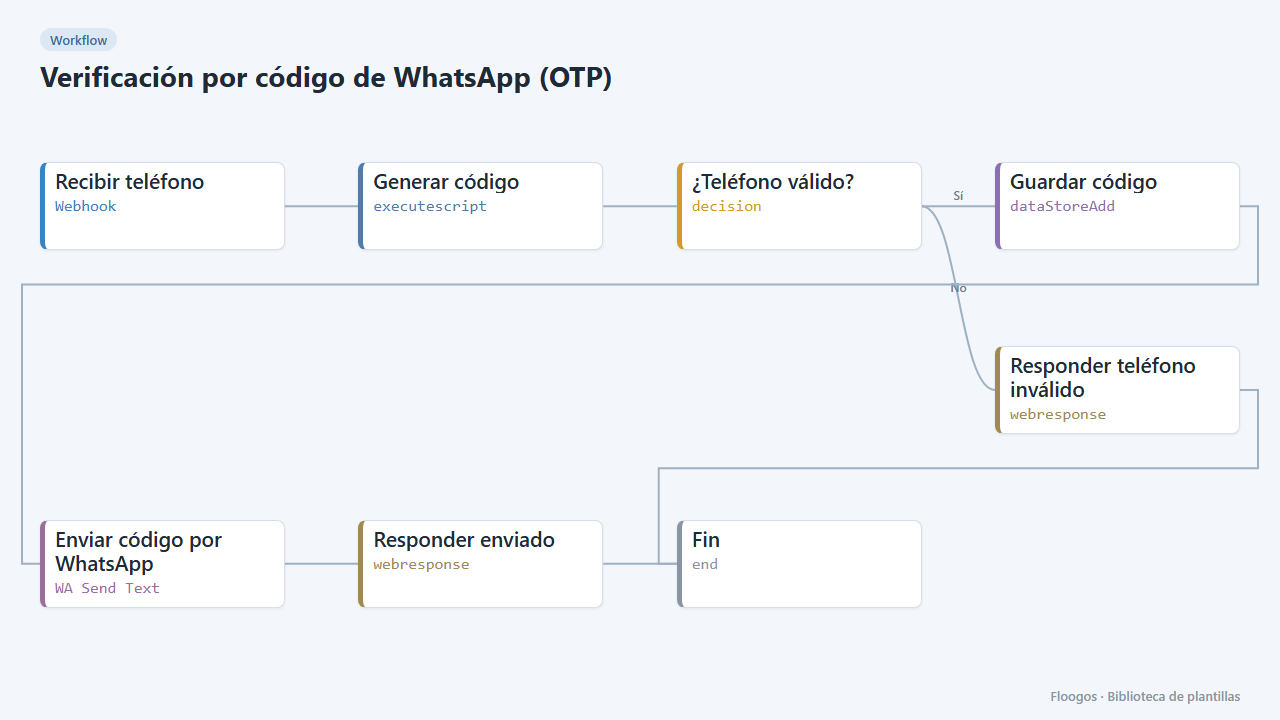
WhatsApp one-time code verification (OTP)
Send a 6-digit code over WhatsApp and verify it afterwards: two ready-made webhooks to validate your users phone numbers.
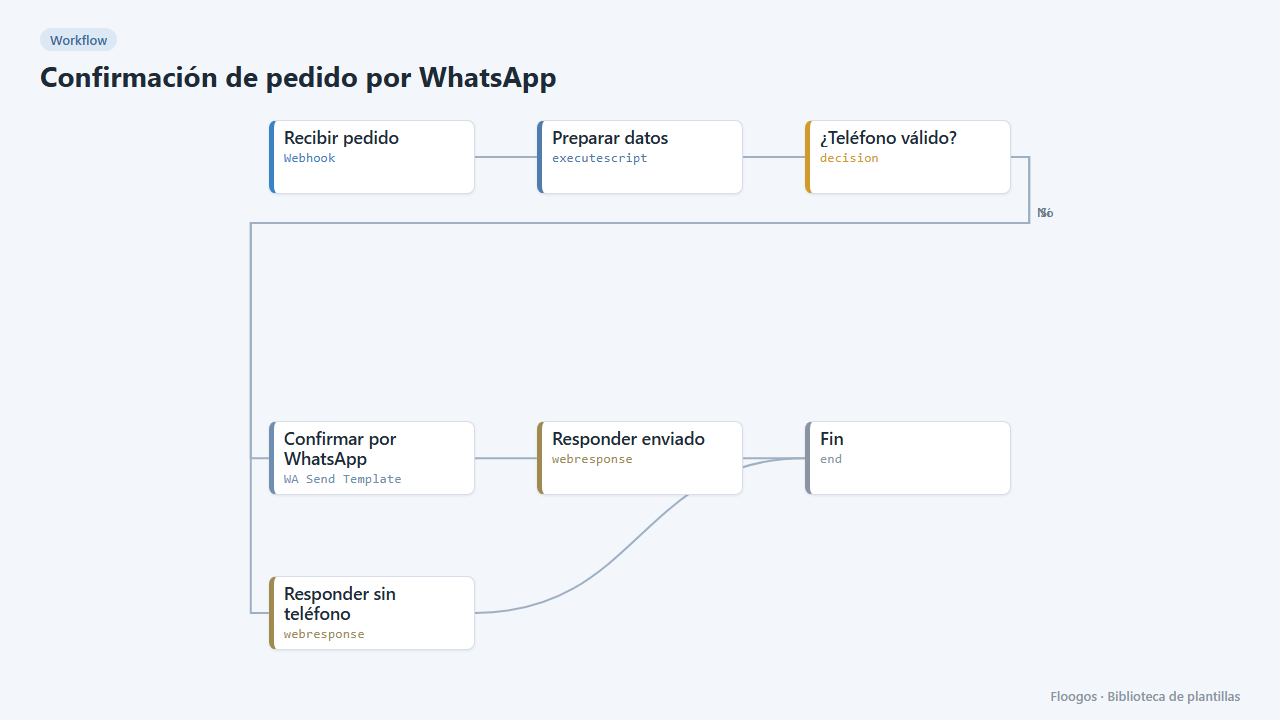
Order confirmation via WhatsApp
When your shop registers an order, it sends the customer a WhatsApp Business confirmation with the order number and amount.
Try it in under 5 minutes
Create the template in your account, connect your credentials and activate it when you are ready.
Use this template