
Create a Finnegans order from a form
An internal form so sales or customer service can enter an order into Finnegans without opening the ERP.
Everything is created inactive in a new folder of your account. Nothing runs until you activate it, and you can undo it for 24 hours.
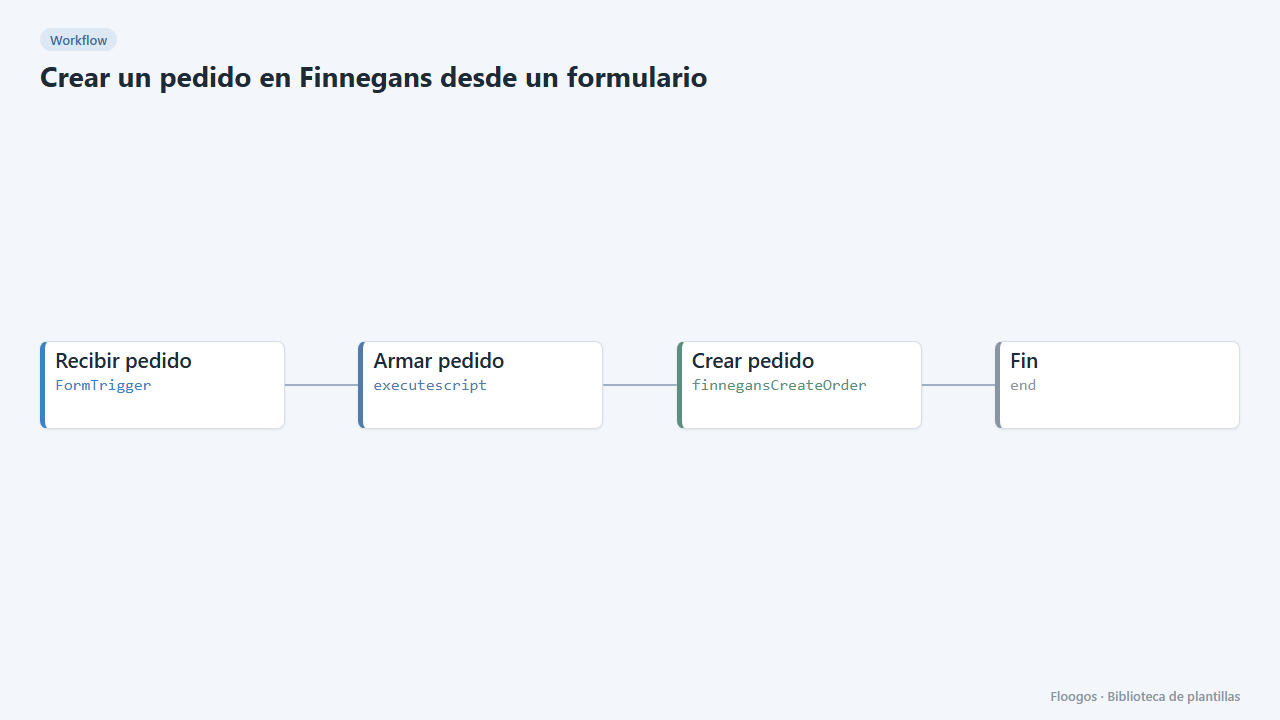
What it does
Includes a form (signed-in users only) with customer, product, quantity, optional price, delivery date and notes. On submit, the workflow validates the data, builds the order body and creates it in Finnegans with the “Crear pedido” node. If a mandatory value is missing or the quantity is not greater than zero, the order is not sent to the ERP.
What you need: a Finnegans credential with write permissions.
Important: an order's structure depends on your Finnegans instance. The “Armar pedido” script generates a sample body (ClienteCodigo, Items, ProductoCodigo, Cantidad…) that is not confirmed: before using it in production, check the names against your instance's documentation or a real order read with the sales template, and try it in a test environment. This template creates real records in your ERP.
How to set it up
- 1
Connect the finnegansCreateOrder credential
This template uses finnegansCreateOrder in: Crear pedido. Create or pick the credential and assign it in those nodes.
- 2
Copy the webhook URL (Recibir pedido)
A new URL is generated on install. Paste it into the external system that must call this workflow.
- 3
Publish and test the form "Pedido de venta"
Open it, publish it and submit a test entry to check the workflow starts.
- 4
Confirm the order structure
Read an existing order with the “Finnegans: Listar entidad” node and adapt the object returned by Armar pedido (field and line names).
- 5
Connect Finnegans
Pick your credential in Crear pedido. If your entity is not called
Pedido(e.g.PedidoVenta), change the Entity field. - 6
Test with a sample order
Open the Pedido de venta form, submit a test order and check in Finnegans that it was created as expected before sharing the form with the team.
- 7
Activate the workflow
Workflows are installed inactive. Once everything is set, activate it.
Related templates
Other templates that use similar nodes or integrations.
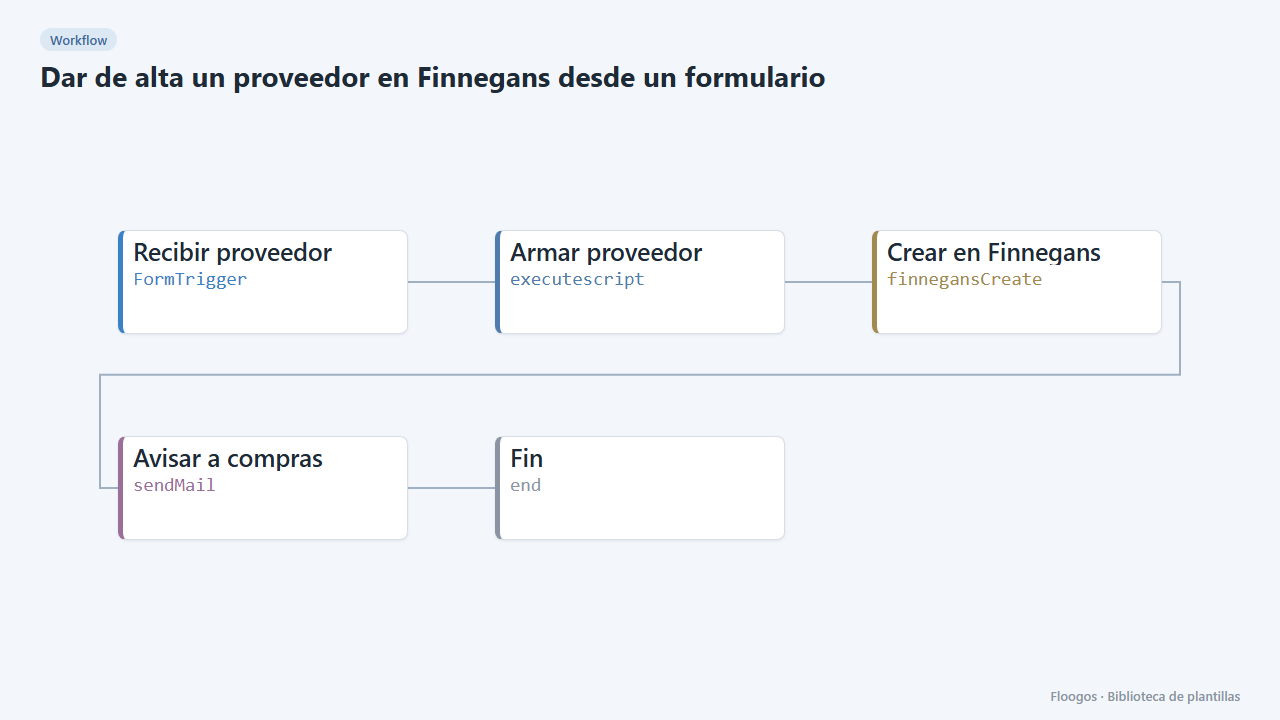
Create a supplier in Finnegans from a form
An internal form to register new suppliers in Finnegans without retyping data, with an email notice when one is created.
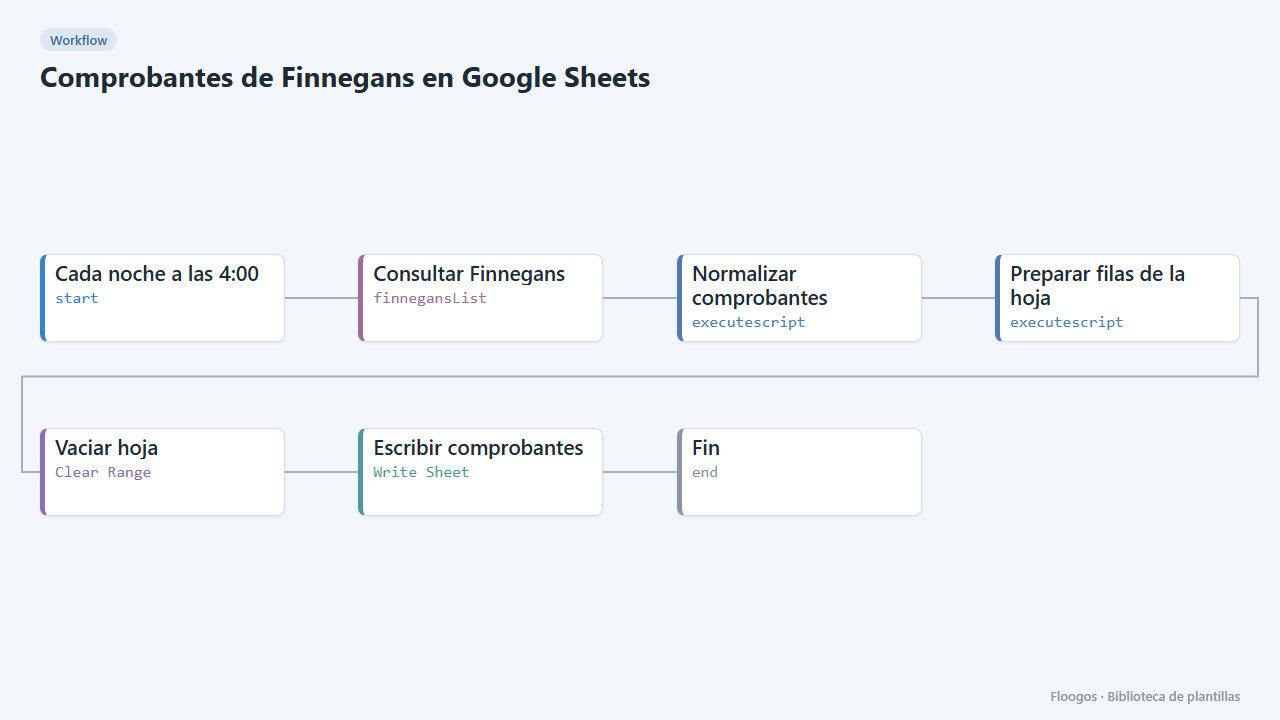
Finnegans documents in Google Sheets
Every night it dumps Finnegans documents to a Google Sheet with clean columns (number, date, customer, seller, status, amount), ready for pivot tables.
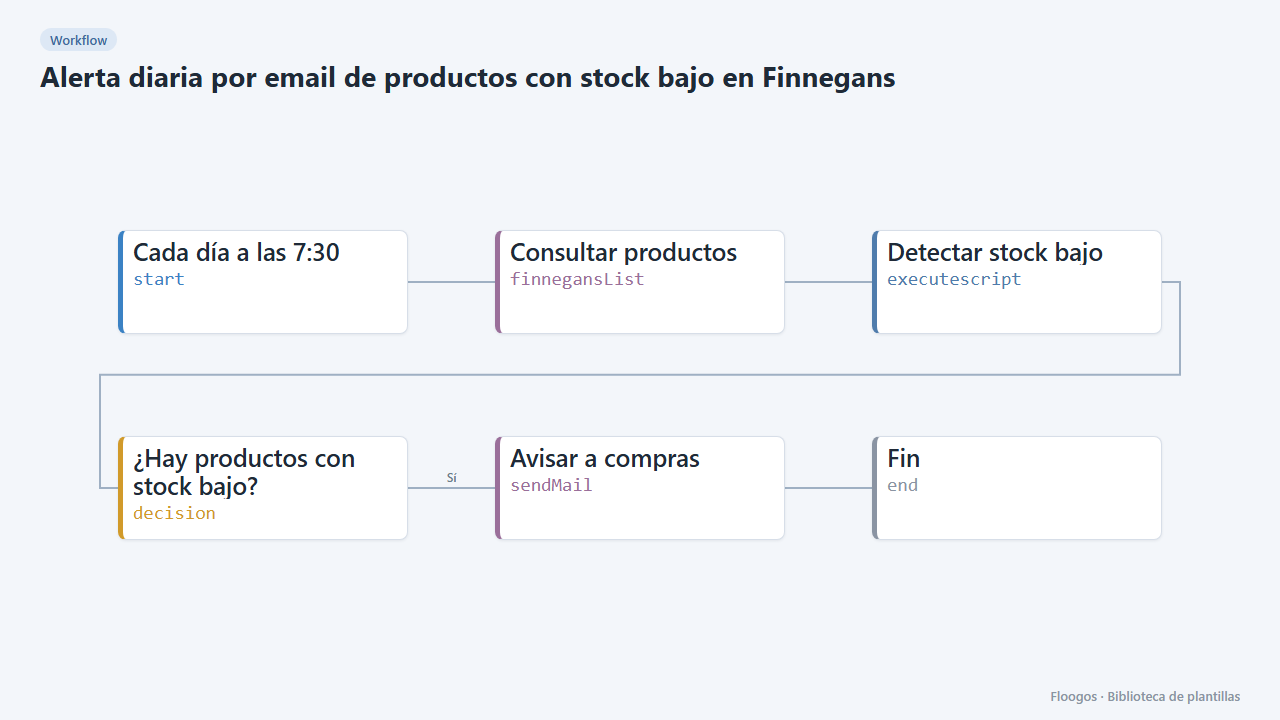
Daily email alert for low-stock products in Finnegans
Every morning it checks Finnegans products and emails purchasing the ones at or below their minimum stock, most urgent first.
Try it in under 5 minutes
Create the template in your account, connect your credentials and activate it when you are ready.
Use this template