
New lead alert on Slack with priority
Every lead arriving via webhook is posted to Slack with its details; higher-budget ones are flagged as priority.
Everything is created inactive in a new folder of your account. Nothing runs until you activate it, and you can undo it for 24 hours.
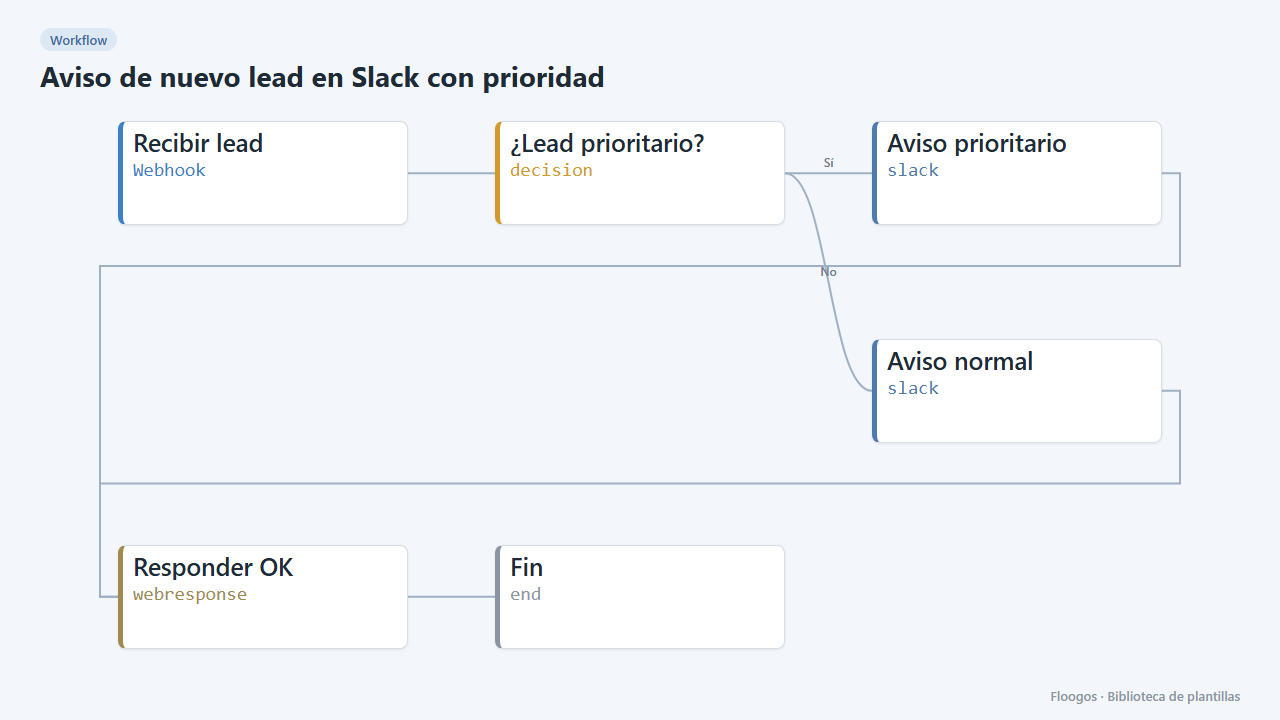
What it does
Connect your website, landing page or CRM to a webhook that sends every lead. The workflow alerts the sales team on Slack with name, email, company and message. If the stated budget exceeds the threshold (5,000 by default) the alert is flagged as PRIORITY so someone calls right away.
What you need: a Slack Incoming Webhook and a source sending JSON with nombre, email, empresa, mensaje and, optionally, presupuesto.
How to use it: install the template, connect Slack in both alerts, adjust the threshold and point your form to the webhook URL.
How to set it up
- 1
Connect the slack credential
This template uses slack in: Aviso prioritario, Aviso normal. Create or pick the credential and assign it in those nodes.
- 2
Copy the webhook URL (Recibir lead)
A new URL is generated on install. Paste it into the external system that must call this workflow.
- 3
Connect Slack
Set up the Aviso prioritario and Aviso normal nodes with the sales channel Incoming Webhook (they can be the same).
- 4
Adjust the threshold
In the ¿Lead prioritario? node change
5000to the budget above which a lead should be flagged as priority. - 5
Test with a lead
Send a
POSTto the webhook URL with{"nombre":"Ana Ruiz","email":"ana@acme.com","empresa":"Acme","mensaje":"Quiero una demo","presupuesto":8000}. - 6
Activate the workflow
Workflows are installed inactive. Once everything is set, activate it.
Related templates
Other templates that use similar nodes or integrations.
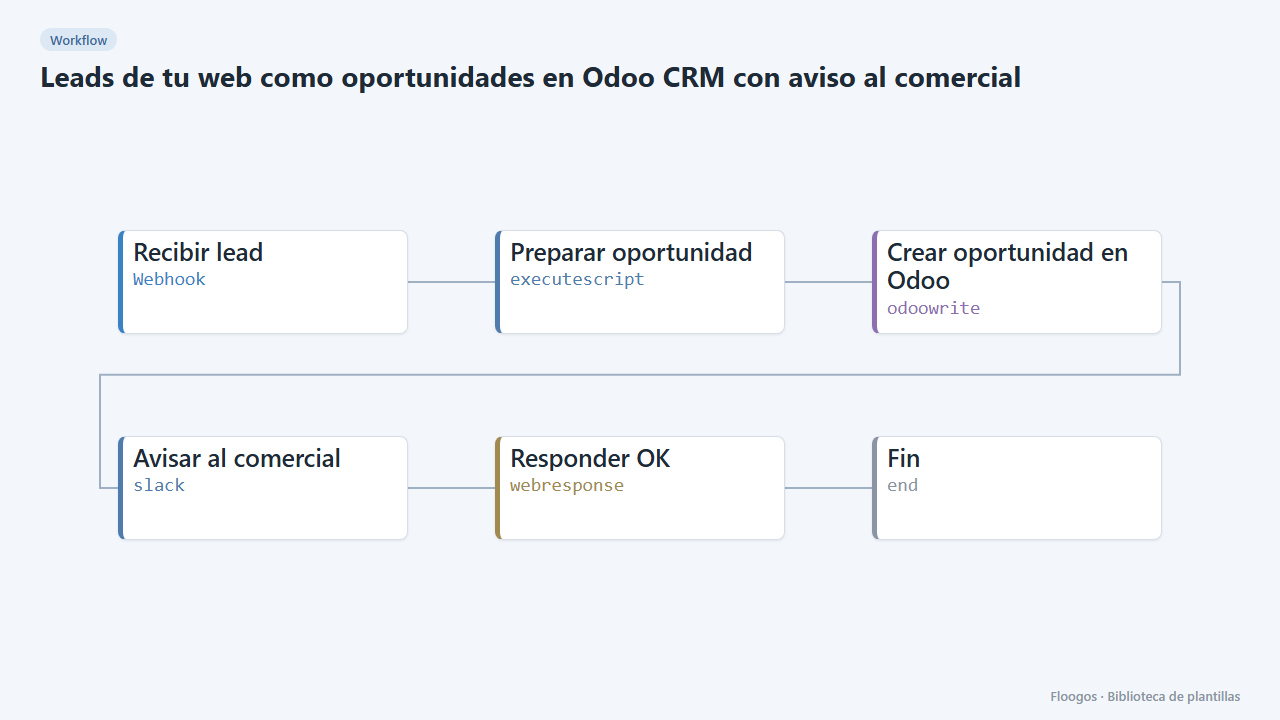
Website leads as Odoo CRM opportunities with a sales alert
Every contact form creates an opportunity in the Odoo CRM and alerts the sales team on Slack.
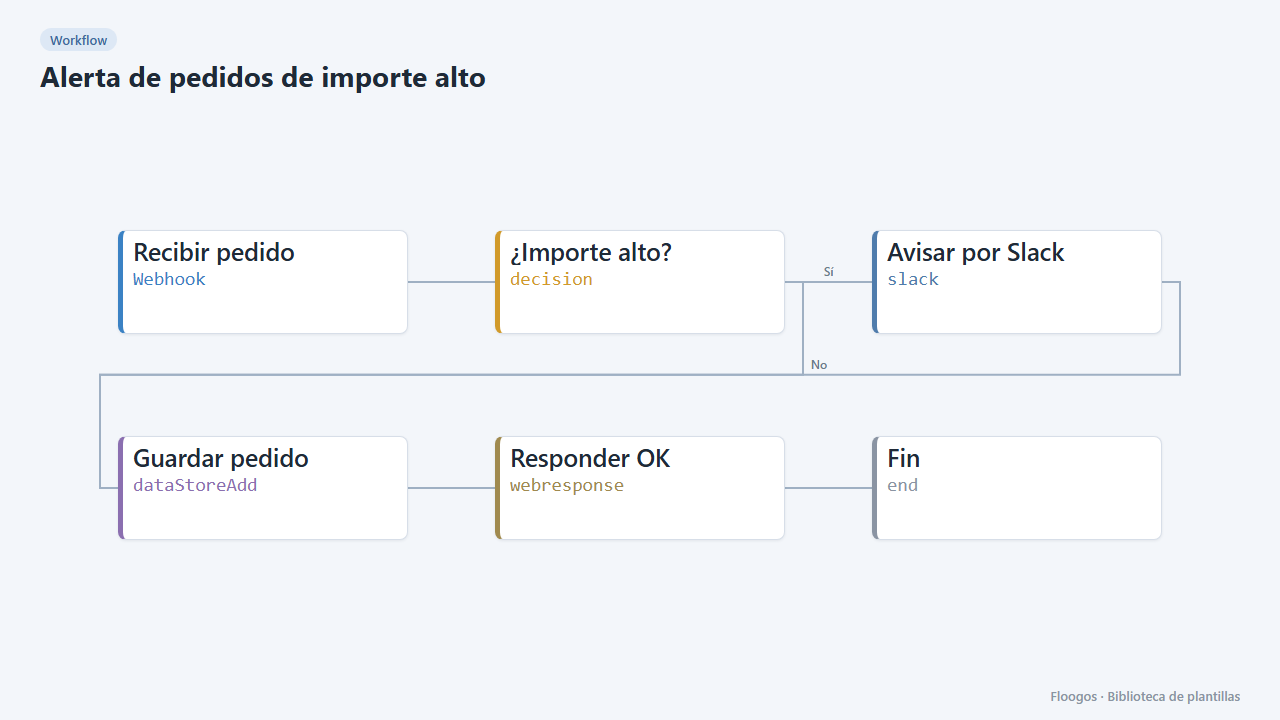
High-value order alert
Receive every order via webhook, alert on Slack when it exceeds an amount, and store all orders in a Data Store.
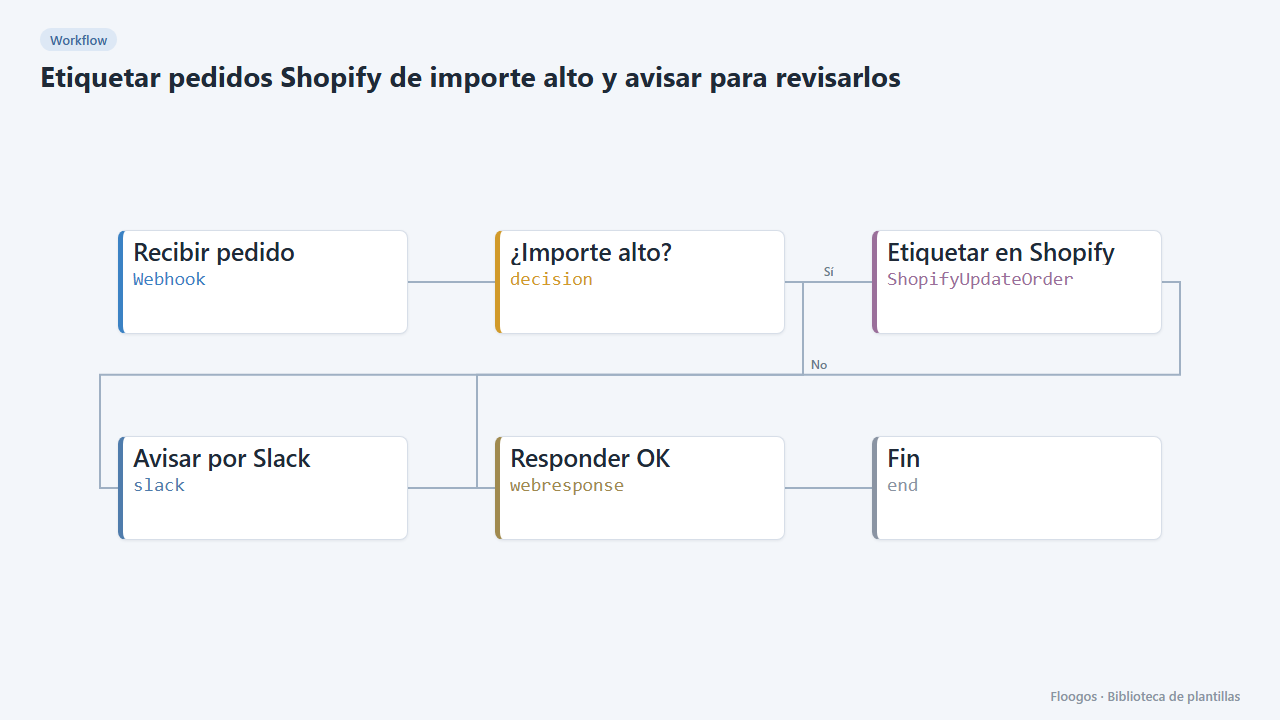
Tag high-value Shopify orders and alert for review
If a Shopify order exceeds an amount, it is tagged "revision-manual" in the store itself and Slack is alerted before shipping is prepared.
Try it in under 5 minutes
Create the template in your account, connect your credentials and activate it when you are ready.
Use this template