
Productivity templates
14 templates to get started in minutes, with a step-by-step guide and no code.
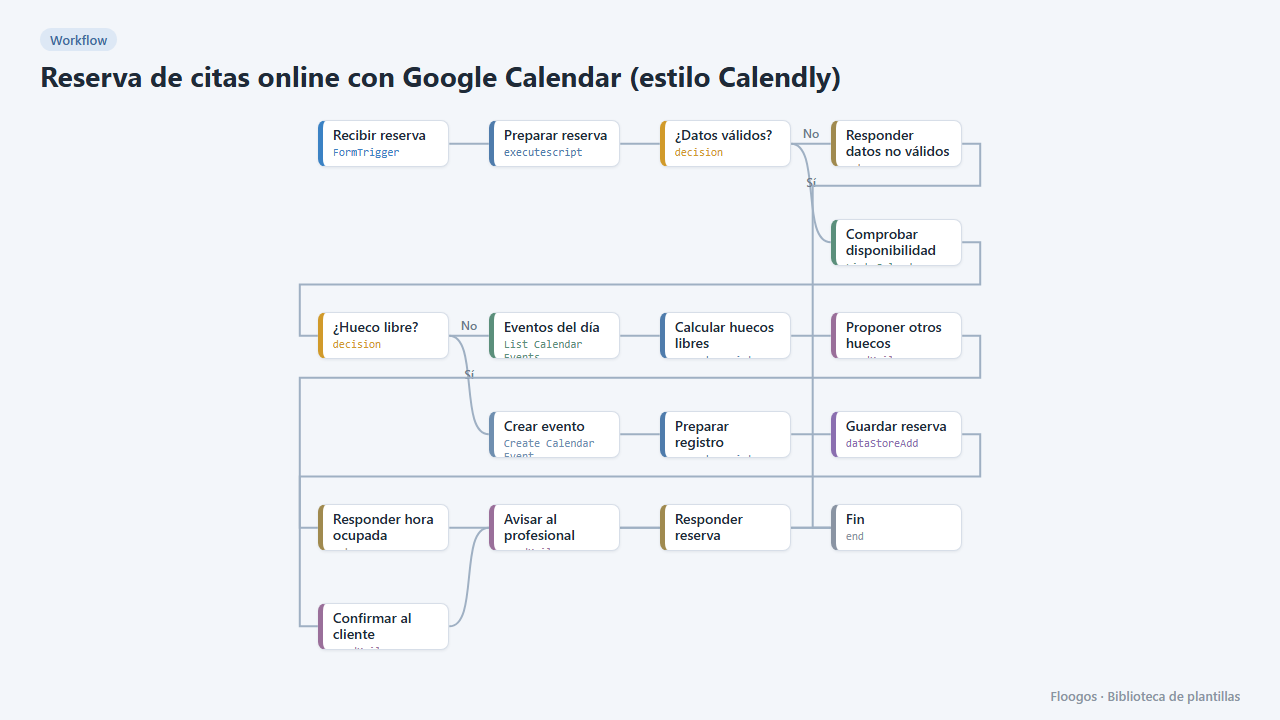
Online appointment booking with Google Calendar (Calendly-style)
A public form for your customers to book an appointment: it checks your Google Calendar, creates the event, confirms by email and, if the slot is taken, suggests the free slots of that day.
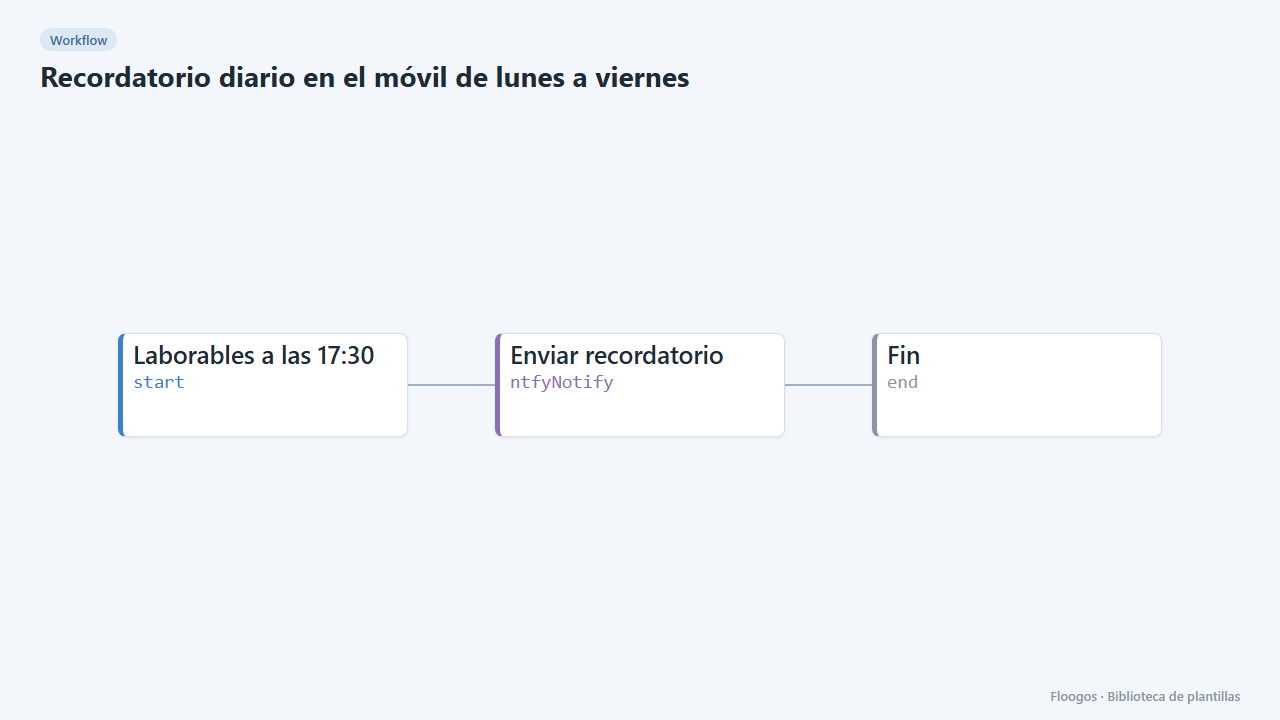
Weekday daily reminder on your phone
Sends you a push notification every weekday at the time you choose with the reminder you want: cash close, timesheet, backup check…
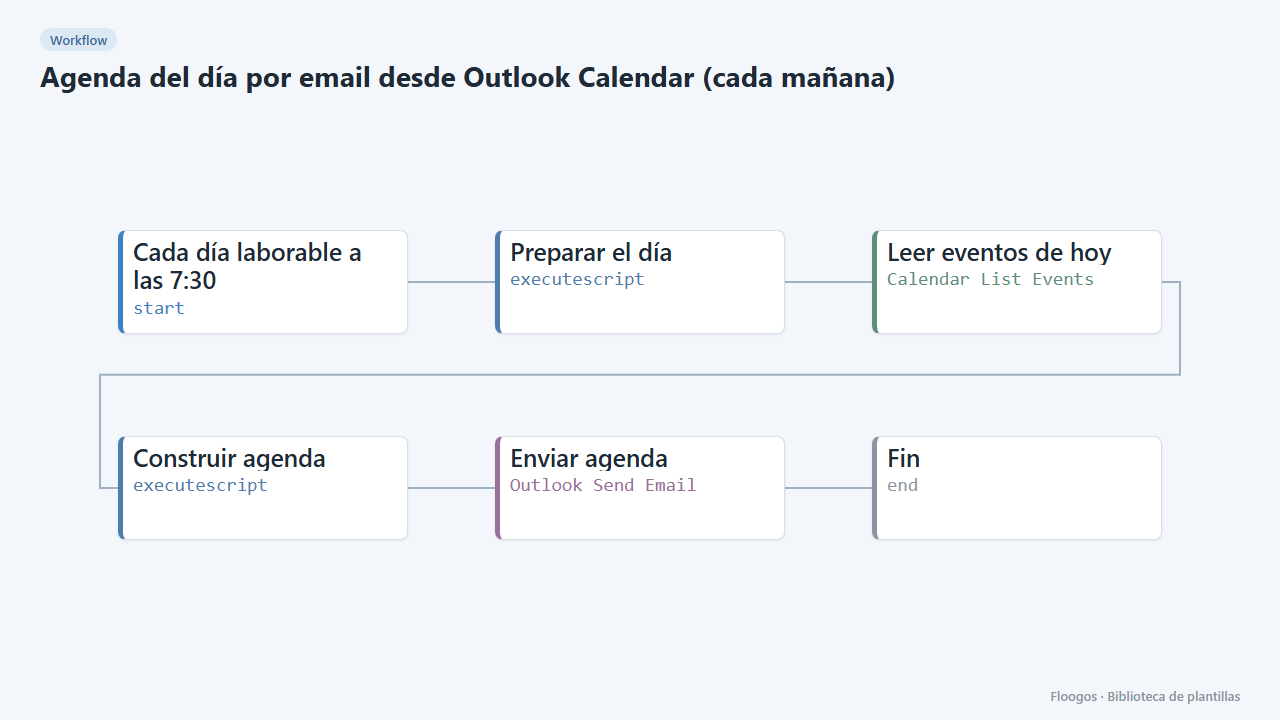
Daily agenda email from Outlook Calendar (every morning)
Every working day at 7:30 it emails you, via Outlook, a summary of today's meetings and events from your calendar.
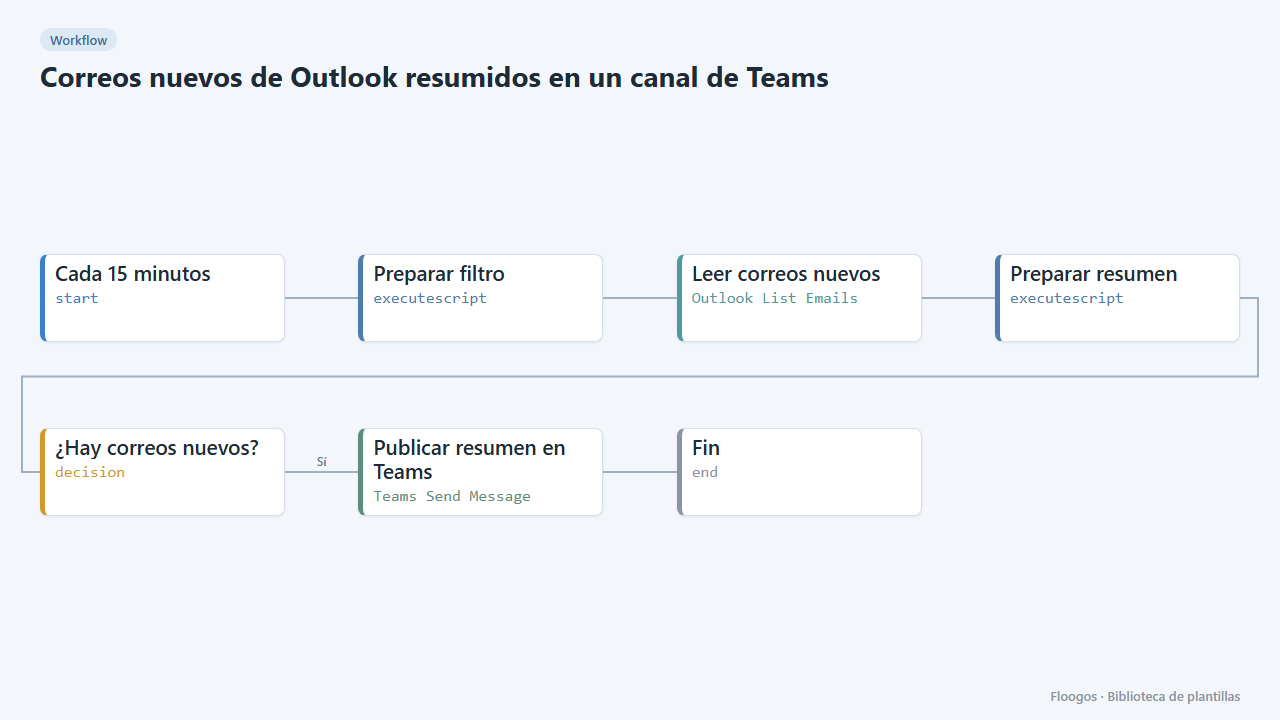
New Outlook emails summarised in a Teams channel
Every 15 minutes it checks your Outlook inbox and, if new emails have arrived, posts a summary (sender and subject) in a Teams channel.
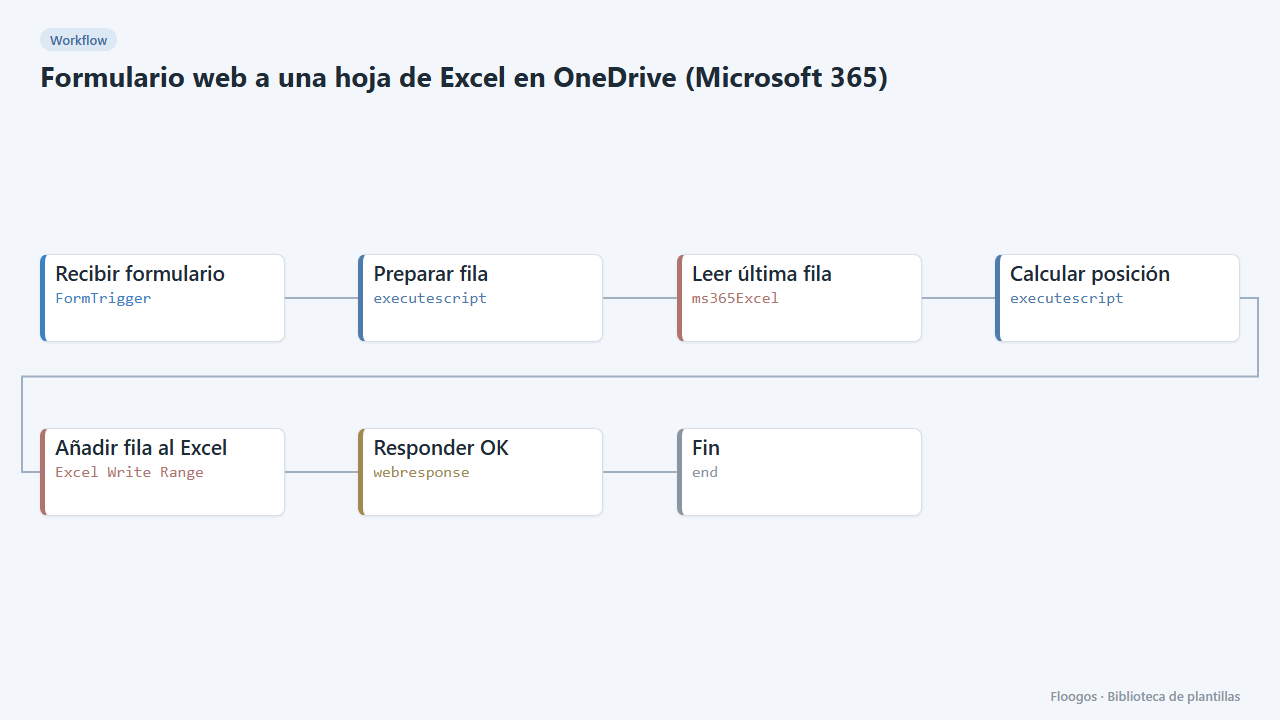
Web form to an Excel sheet in OneDrive (Microsoft 365)
Every form submission is added as a new row in an Excel workbook in your OneDrive, with the header row created automatically.
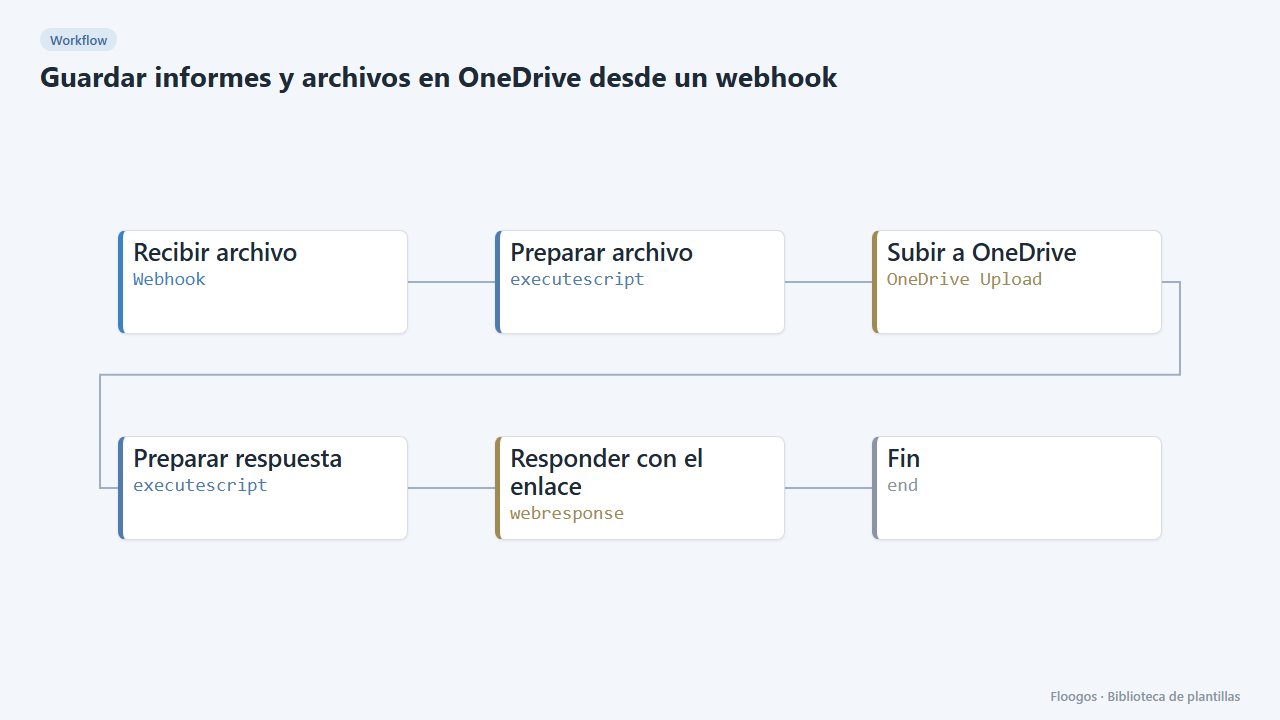
Save reports and files to OneDrive from a webhook
A URL you send a file name and its content (text or Base64) to, which saves it in your OneDrive and returns the link.
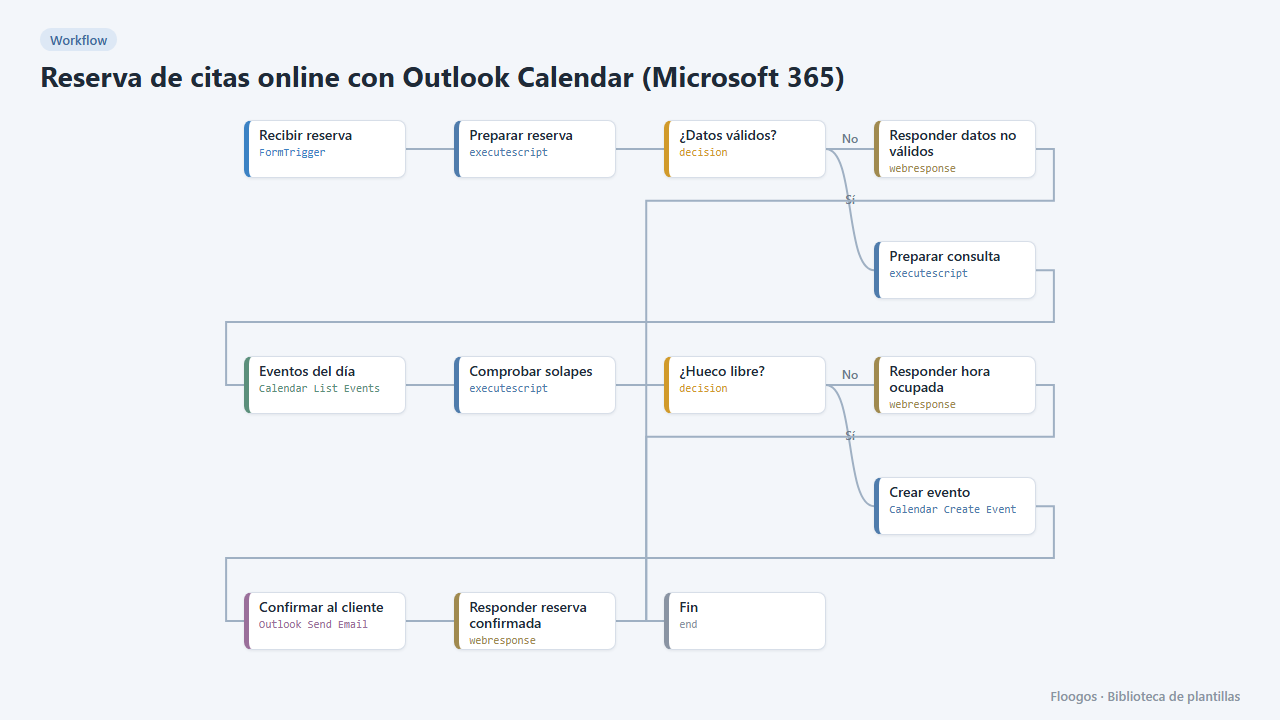
Online appointment booking with Outlook Calendar (Microsoft 365)
A public booking form: it checks your Outlook calendar, creates the event with the customer as a guest and confirms by email from your account.
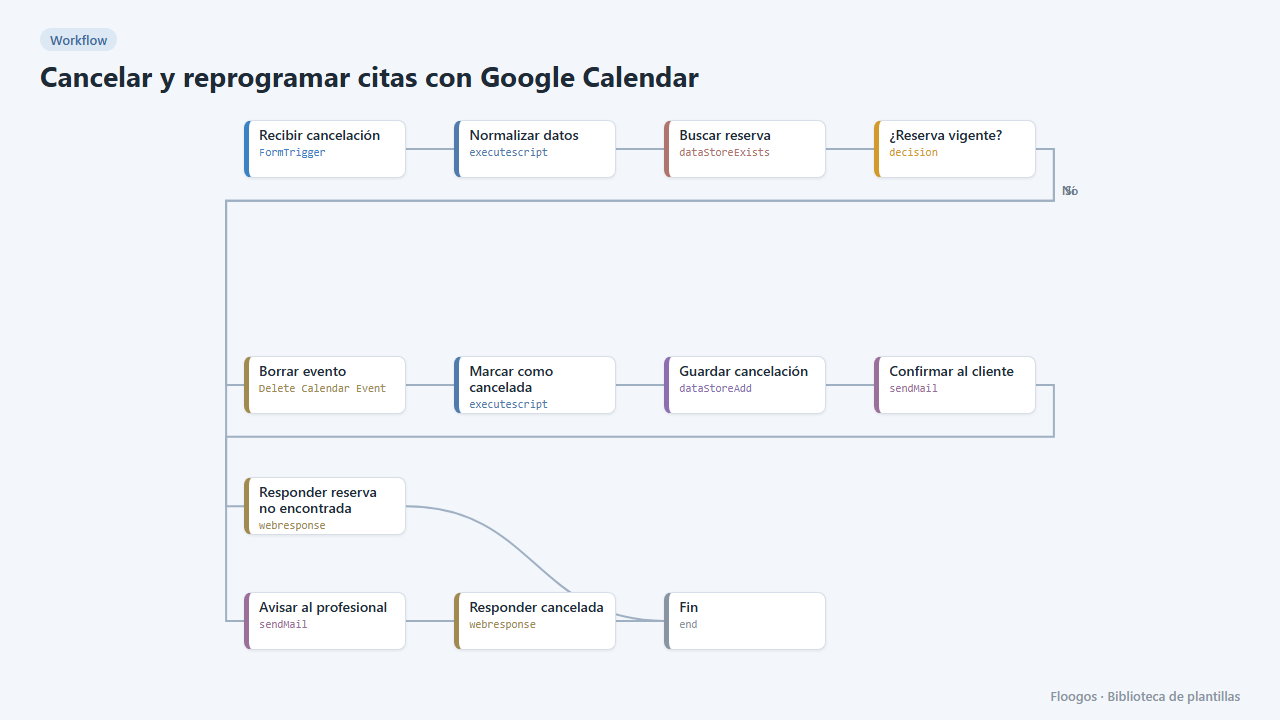
Cancel and reschedule appointments with Google Calendar
Two public forms for your customers to cancel or change their appointment with their booking code: the Google Calendar event is deleted or moved and everyone gets notified.
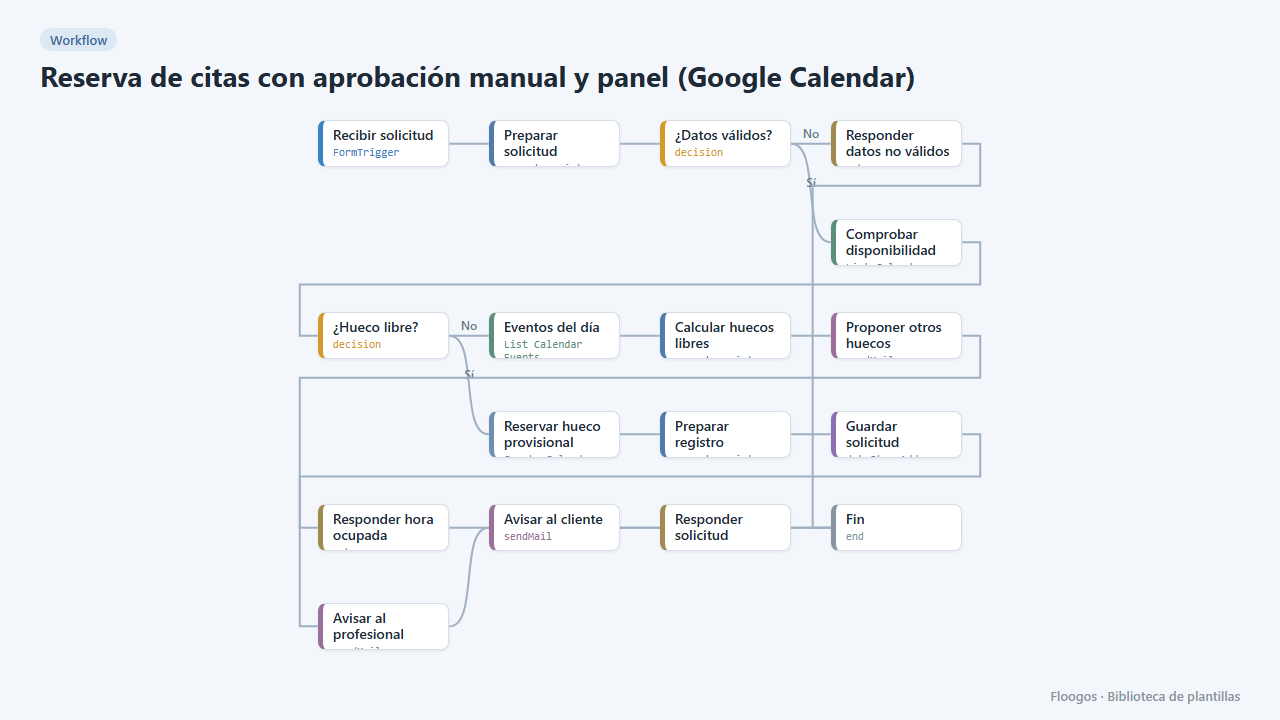
Appointment booking with manual approval and dashboard (Google Calendar)
The customer requests an appointment, the slot is held as tentative in your Google Calendar and you approve or reject it from a dashboard in one click; the customer gets the outcome by email.
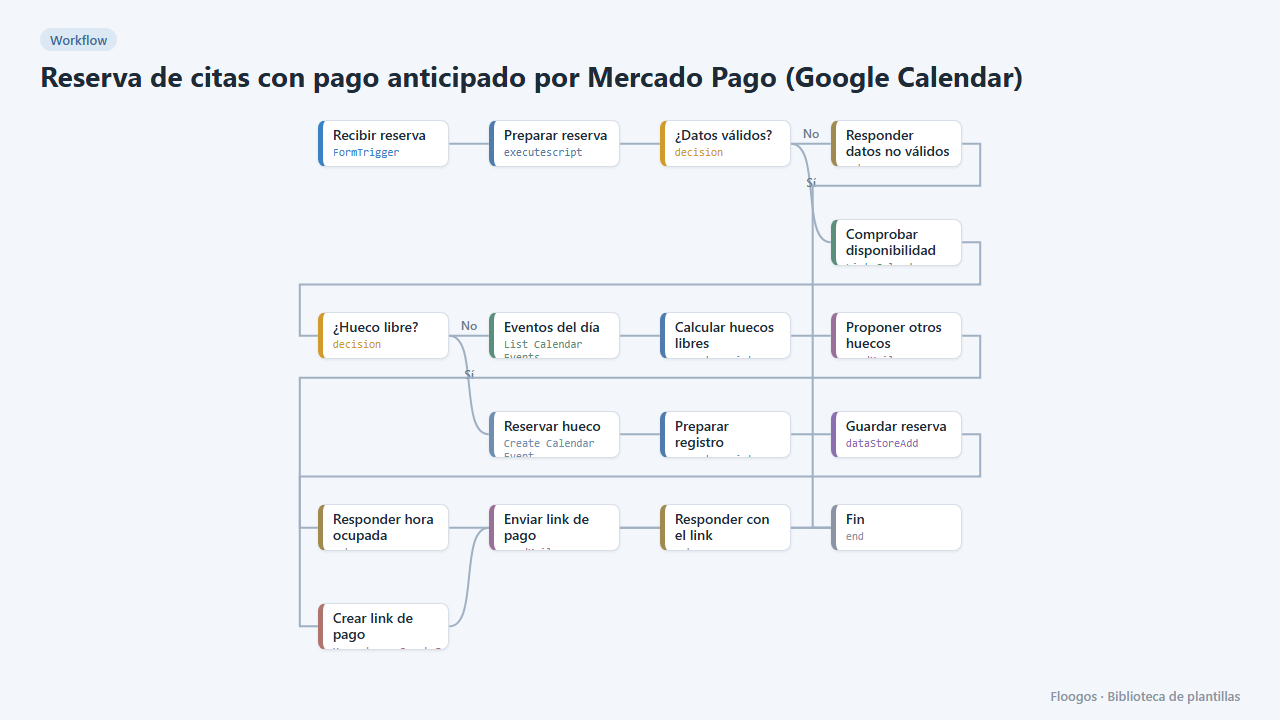
Appointment booking with upfront Mercado Pago payment (Google Calendar)
The customer books, gets a Mercado Pago payment link and the appointment is only confirmed in your Google Calendar once the payment is approved; if they do not pay, the slot is released automatically.
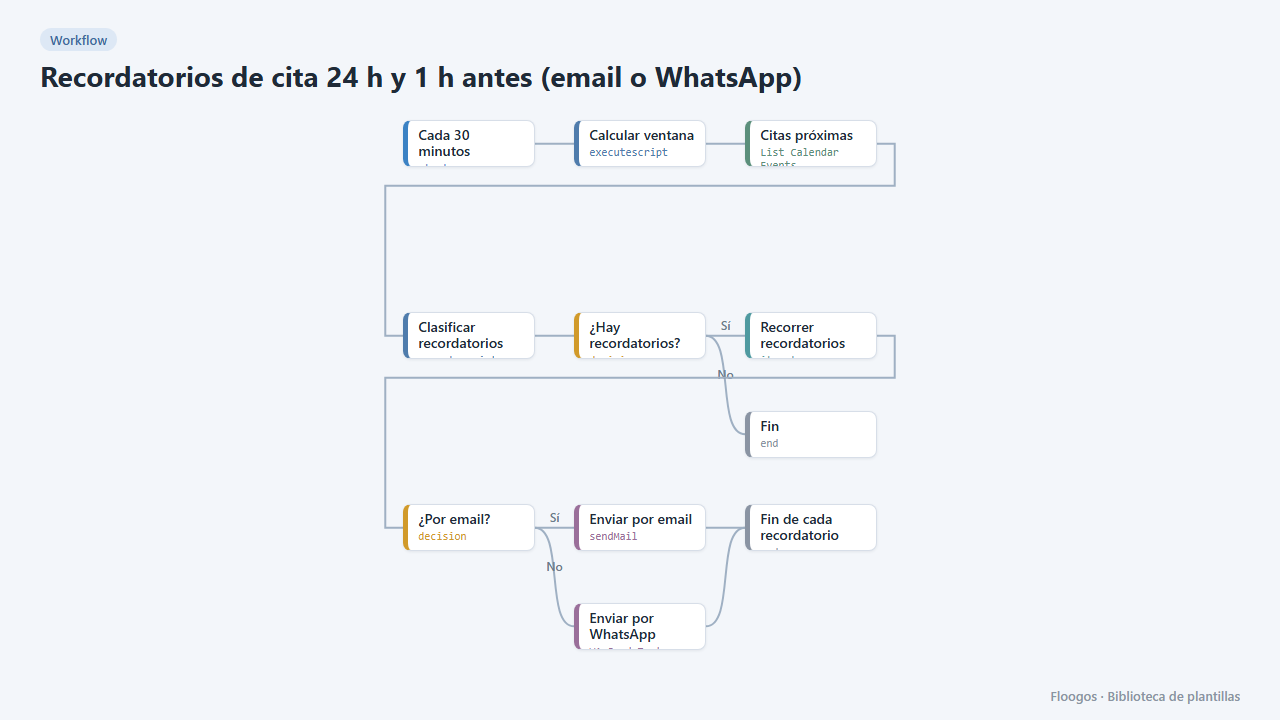
Appointment reminders 24 h and 1 h before (email or WhatsApp)
Every 30 minutes it checks your Google Calendar and notifies your customers by email or WhatsApp one day and one hour before their appointment, to cut no-shows.
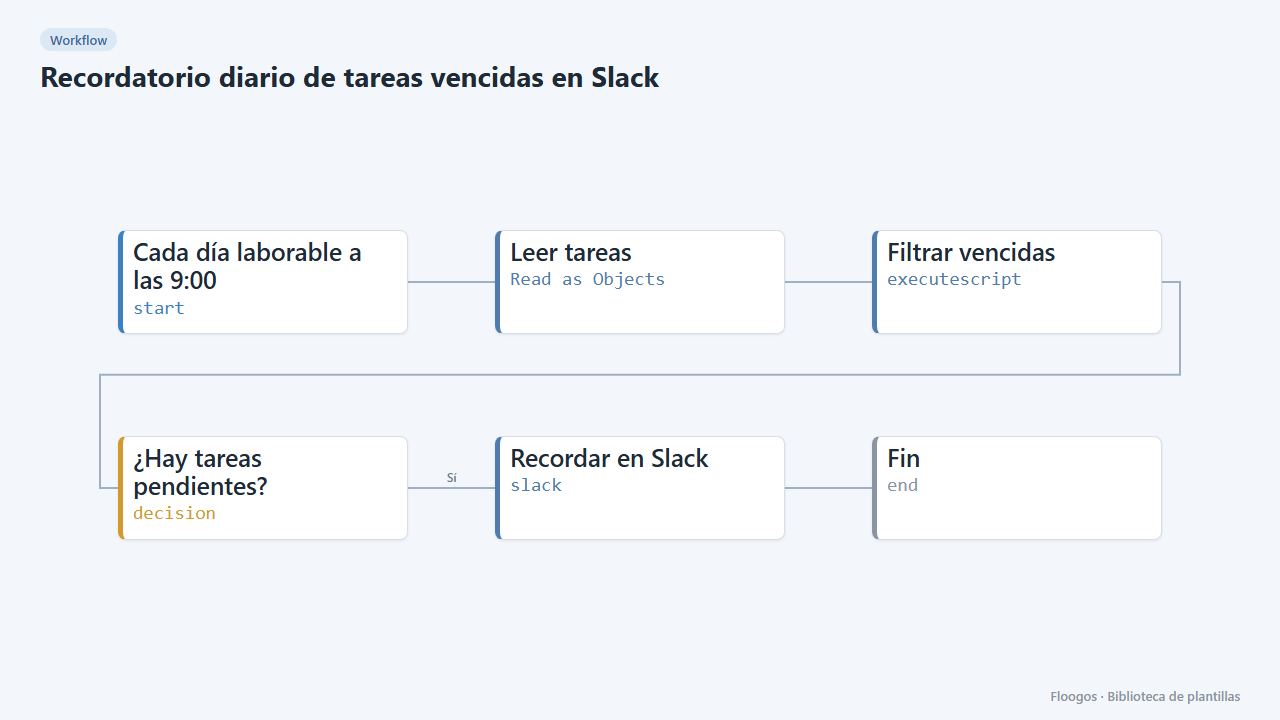
Daily overdue-task reminder on Slack
Every morning it checks your task sheet and posts on Slack the ones due today or overdue; if there are none, it stays quiet.
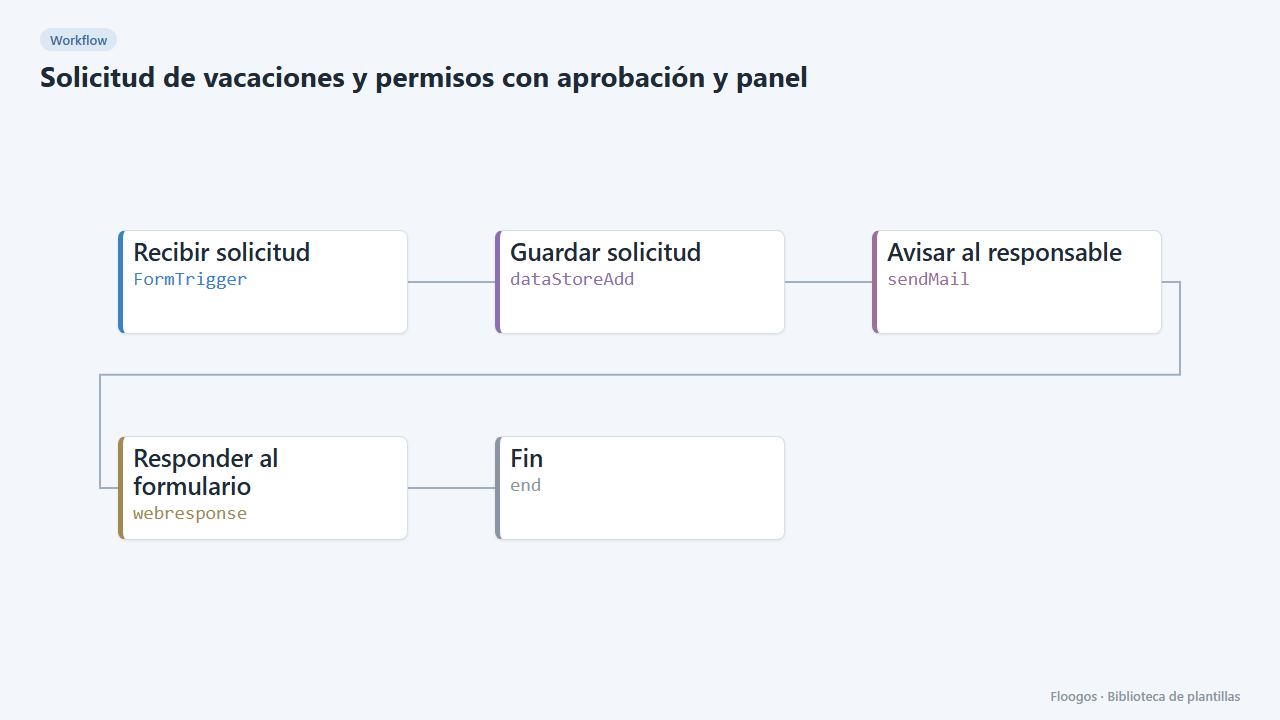
Time-off requests with approval and dashboard
A form to request vacation or time off, an alert to the manager and a dashboard to approve or reject each request in one click.
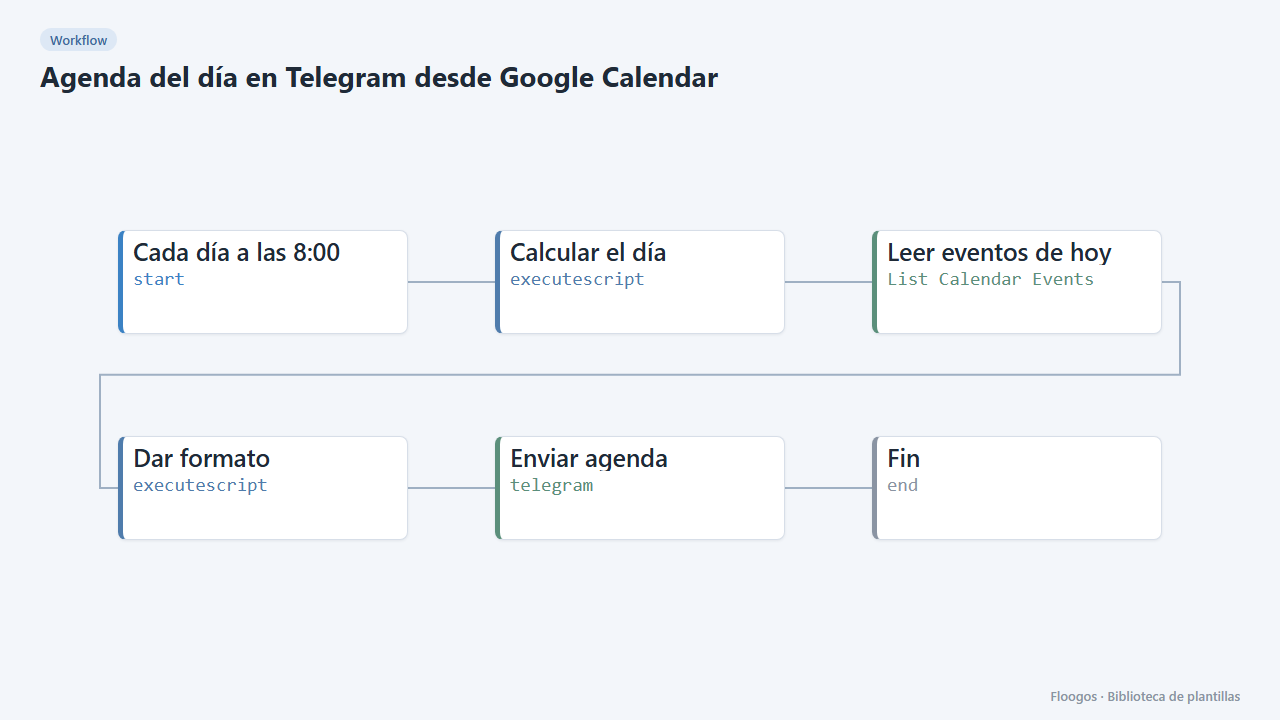
Daily agenda on Telegram from Google Calendar
Every morning it sends you the list of the day meetings and events with their time on Telegram.
Already have a template code?
If someone gave you a FLGS-XXXX-XXXX code, import it from the Library in your Floogos account.
Open the Library