
Appointment reminders 24 h and 1 h before (email or WhatsApp)
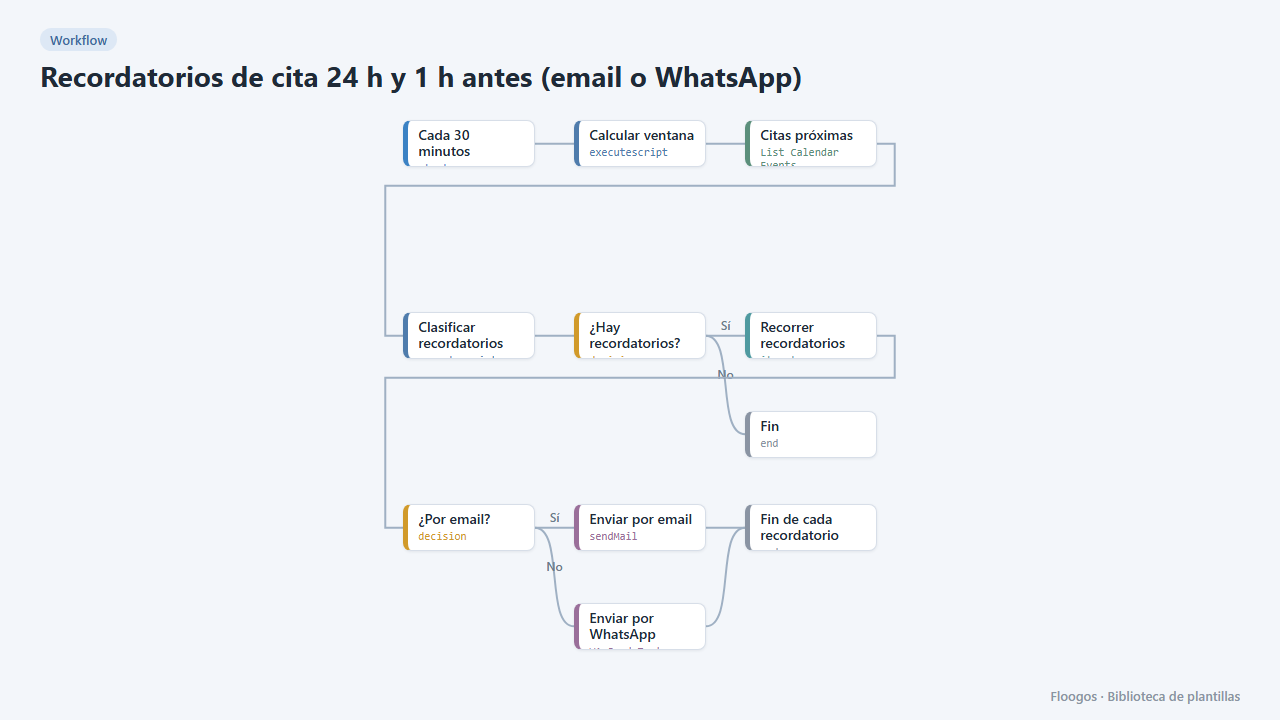
Every 30 minutes it checks your Google Calendar and notifies your customers by email or WhatsApp one day and one hour before their appointment, to cut no-shows.
Everything is created inactive in a new folder of your account. Nothing runs until you activate it, and you can undo it for 24 hours.
What it does
Companion to the Online appointment booking with Google Calendar template. Every 30 minutes the workflow looks in your calendar for appointments created by that template (those starting with "Cita:" and carrying the booking code) that start within 24 hours or within 1 hour, and sends each customer a reminder with the date, the place and their code to cancel or change the appointment. Each appointment gets a single notice of each kind.
What you need: Google Calendar connected, SMTP for email and, if you want WhatsApp, a connected WhatsApp Business account.
Channel: it sends email by default. In the Clasificar recordatorios node set CANAL to 'whatsapp' or 'ambos'; for WhatsApp the customer must have entered their phone with country code in the booking form.
Limitations: it only reminds appointments in that calendar with the booking template format; if the engine was down during a 30-minute window, those notices are not recovered.
How to set it up
- 1
Connect the google credential
This template uses google in: Citas próximas. Create or pick the credential and assign it in those nodes.
- 2
Connect the smtp credential
This template uses smtp in: Enviar por email. Create or pick the credential and assign it in those nodes.
- 3
Connect the whatsapp_business credential
This template uses whatsapp_business in: Enviar por WhatsApp. Create or pick the credential and assign it in those nodes.
- 4
Use the same calendar and schedule
In Citas próximas choose the same calendar as in the booking template. In Clasificar recordatorios set the time zone (
ZONA), business name (NEGOCIO) and default place (LUGAR) to match the booking. - 5
Choose the channel
Keep
CANAL = 'email'and connect your SMTP in Enviar por email, or switch to'whatsapp'/'ambos'and connect your account in Enviar por WhatsApp. - 6
Activate and test
Book an appointment starting within an hour with the booking template, activate this workflow (the cron is off after installing) and wait for the next half hour: the 1-hour reminder should arrive.
- 7
Activate the workflow
Workflows are installed inactive. Once everything is set, activate it.
Related templates
Other templates that use similar nodes or integrations.
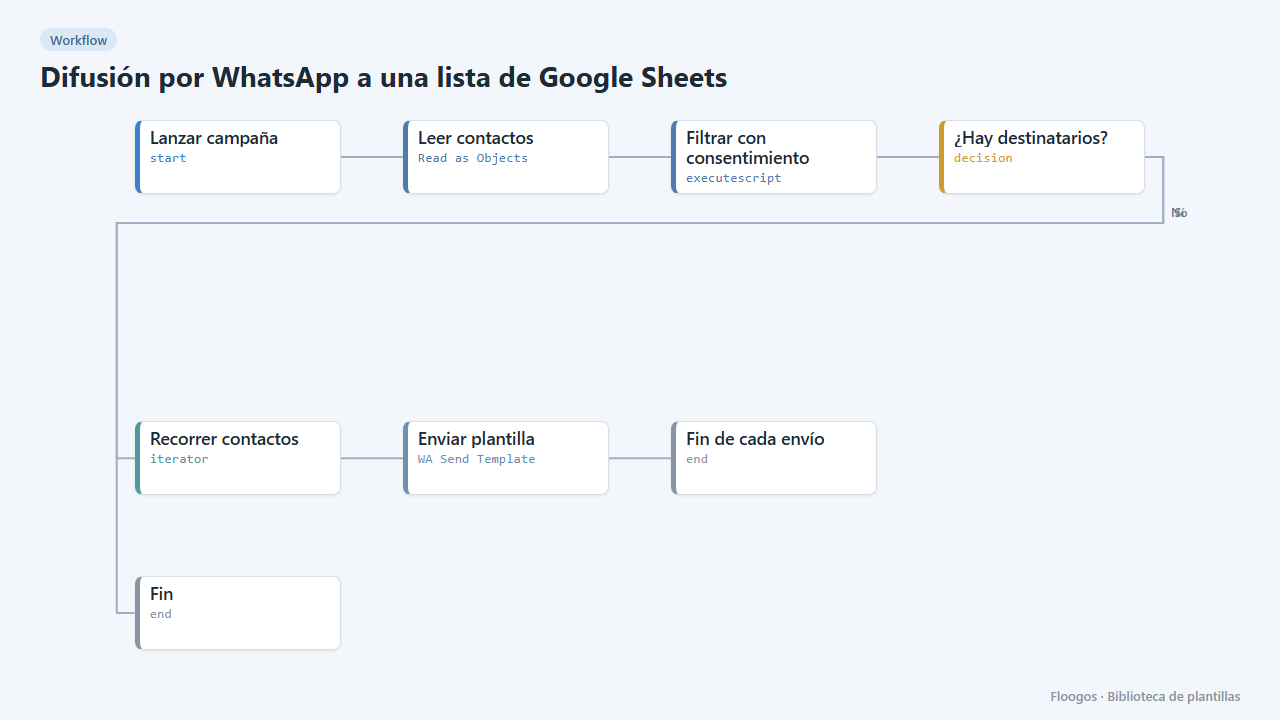
WhatsApp broadcast to a Google Sheets list
Sends a WhatsApp Business template to every contact in a sheet who has given consent.
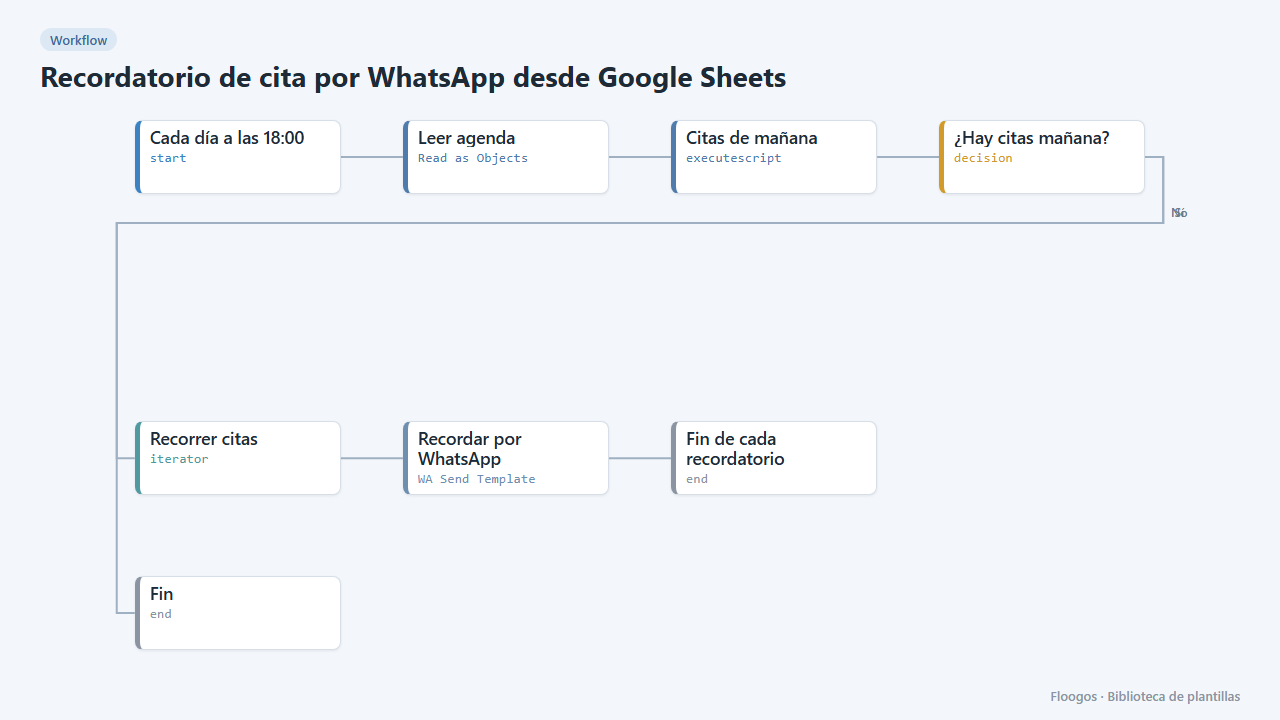
Appointment reminder via WhatsApp from Google Sheets
Every afternoon it reads your agenda in Google Sheets and sends a WhatsApp reminder to everyone with an appointment tomorrow.
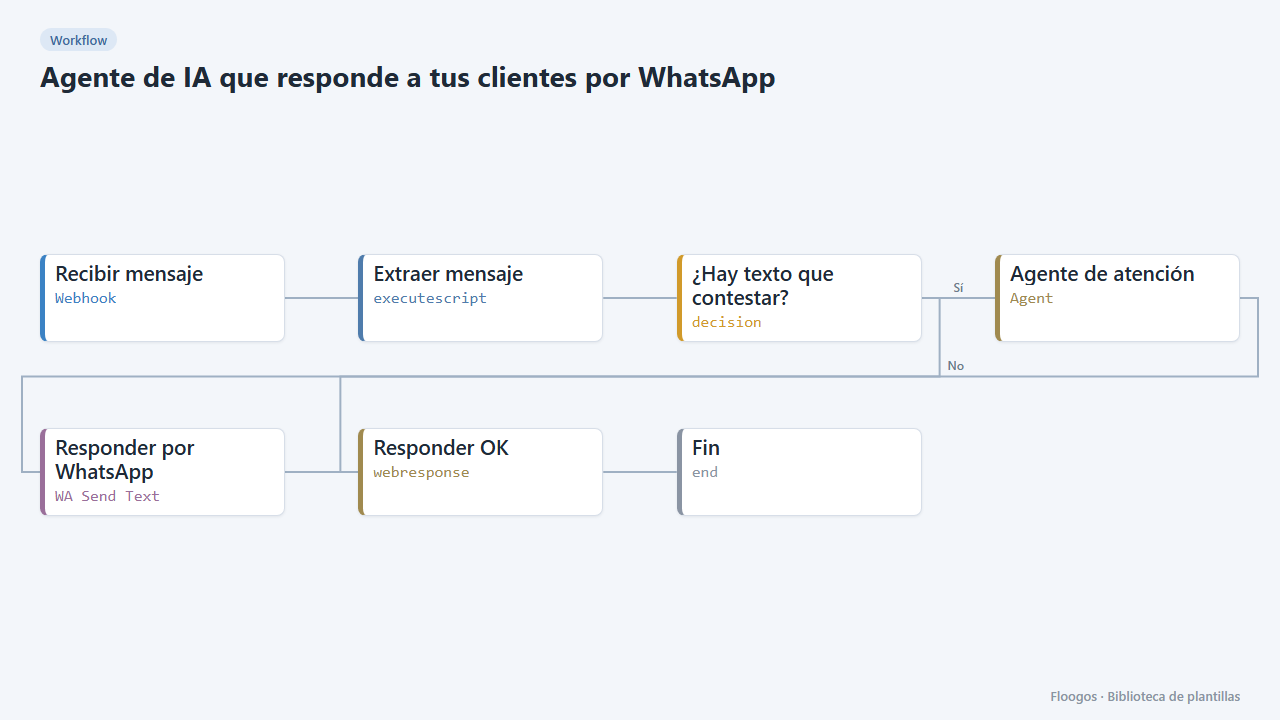
AI agent that answers your customers on WhatsApp
Every WhatsApp message you receive is answered by an AI agent that remembers the conversation, and the reply goes back to the customer on the same channel.
Try it in under 5 minutes
Create the template in your account, connect your credentials and activate it when you are ready.
Use this template