
Appointment reminder via WhatsApp from Google Sheets
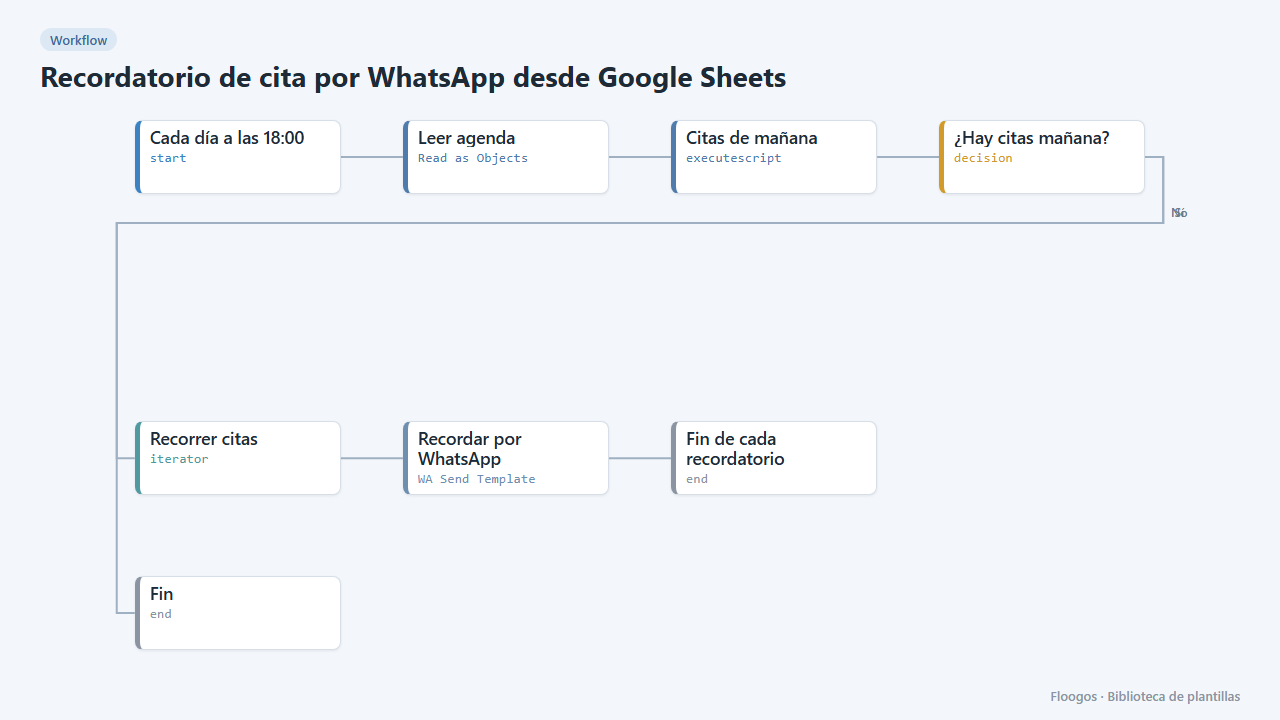
Every afternoon it reads your agenda in Google Sheets and sends a WhatsApp reminder to everyone with an appointment tomorrow.
Everything is created inactive in a new folder of your account. Nothing runs until you activate it, and you can undo it for 24 hours.
What it does
Cut no-shows without calling anyone. Keep your appointments in a Google Sheet with the columns nombre, telefono, fecha (YYYY-MM-DD), hora and servicio. Every day at 18:00 the workflow finds tomorrow appointments and sends each person a WhatsApp Business template with their name, time and service. If there are none, it does nothing.
What you need: WhatsApp Business (Meta API), an approved template recordatorio_cita with three variables ({{1}} name, {{2}} time, {{3}} service) and the appointments sheet.
How to use it: install the template, pick your sheet, connect WhatsApp and activate the workflow. Dates are computed in UTC.
How to set it up
- 1
Connect the google credential
This template uses google in: Leer agenda. Create or pick the credential and assign it in those nodes.
- 2
Connect the whatsapp_business credential
This template uses whatsapp_business in: Recordar por WhatsApp. Create or pick the credential and assign it in those nodes.
- 3
Prepare the agenda
Create a
Citassheet with the headersnombre,telefono,fecha,hora,servicio. The phone includes the country code (for example34600111222). - 4
Create the template in Meta
Create and get approved the utility template
recordatorio_citawith 3 variables: name, time and service. - 5
Connect and test
Pick the sheet in Leer agenda and your credentials in Recordar por WhatsApp. Add an appointment for tomorrow with your own phone and run the workflow manually.
- 6
Activate the workflow
Workflows are installed inactive. Once everything is set, activate it.
Related templates
Other templates that use similar nodes or integrations.
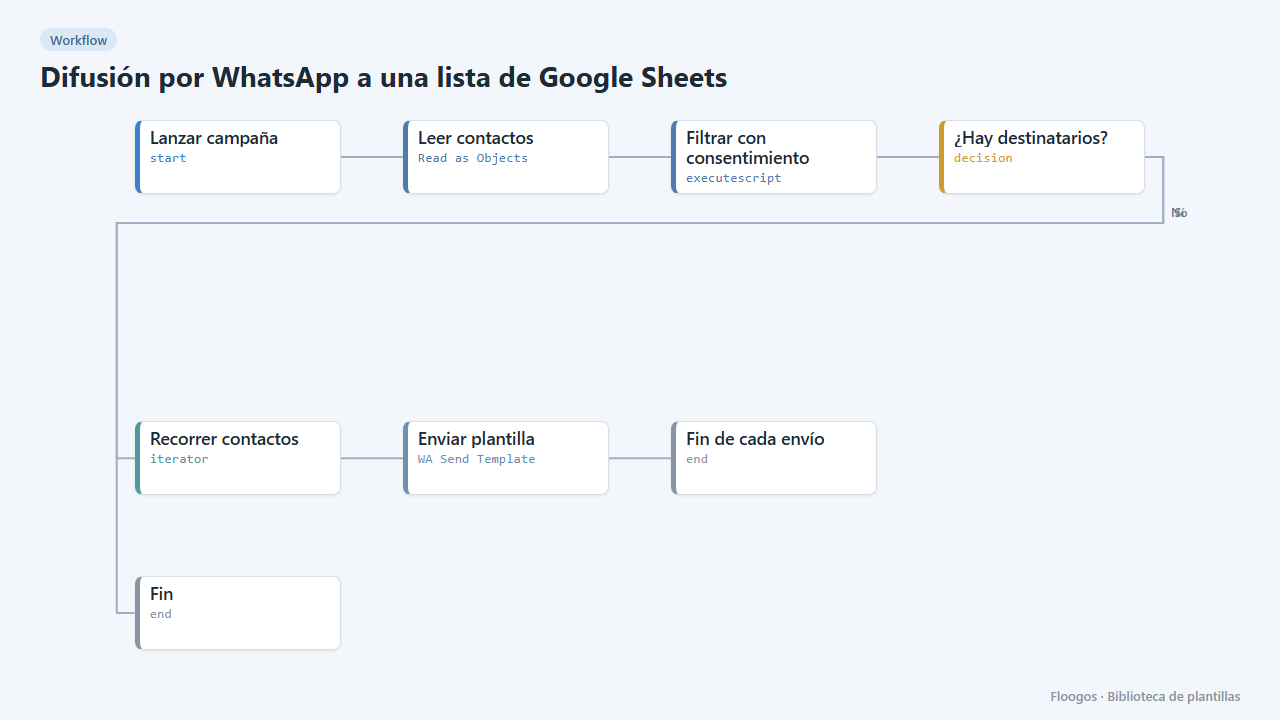
WhatsApp broadcast to a Google Sheets list
Sends a WhatsApp Business template to every contact in a sheet who has given consent.
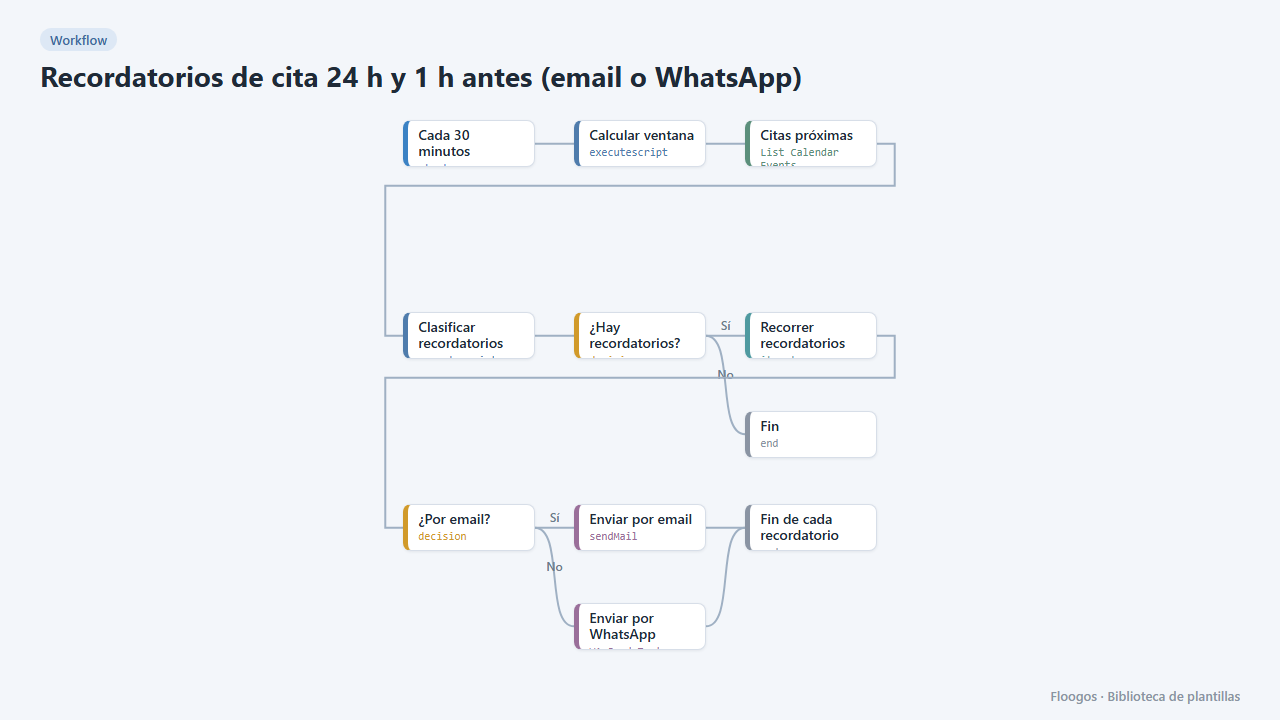
Appointment reminders 24 h and 1 h before (email or WhatsApp)
Every 30 minutes it checks your Google Calendar and notifies your customers by email or WhatsApp one day and one hour before their appointment, to cut no-shows.
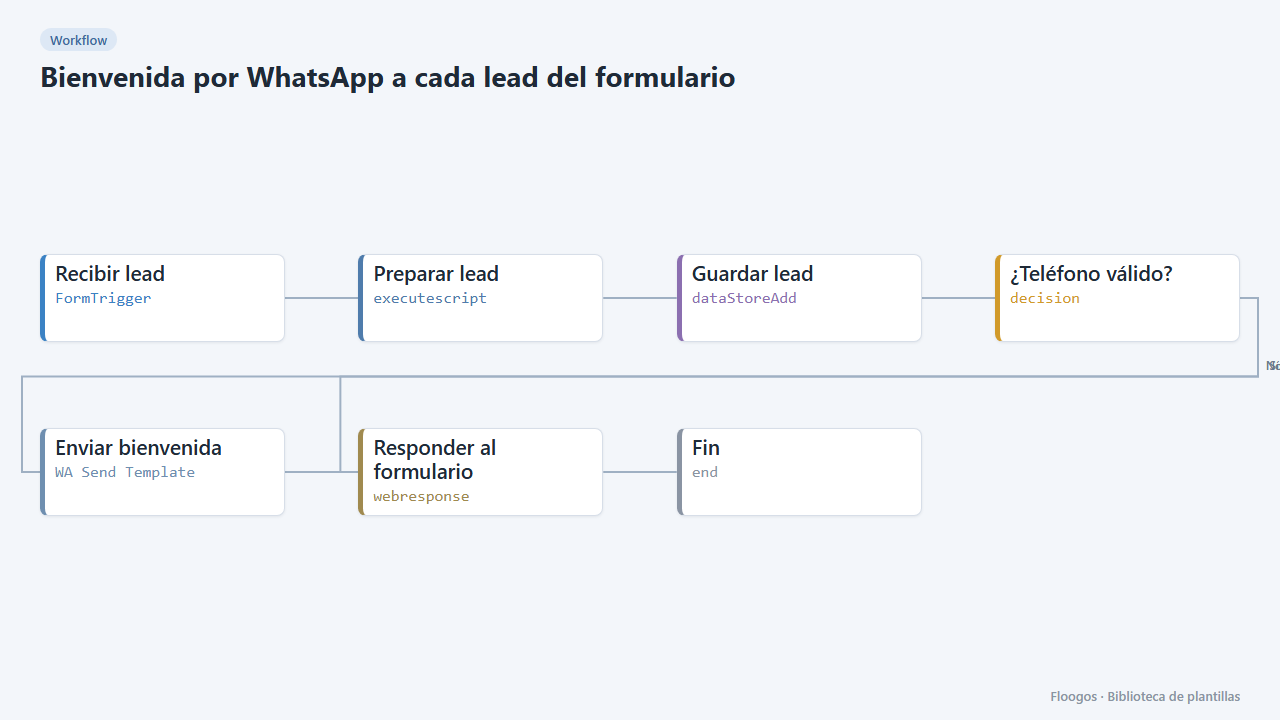
WhatsApp welcome for every form lead
Includes a contact form; as soon as someone submits it they get a welcome WhatsApp and the lead is saved in a Data Store.
Try it in under 5 minutes
Create the template in your account, connect your credentials and activate it when you are ready.
Use this template