
WhatsApp broadcast to a Google Sheets list
Sends a WhatsApp Business template to every contact in a sheet who has given consent.
Everything is created inactive in a new folder of your account. Nothing runs until you activate it, and you can undo it for 24 hours.
What it does
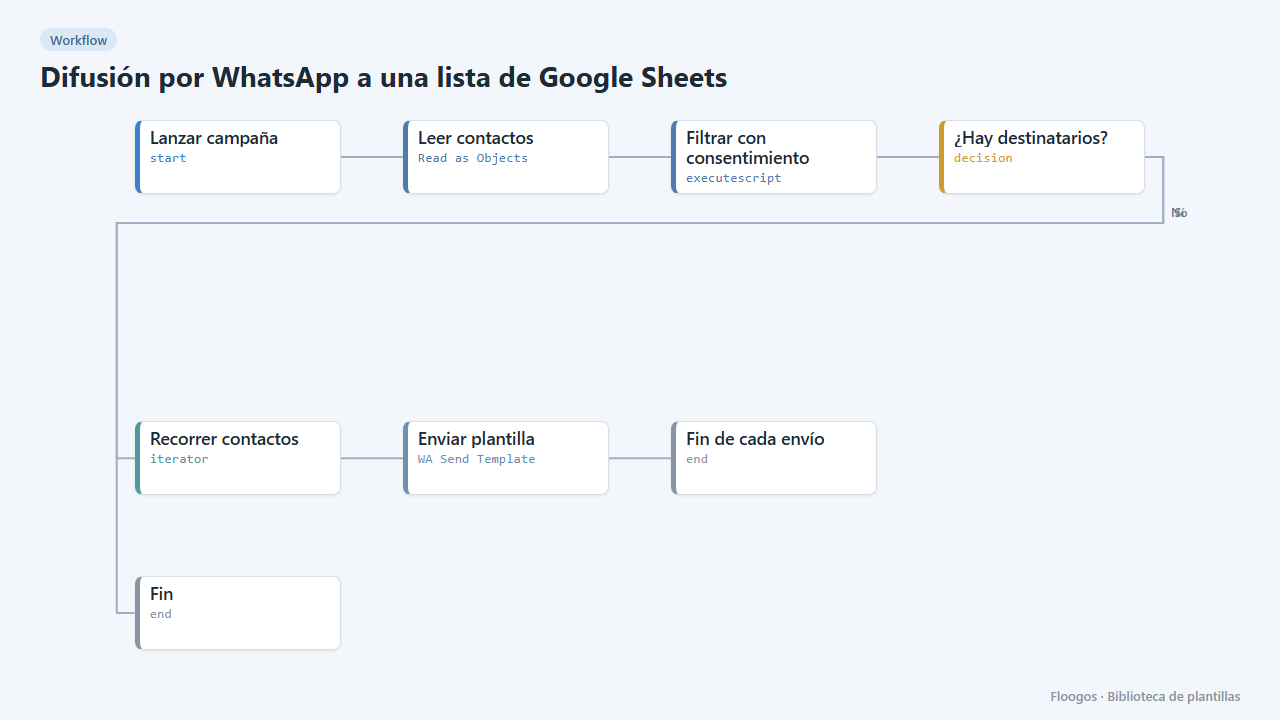
Launch a campaign (news, promotion, notice) to your contact list. The workflow reads a Google Sheet with the columns nombre, telefono and consentimiento, skips anyone who has not written si in the consent column or has no valid phone, and sends each one a WhatsApp Business template personalised with their name.
What you need: WhatsApp Business (Meta API), an approved marketing template novedades_campana with one variable ({{1}} name) and the contact sheet with explicit consent.
How to use it: install the template, pick your sheet, connect WhatsApp and run it manually whenever you want to launch the campaign.
Important: message only people who opted in; WhatsApp blocks accounts with many reports.
How to set it up
- 1
Connect the google credential
This template uses google in: Leer contactos. Create or pick the credential and assign it in those nodes.
- 2
Connect the whatsapp_business credential
This template uses whatsapp_business in: Enviar plantilla. Create or pick the credential and assign it in those nodes.
- 3
Prepare the list
Contactossheet with the headersnombre,telefono,consentimiento. Writesionly for people who agreed to receive messages. Phone with country code. - 4
Campaign template
Create and get approved in Meta the marketing template
novedades_campanawith one variable (name). If you use another name, change it in the Enviar plantilla node. - 5
Test with a few contacts
First run it with a sheet of 2-3 contacts of your own and check the messages before loading the full list.
- 6
Activate the workflow
Workflows are installed inactive. Once everything is set, activate it.
Related templates
Other templates that use similar nodes or integrations.
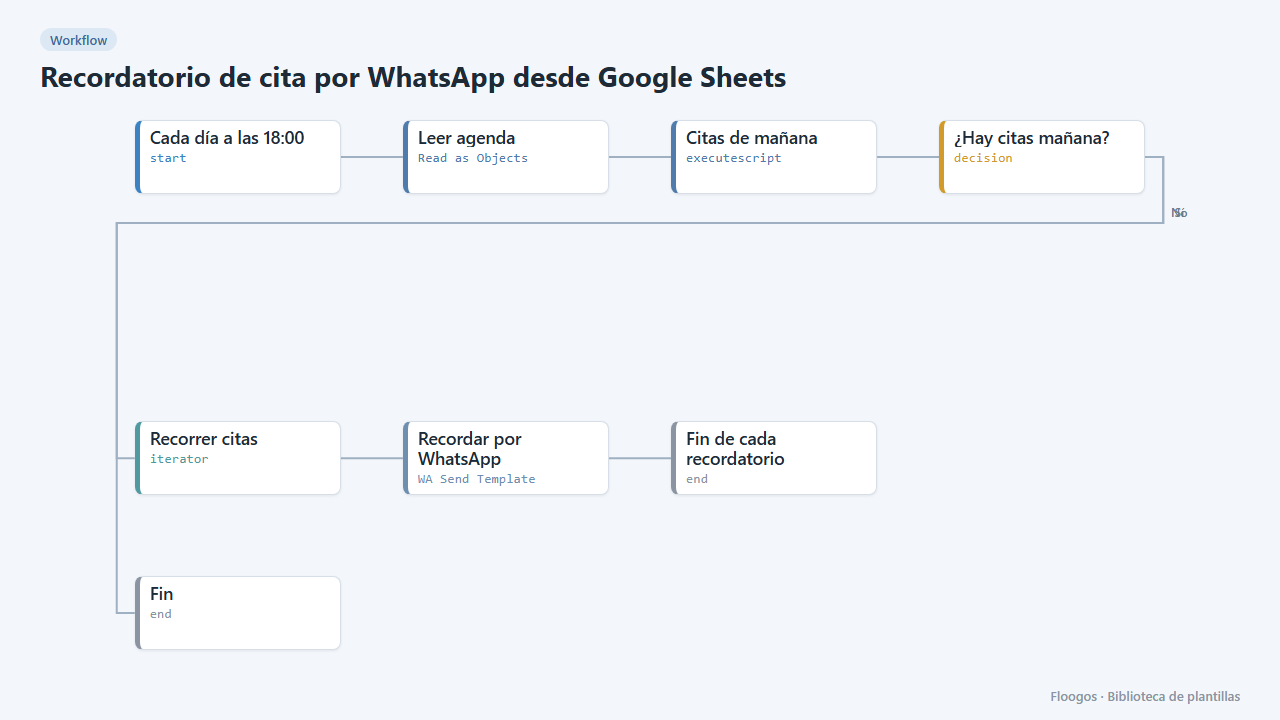
Appointment reminder via WhatsApp from Google Sheets
Every afternoon it reads your agenda in Google Sheets and sends a WhatsApp reminder to everyone with an appointment tomorrow.
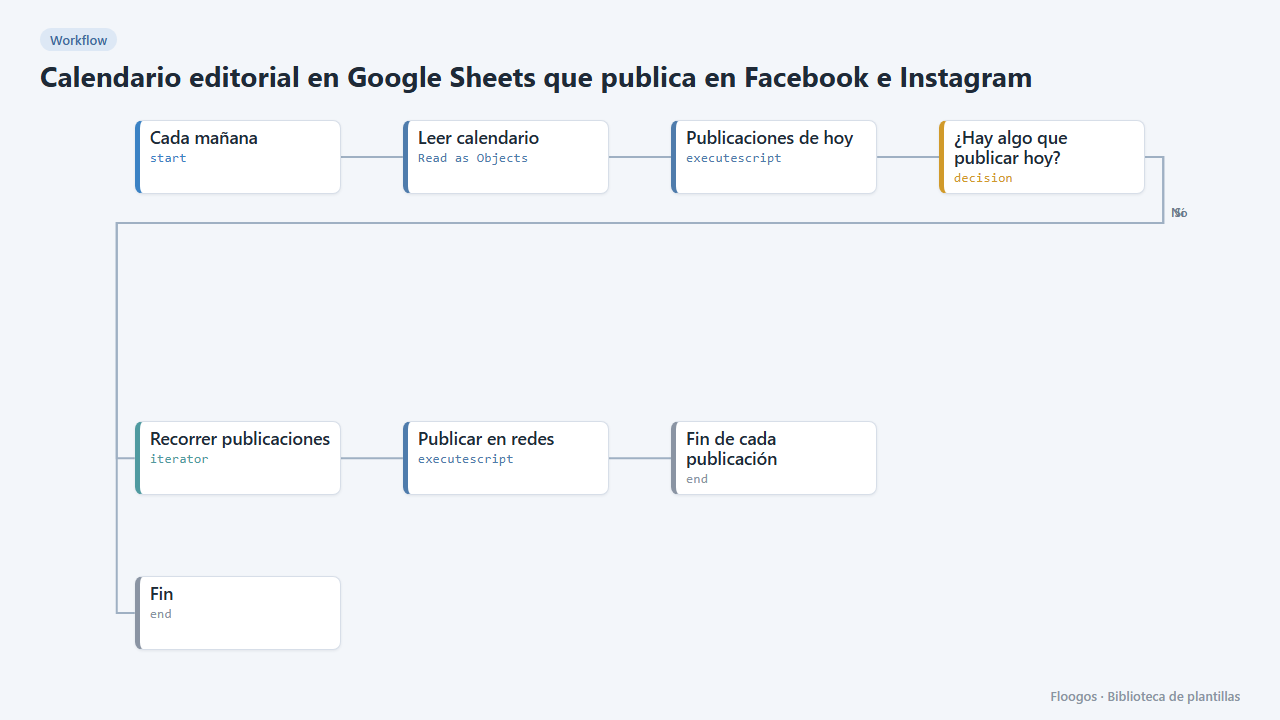
Editorial calendar in Google Sheets that posts to Facebook and Instagram
Every morning it reads your posts sheet and publishes to Facebook, Instagram and LinkedIn whatever is due that day.
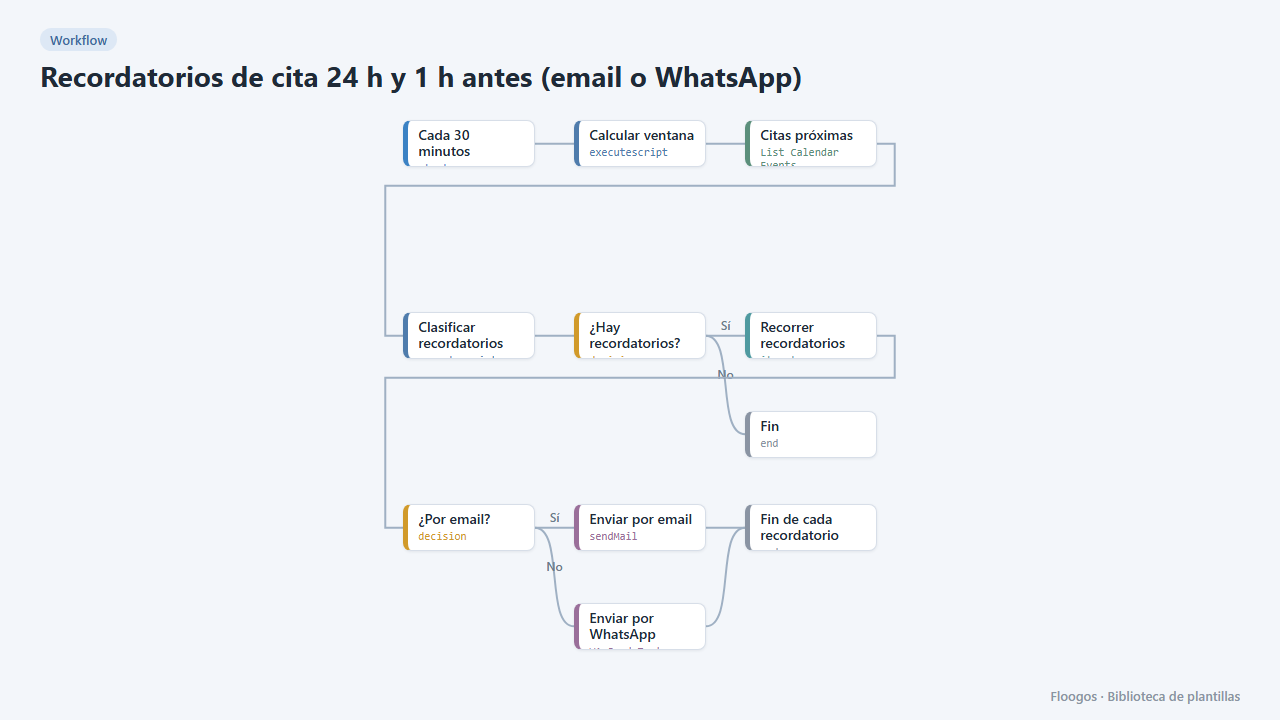
Appointment reminders 24 h and 1 h before (email or WhatsApp)
Every 30 minutes it checks your Google Calendar and notifies your customers by email or WhatsApp one day and one hour before their appointment, to cut no-shows.
Try it in under 5 minutes
Create the template in your account, connect your credentials and activate it when you are ready.
Use this template