
Daily agenda email from Outlook Calendar (every morning)
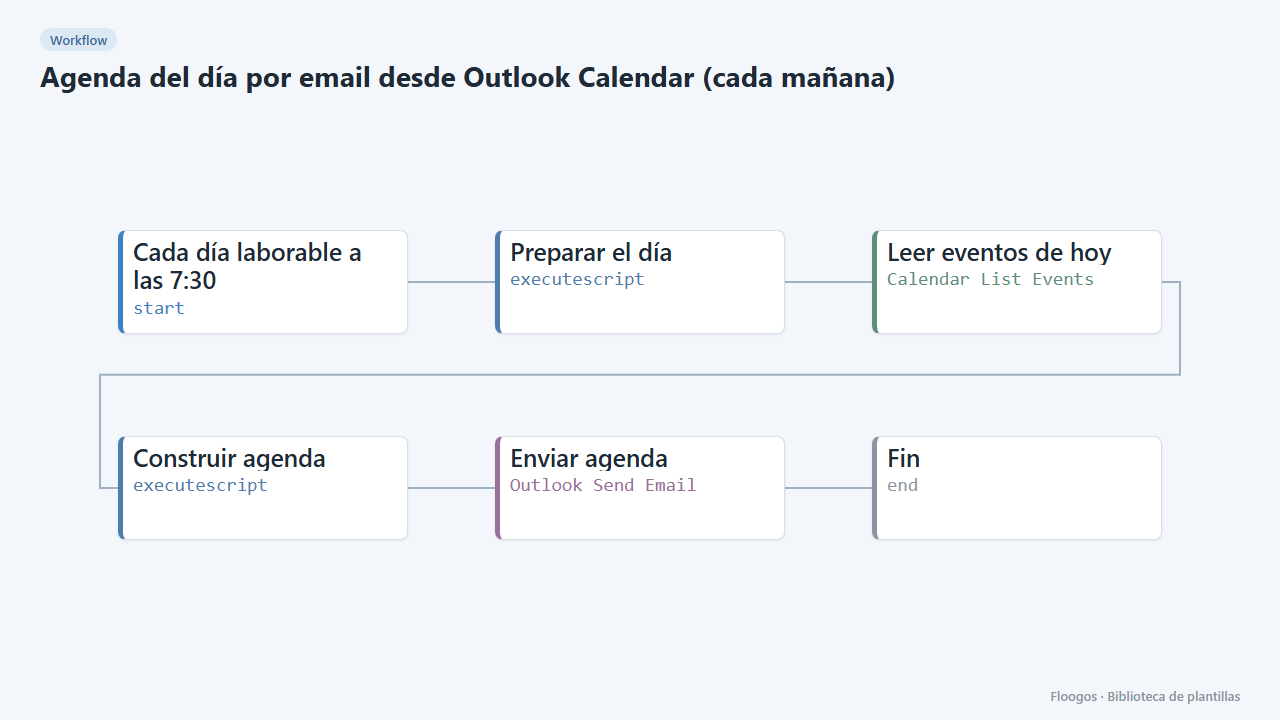
Every working day at 7:30 it emails you, via Outlook, a summary of today's meetings and events from your calendar.
Everything is created inactive in a new folder of your account. Nothing runs until you activate it, and you can undo it for 24 hours.
What it does
Start the day knowing what is ahead. Every morning from Monday to Friday the workflow reads your Outlook calendar (Microsoft 365), sorts today's events by time and emails you a list: start and end time, title and location. Cancelled events are skipped and all-day events appear first.
What you need: a connected Microsoft 365 account (OAuth) with access to the calendar and mail.
How to adjust it: the time zone (ZONA) is changed in the Preparar el día script; the send time in the start node; and the recipient in the Enviar agenda node.
Limitations: only events of the primary calendar are read and recurring meetings are not expanded (a series may not show up). Up to 50 events are shown. It has not been tested against real Microsoft accounts.
How to set it up
- 1
Connect the microsoft credential
This template uses microsoft in: Leer eventos de hoy, Enviar agenda. Create or pick the credential and assign it in those nodes.
- 2
Connect Microsoft 365
Connect your Microsoft account in the Leer eventos de hoy and Enviar agenda nodes.
- 3
Time zone and recipient
In Preparar el día change
ZONAto yours (Europe/Madridby default) and, in Enviar agenda, replacetu.correo@tuempresa.comwith the address that should receive the agenda. - 4
Test it
Run the workflow manually: you will receive an email with today's events.
- 5
Activate the workflow
Workflows are installed inactive. Once everything is set, activate it.
Related templates
Other templates that use similar nodes or integrations.
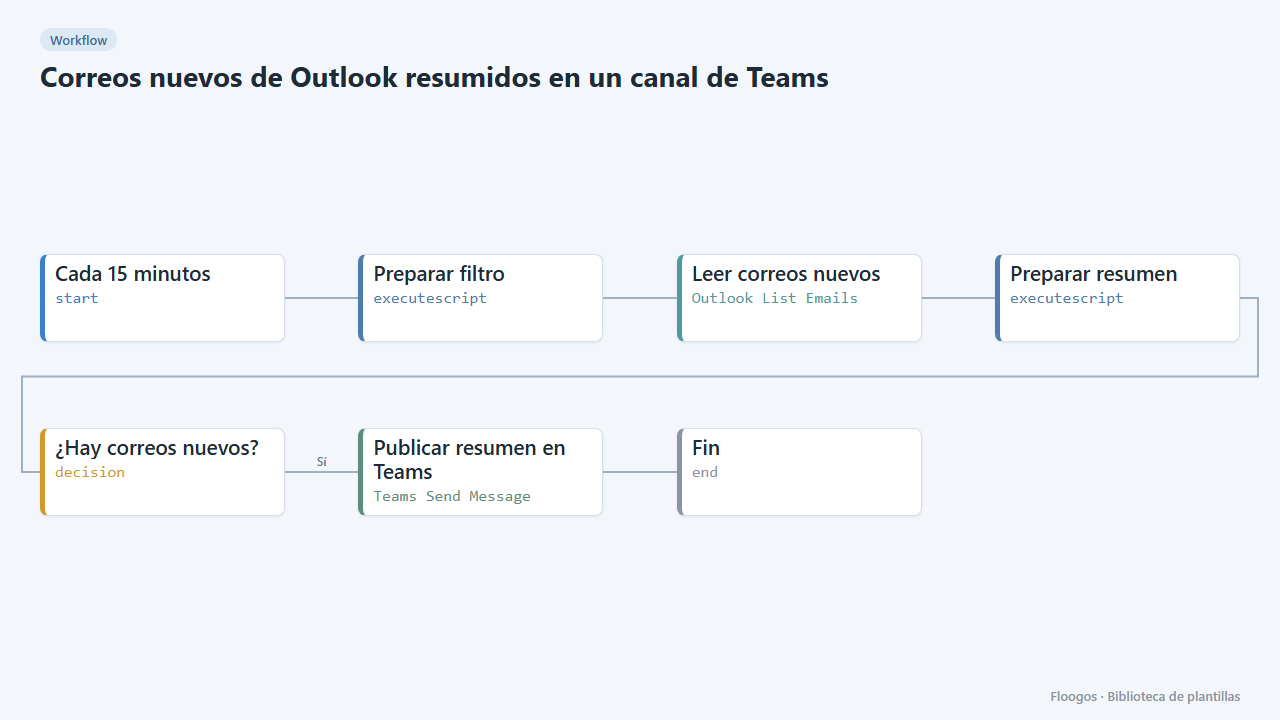
New Outlook emails summarised in a Teams channel
Every 15 minutes it checks your Outlook inbox and, if new emails have arrived, posts a summary (sender and subject) in a Teams channel.
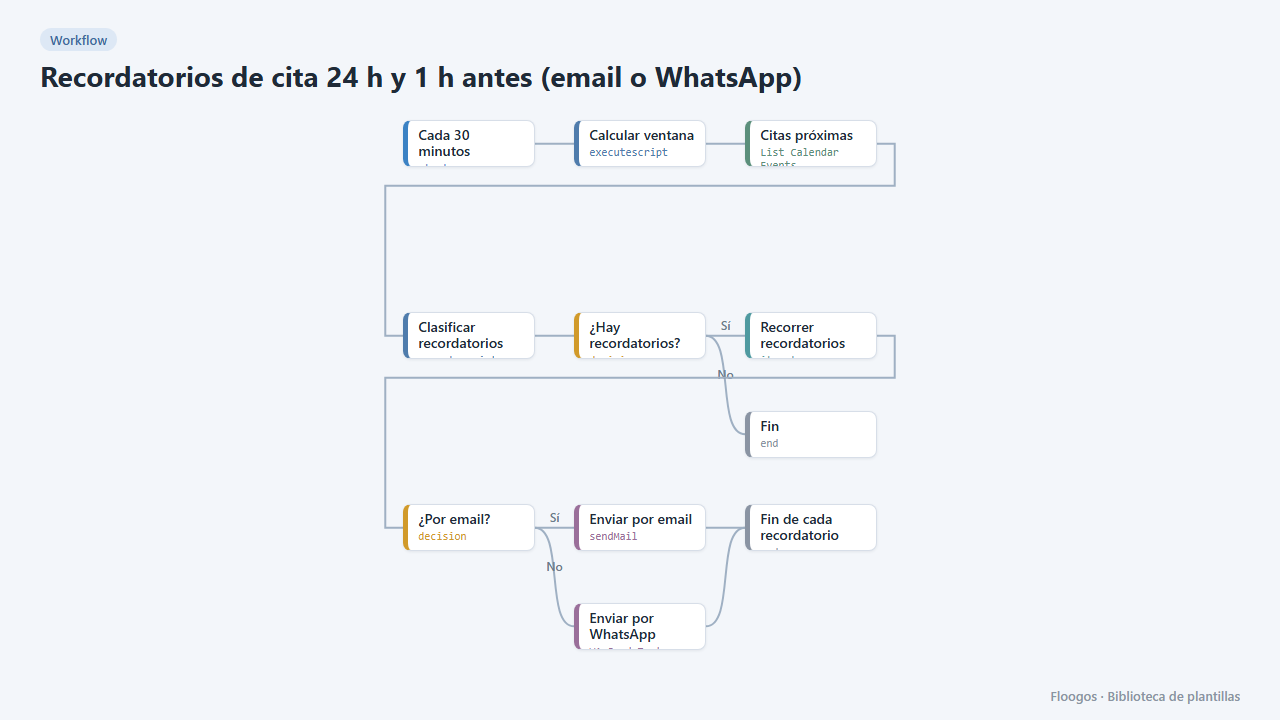
Appointment reminders 24 h and 1 h before (email or WhatsApp)
Every 30 minutes it checks your Google Calendar and notifies your customers by email or WhatsApp one day and one hour before their appointment, to cut no-shows.
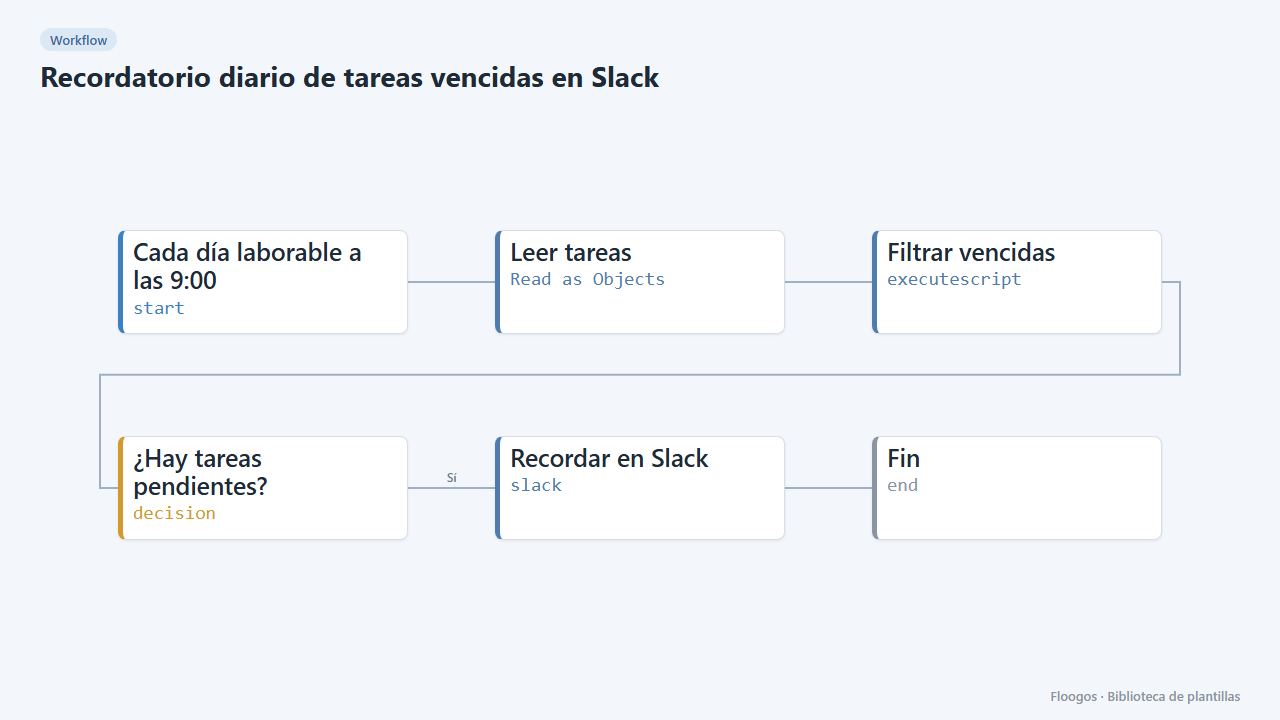
Daily overdue-task reminder on Slack
Every morning it checks your task sheet and posts on Slack the ones due today or overdue; if there are none, it stays quiet.
Try it in under 5 minutes
Create the template in your account, connect your credentials and activate it when you are ready.
Use this template