
After-sales message with shipment tracking
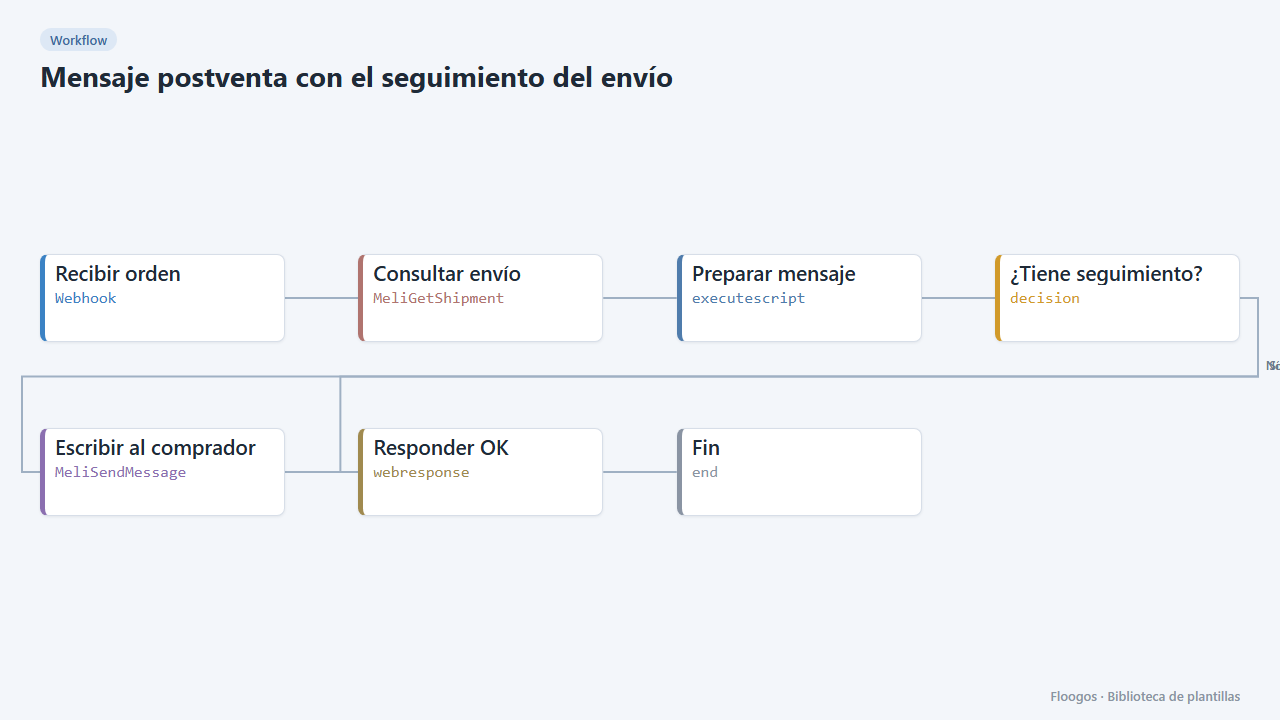
Given a Mercado Libre order number, it checks the shipment and sends the buyer a message with the status and tracking number.
Everything is created inactive in a new folder of your account. Nothing runs until you activate it, and you can undo it for 24 hours.
What it does
A good after-sales message reduces claims. When your system (or you, by hand) calls the webhook with the order number, the workflow fetches the shipment from Mercado Libre and, if it already has a tracking number, sends the buyer a message through the order own messaging with the status and the code. If the shipment has no tracking yet, nothing is sent.
What you need: Mercado Libre credentials (OAuth).
How to use it: install the template, connect Mercado Libre and POST to the webhook with {"order_id":"2000001234567890"} whenever you want to notify. You can trigger it from another workflow when you mark an order as shipped.
Note: Mercado Libre after-sales messaging has content rules (no links or external contact data); the template text respects them.
How to set it up
- 1
Connect the mercadolibre credential
This template uses mercadolibre in: Consultar envío, Escribir al comprador. Create or pick the credential and assign it in those nodes.
- 2
Copy the webhook URL (Recibir orden)
A new URL is generated on install. Paste it into the external system that must call this workflow.
- 3
Connect Mercado Libre
Select your credential in Consultar envío and Escribir al comprador.
- 4
Customize the message
In Preparar mensaje change the text to match your store tone. Do not include links or phone numbers.
- 5
Test with a real order
Send a
POSTto the webhook with theorder_idof an order whose shipment is already dispatched and check the message in the order conversation. - 6
Activate the workflow
Workflows are installed inactive. Once everything is set, activate it.
Related templates
Other templates that use similar nodes or integrations.
Mercado Libre sales to Google Sheets
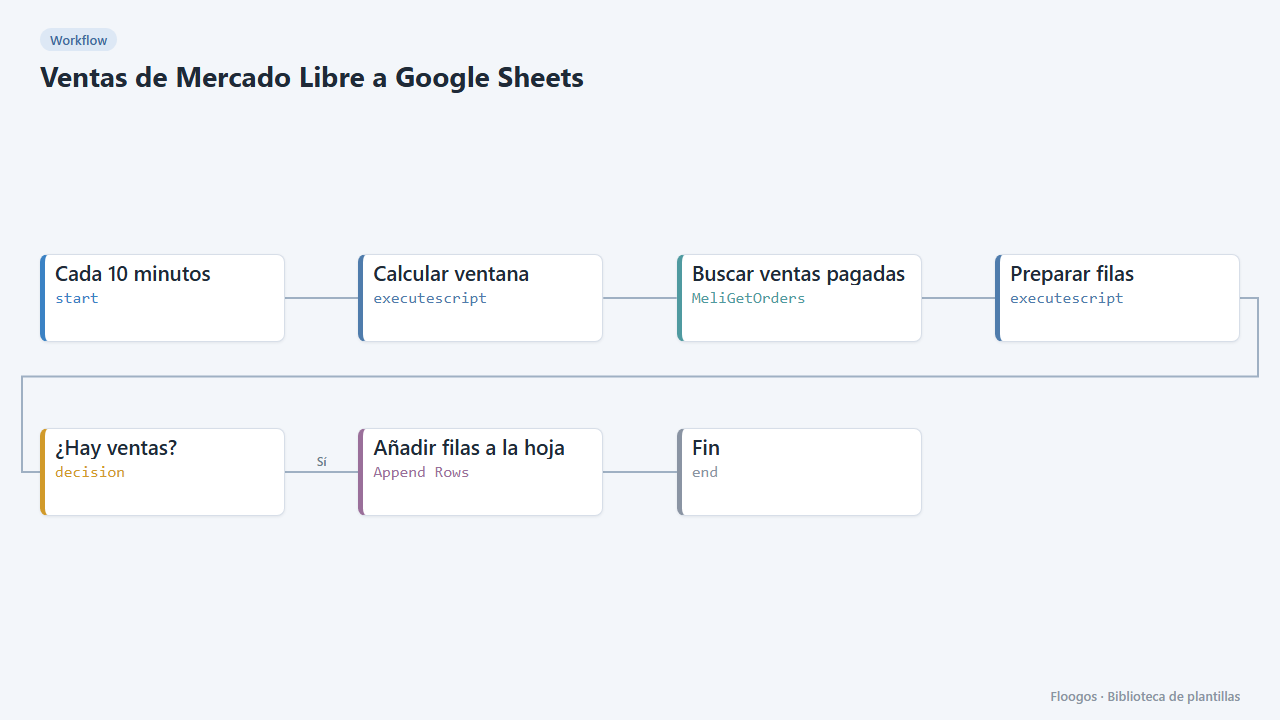
Every 10 minutes it appends one Google Sheets row for each paid Mercado Libre sale.
Mercado Libre questions answered with AI
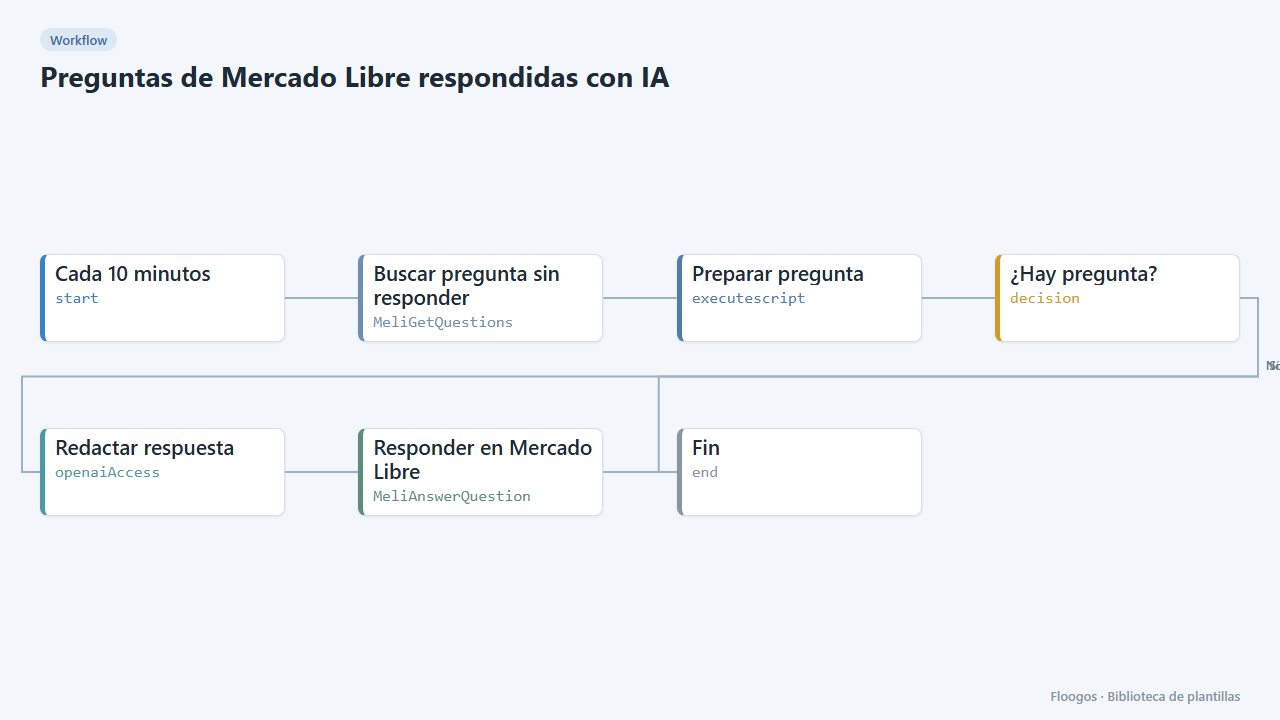
Every few minutes it looks for unanswered questions on your Mercado Libre listings and replies with an AI-written answer.
Low-stock alert for your Mercado Libre listings
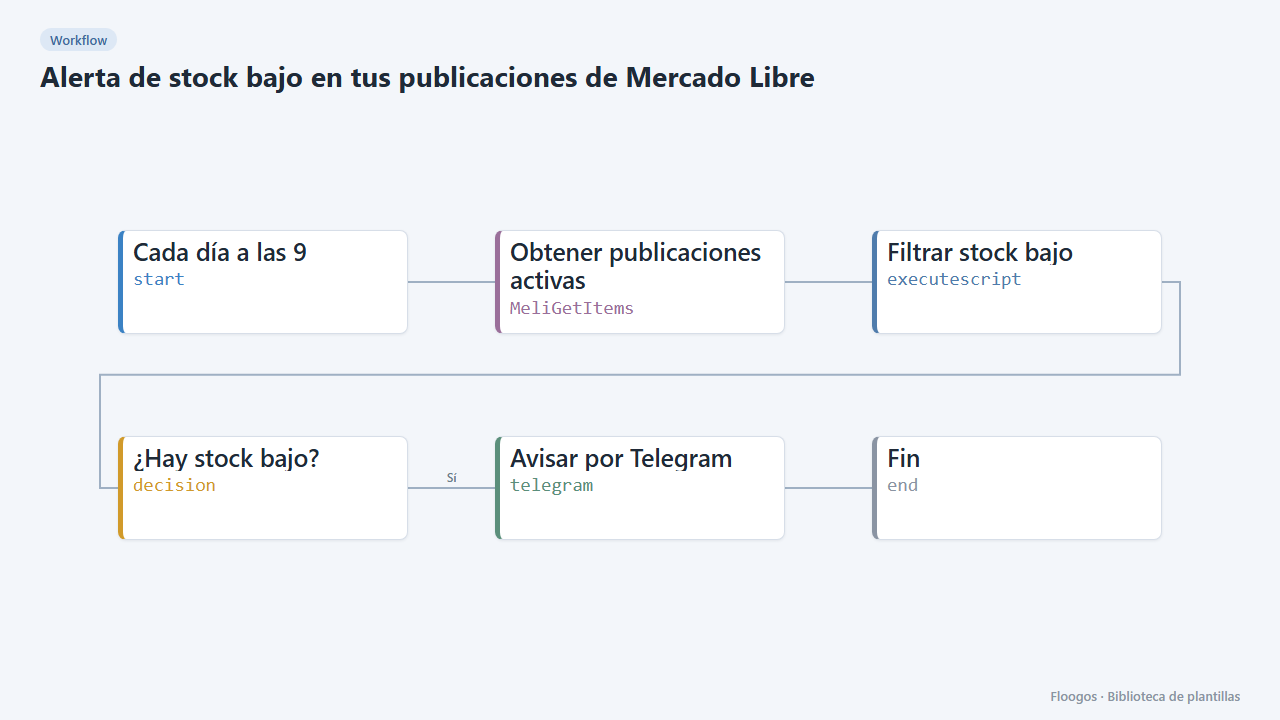
Every morning it checks your active listings and alerts you on Telegram about the ones running low on stock.
Try it in under 5 minutes
Create the template in your account, connect your credentials and activate it when you are ready.
Use this template