
Daily metrics summary on Slack from Google Sheets
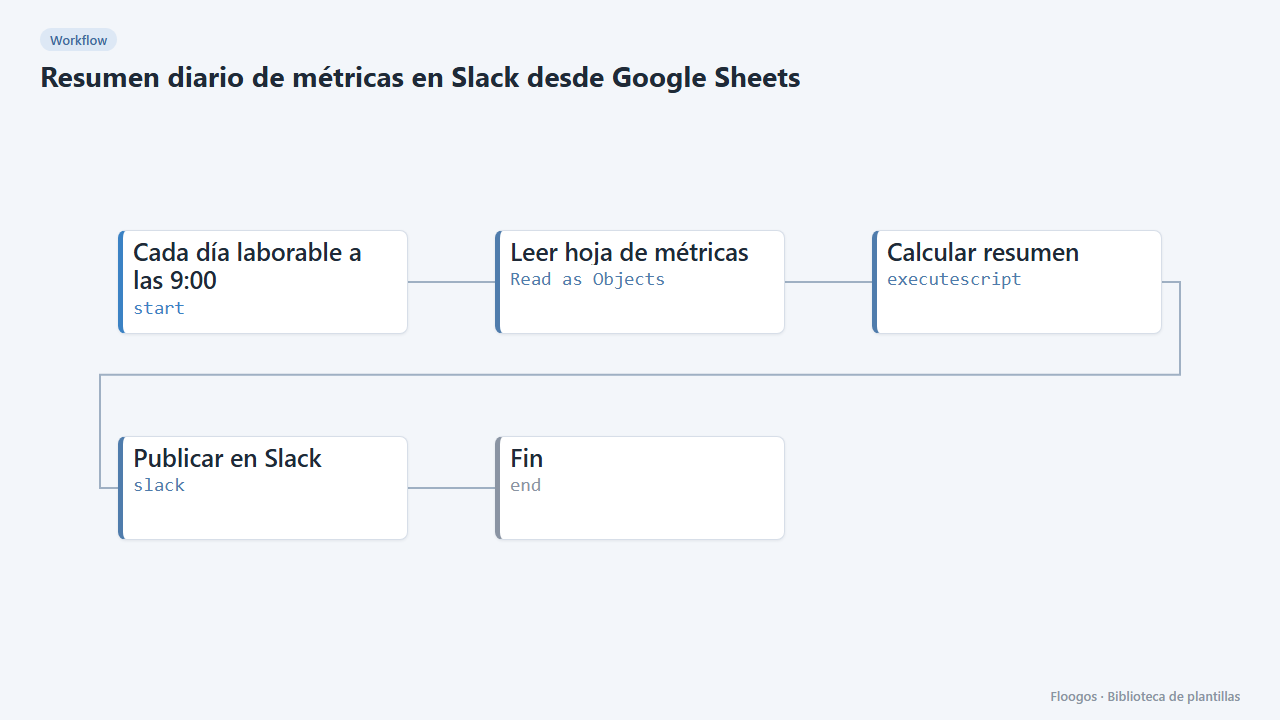
Every business day it reads a Google Sheet, computes row count and total and posts the summary to a Slack channel.
Everything is created inactive in a new folder of your account. Nothing runs until you activate it, and you can undo it for 24 hours.
What it does
Many teams keep their figures (sales, tickets, signups) in a spreadsheet nobody opens. This workflow reads it every business day at 9:00, counts the rows, sums the amount column and posts a short message to your team Slack channel.
What you need: a Google Sheet with one row per record (a column named importe if you want the total) and a Slack Incoming Webhook.
How to use it: install the template, pick your sheet, connect Slack and activate the workflow.
How to set it up
- 1
Connect the google credential
This template uses google in: Leer hoja de métricas. Create or pick the credential and assign it in those nodes.
- 2
Connect the slack credential
This template uses slack in: Publicar en Slack. Create or pick the credential and assign it in those nodes.
- 3
Pick the sheet
In the Leer hoja de métricas node pick your sheet and adjust the range (default
Hoja1!A:Z). The first row must contain the headers. - 4
Connect Slack
In the Publicar en Slack node paste the Incoming Webhook of the channel where you want the summary.
- 5
Test and activate
Run it once manually to see the message on Slack, then enable the schedule on the start node.
- 6
Activate the workflow
Workflows are installed inactive. Once everything is set, activate it.
Related templates
Other templates that use similar nodes or integrations.
Daily overdue-task reminder on Slack
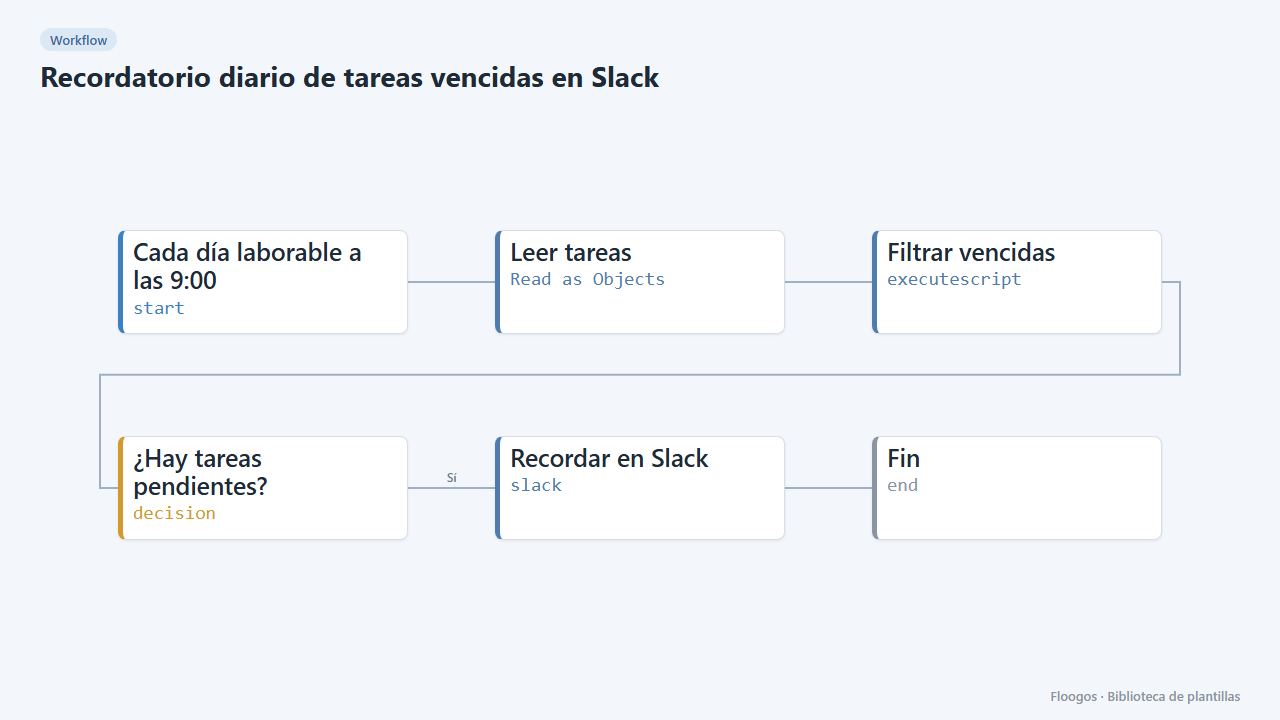
Every morning it checks your task sheet and posts on Slack the ones due today or overdue; if there are none, it stays quiet.
Weekly summary of an Excel sheet in a Teams channel
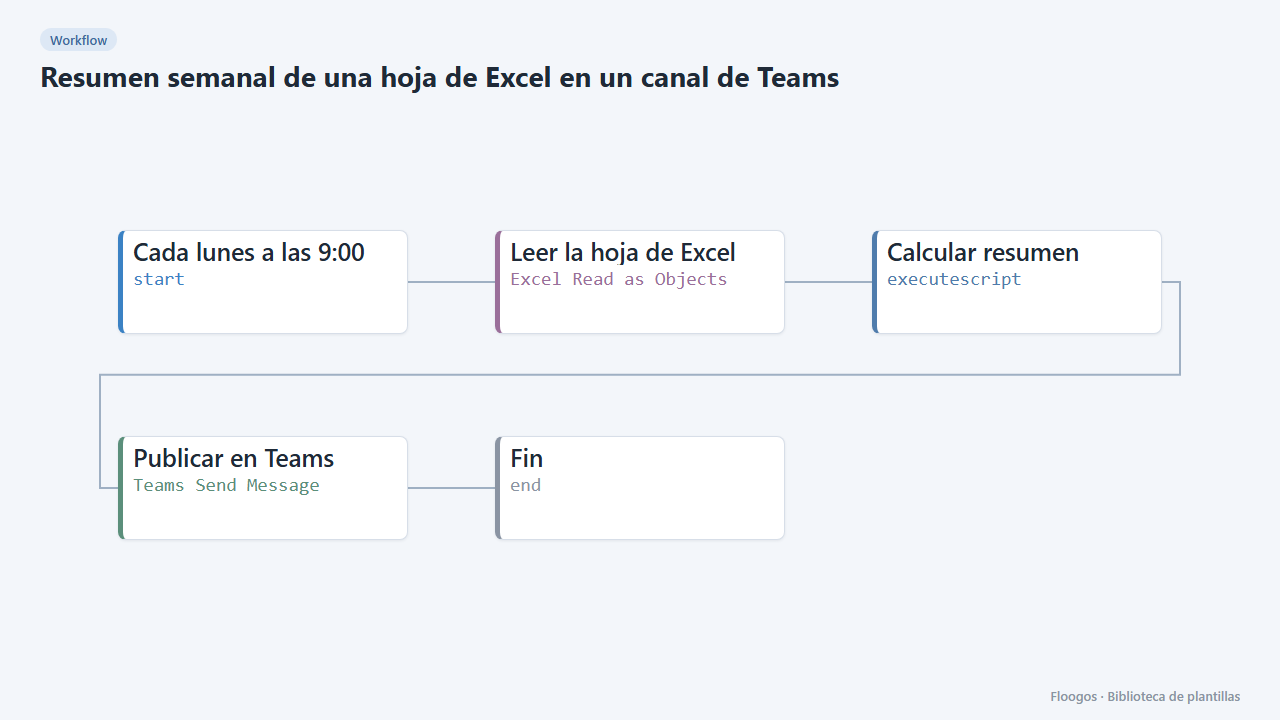
Every Monday it reads an Excel sheet from OneDrive, counts the rows of the last week, sums an amounts column and posts it to Teams.
Slack alert for high-value PrestaShop orders
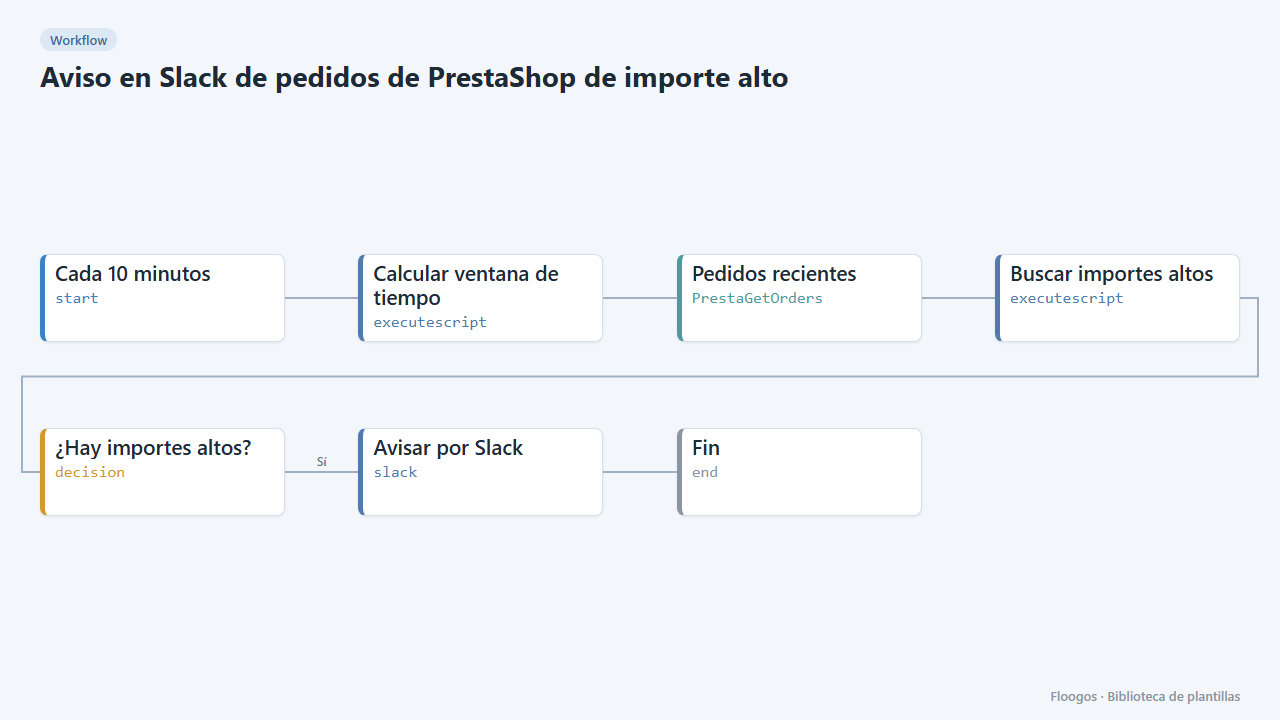
Every 10 minutes it looks for new PrestaShop orders above an amount and alerts on Slack for manual review.
Try it in under 5 minutes
Create the template in your account, connect your credentials and activate it when you are ready.
Use this template