
Telegram bot to check an order status
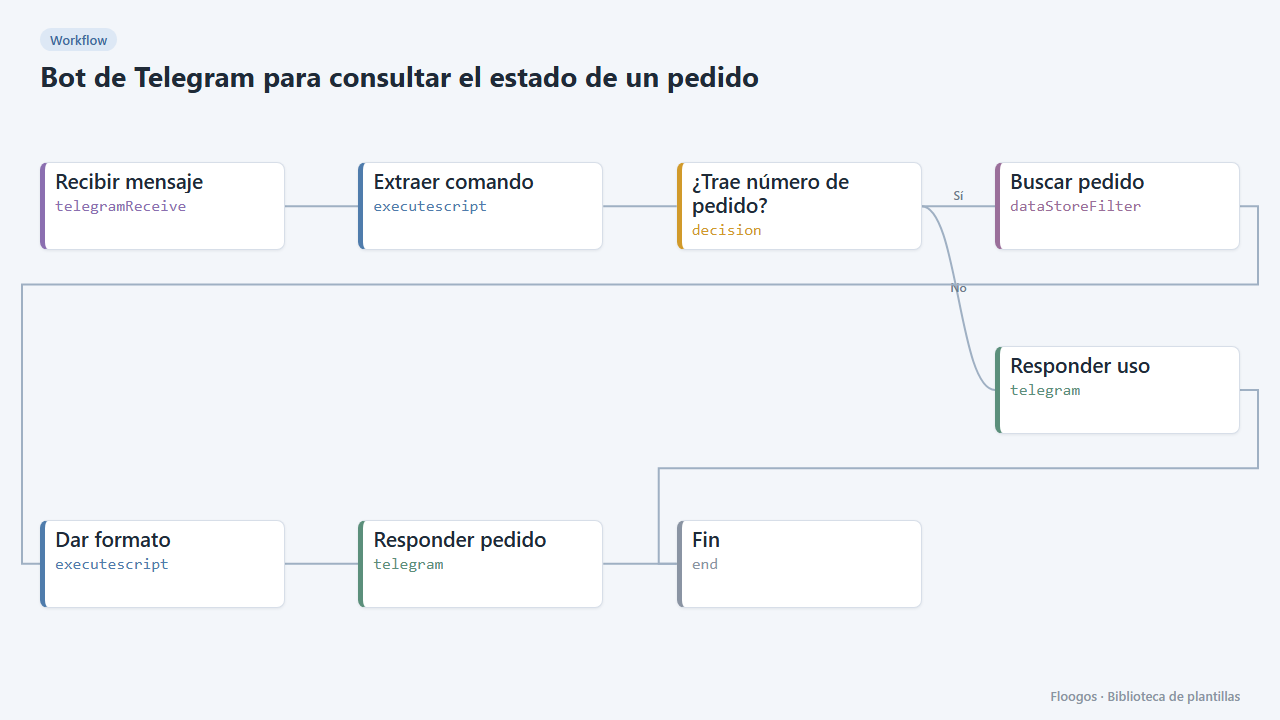
The customer types /pedido PED-1001 and the bot answers with the status read from a Data Store.
Everything is created inactive in a new folder of your account. Nothing runs until you activate it, and you can undo it for 24 hours.
What it does
Post-sales self-service on Telegram. The customer types /pedido PED-1001; the workflow looks that number up in the pedidos Data Store (each row key is the order number) and replies with the status, amount and date. If the number is missing or the order does not exist, the bot explains how to use the command.
What you need: a Telegram bot (@BotFather) and the pedidos Data Store with rows that include estado, total and fecha. You can feed it from your shop with a workflow using the Data Store Add node.
How to use it: install the template, paste the token into the trigger and the Telegram credentials and activate the workflow.
How to set it up
- 1
Connect the telegram credential
This template uses telegram in: Responder pedido, Responder uso. Create or pick the credential and assign it in those nodes.
- 2
Feed the Data Store
Store each order in the
pedidosgroup with the order number as key and the fieldsestado,totalandfecha. - 3
Connect the bot
Paste the bot token in Recibir mensaje and in the credentials of the Telegram nodes.
- 4
Test
Activate the workflow and send
/pedido PED-1001to your bot. Also try/pedidowith no number to see the help message. - 5
Activate the workflow
Workflows are installed inactive. Once everything is set, activate it.
Related templates
Other templates that use similar nodes or integrations.
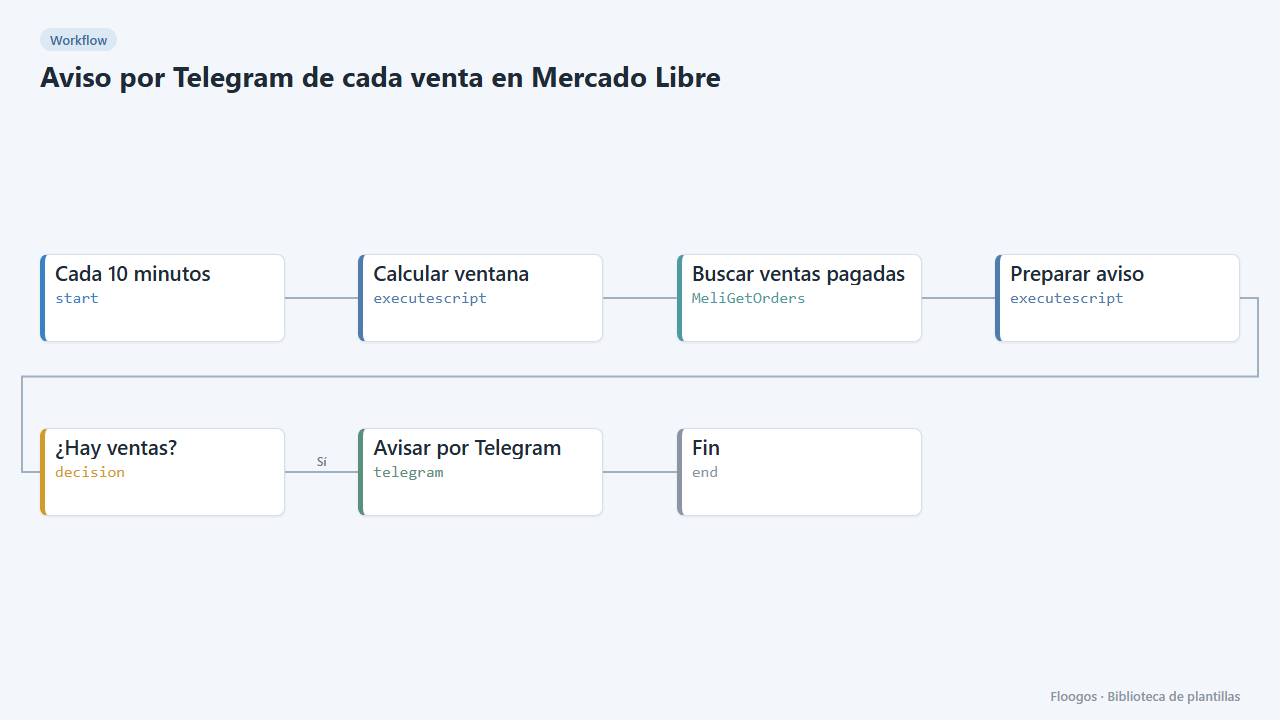
Telegram alert for every Mercado Libre sale
Every 10 minutes it checks paid Mercado Libre sales and sends you a Telegram summary with product, buyer and amount.
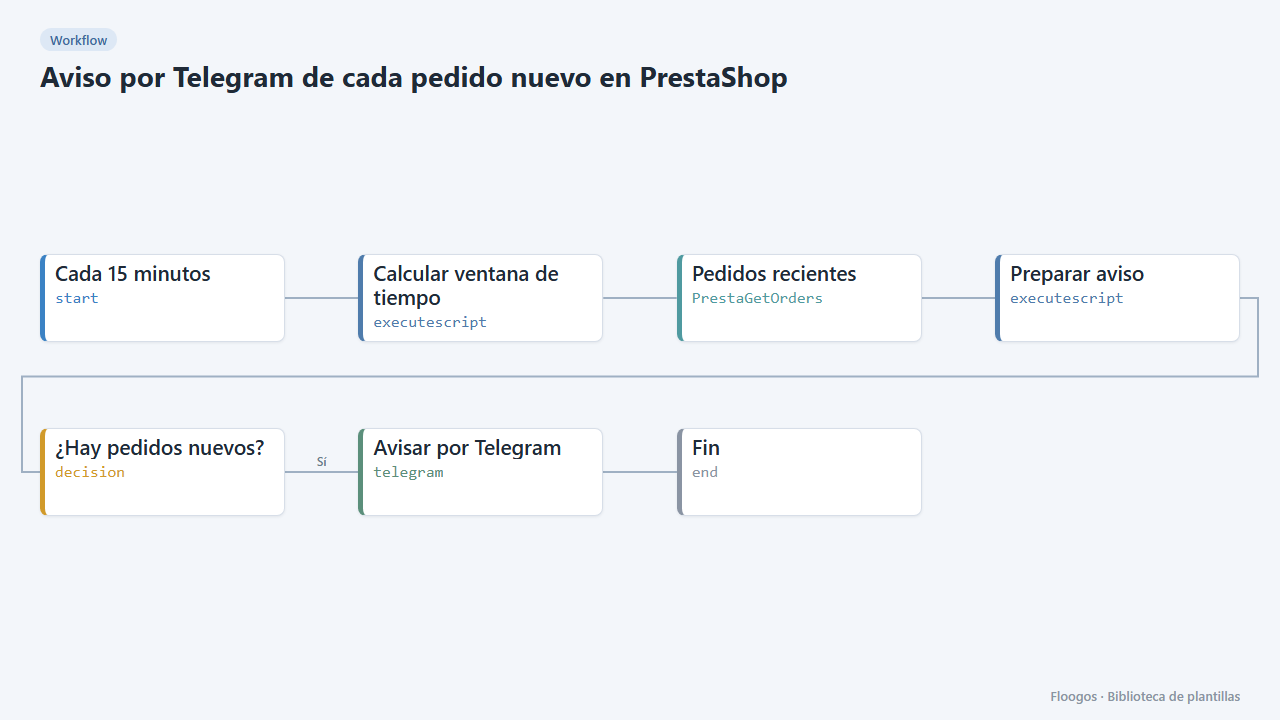
Telegram alert for every new PrestaShop order
Every 15 minutes it checks your PrestaShop store for new orders and sends them to Telegram with reference, amount and status.
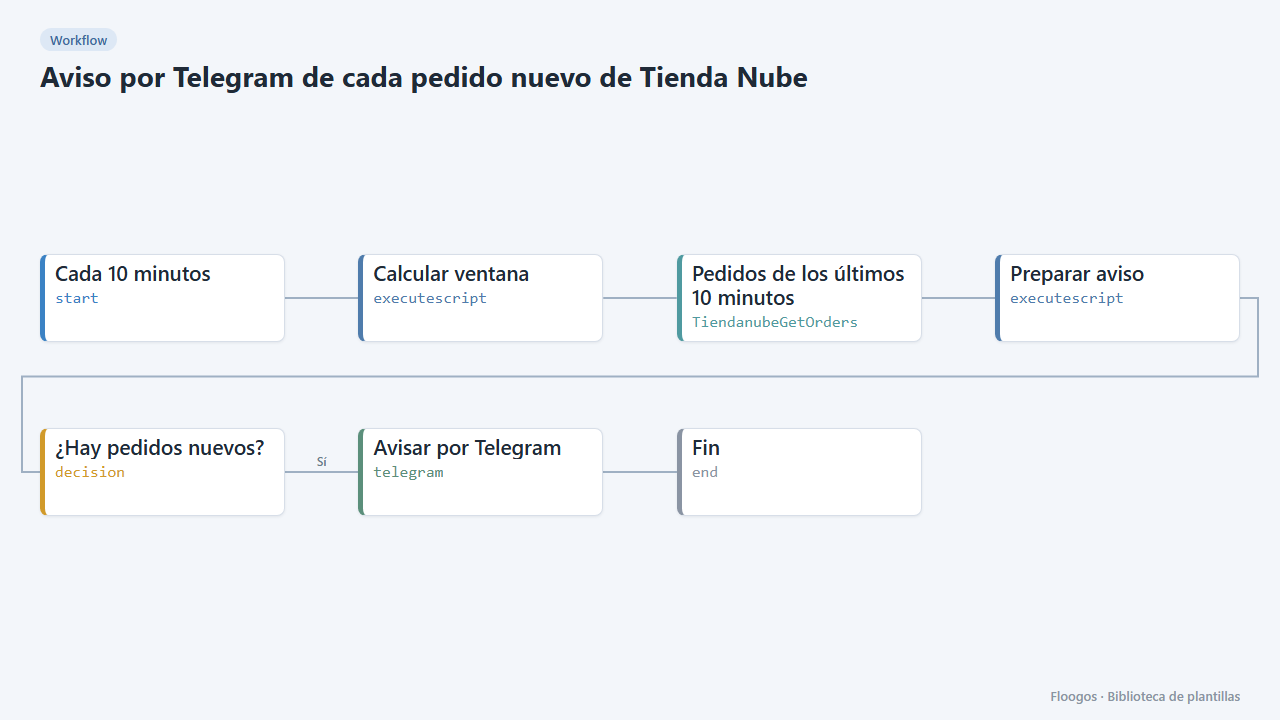
Telegram alert for every new Tienda Nube order
Every 10 minutes it looks for new orders in your Tienda Nube store and sends you a Telegram summary with number, customer, amount and status.
Try it in under 5 minutes
Create the template in your account, connect your credentials and activate it when you are ready.
Use this template