
AI ticket triage routed to the right channel
AI reads every incoming ticket, classifies it (billing, technical, sales) and sends it to the matching Slack channel.
Everything is created inactive in a new folder of your account. Nothing runs until you activate it, and you can undo it for 24 hours.
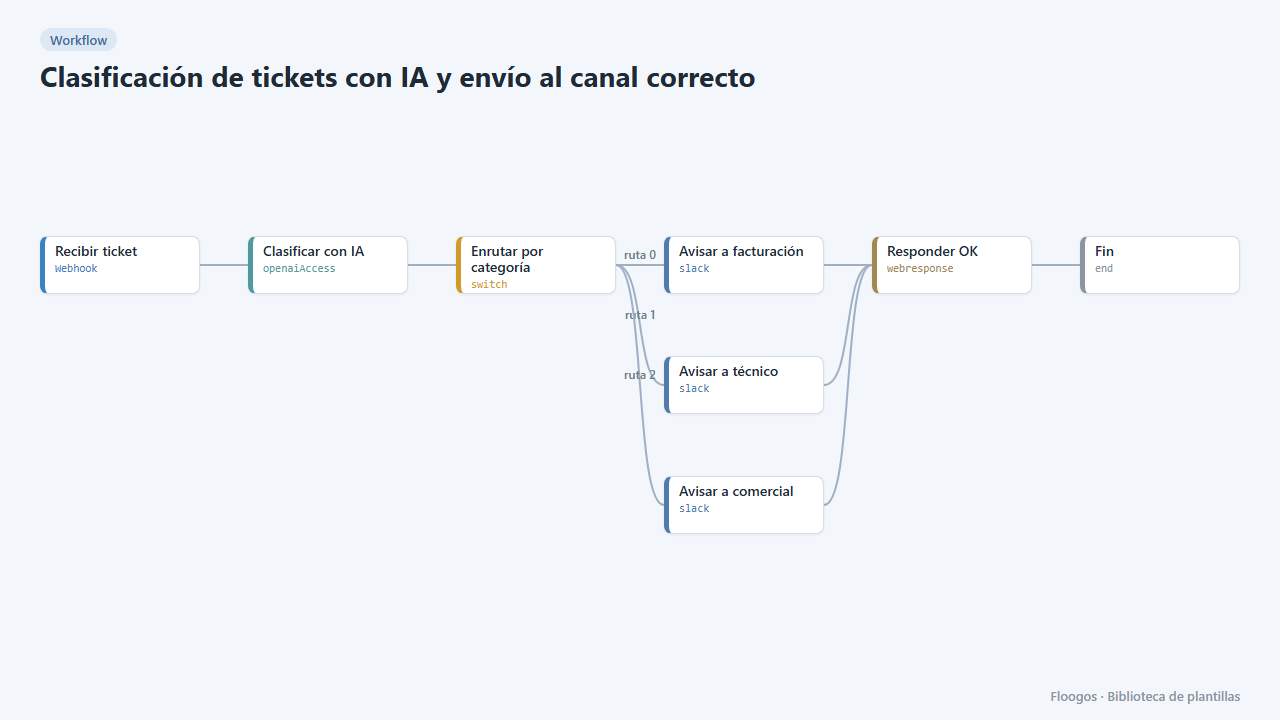
What it does
Every ticket arriving through the webhook (from your form, email or helpdesk) goes through OpenAI, which answers with a single word: facturacion, tecnico or comercial. A Switch node routes the ticket and a Slack message takes it to the right team, so nobody wastes time forwarding messages.
What you need: an OpenAI API key and a Slack Incoming Webhook for each team (you can use the same one for testing).
How to use it: install the template, connect OpenAI and the three Slack alerts and send tickets to the webhook.
How to set it up
- 1
Connect the openai credential
This template uses openai in: Clasificar con IA. Create or pick the credential and assign it in those nodes.
- 2
Connect the slack credential
This template uses slack in: Avisar a facturación, Avisar a técnico, Avisar a comercial. Create or pick the credential and assign it in those nodes.
- 3
Copy the webhook URL (Recibir ticket)
A new URL is generated on install. Paste it into the external system that must call this workflow.
- 4
Connect one Slack per team
Set up the Avisar a facturación, Avisar a técnico and Avisar a comercial nodes with each team channel Incoming Webhook.
- 5
Test with a ticket
Send a
POSTto the webhook URL with{"asunto":"No puedo entrar","mensaje":"Me da error 500 al iniciar sesión","cliente":"Ana"}. It should arrive in the technical channel. - 6
Activate the workflow
Workflows are installed inactive. Once everything is set, activate it.
Related templates
Other templates that use similar nodes or integrations.
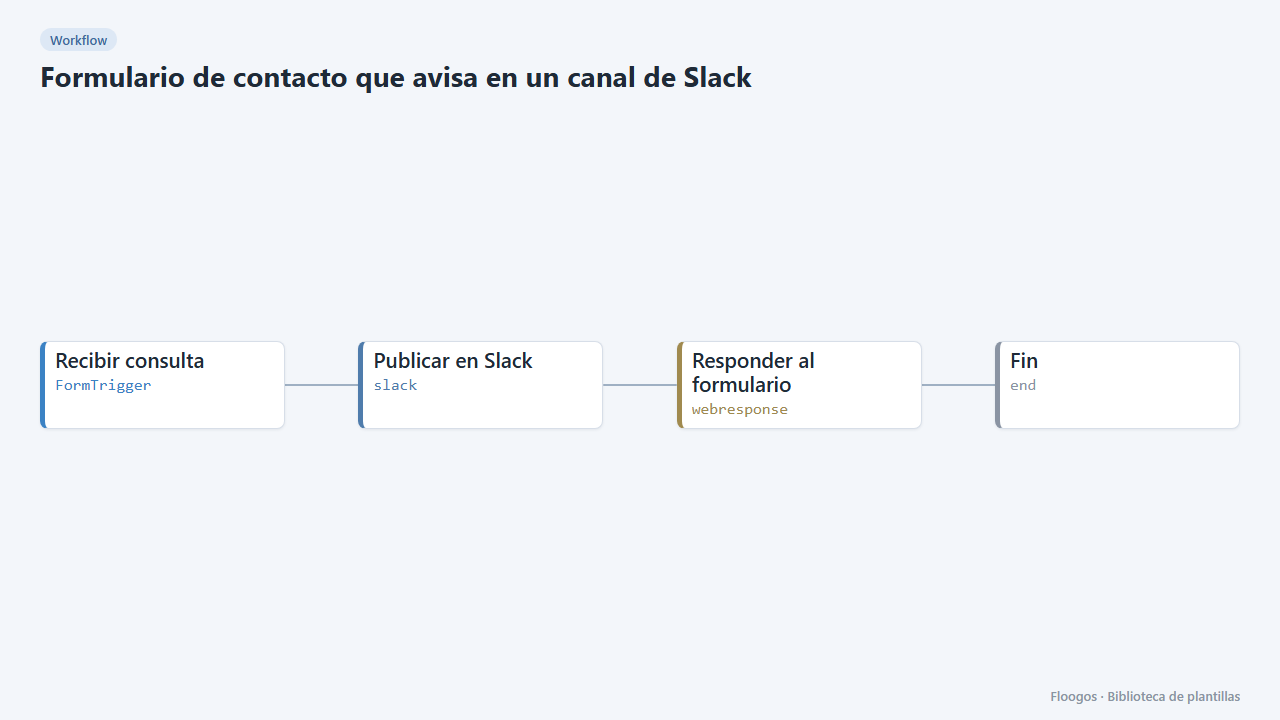
Contact form that notifies a Slack channel
Includes a public contact form: every submission lands in your team Slack channel and the visitor gets a confirmation.
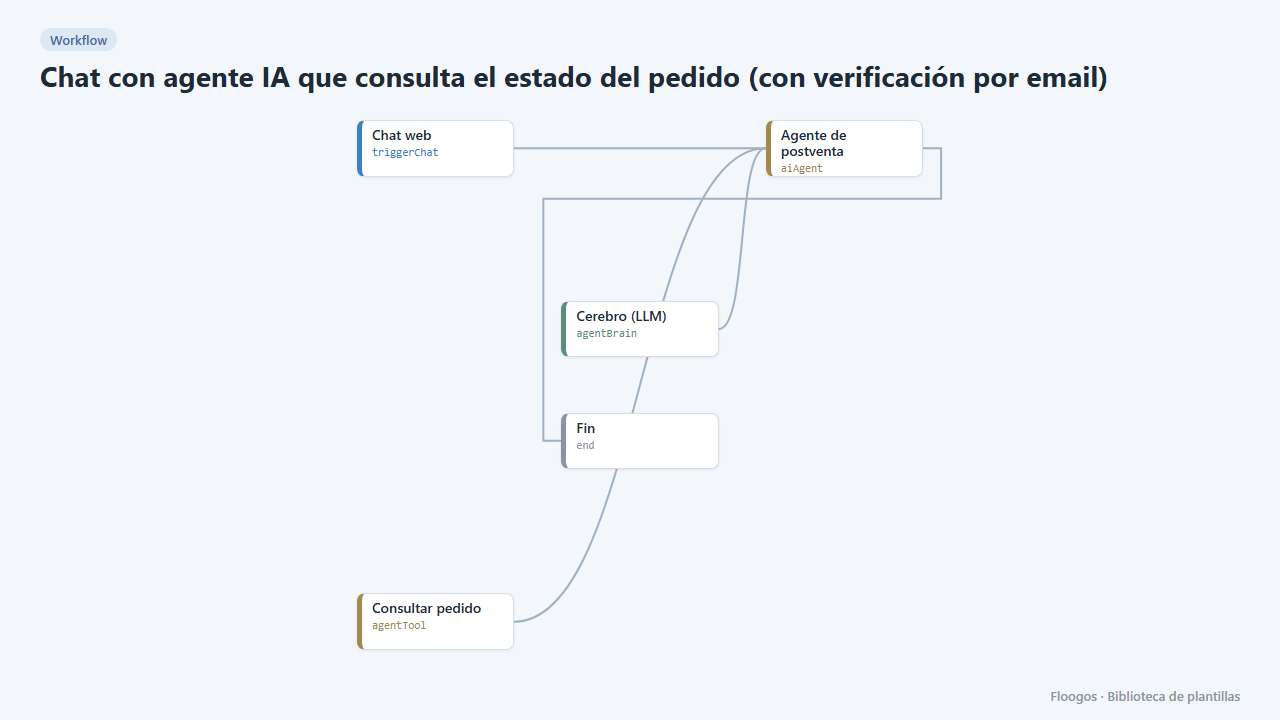
AI agent chat that checks order status (with email verification)
Your customers ask about their order in the chat and the agent answers with real data, only after verifying their email with a code.
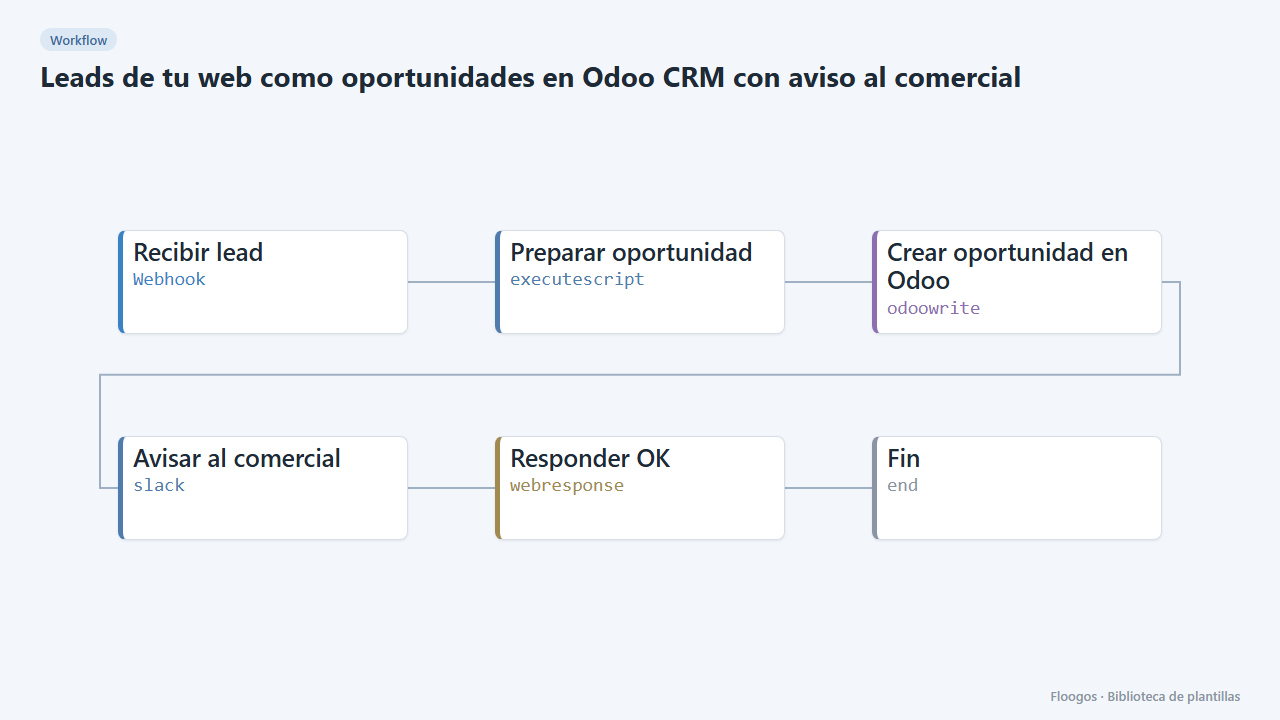
Website leads as Odoo CRM opportunities with a sales alert
Every contact form creates an opportunity in the Odoo CRM and alerts the sales team on Slack.
Try it in under 5 minutes
Create the template in your account, connect your credentials and activate it when you are ready.
Use this template