
Contact form that notifies a Slack channel
Includes a public contact form: every submission lands in your team Slack channel and the visitor gets a confirmation.
Everything is created inactive in a new folder of your account. Nothing runs until you activate it, and you can undo it for 24 hours.
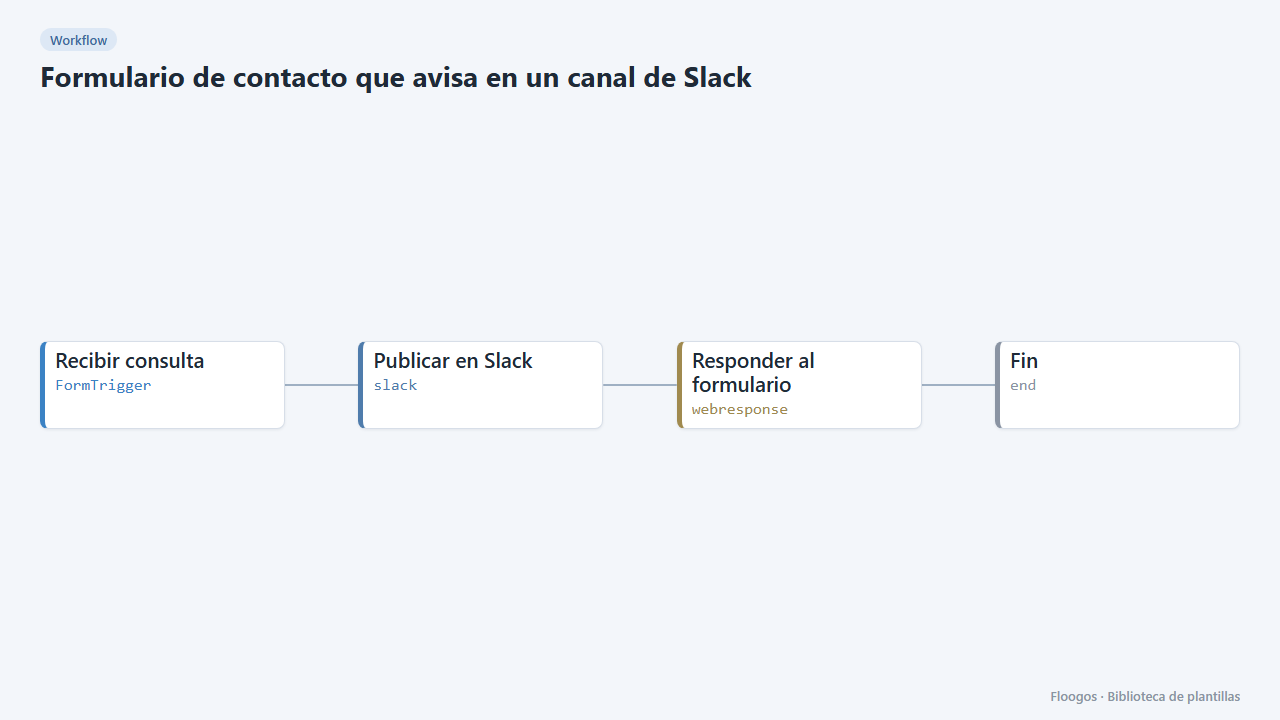
What it does
A ready-to-publish contact form (name, email, reason and message) connected to Slack. Every submission is posted to the channel you choose with all the data, so the team can handle it without checking any inbox. The visitor sees a confirmation message.
What you need: a Slack Incoming Webhook.
How to use it: install the template, connect Slack, share the public form link or embed it on your website and try a submission.
How to set it up
- 1
Connect the slack credential
This template uses slack in: Publicar en Slack. Create or pick the credential and assign it in those nodes.
- 2
Copy the webhook URL (Recibir consulta)
A new URL is generated on install. Paste it into the external system that must call this workflow.
- 3
Publish and test the form "Contacto"
Open it, publish it and submit a test entry to check the workflow starts.
- 4
Connect Slack
In the Publicar en Slack node paste the Incoming Webhook of the channel that will receive the enquiries.
- 5
Customise the form
Edit the Contacto form to add or remove fields. If you rename a field, also update the Slack node message.
- 6
Try a submission
Open the public form link, send a test enquiry and check that it arrives in the channel.
- 7
Activate the workflow
Workflows are installed inactive. Once everything is set, activate it.
Related templates
Other templates that use similar nodes or integrations.
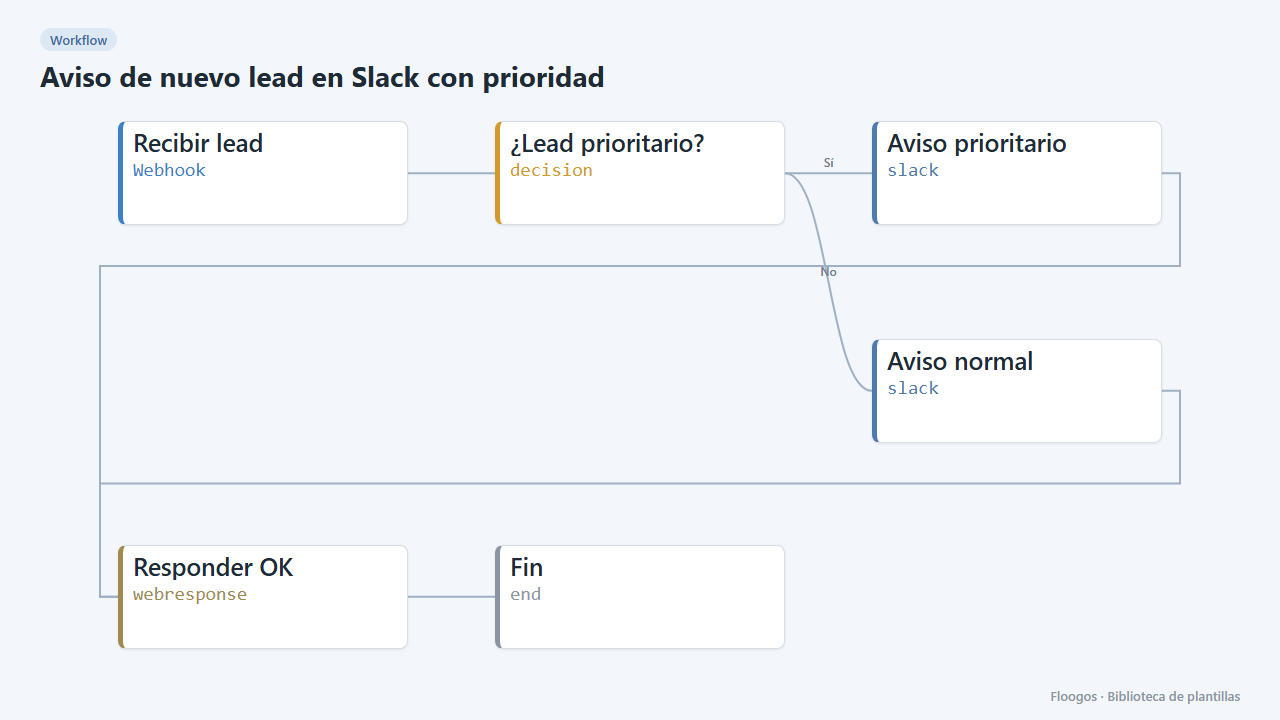
New lead alert on Slack with priority
Every lead arriving via webhook is posted to Slack with its details; higher-budget ones are flagged as priority.
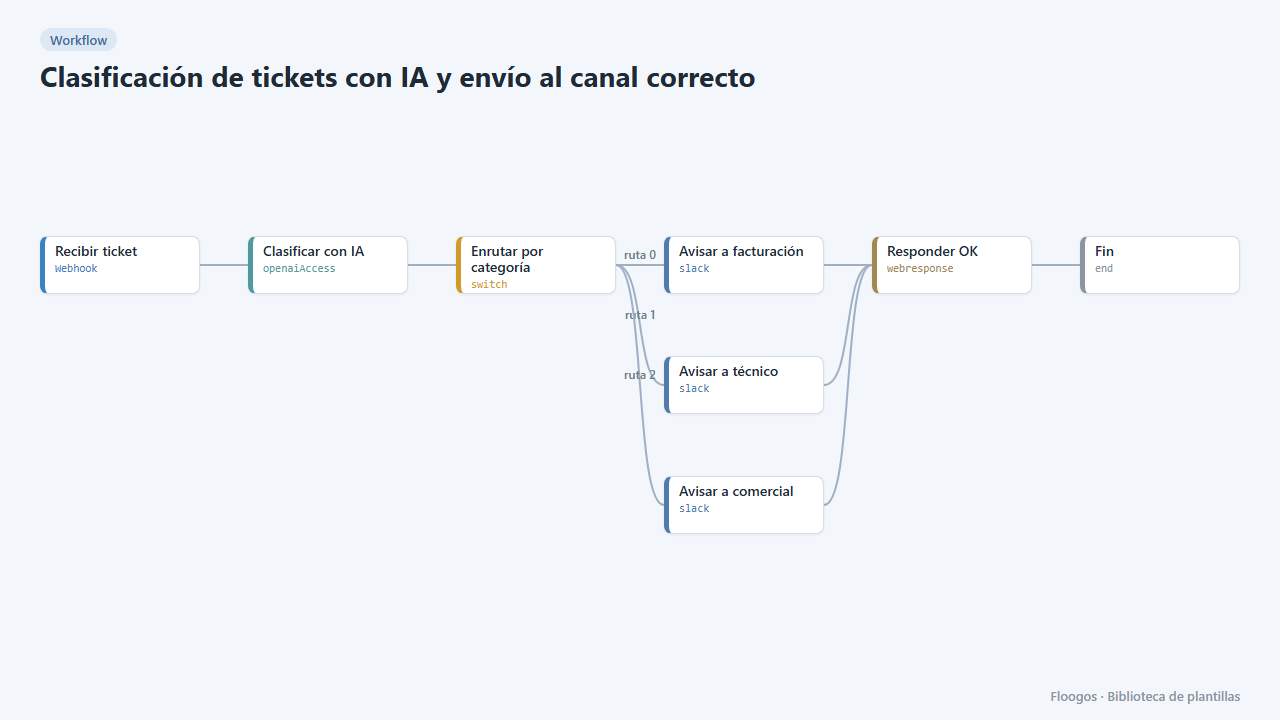
AI ticket triage routed to the right channel
AI reads every incoming ticket, classifies it (billing, technical, sales) and sends it to the matching Slack channel.
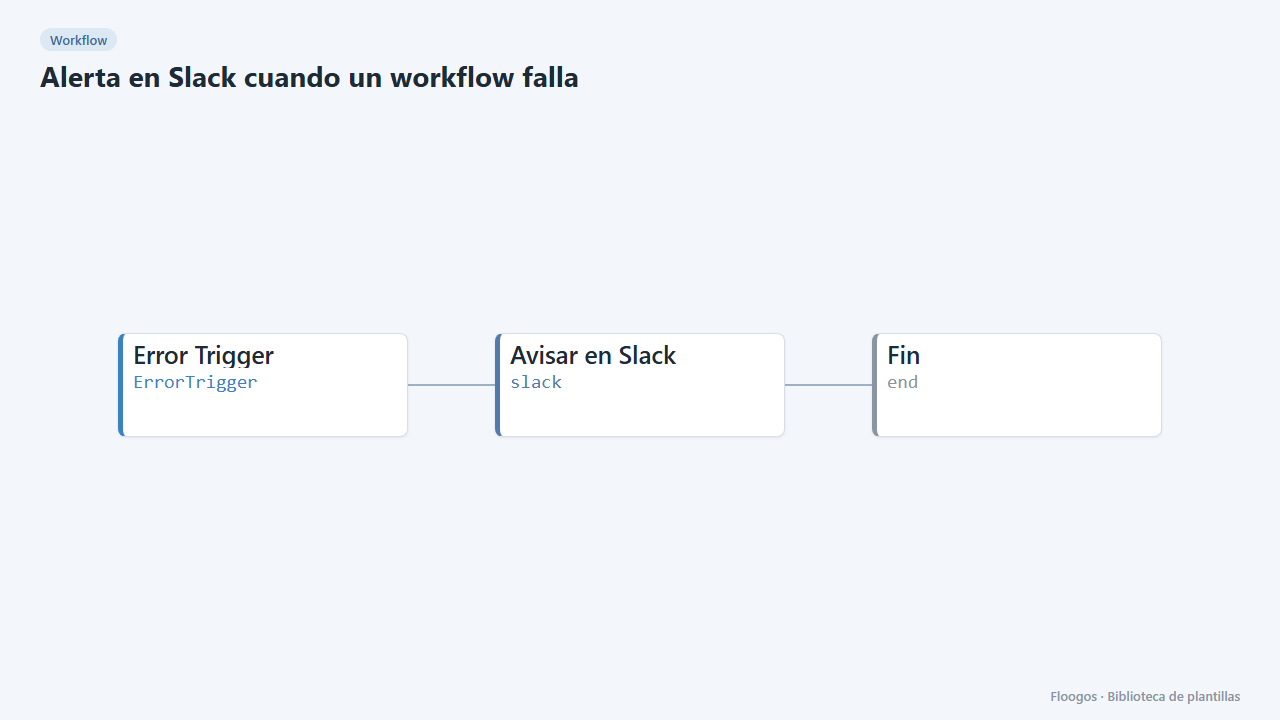
Slack alert when a workflow fails
Global error handler: when any of your workflows fails, it alerts on Slack with the workflow, node and error message.
Try it in under 5 minutes
Create the template in your account, connect your credentials and activate it when you are ready.
Use this template