
Daily exchange-rate history
Every day it fetches the US dollar exchange rates and stores one row per date in a Data Store, ready for reports and reconciliations.
Everything is created inactive in a new folder of your account. Nothing runs until you activate it, and you can undo it for 24 hours.
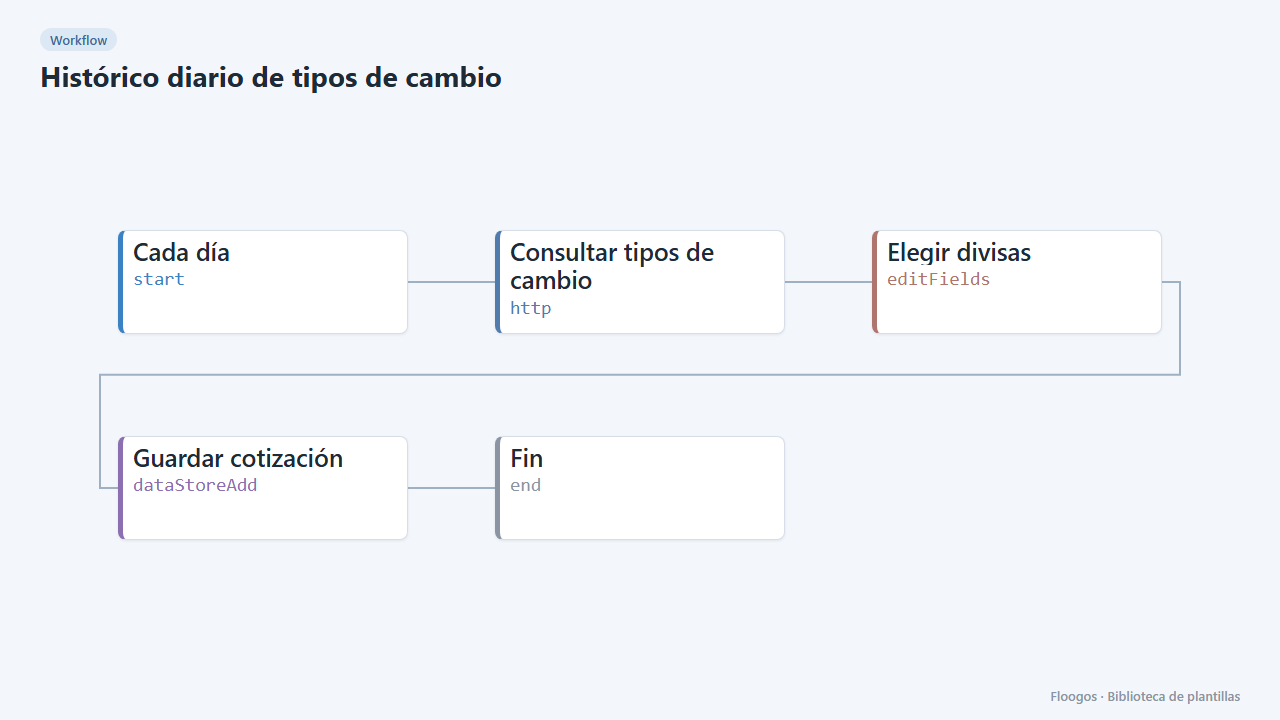
What it does
A scheduled workflow that fetches a public exchange-rate API every day (USD base), keeps the currencies you care about and stores one row per date in a Data Store. Over time you build your own history for reports, dashboards or converting amounts at the daily rate.
What you need: nothing else. The API used requires no key. You can change the currencies in the Elegir divisas node.
How to use it: install the template, review the schedule and activate the workflow.
How to set it up
- 1
Adjust the currencies
In the Elegir divisas node add or remove fields using the
{{rates.XXX}}pattern (for example{{rates.MXN}}). - 2
Run it once
Run the workflow manually and open the
tipos_cambioData Store: a row with the current date should appear. - 3
Activate the workflow
Workflows are installed inactive. Once everything is set, activate it.
Related templates
Other templates that use similar nodes or integrations.
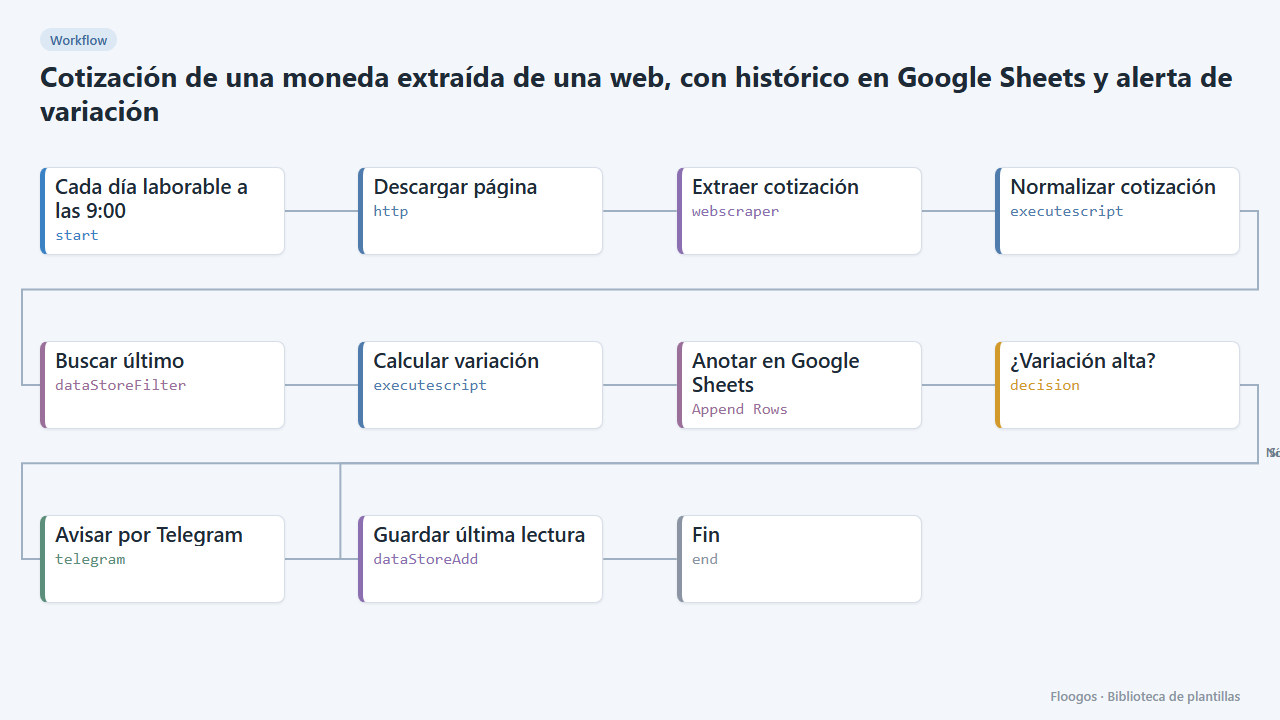
Currency rate scraped from a website, with Google Sheets history and variation alert
Reads the dollar, euro or any currency rate from a web page, logs it in Google Sheets every day and alerts you on Telegram when it moves more than a set percentage.
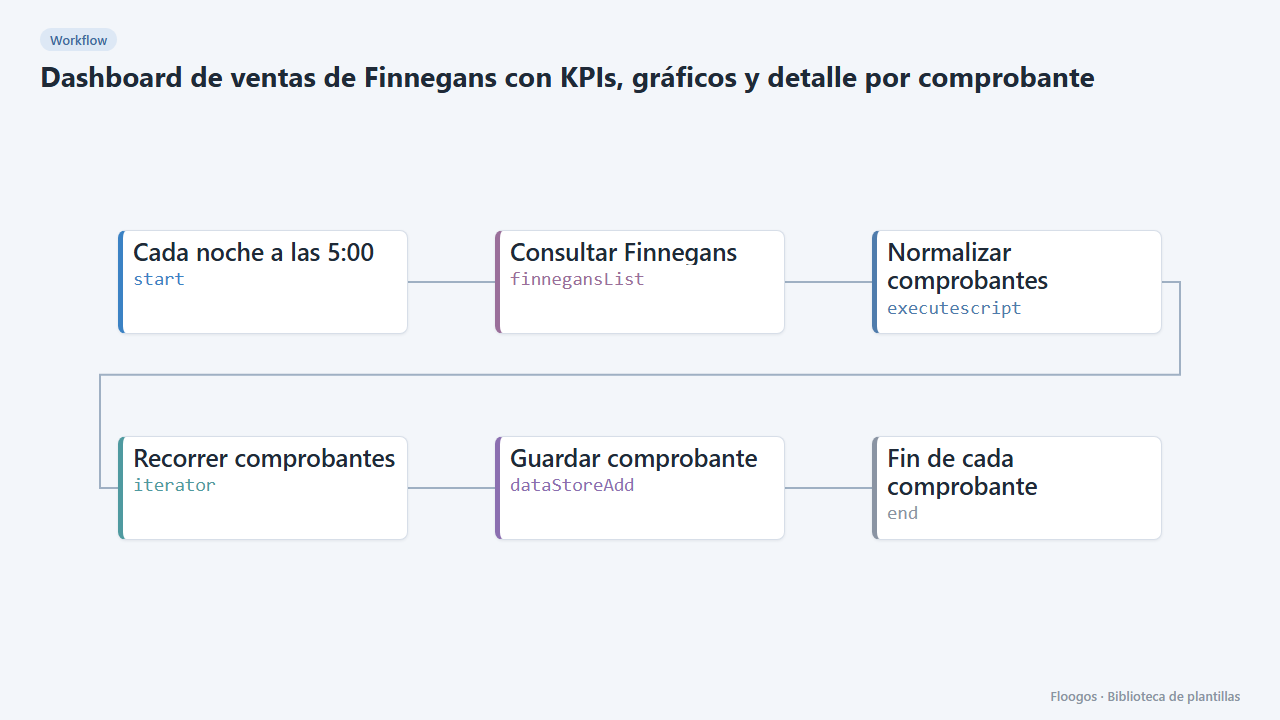
Finnegans sales dashboard with KPIs, charts and per-document detail
Copies Finnegans documents to an interactive dashboard every night: revenue, average ticket, monthly trend, top customers and sellers, with search, a status filter and a side panel with each document's detail.
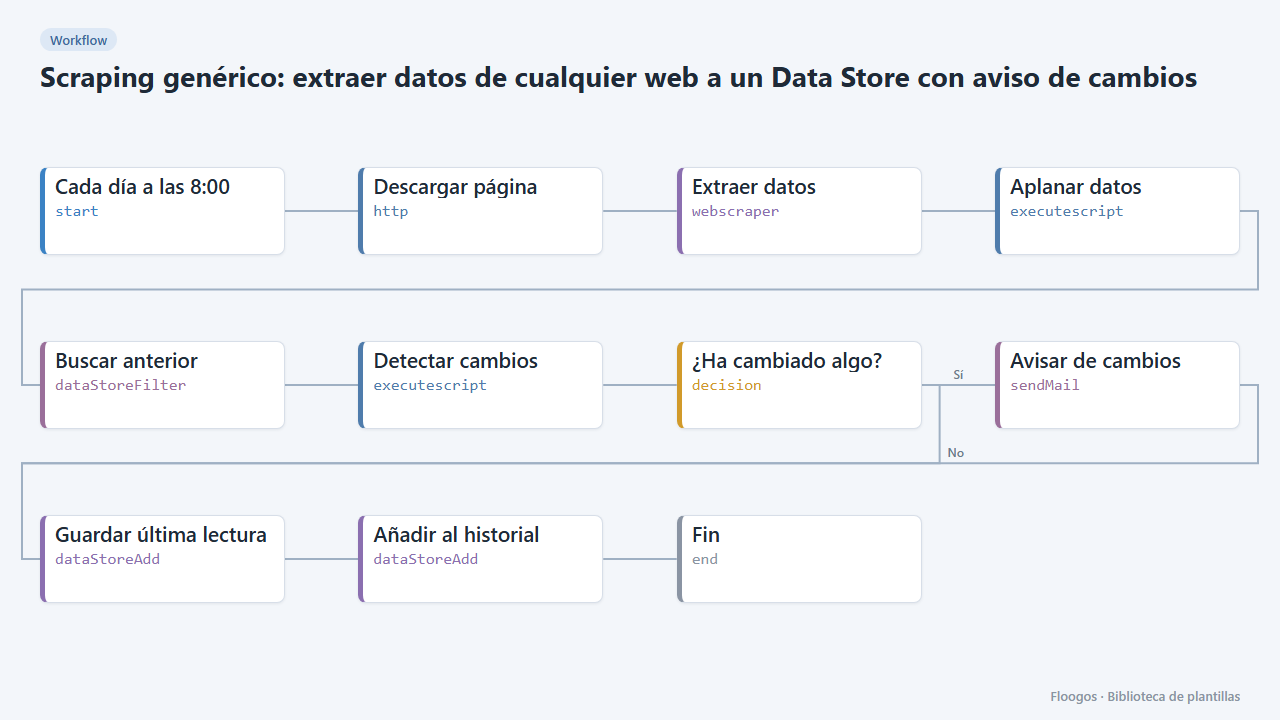
Generic scraping: extract data from any website into a Data Store with change alerts
Base template: you give a URL and the CSS selectors of what you want to extract, and the workflow stores each reading in a Data Store and alerts you if any value changes.
Try it in under 5 minutes
Create the template in your account, connect your credentials and activate it when you are ready.
Use this template