
Odoo Integration
Read and write any Odoo model — contacts, sales orders, products, invoices — from a visual workflow, with no custom module.
Read the Odoo technical documentationWhat you can sync with Odoo
Floogos connects to Odoo's API with generic, credential-based access: point a workflow at any endpoint and model — res.partner, sale.order, product.template, account.move or a custom one — and read or write records without writing a line of Python. Pagination, retries and error handling are built in, so you can build reliable syncs in minutes instead of a custom Odoo module.
Contacts (res.partner)
Sales orders (sale.order)
Products (product.template)
Invoices and journal entries (account.move)
Triggers
- New or updated record on any model
- New sales order
- Invoice validated
- Product / stock change
Actions
- Read records from any model (paginated)
- Create a record (POST)
- Update a record (PUT)
- Map fields between Odoo and other systems
Use cases
E-commerce to Odoo order sync
When an order is paid on your store, create it as a sale.order in Odoo with the customer resolved or created in res.partner.
Product catalog sync
Push product.template records — price, stock, description — from Odoo to your e-commerce or marketplace on a schedule or on change.
Invoice to e-invoicing bridge
When an account.move is validated in Odoo, trigger the country tax connector to issue the legal e-invoice and store the CAE/UUID back on the record.
Frequently asked questions
Which Odoo models can I read or write?
Any model exposed by your Odoo instance — res.partner, sale.order, product.template, account.move, or custom models — by pointing the connector at the corresponding endpoint.
Do I need to develop a custom Odoo module?
No. Floogos reads and writes through the Odoo API with basic-auth credentials configured once; you build the logic visually in the workflow.
Does it handle pagination on large datasets?
Yes. Reads paginate automatically and can follow next-page links until the full dataset is retrieved, with configurable delay and retries.
Odoo combinations
Connect two systems at once with Floogos.
Related integrations
Odoo templates
Automations ready to install in your account.
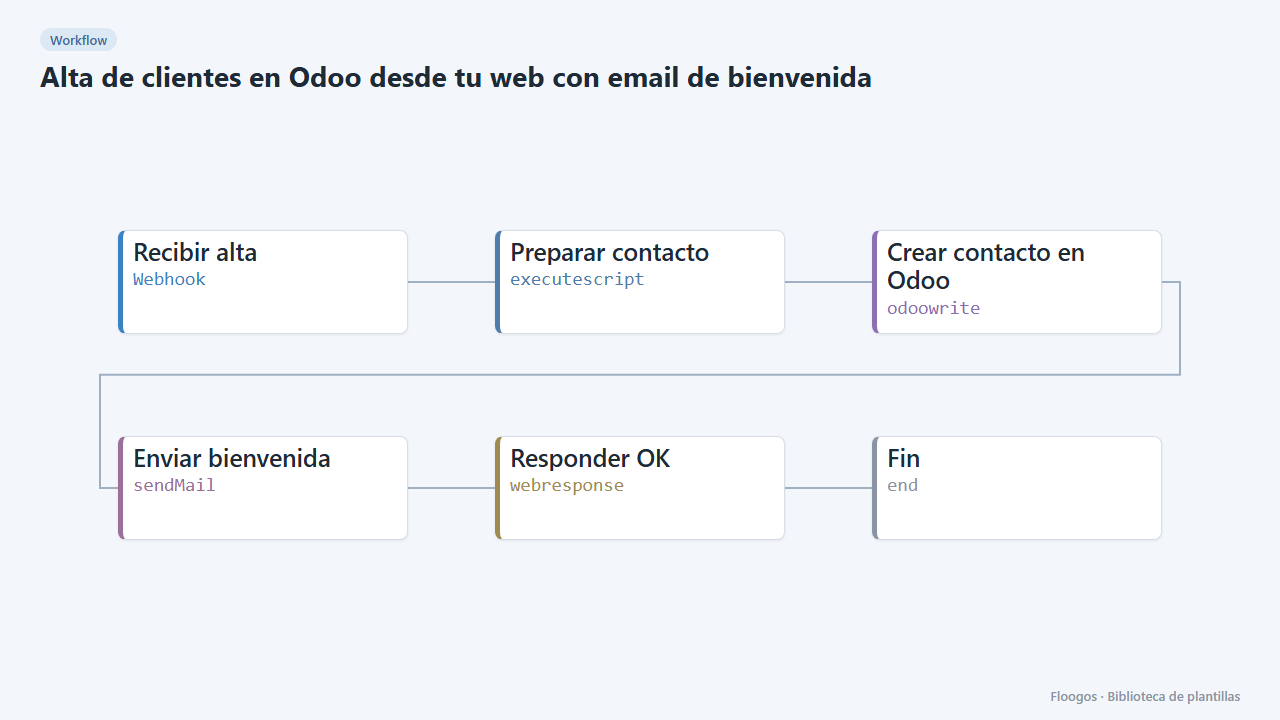
Create Odoo customers from your website with a welcome email
When someone signs up on your website it creates the contact in Odoo and sends them a welcome email.
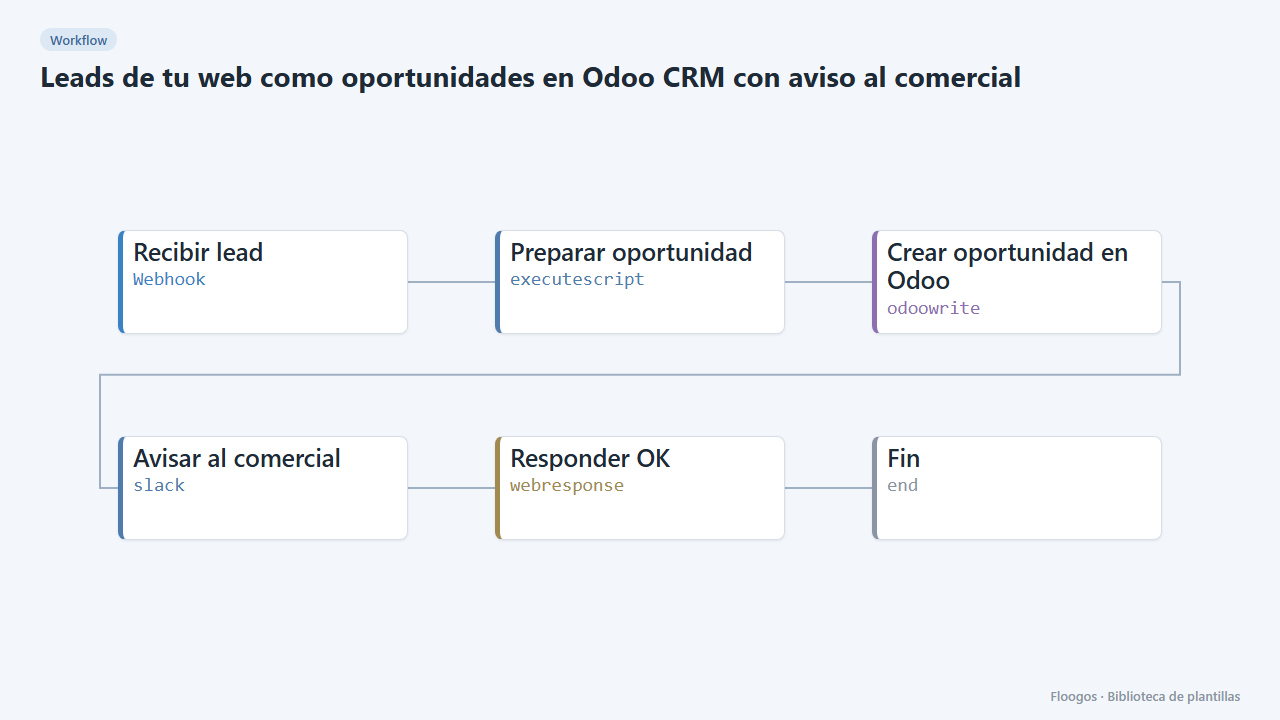
Website leads as Odoo CRM opportunities with a sales alert
Every contact form creates an opportunity in the Odoo CRM and alerts the sales team on Slack.
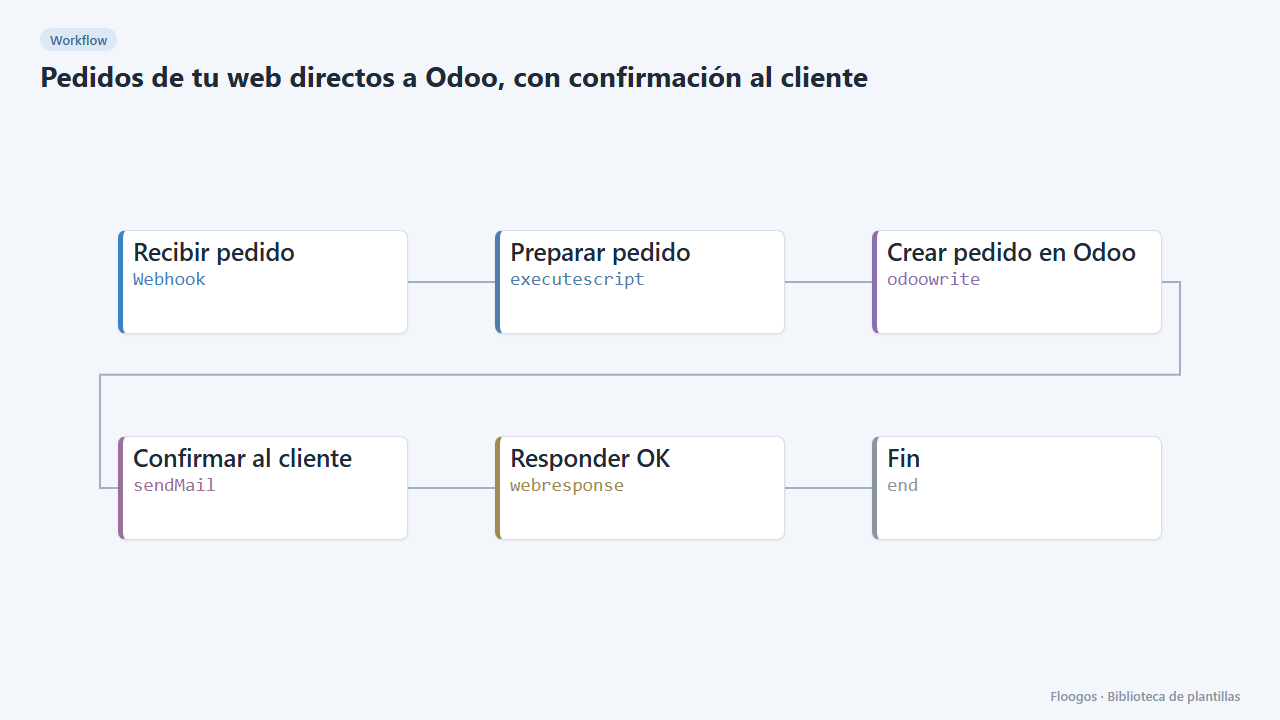
Web orders straight into Odoo, with customer confirmation
Receives each order by webhook, sends it to your Odoo REST API as a sales order and confirms to the customer by email.
Connect Odoo today
Start free or book a demo and automate your processes in minutes.