
Mercado Pago refunds from your own system
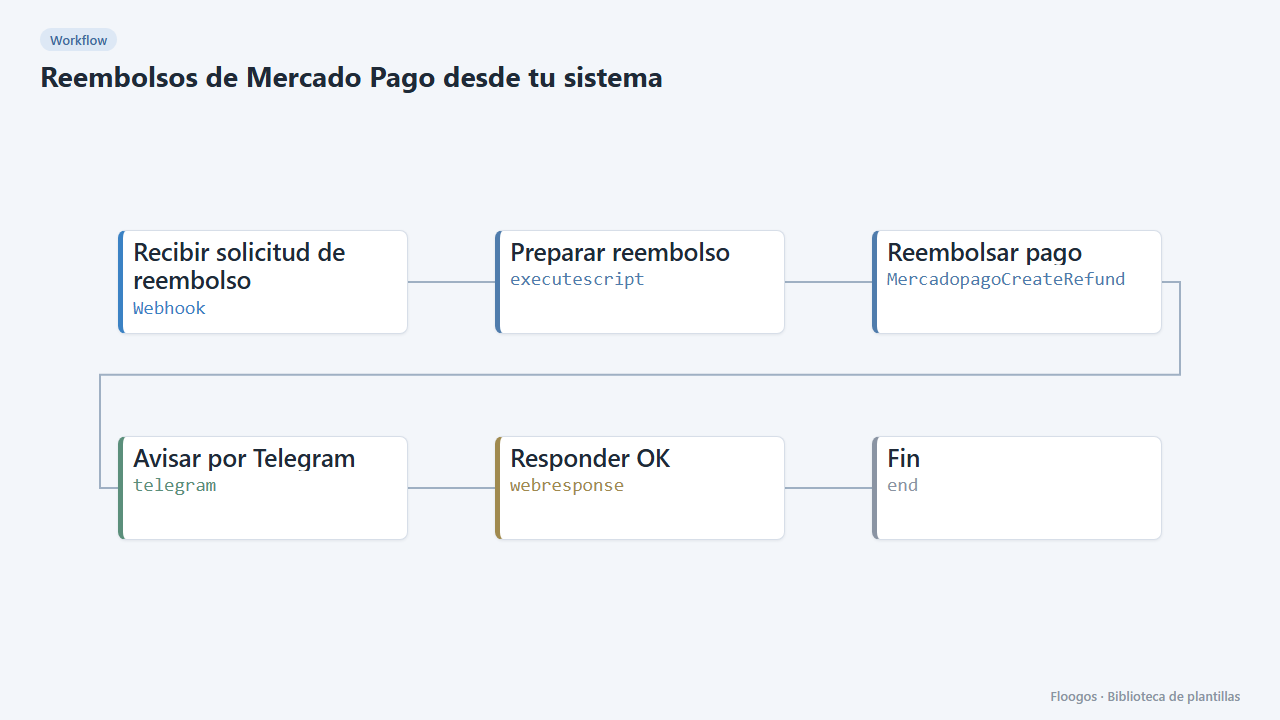
A webhook receives a payment ID (and optionally an amount), refunds it in Mercado Pago and alerts you on Telegram.
Everything is created inactive in a new folder of your account. Nothing runs until you activate it, and you can undo it for 24 hours.
What it does
Lets your CRM, support panel or ERP trigger refunds without opening Mercado Pago. The workflow receives the payment ID, creates the refund (full, or partial if you send an amount) and records it with a Telegram alert including the refund ID, amount and status.
What you need: Mercado Pago credentials (Access Token) and a Telegram bot with your chat ID.
How to use it: install the template, connect the credentials and POST to the webhook with {"payment_id":"1234567890"} for a full refund or {"payment_id":"1234567890","amount":500} for a partial one.
Important: the webhook moves money. Keep its URL secret and call it only from trusted systems.
How to set it up
- 1
Connect the mercadopago credential
This template uses mercadopago in: Reembolsar pago. Create or pick the credential and assign it in those nodes.
- 2
Connect the telegram credential
This template uses telegram in: Avisar por Telegram. Create or pick the credential and assign it in those nodes.
- 3
Copy the webhook URL (Recibir solicitud de reembolso)
A new URL is generated on install. Paste it into the external system that must call this workflow.
- 4
Connect Mercado Pago and Telegram
Select your credentials in Reembolsar pago and Avisar por Telegram, and set your chat by replacing
TU_CHAT_ID. - 5
Test in test mode
First use the test Access Token with a test payment. Check the alert shows the refund status.
- 6
Activate the workflow
Workflows are installed inactive. Once everything is set, activate it.
Related templates
Other templates that use similar nodes or integrations.
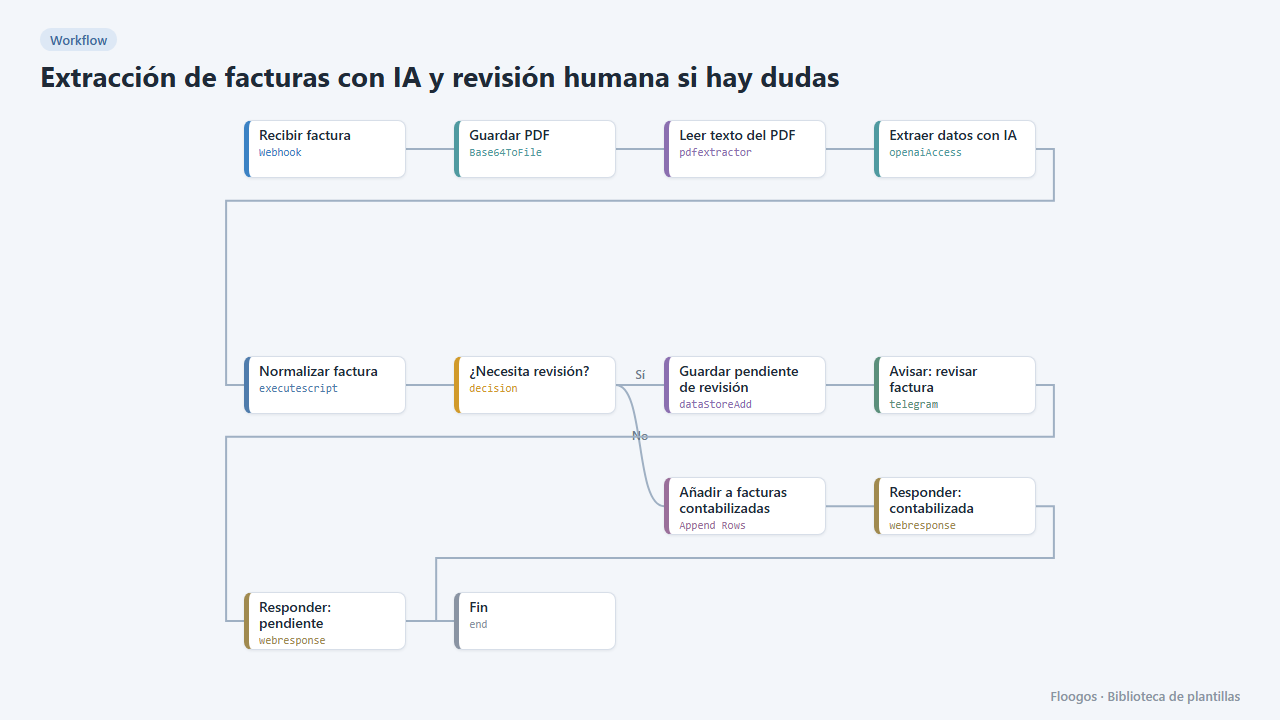
AI invoice extraction with human review when in doubt
AI extracts the invoice data; reliable ones go straight to the sheet, and if confidence is low or fields are missing they are set aside and you get a Telegram alert to review them.
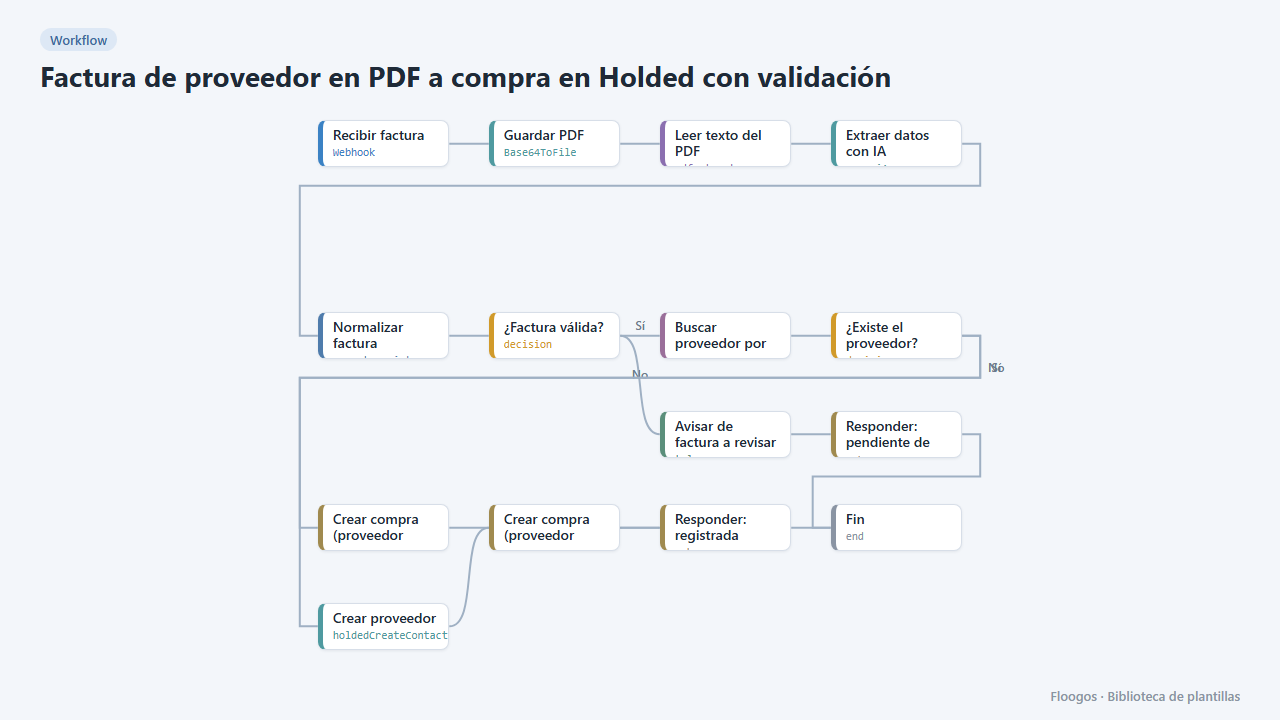
Supplier PDF invoice to a Holded purchase with validation
AI reads the PDF invoice, validates amounts and required fields, finds or creates the supplier in Holded and records the purchase; if anything fails it alerts you on Telegram.
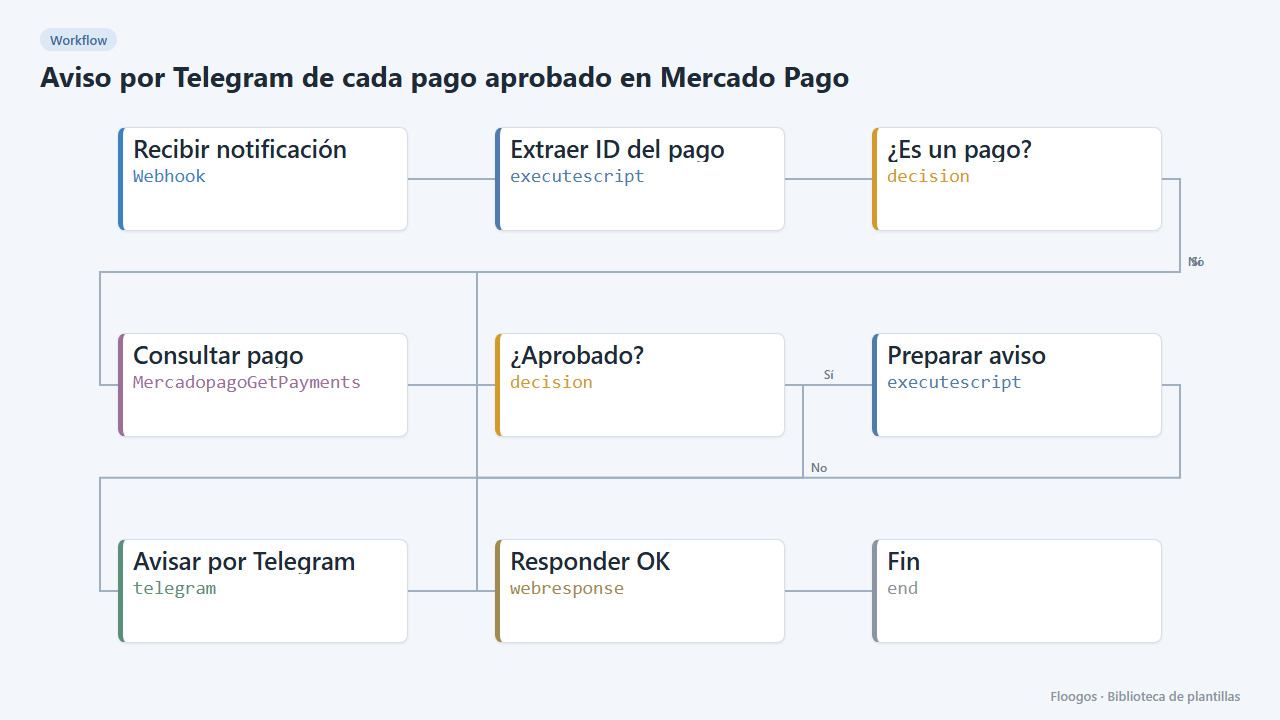
Telegram alert for every approved Mercado Pago payment
When Mercado Pago notifies a payment, it checks it is approved and alerts you on Telegram with the amount and reference.
Try it in under 5 minutes
Create the template in your account, connect your credentials and activate it when you are ready.
Use this template