
AI Telegram bot that answers questions
An AI agent with memory answers each of your customers questions on Telegram, remembering each chat conversation.
Everything is created inactive in a new folder of your account. Nothing runs until you activate it, and you can undo it for 24 hours.
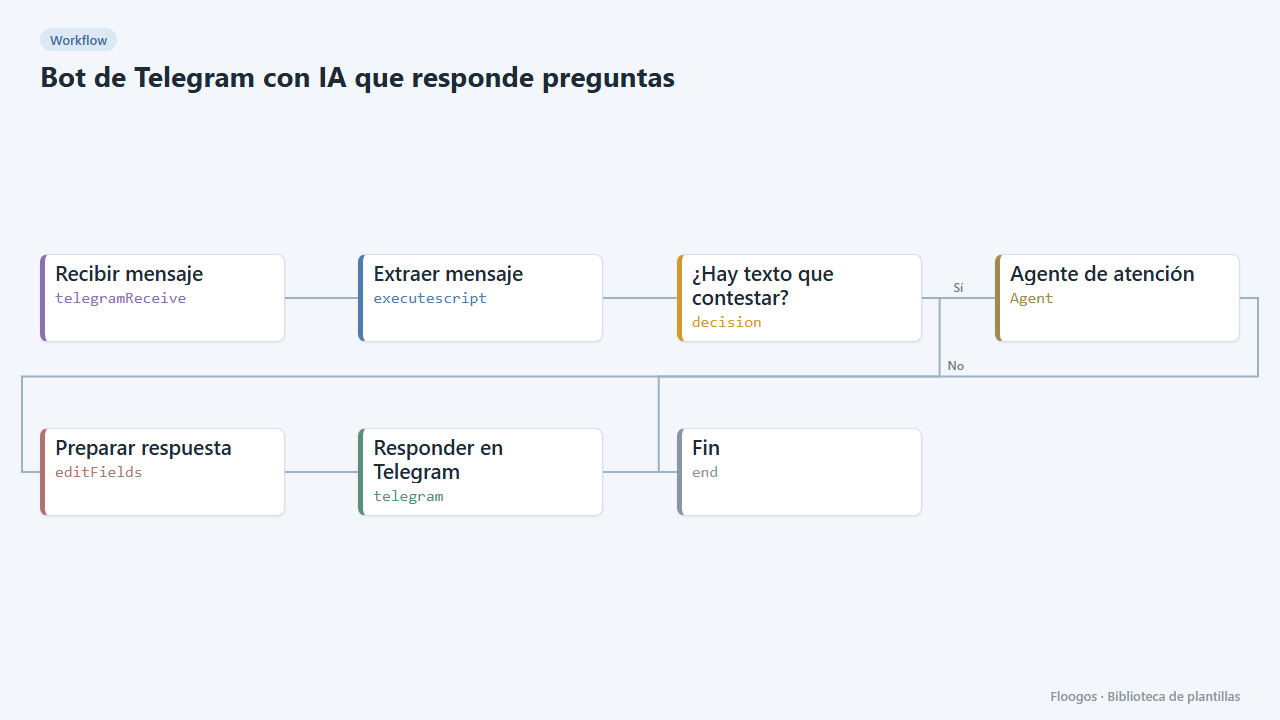
What it does
Turn your Telegram bot into an assistant that understands free-form questions. Every text message goes through an AI agent (OpenAI) with per-chat memory, which answers in the user language with short sentences. The agent prompt is editable: that is where you describe what your company does, opening hours, terms and when to hand over to a person.
What you need: a Telegram bot (@BotFather) and an OpenAI API key.
How to use it: install the template, paste the bot token, connect OpenAI, customise the agent prompt and activate the workflow.
How to set it up
- 1
Connect the openai credential
This template uses openai in: Agente de atención. Create or pick the credential and assign it in those nodes.
- 2
Connect the telegram credential
This template uses telegram in: Responder en Telegram. Create or pick the credential and assign it in those nodes.
- 3
Connect the bot and OpenAI
Paste your bot token in Recibir mensaje and in the Responder en Telegram credentials, and pick your OpenAI key in Agente de atención.
- 4
Teach the agent
Edit the Agente de atención prompt: what you sell, opening hours, policies and when to ask for a human to follow up. The more specific, the better the answers.
- 5
Test
Activate the workflow, send a question to your bot on Telegram and check the answer. Ask a follow-up that depends on the first one to see the memory working.
- 6
Activate the workflow
Workflows are installed inactive. Once everything is set, activate it.
Related templates
Other templates that use similar nodes or integrations.
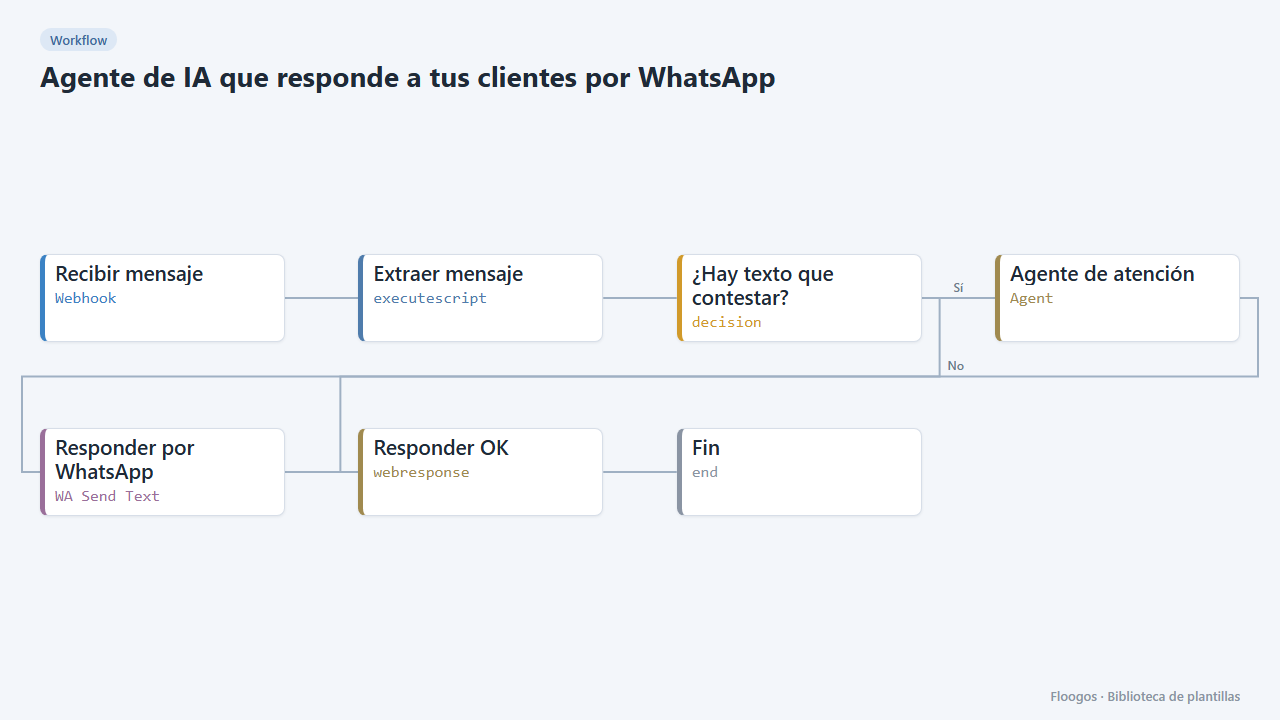
AI agent that answers your customers on WhatsApp
Every WhatsApp message you receive is answered by an AI agent that remembers the conversation, and the reply goes back to the customer on the same channel.
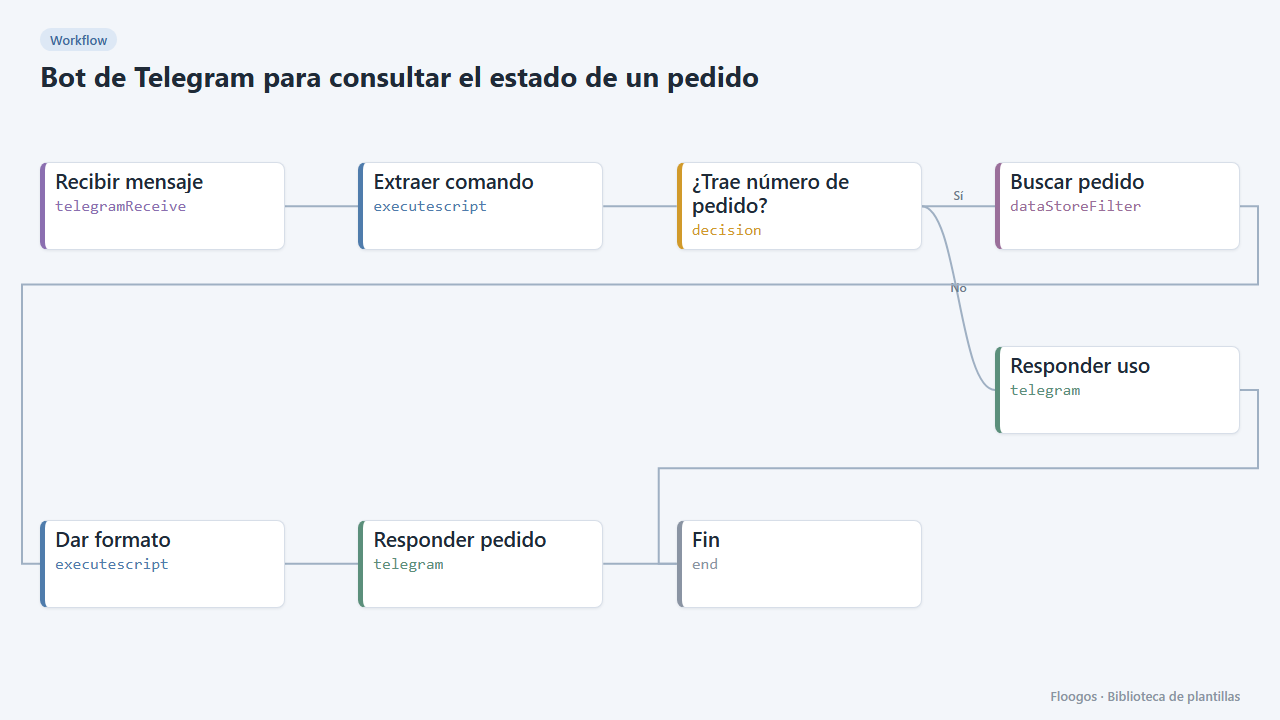
Telegram bot to check an order status
The customer types /pedido PED-1001 and the bot answers with the status read from a Data Store.
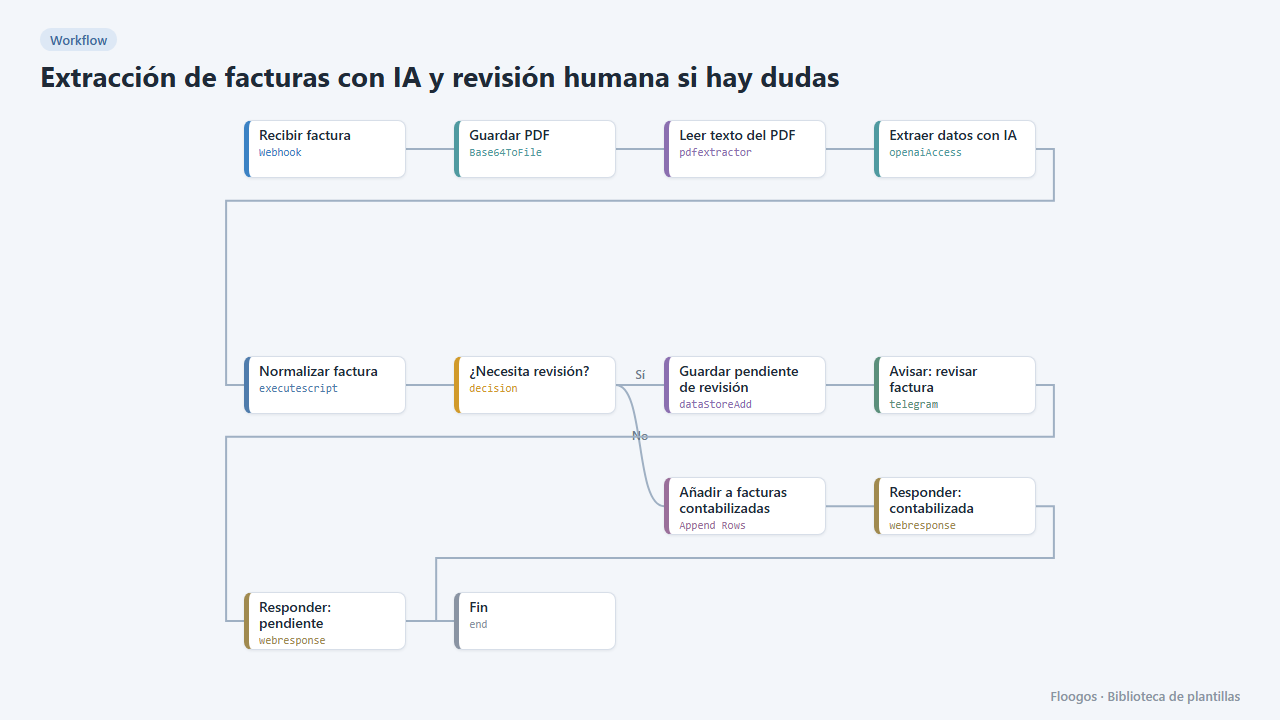
AI invoice extraction with human review when in doubt
AI extracts the invoice data; reliable ones go straight to the sheet, and if confidence is low or fields are missing they are set aside and you get a Telegram alert to review them.
Try it in under 5 minutes
Create the template in your account, connect your credentials and activate it when you are ready.
Use this template