
Telegram bot with commands and help menu
A bot that answers /start, /ayuda, /horario, /contacto and /precios with texts you edit in a single node.
Everything is created inactive in a new folder of your account. Nothing runs until you activate it, and you can undo it for 24 hours.
What it does
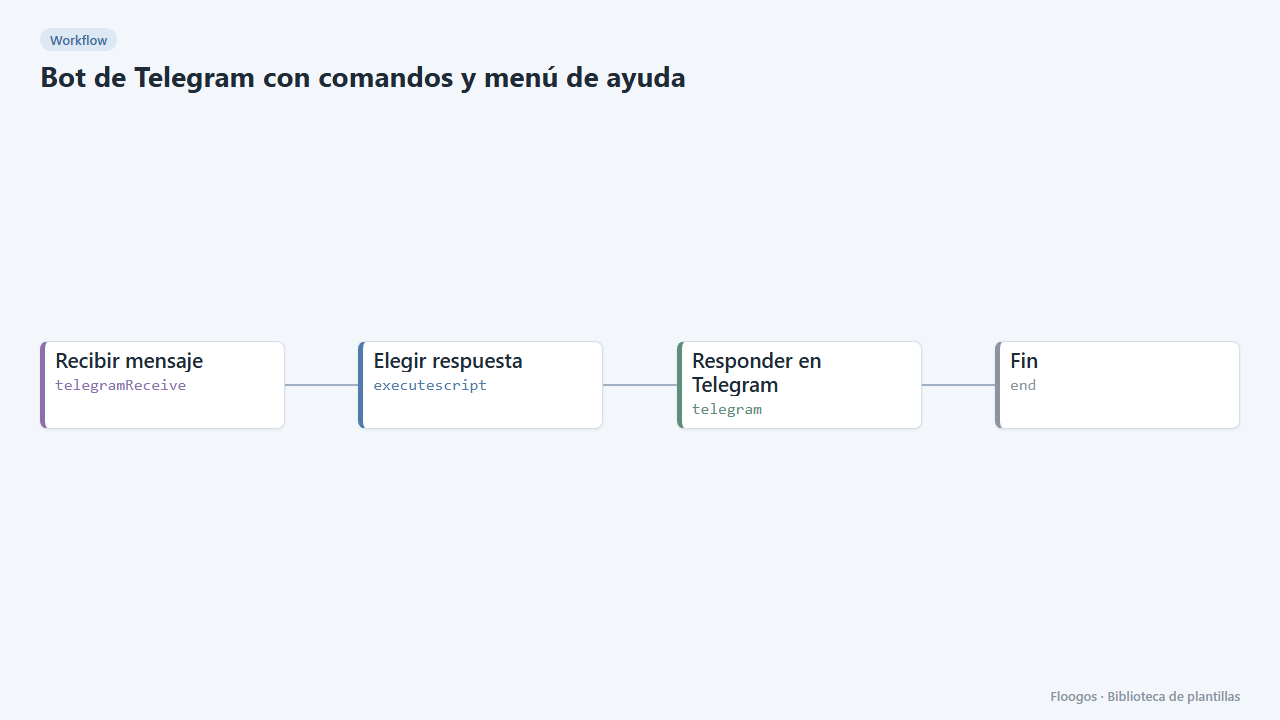
The simplest support bot: it receives messages from your Telegram bot, detects the command and replies with the matching text. All the texts live together in the Elegir respuesta node, so customising it means changing a few sentences. If someone writes something that is not a command, it reminds them to use /ayuda.
What you need: a Telegram bot (create it with @BotFather) and its token.
How to use it: install the template, paste the bot token into the trigger and the Telegram credentials, edit the texts and activate the workflow so Telegram starts sending it messages.
How to set it up
- 1
Connect the telegram credential
This template uses telegram in: Responder en Telegram. Create or pick the credential and assign it in those nodes.
- 2
Create the bot
In Telegram talk to @BotFather, create a bot with /newbot and copy the token. Paste it into the Recibir mensaje node and the Responder en Telegram credentials.
- 3
Edit the texts
Open the Elegir respuesta node and change the sentence of each command (hours, contact, prices). To add a command, add one more line to the
COMANDOSobject and mention it inayuda. - 4
Test
Activate the workflow, open your bot in Telegram and type /ayuda. The reply goes to the same chat you write from.
- 5
Activate the workflow
Workflows are installed inactive. Once everything is set, activate it.
Related templates
Other templates that use similar nodes or integrations.
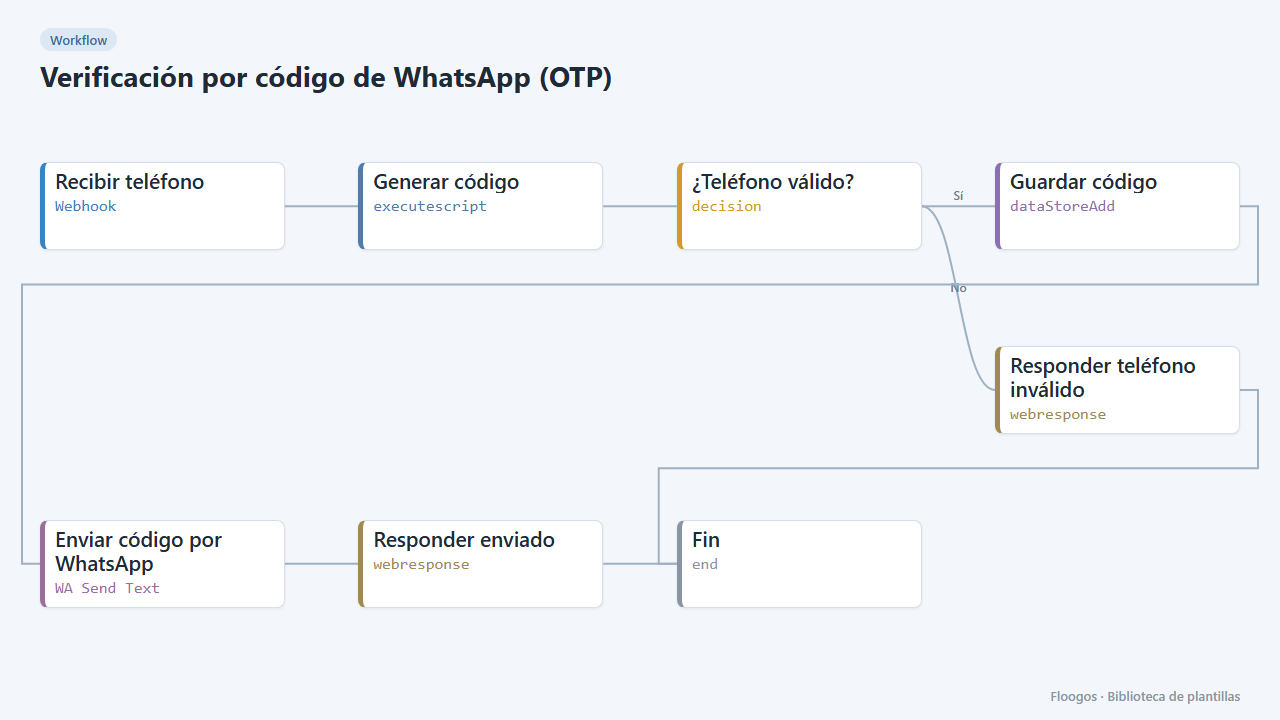
WhatsApp one-time code verification (OTP)
Send a 6-digit code over WhatsApp and verify it afterwards: two ready-made webhooks to validate your users phone numbers.
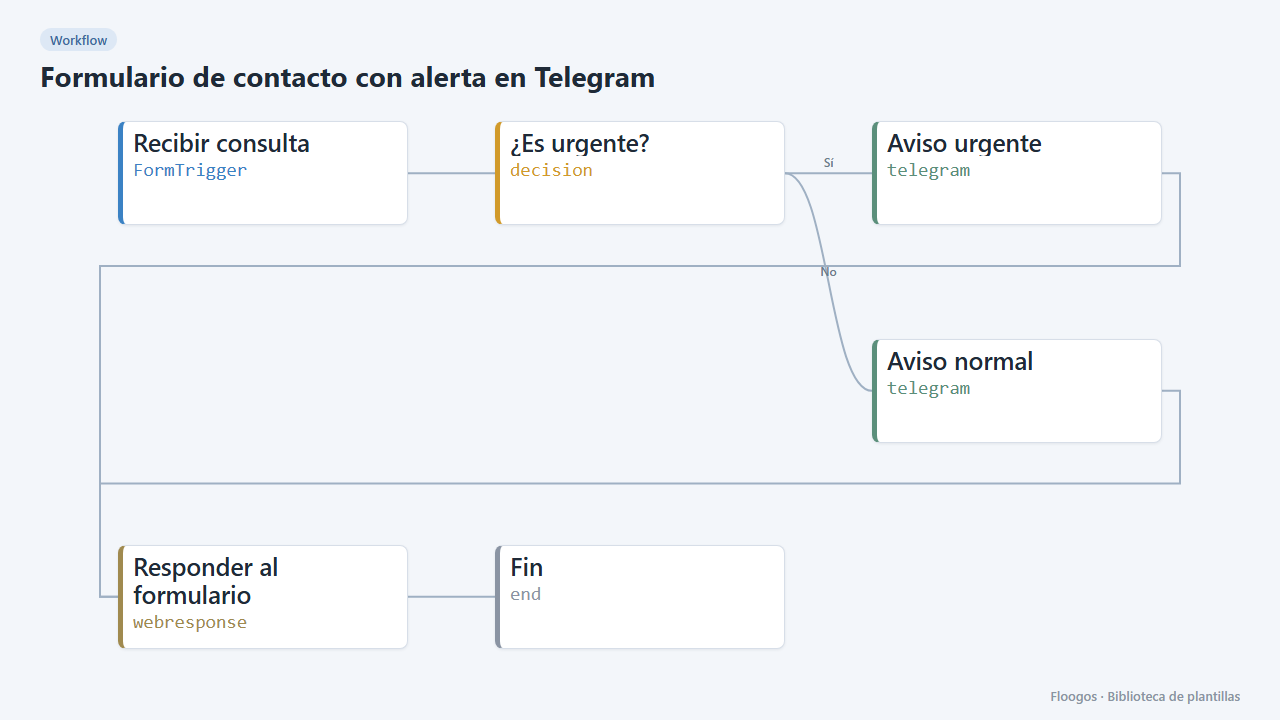
Contact form with Telegram alert
Includes a public form: every enquiry reaches your Telegram chat and those marked urgent stand out.
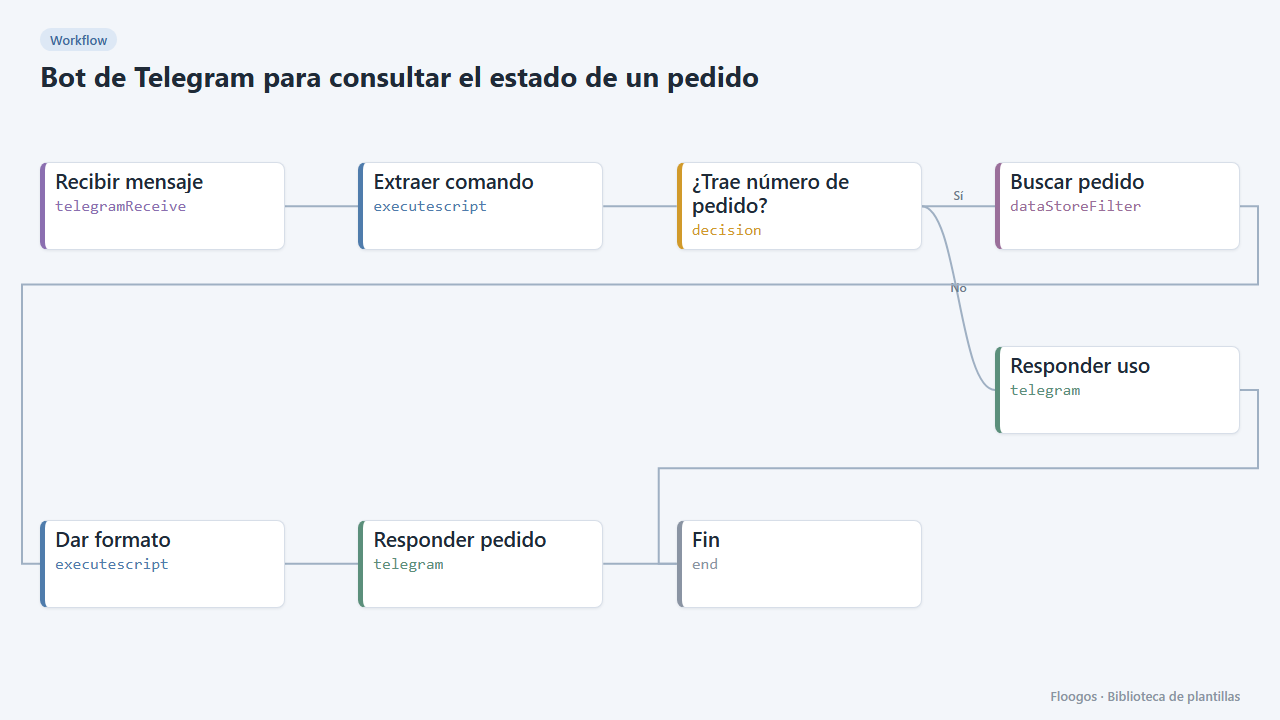
Telegram bot to check an order status
The customer types /pedido PED-1001 and the bot answers with the status read from a Data Store.
Try it in under 5 minutes
Create the template in your account, connect your credentials and activate it when you are ready.
Use this template